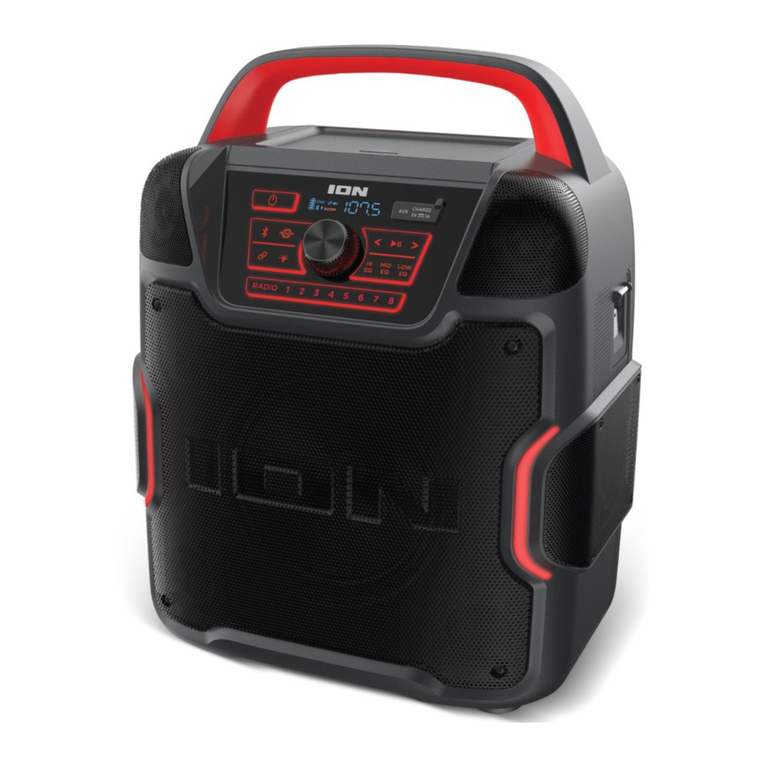
ION Audio Pathfinder
TM
Go User Guide 5
Outdoor Use and Care
Though PathfinderTM Go is water-resistant and able to tolerate splashing water, please review
the tips below to get the best performance from your PathfinderTM Go:
•
Bring PathfinderTM Go indoors during extreme weather.
•
Please do not place PathfinderTM Go in standing water.
•
Please do not connect the power adapter to a PathfinderTM Go in a wet environment. Make
sure the power input, power adapter, and power outlet are all completely dry before making
any connections.
•
WARNING: Keep any non-water-resistant devices (phones, music players, etc.) in a dry
place where they will not be aected by water and cause a risk of electric shock.
Charging & Battery Information
For the quickest charging time, power o PathfinderTM Go and use the included USB-A to
USB-C® cable to connect the USB-C® charging port on the rear panel of the speaker to a USB
power adapter (DC 5V 2A, not included) connected to a power outlet, or your computer
(powered on). A full charge can take up to 3 hours, depending on the specifications of your
5V, 2A adapter.
The lightning bolt icon on the display will light up when PathfinderTM Go is
connected to a power source and charging. The battery icon will fill to display
the battery life percentage. When charging is complete, the lightning bolt icon
will disappear, and the battery icon will be completely filled.
If no audio is played through the PathfinderTM Go speaker for 15 minutes, the unit will enter a
standby mode to conserve battery life. This may mean the Bluetooth signal is paused, no audio
is coming through a device connected to the aux port, or the volume is set to 0. To wake the
unit, simply resume audio signal or press any button.
SETUP