005
Getting Started
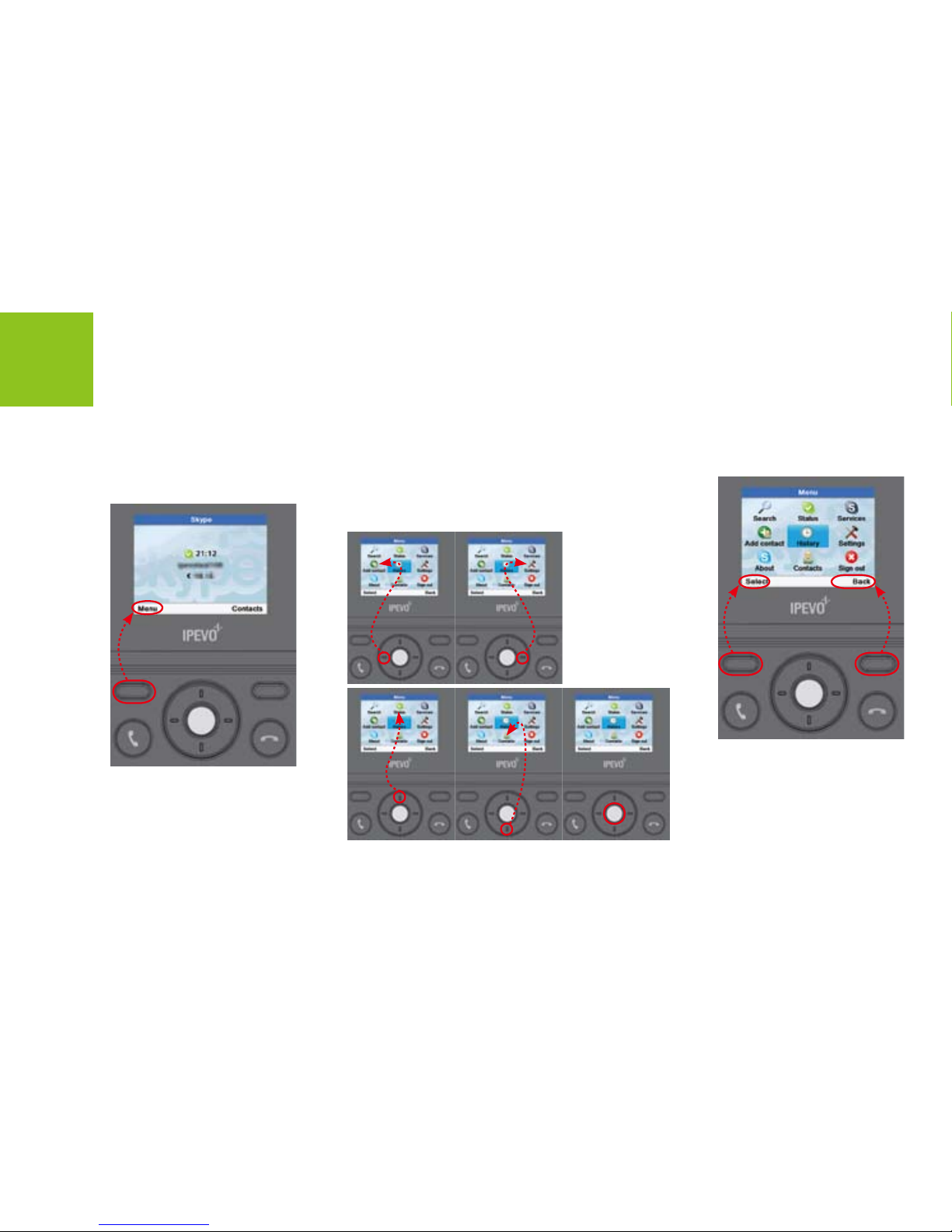
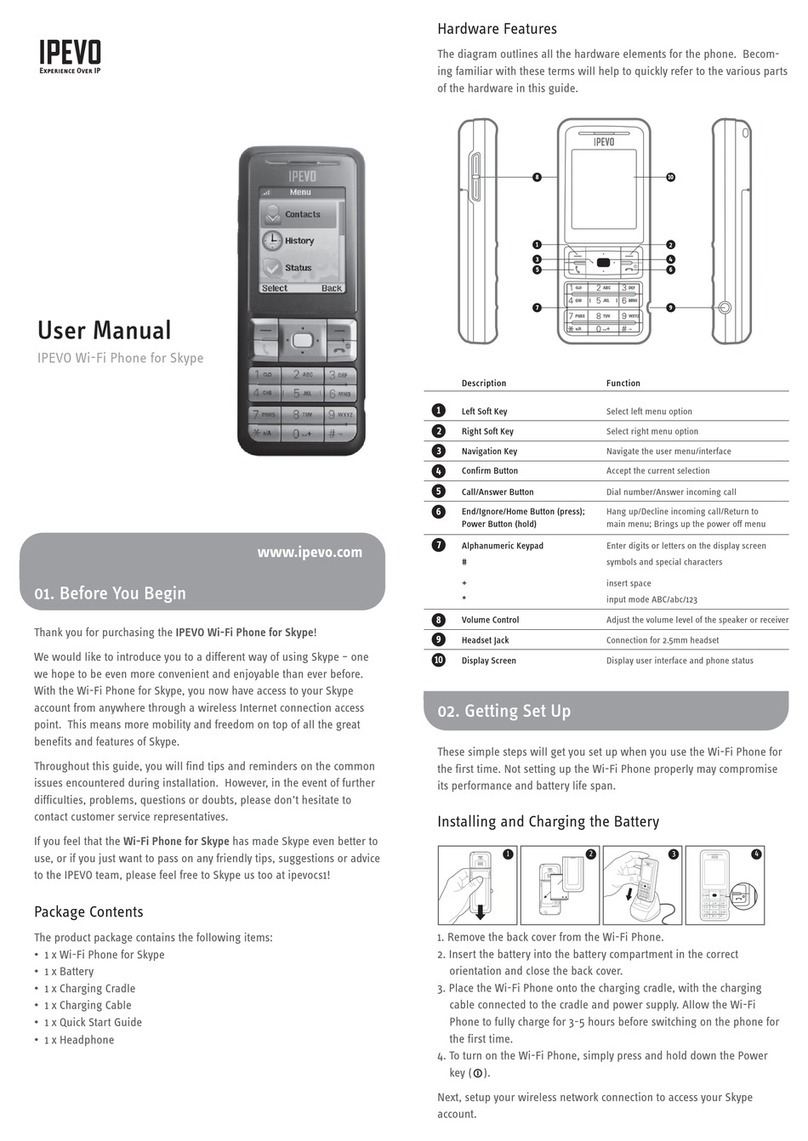
4Navigation/Conrm Buttons Press to select highlighted items.
Press to move through the menus.
In standby mode, press these buttons to go to a shortcuts menu.
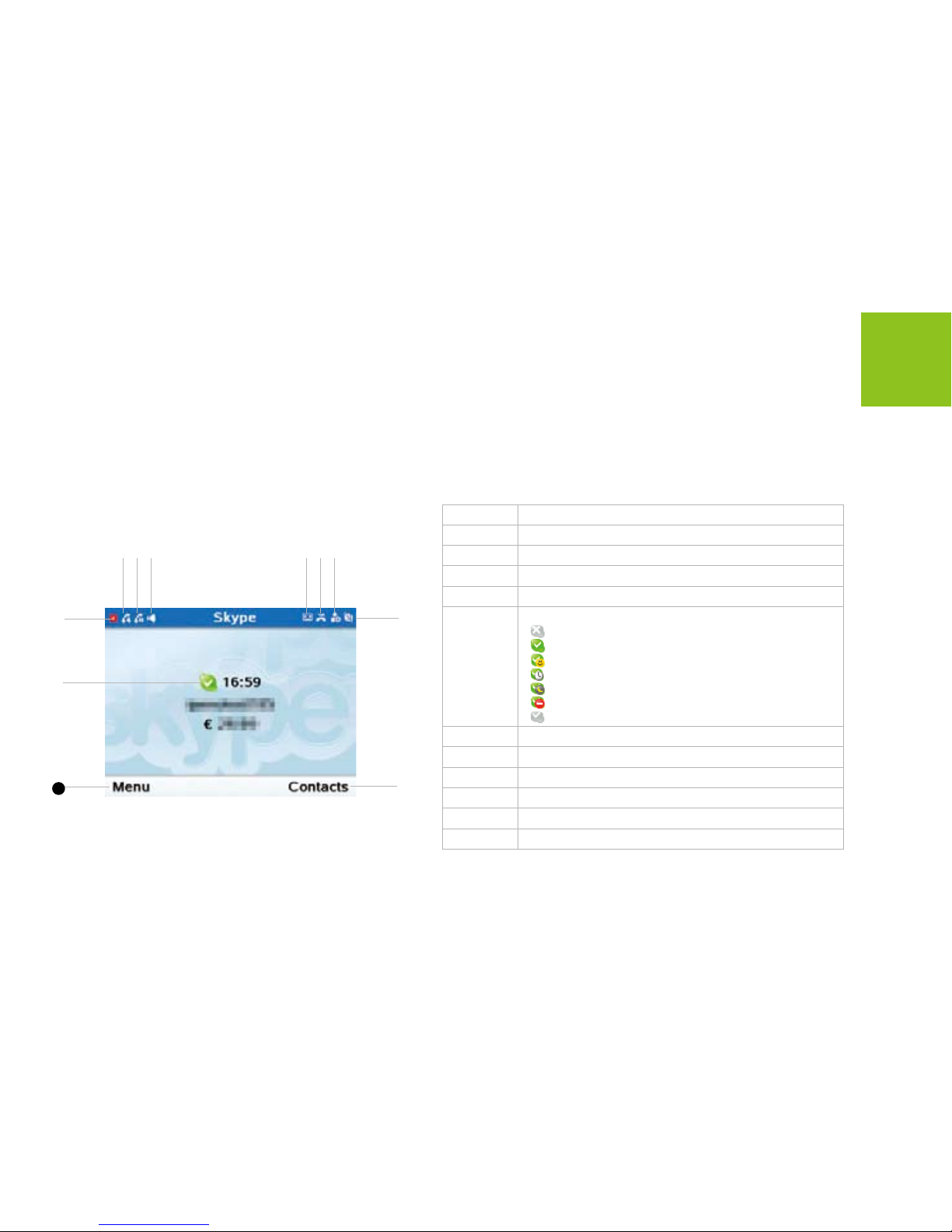
• Press to go to the Skype Status menu.
• Press to go to the Contacts menu.
• Press to go to the main Menu.
• Press to go to the Missed calls menu.
5End Press to end an active call or reject or cancel a call.
Press to return to standby.
60~9,*, # • Press to enter numbers or characters
• Press to shift between capital, lower-case letter and numbers.
7Speed Dialing Press to speed dial.
8Call Press to call or answer a call.
In standby mode, press to go to All calls menu.