Copyright @iStartek 2018 All Rights Reserved
5.6 Do not disturb mode
APP settings—do not disturb mode—set up do not disturb timing(Maximum four groups timing) within the time
interval, unable to call the locating watch, unable to slip the screen.
Do not disturb mode setting is only available from Monday to Friday. The “do not disturb” function does not
work at weekends.
5.7 Call Alert Setting.
APP: Settings -> Call Alert -> Ring down/Mute
5.8 Clock Alarm
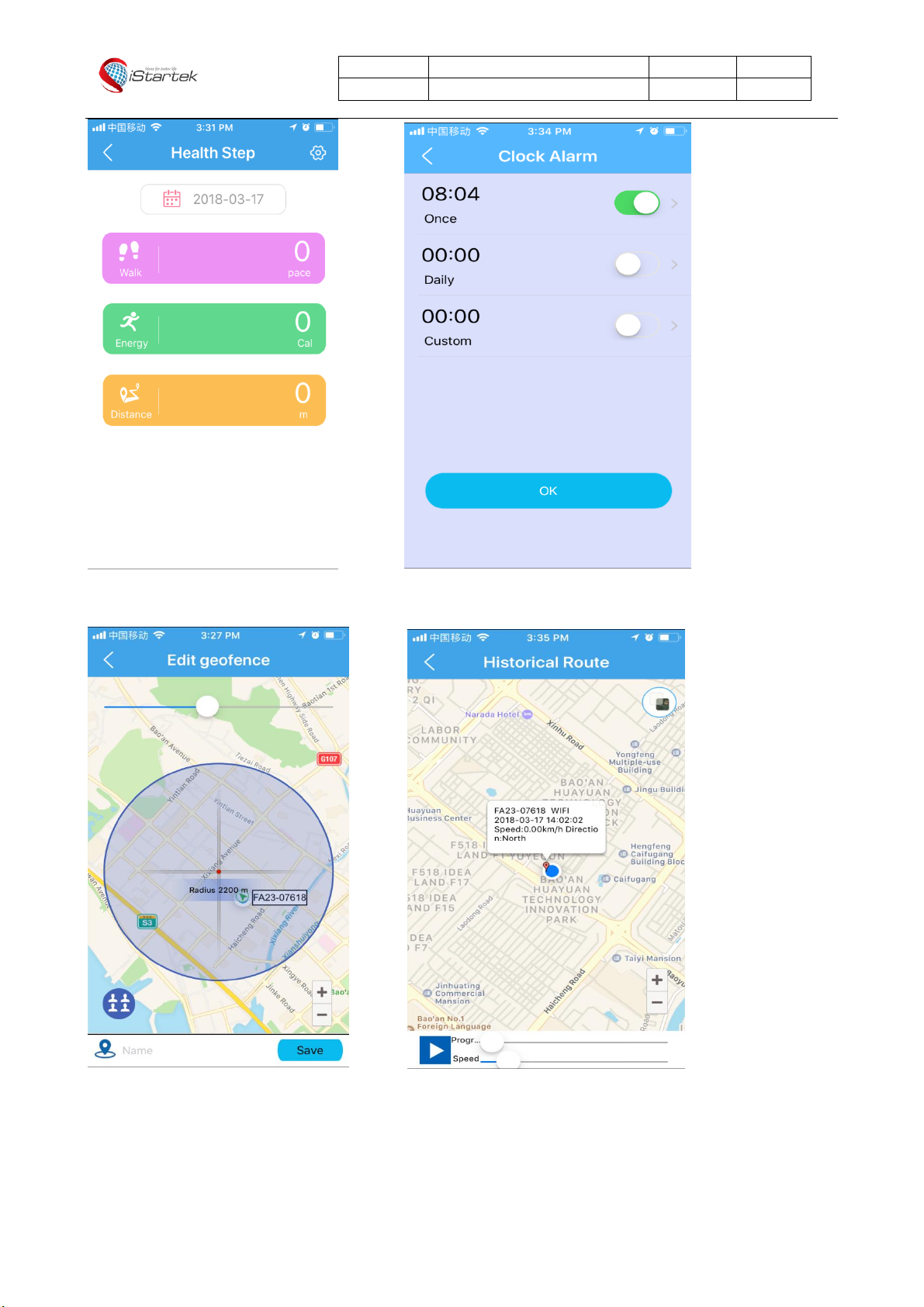
APP: settings—Clock Alarm—set clock alarm time (Alarm clock reminder can be one time, daily and user-defined,
can be set according to your own needs)
5.9 Voice Talk
Intercom between gps watch and app for voice conversations:
1- Send voice message or text from APP to GPS watch: APP voice—hold the button to talk—release the button
to send; Or send text. (Note: the maximum voice message can be up to 15 seconds. User can swipe up finger to
cancel voice recording.
2- Send voice message from GPS watch to APP: click Talk icon—hold to talk—release to send.
5.10 Health Step
How to use health step:
Step counting is default to be closed, so you need to manually turn on this function, by following steps in APP:
From APP: Health Step—The upper- right corner setting icon—according to your need to set time period of
counting (three groups), pace and weight parameters, finally turn on the step counter switch. You can turn off
the counting function when it is not needed.
You can check the steps number in the GPS watch “step “; Can check the number of calories and steps number of
the day or historical sport route in the APP .
5.11 Making friends (this function is optional, please check with reseller in advance)
From watch: Click on "Make friend" interface of watch, on this interface, you can make friend with other watches
that is not friends, after success of making friends, icon will be lighted up , each watch just can make one friend.
Make new friend, then it will delete the old friend automatically.
Voice talk with friend: After making friends successfully, click friend icon, long press it, then can send voice
message to friends.
5.12 Time and Date format settings
Time and Date showing format on watch setting: