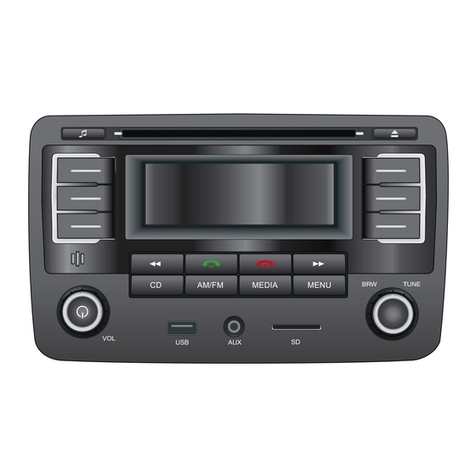
Jensen MP1516BT User manual

MP1516BT
Mobile Audio System
Owner’s Manual
160
watts peak
40W x 4

2
“Made for iPod” and “Made for iPhone” means that an electronic accessory has
been designed to connect specically to iPod or iPhone, respectively, and has
been certied by the developers to meet Apple performance standards. Apple
is not responsible for the operation of this device or its compliance with safety
or regulatory standards. Please note that the use of this accessory with iPod or
iPhone may aect wireless performance.
iPod and iPhone are trademarks of Apple Inc., registered in the U.S. and other
countries.
Made for:
• iPod touch (1st, 2nd, 3rd, and 4th generation)
• iPod nano (3rd, 4th, 5th, and 6th generation)
• iPod Classic
• iPod with video
• iPhone 4S
• iPhone 4
• iPhone 3GS
• iPhone 3
• iPhone
The Bluetooth® word mark and logos are registered trademarks owned by
Bluetooth SIG, Inc. and any use of such marks by Jensen is under license. Other
trademarks and trade names are those of their respective owners.
WARNING! Stop your vehicle before carrying out any operation that could interfere with
your driving.
WARNING! Never disassemble or adjust the unit. Do not attempt to modify the unit.
Modifying the unit may cause an accident.
WARNING! To prevent injury from shock or re, never expose this unit to moisture or
water.
WARNING! Never use irregular discs.
WARNING! Do not turn on the unit if the temperature inside the vehicle is
below -4 F (-20 C) or above 140 F (60 C).
WARNING! When replacing a fuse, the replacement must be the same amperage as shown
on the fuse holder. Never replace a fuse with another fuse of a dierent value.
Do not use a fuse with a higher amperage rating than the fuse originally
supplied with your unit, otherwise damage to the unit or a re will result.
Thank you for choosing a Jensen product. We hope you will nd the instructions
in this owner’s manual clear and easy to follow. If you take a few minutes to look
through it, you’ll learn how to use all the features of your new Jensen MP1516BT
Mobile Audio System for maximum enjoyment.

3
MP1516BT
CONTENTS
FEATURES �������������������������������������������������������������������������������������������������������������� 4
WARNINGS BEFORE INSTALLATION �������������������������������������������������������������������� 5
INSTALLATION TOOLS ������������������������������������������������������������������������������������������ 7
BEFORE YOU INSTALL ������������������������������������������������������������������������������������������� 7
Remove the Old Unit from the Dashboard ������������������������������������������������������ 8
Mark the Polarity of the Speaker Wires ����������������������������������������������������������� 8
INSTALLATION ������������������������������������������������������������������������������������������������������� 9
DIN Front Mount ��������������������������������������������������������������������������������������������� 10
DIN Rear Mount ����������������������������������������������������������������������������������������������� 12
USING THE DETACHABLE FACEPLATE ��������������������������������������������������������������� 13
Removing the Faceplate ��������������������������������������������������������������������������������� 13
Installing the Faceplate ���������������������������������������������������������������������������������� 14
WIRING CONNECTIONS �������������������������������������������������������������������������������������� 15
CONTROLS AND INDICATORS ����������������������������������������������������������������������������17
REMOTE CONTROL OPERATION ������������������������������������������������������������������������� 20
Battery Installation ����������������������������������������������������������������������������������������� 20
Using the Remote Control ������������������������������������������������������������������������������ 21
Remote Control Functions ������������������������������������������������������������������������������ 21
BASIC OPERATION ���������������������������������������������������������������������������������������������� 24
Turning the Unit On of O ������������������������������������������������������������������������������ 24
Selecting an Audio Source ����������������������������������������������������������������������������� 24
Volume ������������������������������������������������������������������������������������������������������������� 24
Mute Control ����������������������������������������������������������������������������������������������������24
System Settings ����������������������������������������������������������������������������������������������� 24
Setting the Clock ��������������������������������������������������������������������������������������������� 26
RADIO OPERATION ��������������������������������������������������������������������������������������������� 27
Choosing a Radio Band ����������������������������������������������������������������������������������� 27
Selecting a Frequency Band ��������������������������������������������������������������������������� 27
Radio Tune/Seek Function ������������������������������������������������������������������������������ 27
Mono/Stereo Reception Control �������������������������������������������������������������������� 27
Local/Distance Control ����������������������������������������������������������������������������������� 27
Saving Your Preset Stations���������������������������������������������������������������������������� 28
Automatic Scan and Store ������������������������������������������������������������������������������ 28
Radio Data System (RDS) Operation �������������������������������������������������������������� 28

4
CD/MP3/WMA OPERATION ���������������������������������������������������������������������������������30
Loading a Disc ��������������������������������������������������������������������������������������������������30
Ejecting a Disc ��������������������������������������������������������������������������������������������������30
Selecting a Track ����������������������������������������������������������������������������������������������30
Pausing or Resuming Playback �����������������������������������������������������������������������30
Scanning Tracks ������������������������������������������������������������������������������������������������30
Repeating a Track ���������������������������������������������������������������������������������������������30
Playing Tracks in a Random Order ������������������������������������������������������������������30
MP3/WMA Playback �����������������������������������������������������������������������������������������31
Multi-Session CD Reading �������������������������������������������������������������������������������32
Electronic Skip Protection �������������������������������������������������������������������������������32
Disc Notes ���������������������������������������������������������������������������������������������������������33
USB OPERATION ���������������������������������������������������������������������������������������������������35
MP3/WMA Playback �����������������������������������������������������������������������������������������35
MEMORY CARD OPERATION �������������������������������������������������������������������������������36
MP3/WMA Playback �����������������������������������������������������������������������������������������37
iPod®/iPhone® OPERATION ���������������������������������������������������������������������������������38
BLUETOOTH® WIRELESS DEVICE OPERATION ����������������������������������������������������39
SPECIFICATIONS ��������������������������������������������������������������������������������������������������43
TROUBLESHOOTING ��������������������������������������������������������������������������������������������44
CARE AND MAINTENANCE ����������������������������������������������������������������������������������46
COMMON REPLACEMENT PARTS ������������������������������������������������������������������������47
FEATURES
• AM/FM Receiver
• RDS/EON Operation
• CD/MP3/WMA Player with Electronic Skip Protection (ESP)
• Supports CD-R and CD-RW Playback
• Automatic Memory Storing
• Fully Detachable Faceplate
• Preset Equalization
• USB and SD Card Interface
• Auxiliary Input Function
• iPod®/iPhone® Ready Function
• Remote Control
• Bluetooth® wireless technology Hands-free function and A2DP (Advanced Audio
Distribution Prole) Stereo Audio Transmission

5
MP1516BT
WARNINGS BEFORE INSTALLATION
Important warnings to take note of BEFORE installing the unit:
Damage caused by incorrect installation or usage is NOT covered
by the warranty. PLEASE take the time to read the installation in-
structions carefully.
To validate the warranty please ensure that the unit is installed
by a professional, VAT registered car audio installation company.
• To avoid shorts in your vehicle’s electrical system, be sure to disconnect the
battery cable before beginning installation.
• This unit is intended for vehicles with a 12-volt battery and negative grounding.
Before installing the unit in a recreational vehicle, truck, or bus, check that the
battery voltage is 12 volts.
• Remove the two transport screws from the top of the unit before installation.
• The black lead is ground� A good chassis ground requires a tight connection
to ground. The area should be free from rust, paint or any form of dirt. Please
ground this lead separately from the ground of high-current products such as
power amps. If you ground the products together and the ground becomes
detached, there is a risk of damage to the products or re.
• Be sure to connect the color coded leads according to the wiring diagram.
Incorrect connections may cause the unit to malfunction or damage the
vehicle’s electrical system. Wires for this product and those for other products
may be dierent colors even if they have the same function. When connecting
this product to another product, refer to the supplied installation manuals of
both products and connect wires that have the same function.
• Be sure to connect the negative (-) speaker leads to the negative (-) speaker
terminal. Never connect the negative (-) speaker leads to chassis ground.
• The unit is only designed for use with 4 speakers. Do not combine outputs
for use with 2 speakers. Do not ground negative speaker leads to the chassis
ground.
• Speakers connected to this unit must be high-power units with a minimum
rating of 45W and impedance of 4 to 8 ohms. Connecting speakers with output
and/or impedance values other than those noted here will result in damage to
the head unit and the speakers. Check the condition of your speakers carefully.
Connecting this unit to old or degraded speakers may result in a fault which will
damage the audio IC and invalidate the warranty.

6
• If this unit is installed in a vehicle that does not have an ACC (accessory) position
on the ignition switch, the red lead of the unit should be connected to a
terminal coupled with ignition switch ON/O operations. If this is not done, the
vehicle battery may be drained when you are away from the vehicle for several
hours.
• Secure the wiring with cable clamps or adhesive tape. To protect the wiring,
wrap adhesive tape around them where they lie against metal parts. To avoid
short-circuiting, cover all disconnected lead with insulating tape. There is a
possibility of short-circuiting if the leads are not insulated.
• Route and secure all wiring so it cannot touch any moving parts, such as the
gear lever and handbrake. Do not route wiring in places that get hot, such as
near the heater outlet. If the insulation of the wiring melts or gets torn, there is a
danger of the wiring short-circuiting to the vehicle’s body.
• Don’t pass the yellow lead through a hole into the engine compartment to
connect to the battery. This will damage the lead’s insulation and cause a very
dangerous short.
• Do not short any leads. If you do, the protection circuit may fail to work when it
should.
• Never feed power to other equipment by cutting the insulation of the power
supply lead of the unit and tapping into the lead. The current capacity of the
lead will be exceeded, causing overheating.
• Since an unique audio I/C circuit is employed, never wire the unit so the
speaker leads are directly grounded or the left (-) and right (-) speaker leads are
common.
• When this product’s source is switched ON, a control signal is outputted
through the blue lead. Connect to an external power amp’s system remote
control or the car’s Auto-antenna relay control terminal (max. 300mA 12 V DC). If
the car features a glass antenna, connect to the antenna booster power supply
terminal.
• When an external power amp is being used with this system, do not connect
the blue lead to the amp’s power terminal. Likewise, do not connect the blue
lead to the power terminal of the auto-antenna. Such connection could cause
excessive current drain and a major malfunction. Refer to the relevant owner’s
manual for details on connecting the power amp and other units, then make
the connections correctly.
• Do not block any vents or heater panels. Blocking them will cause heat to build
up and may result in re.
• Make sure that the unit has a good chassis ground. A good ground connection
will eliminate most electrical noise. A good chassis ground requires a tight
connection to the vehicles metal chassis. The area around the ground
connection should be clean, bare metal without rust, paint, plastic or dirt.

7
MP1516BT
INSTALLATION TOOLS
Two removal wrenches are supplied for taking out the old unit and place with this
brand name car radio. The following tools and supplies may also be needed for
the installation, but are not supplied:
Installation Tools:
• Phillips Screwdrivers
• Wire Stripper
• Wire Cutter
• Hammer
• Pencil
• Electrical Tape
• Electric Drill
Installation Supplies:
• Machine Screws
• Crimp Connectors
• 14 Gauge Wire for Power Connections
• 14-16 Gauge Speaker Wires
BEFORE YOU INSTALL
Automotive audio equipment installations can be troublesome at times, even to
the most experienced of installation technicians. If you are not condent working
with electrical wiring, removing and reinstalling interior panels, carpeting,
dashboards or other components of your vehicle, please call your dealer in order
to have the unit professionally installed.
• If noise is still experienced when the motor of the vehicle accelerates, a choke
should be placed in line with the power to the unit. The installation company
will know what is required.
• When replacing the fuse(s) the replacement must be of the same amperage as
shown on the fuse holder. Never replace a fuse with another fuse of a dierent
value. If the fuse blows again please contact your installation company.
• Double check that all wiring and connections are correct before re-connecting
the battery and turning on the unit.
• After completing the installation and before operating the unit, reconnect the
battery, then press the RESET button with a pointed object, such as a ball-point
pen to set the unit to its initial status.

8
Remove the Old Unit from the Dashboard
1. Remove the outer trim frame.
DIN Front Mount
2. Insert the keys supplied with the old unit into both sides of the unit as
shown in gure below until they click. Pull to remove the old unit from the
dashboard.
Do not disconnect
wires at this time!
Mark the Polarity of the Speaker Wires
Marking the polarity of the speaker wires will make it easier to connect the
existing speakers to your car radio. Consult the wiring diagram of the existing
head unit before disconnecting any wires. If you are not positive of the polarity of
the existing wires from the speakers to the head unit, install new wires.
1. While the old unit is playing, disconnect the wires from one speaker.
2. Take a length of masking tape and fold it around the wire so it forms a ag.
3. On the masking tape mark the polarity of the speaker wires (+ & - ), as well as
left or right, and front or rear.
4. Double check that you marked the rst speaker correctly by checking that the
speaker wires are the same at the head unit.
5. Repeat this procedure for all of the speakers.
6. Mark the power, ground, and any other wires.

9
MP1516BT
INSTALLATION
It’s a good idea to read all of the instructions before beginning the installation.
We recommend having your Jensen MP1516 Mobile Audio System installed by a
reputable installation shop.
WARNING!
Disconnect the negative battery terminal from the battery before
starting installation. Consult the vehicle’s owner’s manual for proper
instructions.
NOTE: Mark the polarity of the existing speaker wires before disconnecting battery.
Notes:
• Choose a mounting location where the unit will not interfere with the driver.
• Before installing the unit, temporarily connect the wiring. Make sure it is
connected up properly and the unit and the system work properly.
• To ensure proper installation, use only parts included with the unit. The use of
unauthorized parts can cause malfunctions.
• Consult with your nearest dealer if installation requires the drilling of holes or
other modications to the vehicle.
• Install the unit where it does not get in the driver’s way and cannot injure the
passenger if there is a sudden stop, like an emergency stop.
• If the installation angle exceeds 30° from horizontal, the unit might not give its
optimum performance.
30
• Avoid installing the unit where it would be subject to high temperature, such as
from direct sunlight, or hot air from the heater, or where it would be subject to
dust, dirt or excessive vibration.
DIN Front/Rear Mount
This unit can be properly installed either from “Front” (conventional DIN Front-
mount) or “Rear” (DIN Rear-mount installation, utilizing threaded screw holes
at the sides of the unit chassis). For details, refer to the following illustrated
installation methods.

10
Remove the Transport Screws Before Installation
Remove the two transport screws from the top of the unit before installing the
unit.
Remove screws
before installation.
DIN Front Mount (Method A)
Installation Opening
This unit can be installed in any dashboard having an opening as shown below:
Installing the Unit
Be sure you test all connections rst, and then follow these steps to install the unit
1. After removing the old radio and mounting sleeve, insert the supplied
mounting sleeve into opening.
Table of contents
Other Jensen Car Stereo System manuals

Jensen
Jensen JWM45 Installation instructions
Jensen
Jensen JWM10A User manual
Jensen
Jensen AWM970 User manual
Jensen
Jensen CD3720XM User manual

Jensen
Jensen CD3720XM User manual
Jensen
Jensen MS3ARTL User manual
Jensen
Jensen PADIN5 User manual
Jensen
Jensen CD4610 User manual
Jensen
Jensen VX7021 User manual
Jensen
Jensen DV1628 User manual
Jensen
Jensen AWM970 User manual
Jensen
Jensen JDVD1500 User manual
Jensen
Jensen CR225X User manual
Jensen
Jensen JCD3006 User manual
Jensen
Jensen JDM118BT User manual
Jensen
Jensen MP5720USB User manual

Jensen
Jensen VX4022A User manual
Jensen
Jensen VM9216BT User manual
Jensen
Jensen Phase Linear UV10 User manual

Jensen
Jensen VM9026 User manual