manuals.online logo
Brands
  1. Home
  2. •
  3. Brands
  4. •
  5. JVC
  6. •
  7. LED TV
  8. •
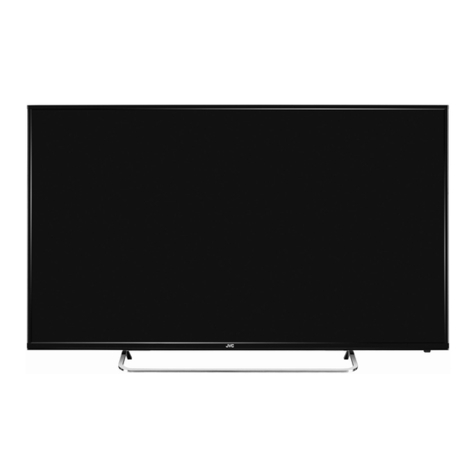
  9. JVC LT-50C550 User manual

JVC LT-50C550 User manual

Other JVC LED TV manuals

JVC Black Sapphire SL42B-C User manual

JVC

JVC Black Sapphire SL42B-C User manual

JVC LT-32C795 User manual

JVC

JVC LT-32C795 User manual

JVC LT-48MA570 User manual

JVC

JVC LT-48MA570 User manual

JVC LT-32C785B User manual

JVC

JVC LT-32C785B User manual

JVC Fire TV Edition LT-40CF890 User manual

JVC

JVC Fire TV Edition LT-40CF890 User manual

JVC LT-32FA120 User manual

JVC

JVC LT-32FA120 User manual

JVC Emerald EM37T User manual

JVC

JVC Emerald EM37T User manual

JVC LT-32C340 User manual

JVC

JVC LT-32C340 User manual

JVC LT-50C740A User manual

JVC

JVC LT-50C740A User manual

JVC LT-65N785AN User manual

JVC

JVC LT-65N785AN User manual

JVC LT-22K560 User manual

JVC

JVC LT-22K560 User manual

JVC LT-55C898 User manual

JVC

JVC LT-55C898 User manual

JVC LT-65E75 User manual

JVC

JVC LT-65E75 User manual

JVC Roku TV LT-70MAW795 User manual

JVC

JVC Roku TV LT-70MAW795 User manual

JVC Diamond DM85UXR User manual

JVC

JVC Diamond DM85UXR User manual

JVC LT-65MA770 User manual

JVC

JVC LT-65MA770 User manual

JVC LT-40MAW300 User manual

JVC

JVC LT-40MAW300 User manual

JVC LT-32C695 User manual

JVC

JVC LT-32C695 User manual

JVC LT-50N7115A User manual

JVC

JVC LT-50N7115A User manual

JVC LT-24HS340 User manual

JVC

JVC LT-24HS340 User manual

JVC LT-29DG43J User manual

JVC

JVC LT-29DG43J User manual

JVC LT-43C890B User manual

JVC

JVC LT-43C890B User manual

JVC LT-43C790A User manual

JVC

JVC LT-43C790A User manual

JVC LT-32E33B User manual

JVC

JVC LT-32E33B User manual

Popular LED TV manuals by other brands

Samsung UE65C8000XK user manual

Samsung

Samsung UE65C8000XK user manual

VESTEL SATELLITE 22PF5045 operating instructions

VESTEL

VESTEL SATELLITE 22PF5045 operating instructions

Tokai TTE-48B4444K user manual

Tokai

Tokai TTE-48B4444K user manual

LG 55UR640S Easy setup guide

LG

LG 55UR640S Easy setup guide

LG 43UF680T-TA owner's manual

LG

LG 43UF680T-TA owner's manual

Bush DLED55UHDSFIRE instruction manual

Bush

Bush DLED55UHDSFIRE instruction manual

Logik L24FED12 instruction manual

Logik

Logik L24FED12 instruction manual

Samsung QE65QN85CATXXN user manual

Samsung

Samsung QE65QN85CATXXN user manual

Samsung 7 Series user manual

Samsung

Samsung 7 Series user manual

Insignia NS-42D240A13 brochure

Insignia

Insignia NS-42D240A13 brochure

Philips 32PFL3207H/12 Specifications

Philips

Philips 32PFL3207H/12 Specifications

LG 49UB850V owner's manual

LG

LG 49UB850V owner's manual

TCL Roku TV 55C807 user guide

TCL

TCL Roku TV 55C807 user guide

LG 43UF690V-ZC manual

LG

LG 43UF690V-ZC manual

Samsung UN50ES6900 Product highlights

Samsung

Samsung UN50ES6900 Product highlights

Philips 55PUT7805 user manual

Philips

Philips 55PUT7805 user manual

Vidao 58V850R user manual

Vidao

Vidao 58V850R user manual

LG 55UF671V owner's manual

LG

LG 55UF671V owner's manual

manuals.online logo
manuals.online logoBrands
  • About & Mission
  • Contact us
  • Privacy Policy
  • Terms and Conditions

Copyright 2025 Manuals.Online. All Rights Reserved.

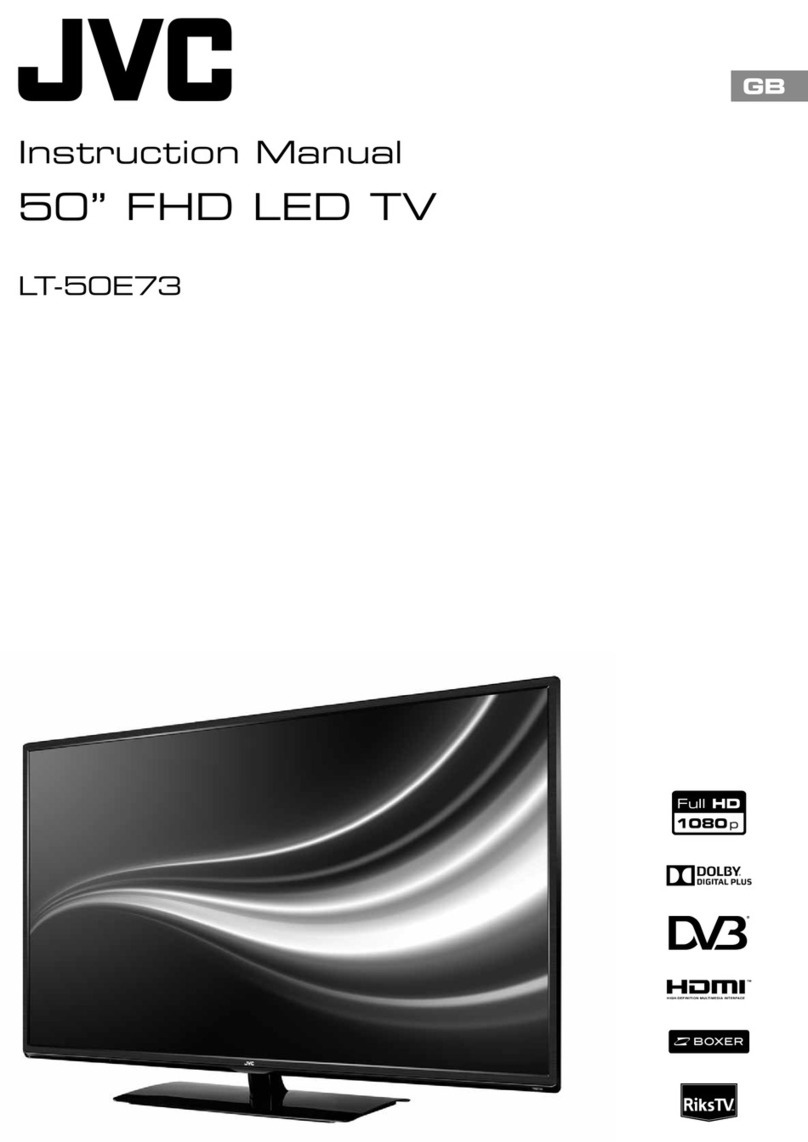
Instruction Manual
50” LED FULL HD TV
LT-50C550
Contents
1 Safety Warnings ...........................................................................................................................................................................7
2 Preparation.................................................................................................................................................................................10
Unpacking the TV .............................................................................................................................................................................................................10
Installing / Removing the Base Stand .......................................................................................................................................................................11
− Installing the Base Stand....................................................................................................................................................................................11
− Mounting the TV to a Wall.................................................................................................................................................................................12
Front View and Bottom View Controls .....................................................................................................................................................................13
Rear View and Sockets....................................................................................................................................................................................................14
Installing Batteries in the Remote Control ..............................................................................................................................................................15
Remote Control Operation Range..............................................................................................................................................................................15
Remote Control .................................................................................................................................................................................................................16
3 Connections................................................................................................................................................................................18
Making Video and Audio Connections.....................................................................................................................................................................18
Connecting an AV Device Using an HDMI Cable...................................................................................................................................................18
− HDMI ARC (Audio Return Channel) (HDMI 1 Only)...................................................................................................................................19
Connecting a Computer Using a VGA Cable ..........................................................................................................................................................19
Connecting an AV Device Using a Component (YPbPr) Cable ....................................................................................................................... 20
Connecting an AV Device Using a SCART Cable .................................................................................................................................................. 20
Connecting an AV Device Using Composite Cable..............................................................................................................................................21
Connecting an Audio Receiver....................................................................................................................................................................................21
Connecting to Network................................................................................................................................................................................................. 22
Connecting Headphones.............................................................................................................................................................................................. 22
4 Initial Setup ................................................................................................................................................................................23
Turning the TV On for the First Time ........................................................................................................................................................................ 23
− Target Region Setting (UK only)..................................................................................................................................................................... 24
− Selecting the Input Source............................................................................................................................................................................... 25
− Channel Selection .............................................................................................................................................................................................. 25
− Listening to the Radio (Radio Mode)............................................................................................................................................................ 25
− Display Channel Information .......................................................................................................................................................................... 25
− Volume Adjustment............................................................................................................................................................................................ 25
5 Customising TV Settings ...........................................................................................................................................................26
Channel Setting (TV, DTV or Radio Mode).............................................................................................................................................................. 26
− Auto Tuning ........................................................................................................................................................................................................... 26
− DTV Manual Tuning............................................................................................................................................................................................. 27
− ATV Manual Tuning............................................................................................................................................................................................. 27
− Channel Edit (ATV / DTV Mode)...................................................................................................................................................................... 28
− Signal Information (DTV Mode)...................................................................................................................................................................... 29
− CI (Common Interface) (DTV Mode).............................................................................................................................................................. 30
− Software Update (Over Air Download) (DTV Mode)................................................................................................................................31
− Software Update (USB) (DTV Mode) ..............................................................................................................................................................31
Picture Setting .................................................................................................................................................................................................................. 32
Sound Setting ................................................................................................................................................................................................................... 34
− Stereo / Dual Sound Reception (ATV Mode).............................................................................................................................................. 35
− Speaker Sound Output Selection (DTV Mode)......................................................................................................................................... 35
Time Settings..................................................................................................................................................................................................................... 36
Option Setting .................................................................................................................................................................................................................. 37
− OSD Language...................................................................................................................................................................................................... 37
− Audio Language (DTV Mode).......................................................................................................................................................................... 37
− Subtitle Language (DTV Mode)...................................................................................................................................................................... 38
− Hearing Impaired................................................................................................................................................................................................. 39
− Country.................................................................................................................................................................................................................... 39
− PVR File System (DTV Mode)............................................................................................................................................................................ 39
− Restore Factory Default..................................................................................................................................................................................... 40
− Network Conguration ......................................................................................................................................................................................41
− HDMI CEC (Consumer Electronics Control)................................................................................................................................................ 42
Lock Setting ....................................................................................................................................................................................................................... 43
− Lock System ........................................................................................................................................................................................................... 43
− Set Password ......................................................................................................................................................................................................... 44
− Block Channel ....................................................................................................................................................................................................... 45
− Parental Guidance............................................................................................................................................................................................... 46
6 Using the Features.....................................................................................................................................................................47
EPG (Electronic Programme Guide) (DTV or Radio Mode) ............................................................................................................................... 47
− Switch On / O EPG............................................................................................................................................................................................. 47
− Select a Programme ........................................................................................................................................................................................... 47
Red Button (Interactive Services)............................................................................................................................................................................... 48
− Accessing the Information ............................................................................................................................................................................... 48
7 Entertainment ............................................................................................................................................................................49
Connecting a USB Storage Device............................................................................................................................................................................. 49
Viewing Movies ................................................................................................................................................................................................................ 49
Listening to Music............................................................................................................................................................................................................ 50
Viewing Photos..................................................................................................................................................................................................................51
My Text................................................................................................................................................................................................................................. 52
8 PVR (Personal Video Recorder).................................................................................................................................................53
Time Shift Function......................................................................................................................................................................................................... 53
Recording DTV Programme onto a USB Storage Device .................................................................................................................................. 54
Timer Programming ....................................................................................................................................................................................................... 55
Playing Recorded Programme ................................................................................................................................................................................... 56
9 Other Information......................................................................................................................................................................57
Maintenance...................................................................................................................................................................................................................... 57
Hints and Tips.................................................................................................................................................................................................................... 57
Display Modes................................................................................................................................................................................................................... 59
− YPbPr Mode ........................................................................................................................................................................................................... 59
− PC Mode.................................................................................................................................................................................................................. 59
− HDMI Mode ........................................................................................................................................................................................................... 59
Product Fiche and Specications .............................................................................................................................................................................. 60
Remote Control Codes................................................................................................................................................................................................... 62
− Sky Codes ............................................................................................................................................................................................................... 62
Useful Information and Licences ............................................................................................................................................................................... 62
7
1 Safety Warnings
• Read all the instructions carefully before using the unit
and keep them for future reference.
• Retain the manual. If you pass the unit onto a third
party make sure to include this manual.
• Check that the voltage marked on the rating label
matches your mains voltage.
• WARNING: Never let people (including children) with
reduced physical, sensory or mental capabilities or lack
of experience and / or knowledge use electrical devices
unsupervised.
• To avoid danger of suffocation, keep plastic bags out of
reach of babies, children and domestic animals.
• Carefully attach the stand to the TV. If the stand is
provided with screws, tighten the screws firmly to
prevent the TV from tilting. Do not over tighten the
screws and mount the stand rubbers properly.
Damage
• Please inspect the unit for damage after unpacking.
• Do not continue to operate the unit if you are in any
doubt about it working normally, or if it is damaged
in any way - switch off, withdraw the mains plug and
consult your dealer.
Location of Unit
• The unit must be placed on a flat stable surface and
should not be subjected to vibrations.
• Do not place the unit on sloped or unstable surfaces
as the unit may fall off or tip over causing serious
personal injury or death.
• The mains socket must be located near the unit and
should be easily accessible.
• This unit is designed for indoor, domestic use only.
• Use this TV set at an altitude of less than 2000 meters
above sea level, in dry locations and in regions with
moderate or tropical climates.
Many injuries, particularly to children, can be avoided by
taking simple precautions such as;
• Using cabinets or stands recommended by the
manufacturer of the television set.
• Only use furniture that can safely support the
television set.
• Ensuring the television set is not overhanging the edge
of the supporting furniture.
• Not placing the television set on tall furniture (for
example, cupboards or bookcases) without anchoring
both furniture and the television set to a suitable
support.
• Not standing the television set on cloth or other
materials placed between the television and
supporting furniture.
• Educating children about the dangers of climbing
on furniture to reach the television set or its controls.
If your existing television set is being retained and
relocated, the same considerations as above should be
applied.
Wall Mounting
• Read the TV and wall mount instructions before
mounting your TV on the wall.
• For TVs over 40” in size, wall mounting requires 2
people to lift and position the TV on to the wall mount.
• The wall mount bracket is not supplied, they can be
purchased from your dealer.
• Do not install the TV on a ceiling or an inclined wall.
• Only use the screws supplied with the wall mount
bracket when attaching the TV to the bracket. See your
TV instructions for screw type.
• Tighten the wall mount screw firmly to prevent the TV
from falling. Do not over tighten the screws.
• If you are in any doubt how to mount your TV, contact
a professional.
Temperature
• Avoid extreme degrees of temperature, either hot or
cold. Place the unit well away from heat sources such
as radiators or gas / electric fires.
• Avoid exposure to direct sunlight and other sources of
heat.
Naked Flames
• Never place any type of candle or naked flame on the
top of or near the unit.
Moisture
• To reduce the risk of fire, electric shock or product
damage, do not expose this unit to rain, moisture,
dripping or splashing. No objects filled with liquids,
such as vases, should be placed on the unit.
• If you spill any liquid into the unit, it can cause serious
damage. Switch it off at the mains immediately.
Withdraw the mains plug and consult your dealer.
Ventilation
• To prevent the risk of electric shock or fire hazard
due to overheating, ensure that curtains and other
materials do not obstruct the ventilation vents.
• Do not install or place this unit in a bookcase, built-in
cabinet or in another confined space. Ensure the unit is
well ventilated.
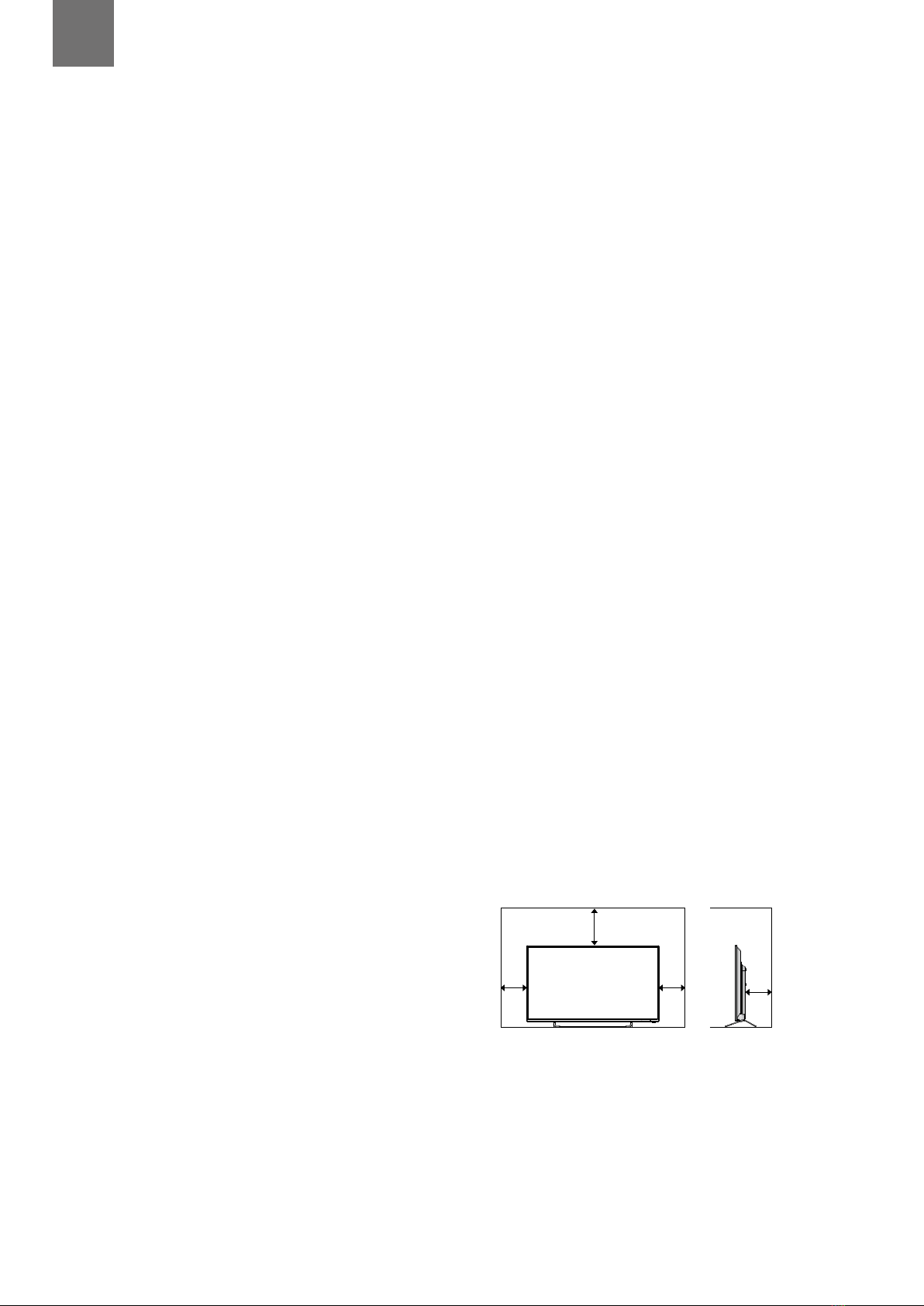
• Make sure that there is a gap of at least 10 cm on both
sides and a gap of 20 cm at the top.
MENUVOL - VOL+ CH- CH+
10 cm 10 cm
20 cm
10 cm
Chapter
1
Safety
• Always disconnect the unit from the mains supply
before connecting / disconnecting other devices or
moving the unit.
• Unplug the unit from the mains socket during a
lightning storm and long inactivity periods (going on
holiday).
8
1Safety Warnings
Mains Cable
• Make sure the unit or unit stand is not resting on top of
the mains cable, as the weight of the unit may damage
the mains cable and create a safety hazard.
• A damaged power cord/plug can cause fire or give you
an electric shock. Handle the power cord by the plug,
do not unplug the TV by pulling the power cord.
• Never touch the power cord/plug with wet hands as
this could cause a short circuit or electric shock.
• Never make a knot in the power cord or tie it with
other cords.
• If the mains cable is damaged it must be replaced
by the manufacturer, its service agent, or similarly
qualified persons in order to avoid a hazard.
Interference
• Do not place the unit on or near appliances which may
cause electromagnetic interference. If you do, it may
adversely affect the operating performance of the unit,
and cause a distorted picture or sound.
Optimum viewing
• View the unit in moderate light to prevent eye strain. It
is recommended to watch the unit from a distance
3-7 times that of the screen height.
LCD screen
• The LCD screen is manufactured using high-precision
technology. However, some tiny black points and /
or bright points (red, blue or green in colour) may
constantly appear on the LCD screen. These points
are generated in the manufacturing process and are
normal.
Screen Burn
• A characteristic of Plasma and TV Panels is that
displaying the same image for a long time may cause
a permanent after-image to remain on the screen. This
is called screen burn. Most pictures shown on the unit
will be constantly moving and fill the screen.
• Examples of images that you need to watch out for are
as follows (this is not an all-inclusive list):
1. Black Bars: If black bars appear at the left / right or
top / bottom of the screen, it is recommended to
change the format so that the picture fills the entire
screen.
2. TV Channel Logos: e.g. Shopping channel logos
and pricing displays - especially if they are bright
and stationary. Moving or low-contrast graphics are
less likely to cause ageing of the screen.
3. Time Displays
4. Teletext: Do not view a stationary page for long
periods of time.
5. TV Menus
6. Pause Mode: Do not leave the screen in pause
mode for long periods of time, e.g. when watching
videos.
• To prevent screen burn if viewing any of the above for
long periods of time, reduce contrast and brightness
when viewing. Once burn-in occurs it will never
disappear completely.
Earphones
• Listening to loud sounds for prolonged periods of time
may permanently damage your hearing.
• Before putting on earphones, turn the volume down
then put the earphones on and slowly increase the
volume until you reach a comfortable listening level.
Standby
• The button on the remote control does not switch
off the unit completely. The unit will continue to draw
electricity from the mains supply while in standby. In
the interests of safety and to avoid unnecessary energy
consumption, never leave the unit in standby while
unattended for long periods of time, e.g. overnight,
while on holiday or while out of the house. Disconnect
the mains plug from the mains socket.
Batteries
• Batteries used in the remote control for this unit
are easily swallowed by young children and this is
dangerous.
• Keep loose batteries away from young children and
make sure that the battery holder tray is secure in the
remote control. Seek medical advice if you believe a
cell has been swallowed.
• Please dispose of batteries correctly by following the
guidance in this manual.
• The batteries shall not be exposed to excessive heat
such as sunshine, fire or the like.
Supervision
• Children should be supervised to ensure that they do
not play with the unit and the remote control.
• Never let anyone especially children push anything
into the holes, slots or any other openings in the case -
this could result in a fatal electric shock.
Earthing
• Apparatus connected to the protective earthing of the
building installation through the MAINS connection
or through other apparatus with a connection to
protective earthing - and to a television distribution
system using coaxial cable, may in some circumstances
create a fire hazard. Connection to a television
distribution system has therefore to be provided
through a device providing electrical isolation below a
certain frequency range (galvanic isolator,
see EN 60728-11).
CAUTION
RISK OF ELECTRIC SHOCK
DO NOT OPEN
The lightning flash with arrowhead symbol,
within an equilateral triangle, is intended to
alert the user to the presence of uninsulated
“dangerous voltage” within the unit’s
enclosure that may be of sufficient
magnitude to constitute a risk of electric
shock.
The exclamation point within an equilateral
triangle is intended to alert the user to the
presence of important operating and
maintenance (servicing) instructions in the
manual accompanying the unit.

9
1
Safety Warnings
To prevent the spread of fire,
keep candles or other open
flames away from this product
at all times.
Service
• To reduce the risk of electric shock, do not remove
screws. The unit does not contain any user-serviceable
parts. Please leave all maintenance work to qualified
personnel.
• Do not open any fixed covers as this may expose
dangerous voltages.
Maintenance
• Ensure to unplug the unit from the mains socket before
cleaning.
• Do not use any type of abrasive pad or abrasive
cleaning solutions as these may damage the unit’s
surface.
• Do not use liquids to clean the unit.
• The wall socket plug is used as a disconnect device, the
disconnect device should be readily accessible.
• This equipment is a Class II or double insulated
electrical appliance. It has been designed in such
a way that it does not require a safety connection
to electrical earth.
10
2 Preparation
Unpacking the TV
Remove all packaging from the TV. Retain the packaging. If you dispose of it please do so according to local regulations.
The following items are included:
Instruction Manual Quick Start Guide
TV Stand BaseTV Stand Support (L) x 1
TV Stand Support (R) x 1
AAA Batteries x 2Remote Control
SETUP
ANGLE
ZOOM STEP
MENU
TEXT
CANCEL
AUDIO
MIX
OK
SIZE
ASPECT S.MODE P.MODE GUIDE
LIST
PROG
MENU INPUT
BACK EXIT
OK
S
TITLE
TV.RD
FAV
HOLD REVEAL SUBPAGE INDEX
GOTO SLOW REPEAT A-B
TV
L
R
Screw A x 4
Screw B x 4
Thank you for purchasing your new JVC TV.
Your new TV has many features and incorporates the latest technology to enhance your viewing
experience. We recommend that you spend some time reading this instruction manual so that you fully
understand these features. You will also find some hints and tips to help you resolve any issues.
Read all the safety instructions carefully before use and keep this instruction manual for future reference.
Chapter
2
• If items are missing, or damaged please contact Partmaster (UK only). Tel: 0344 800 3456 for assistance.
• If you require additional assistance:
For UK, please call our UK Call Centre on 0344 561 1234.
For Ireland, please call our Ireland Call Center on 1 890 818 575.