EnglishDeutsch
 logo
Brands
  1. Home
  2. •
  3. Brands
  4. •
  5. Kohler
  6. •
  7. Controllers
  8. •
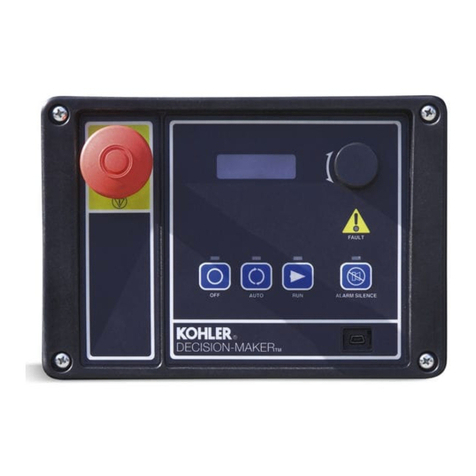
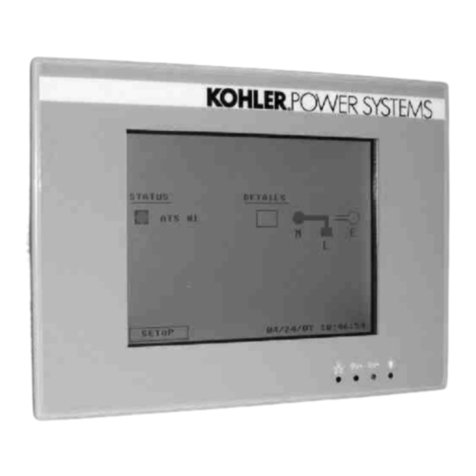
  9. Kohler Decision-Makerr MPAC 1500 User manual

Kohler Decision-Makerr MPAC 1500 User manual

Other manuals for Decision-Makerr MPAC 1500

1

Other Kohler Controllers manuals

Kohler GM17071-KP1 User manual

Kohler

Kohler GM17071-KP1 User manual

Kohler K-7124 Assembly instructions

Kohler

Kohler K-7124 Assembly instructions

Kohler Dongle 23777T User manual

Kohler

Kohler Dongle 23777T User manual

Kohler rada outlook User manual

Kohler

Kohler rada outlook User manual

Kohler APM402 Instruction Manual

Kohler

Kohler APM402 Instruction Manual

Kohler GM35950 Use and care manual

Kohler

Kohler GM35950 Use and care manual

Kohler 8.5RES User manual

Kohler

Kohler 8.5RES User manual

Kohler 14RES User manual

Kohler

Kohler 14RES User manual

Kohler K-1663 User manual

Kohler

Kohler K-1663 User manual

Kohler Decision-Maker 3000 Instruction Manual

Kohler

Kohler Decision-Maker 3000 Instruction Manual

Kohler K-9384 Assembly instructions

Kohler

Kohler K-9384 Assembly instructions

Kohler Modbus MPAC 1000 Instruction Manual

Kohler

Kohler Modbus MPAC 1000 Instruction Manual

Kohler Power Systems GM49279-KP1 User manual

Kohler

Kohler Power Systems GM49279-KP1 User manual

Kohler Curtis F Series User manual

Kohler

Kohler Curtis F Series User manual

Kohler APM802 User manual

Kohler

Kohler APM802 User manual

Kohler 6EKOD User manual

Kohler

Kohler 6EKOD User manual

Kohler K-1647 Assembly instructions

Kohler

Kohler K-1647 Assembly instructions

Kohler Decision-Makerr MPAC 1500 User manual

Kohler

Kohler Decision-Makerr MPAC 1500 User manual

Kohler APM303 User manual

Kohler

Kohler APM303 User manual

Kohler K-1647 User manual

Kohler

Kohler K-1647 User manual

Kohler Decision-Maker 3500 User manual

Kohler

Kohler Decision-Maker 3500 User manual

Kohler K-99695 Assembly instructions

Kohler

Kohler K-99695 Assembly instructions

Popular Controllers manuals by other brands

Digiplex DGP-848 Programming guide

Digiplex

Digiplex DGP-848 Programming guide

YASKAWA SGM series user manual

YASKAWA

YASKAWA SGM series user manual

Sinope Calypso RM3500ZB installation guide

Sinope

Sinope Calypso RM3500ZB installation guide

Isimet DLA Series Style 2 Installation, Operations, Start-up and Maintenance Instructions

Isimet

Isimet DLA Series Style 2 Installation, Operations, Start-up and Maintenance Instructions

LSIS sv-ip5a user manual

LSIS

LSIS sv-ip5a user manual

Airflow Uno hab Installation and operating instructions

Airflow

Airflow Uno hab Installation and operating instructions

ABB ACS580-01 drives Hardware manual

ABB

ABB ACS580-01 drives Hardware manual

Panasonic GM1 Series Reference manual

Panasonic

Panasonic GM1 Series Reference manual

Emerson SW93 owner's manual

Emerson

Emerson SW93 owner's manual

AutoAqua Smart ATO micro SATO-120P manual

AutoAqua

AutoAqua Smart ATO micro SATO-120P manual

Panasonic FP? Positioning Unit RTEX Technical manual

Panasonic

Panasonic FP? Positioning Unit RTEX Technical manual

Alpha IP MIOB 21001 manual

Alpha IP

Alpha IP MIOB 21001 manual

Siemens OpenAir GMA 1 Series Mounting instructions

Siemens

Siemens OpenAir GMA 1 Series Mounting instructions

Surecom SR-629 user manual

Surecom

Surecom SR-629 user manual

Regulus SRS1 T Installation and operation manual

Regulus

Regulus SRS1 T Installation and operation manual

3M MicroTouch EX113 reference guide

3M

3M MicroTouch EX113 reference guide

KUHN TKS user manual

KUHN

KUHN TKS user manual

S&C PMH Instructions for operation

S&C

S&C PMH Instructions for operation

https://manuals.online logo
https://manuals.online logoBrands
  • About & Mission
  • Contact us
  • Privacy Policy
  • Terms and Conditions

Copyright 2026 Manuals.Online. All Rights Reserved.

INSTALLATION INSTRUCTIONS
TT-1469 6
/
07
Original Issue Date: 6/07
Model: MPACt1500
Market: ATS
Subject: MPACt1500 Demonstration Case Kit GM51765-KP1
Introduction
The demonstration case kit allows the user to show the
MPACt1500 automatic transfer switch controller setup
and operation. The demonstration kit also simulates
normal source failure and return. The kit can be plugged
into a 120 VAC outlet and operated on a table top.
The kit includes the demonstration unit, power cord,
Transfer Switch Operation/Installation Manual
TP-6446, Monitor III software with key, and Monitor III
Operation Manual TP-6347.
The demonstration unit is shown in Figure 1.
1
1. MPACt1500 user interface
2. Ethernet connector for PC
3. USB port for saving/loading
files
4. I/O module connector
5. Normal source available/failure
switch
6. Power switch
7. Power cord connection
2 3 4 5 6 7
Figure 1 Demonstration Unit
2 TT-1469 6/07
Safety Precautions
Hazardous voltage.
Will cause severe injury or death.
Disconnect all power sources before
opening the enclosure.
DANGER
Instructions
Plug the power cord into a 120 VAC outlet and move the
power switch to the ON position. Refer to transfer switch
Operation/Installation Manual TP-6446, provided, for
instructions to view and change the transfer switch
controller settings.
Normal Source Failure and Return
The rocker switch simulates normal source available
and normal source failure conditions. With the switch in
the Normal Available position, the controller LEDs
indicate Source N Available and the contactor in the
Source N position.
MovetheswitchtotheNormalFailurepositionto
simulate a loss of the normal source. The controller
sends an engine start signal, indicates Source E
available, and simulates transfer to source E, executing
all applicable time delays during the sequence.
Move the switch back to the Normal Available position to
simulate return of the normal source. The controller
executes the applicable time delays and simulates
transfer back to source N. The engine cooldown time
delay executes if it is not set to zero.
Monitor III Software
Monitor III software is included with the demonstration
kit. Refer to Monitor III Operation Manual TP-6347,
provided with the demonstration case, for instructions to
load the software onto your PC or laptop computer.
Insert USB interface GM29225 (provided) into the PC’s
USB port to allow operation of the software.
Use a crossover cable to connect the computer to the
demo unit’s ethernet port. Refer to the the Operation
Manuals provided with the demonstration kit to set up
communication between the PC and the ATS controller.
Monitor III software can used to monitor transfer switch
operation and change settings on the controller. Refer
to the Monitor III Operation Manual for usernames,
passwords, and other instructions.
Input/Output Modules
Input/output modules can be connected to the
demonstration unit. Obtain I/O module mounting kit
GM46258-KP1 and one or more I/O modules. Connect
the I/O module cable (included with mounting kit) to the
green 5-pin connector on the demo unit. Refer to
TP-6446 for instructions to set up the I/O Modules.
USB Port
Connect a USB mass storage device (not provided) to
the USB port to save settings or download files. See
TP-6446 for instructions.

Fuse
The demonstration unit has a 5-amp, slow-blow IEC
ceramic 5x20 fuse. Obtain replacement fuses locally if
required.
Parts List
MPACt1500 Demonstration Case
Kit: GM51765-KP1
Qty. Description Part Number
1 USB Interface (Monitor III key) GM29225
1Monitor III Software GM41097
1Assembly, MPAC Demo Unit GM51765
1Power cord GM55383
1O/M Monitor III TP-6347
1O/I/M Model KCS/KCP TP-6446