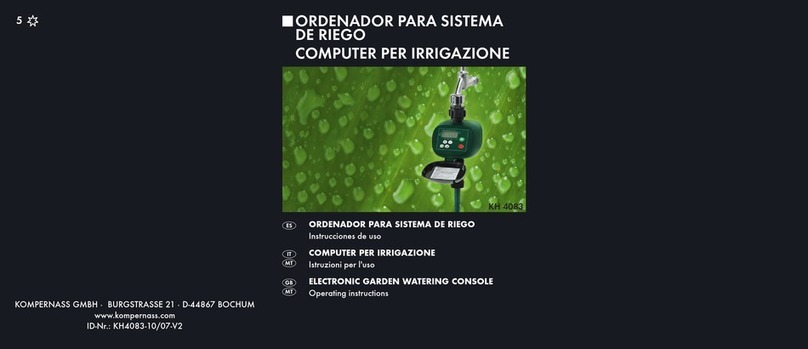
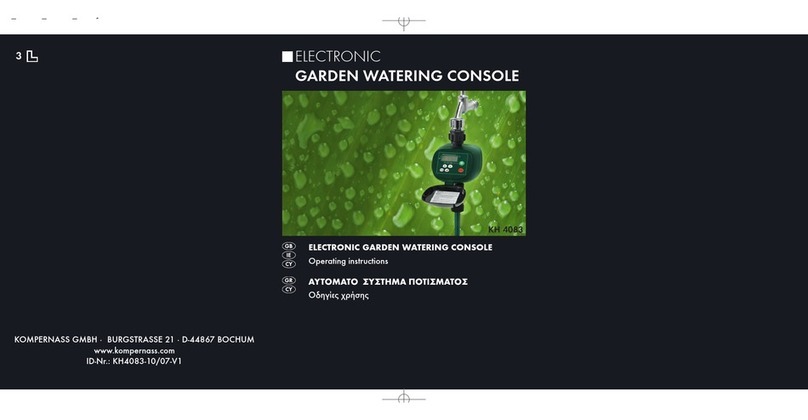
Kompernass KH 4083 User manual

KH 4083
KOMPERNASS GMBH · BURGSTRASSE 21 · D-44867 BOCHUM
www.kompernass.com
ID-Nr.: KH4083-10/07-V2
ELECTRONIC
GARDEN WATERING CONSOLE
4B
ELECTRONIC GARDEN WATERING CONSOLE
Operating instructions
ZAVLAŽOVACÍ POČÍTAČ
Návod k obsluze
POČÍTAČ RIADIACI ZAVLAŽOVANIE
Návod na obsluhu
CV_KH4083_BL1562_LB4B.qxd 04.01.2008 9:52 Uhr Seite 1

KH 4083
q
e (3/4“)
(3/4“)
w
A
B
r
t
y
u
i
o
a
s
d
CV_KH4083_BL1562_LB4B.qxd 04.01.2008 9:52 Uhr Seite 4

- 1 -
LIST OF CONTENTS PAGE
Safety instructions 2
Proper Use 4
Package Contents 4
Technical data 4
Description of the appliance 5
Preparations 5
Operate 7
Troubleshooting 14
Cleaning 14
Disposal 15
Warranty & Service 16
Importer 17
Read these operating instructions carefully before using the appliance for the
first time and preserve this manual for later reference. Pass this manual on to
whoever might acquire the appliance at a future date.
IB_KH4083_BL1562_EN_LB4+5_0801 07.01.2008 18:41 Uhr Seite 1

WATERING COMPUTER
Safety instructions
Poison Hazard!
Keep batteries out of the reach of children.
Explosion Hazard!
Never throw used batteries into the fire.
Attention!
Failure to follow these safety instructions could damage the watering
computer and void your warranty.
• Only use alkaline batteries. Do not use rechargable batteries.
• Never recharge alkaline batteries.
• Ensure that water cannot permeate into the housing. This causes
damage to the appliance.
• Check the charge state of the batteries and renew them if you do
not use the watering computer for an extended period.
• Always replace both batteries and make certain the polarity is
correct.
• Replace empty batteries in a timely fashion. Leaking batteries can
destroy the watering computer.
- 2 -
IB_KH4083_BL1562_EN_LB4+5_0801 07.01.2008 18:41 Uhr Seite 2

Never handle leaking batteries without protection! Battery
chemicals may not come into contact with your eyes or mouth.
This could lead to chemical burns. Use gloves to remove leaking
batteries.
• Check the watering computer and its connections at regular
intervals for watertightness and faultless function.
• Never press the buttons with your finger nails or with sharp
objects.
• Reprogramme the watering computer if the batteries have been
removed from the housing for an extended period.
• Always keep the lid closed when you are not programming the
watering computer. The lid protects the display from weather
effects!
• Do not allow individuals (including children) to use the appliance
whose physical, sensorial or mental abilities or lack of experience
and knowledge hinder their safe usage of it if they have not pre-
viously been supervised or instructed in its correct usage.
• Tell children about the appliance and its potential dangers so that
they do not play with it.
- 3 -
IB_KH4083_BL1562_EN_LB4+5_0801 07.01.2008 18:41 Uhr Seite 3

Proper Use
The watering computer KH4083 is intended exclusively for permitting
or preventing water flow at specific times. It is intended only for use in
private households and gardens. Any other use is considered improper,
in particular use in drinking water systems and for growing food.
Package Contents
• Watering computer KH 4083
• Instructions for use
Technical data
Minimum rate of flow: 15 l/min.
Operating water pressure: 1.379–8.274 bar
Power supply: 2 x 1.5V, alkaline batteries
Keypad: Splash-proof
- 4 -
IB_KH4083_BL1562_EN_LB4+5_0801 07.01.2008 18:41 Uhr Seite 4

Description of the appliance
Figure A
qWater-tap connection (3/4“)
wBattery compartment
eConnection for water-pipe (3/4“)
rCover
tKeypad
yDisplay
Display
Figure B
uTime display
iDisplay: watering frequency
oDisplay: low battery indication
aWatering on/off
sDisplay: programme number
dDisplay: watering budget
Preparations
Inserting Batteries
The battery compartment wis located on the underside of the
watering computer.
Replace the batteries regularly. When the display oappears, the
batteries are depleted.
- 5 -
IB_KH4083_BL1562_EN_LB4+5_0801 07.01.2008 18:41 Uhr Seite 5

Only use Alkaline batteries. Do not use rechargable batteries.
They do not provide enough output to operate the appliance.
➩Pull the battery compartment wout of the housing.
➩Insert two AA-Batteries, taking note of the polarities, in the battery
compartment w.
➩Push the battery compartment wback into the housing. The battery
compartment wmust click in audibly.
➩Whilst the batteries are being exchanged, „PO“ appears in the dis-
play y.
For as long as the PO display is blinking, the watering computer
will retain its programming. If the display goes blank, the program-
ming has also been deleted.
Connecting to the water mains
➩ Screw the inflow connector qon to a suitable 3/4“ water tap
(1“-external thread).
➩Screw the outflow connector eon to a water hose.
Ensure that the outflow connector e is always pointed downwards.
Setting the Clock
➩Open the cover r.
➩Press the „M“ button until a bar yappears in the display above the
symbol and a bar blinks under „“MON“.
- 6 -

IB_KH4083_BL1562_EN_LB4+5_0801 07.01.2008 18:41 Uhr Seite 6

The watering computer is now in the clock setting mode.
➩Press the „+“ or „–“ button to set the current day of the week.
➩Confirm your selection with the button.
The hour value now blinks in the display y.
➩Press the „+“ button or the „–“ button to set the current hour.
➩Confirm your selection with the button.
The minute value now blinks in the display y.
➩Press the „+“ button or the „–“ button to set the minutes.
➩Confirm your selection with the button.
The clock is now set.
➩Press the „M“ button to return to automatic mode.
Operate
Programming
You can programme up to 8 switching sequences with different
amounts of water flow-through.
➩Press the „M“ button until a bar is shown above the in the
display y.
- 7 -
IB_KH4083_BL1562_EN_LB4+5_0801 07.01.2008 18:41 Uhr Seite 7

The watering computer is now in the programming mode. Blinking in
the display y, to the right of the % symbol, is the notification 100%.
Setting the amount of water through-flow.
You can set the amount of water through-flow from 10% to 200%.
➩Press the „+“ button or the „–“ button to set the desired amount of
water through-flow.
➩Confirm your selection with the button.
The amount of water through-flow is controlled by the period of
water flow.
Examples: You have programmed a 100% water through-flow amount
for 10 minutes: the watering computer permits through-flow for 10 minutes.
You have programmed a 50% water through-flow amount for 10 minutes:
the watering computer permits through-flow for 5 minutes.
You have programmed a 200% water through-flow amount for 10 minutes:
the irrigation computer permits through-flow for 20 minutes.
Programming the watering frequency
Blinking in the display y, to the left of the -Symbol, is a C or a
number from 1–7.
➩Select the settings for watering frequency with the „+“ button or the
„–“ button.
- 8 -
IB_KH4083_BL1562_EN_LB4+5_0801 07.01.2008 18:41 Uhr Seite 8
Other manuals for KH 4083
1
Table of contents
Languages:
Other Kompernass Irrigation System manuals
Popular Irrigation System manuals by other brands

Tyco Fire Product
Tyco Fire Product Star Galaxy SGQR instruction manual

Tyco Fire Product
Tyco Fire Product CENTRAL A instruction manual

Oral Care Technologies
Oral Care Technologies Hydro Floss Instructions for use

Reliable
Reliable F1-300 quick start guide

Tyco Fire Product
Tyco Fire Product Gem F892 instruction manual

Irrigation-Mart
Irrigation-Mart KIT-GK100-RV-B quick start guide