- 9 -
www.korecen.com
The best security products for 21 century User manual
FV-100 Finger-vein
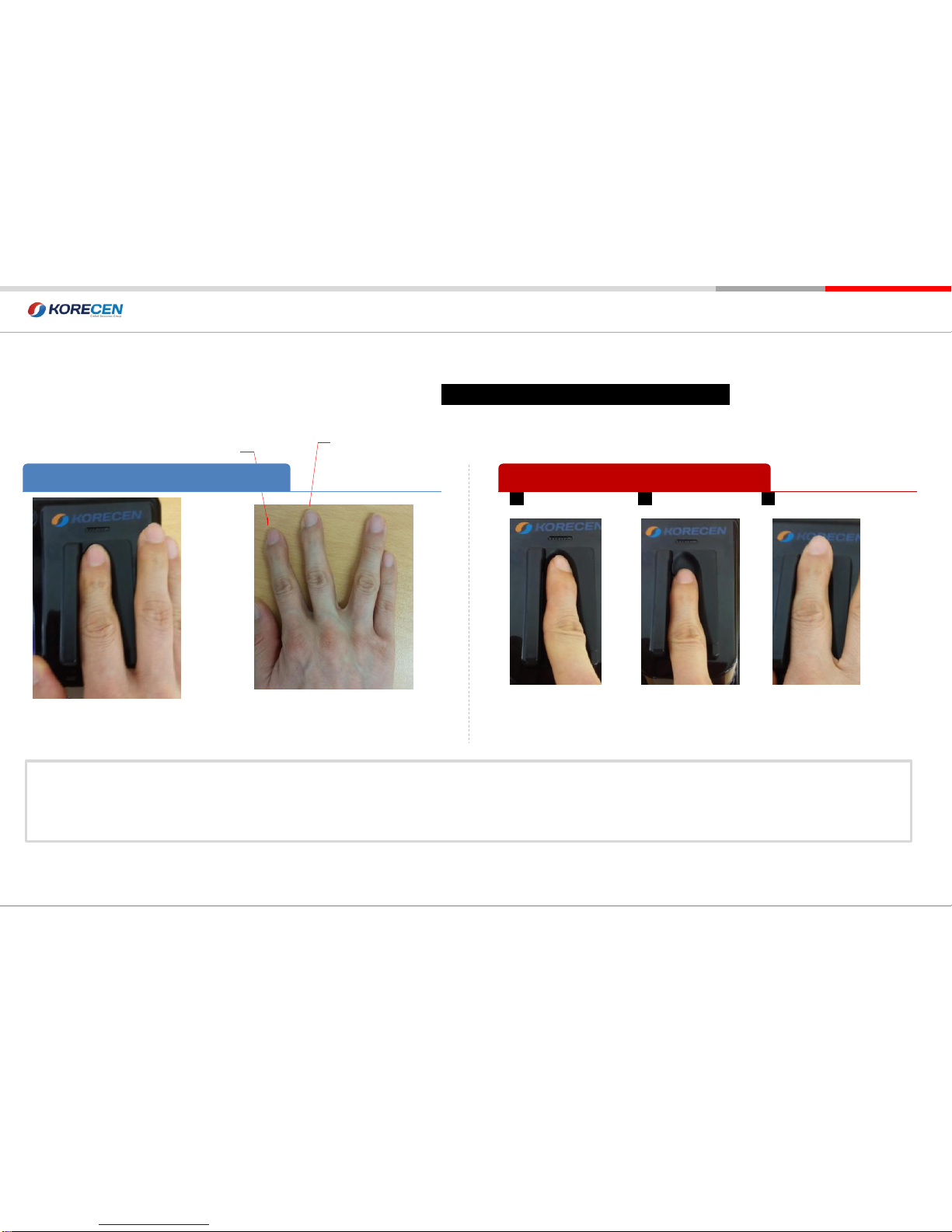
Please adjust your finger stoped
Ending of round..
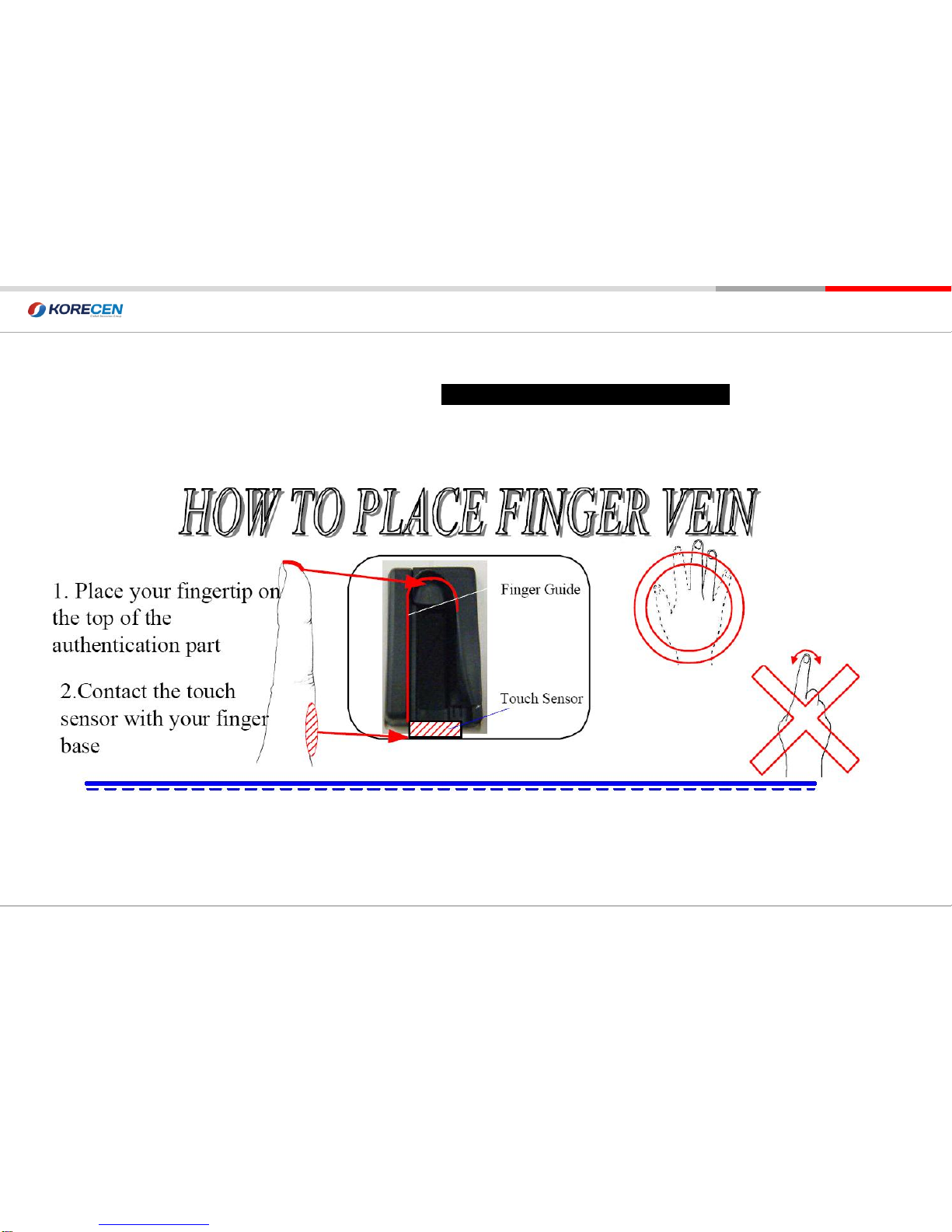
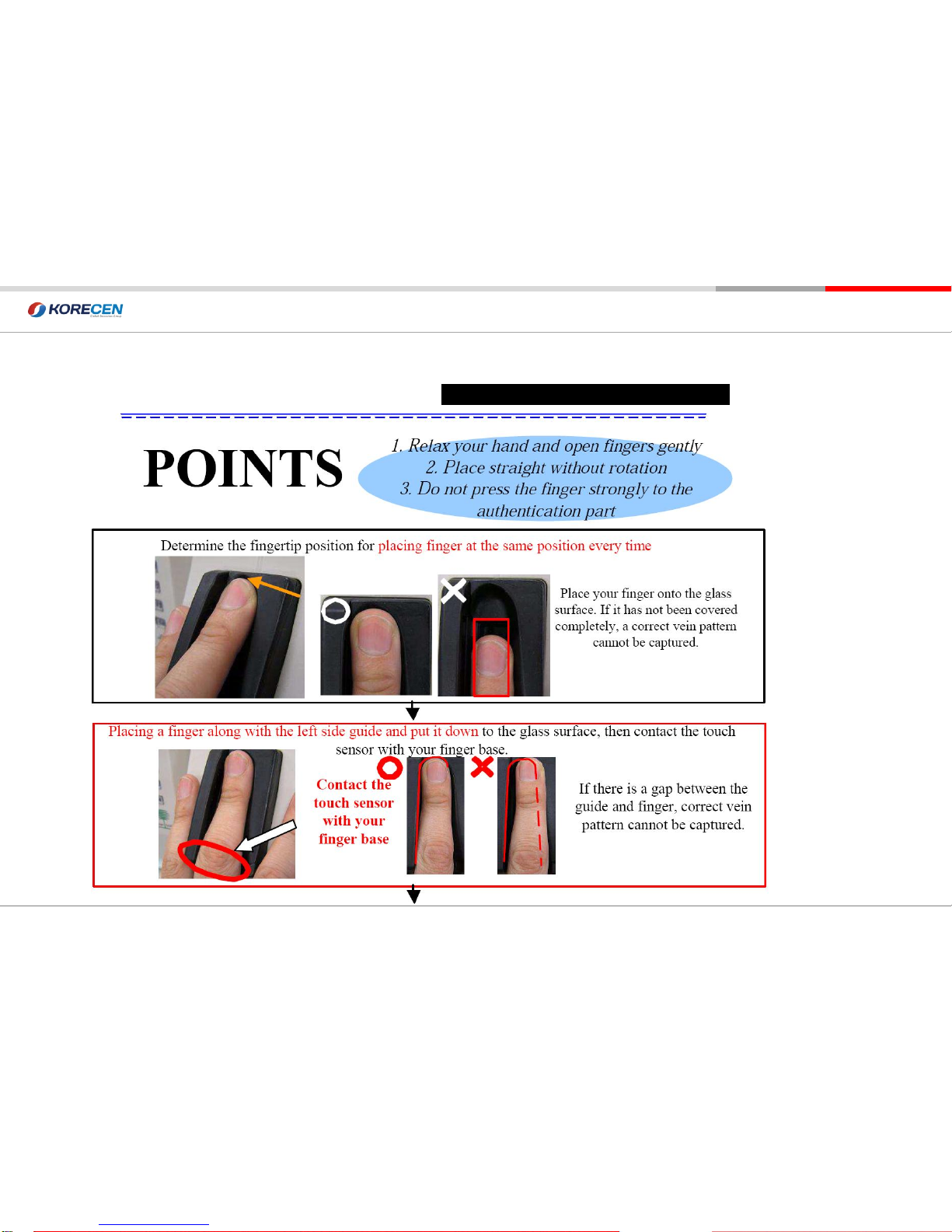
1. Must be stay your finger in ending point during 1-2 second
2. Keep clean your finger.
3. You see in front of screen in scan. Take a picture.,
Do not twist your
finger
1 2 3
Use 2nd finger or 3rd Finger
Correct Finger-vein Authentication Method Incorrect Finger-vein Authentication Method
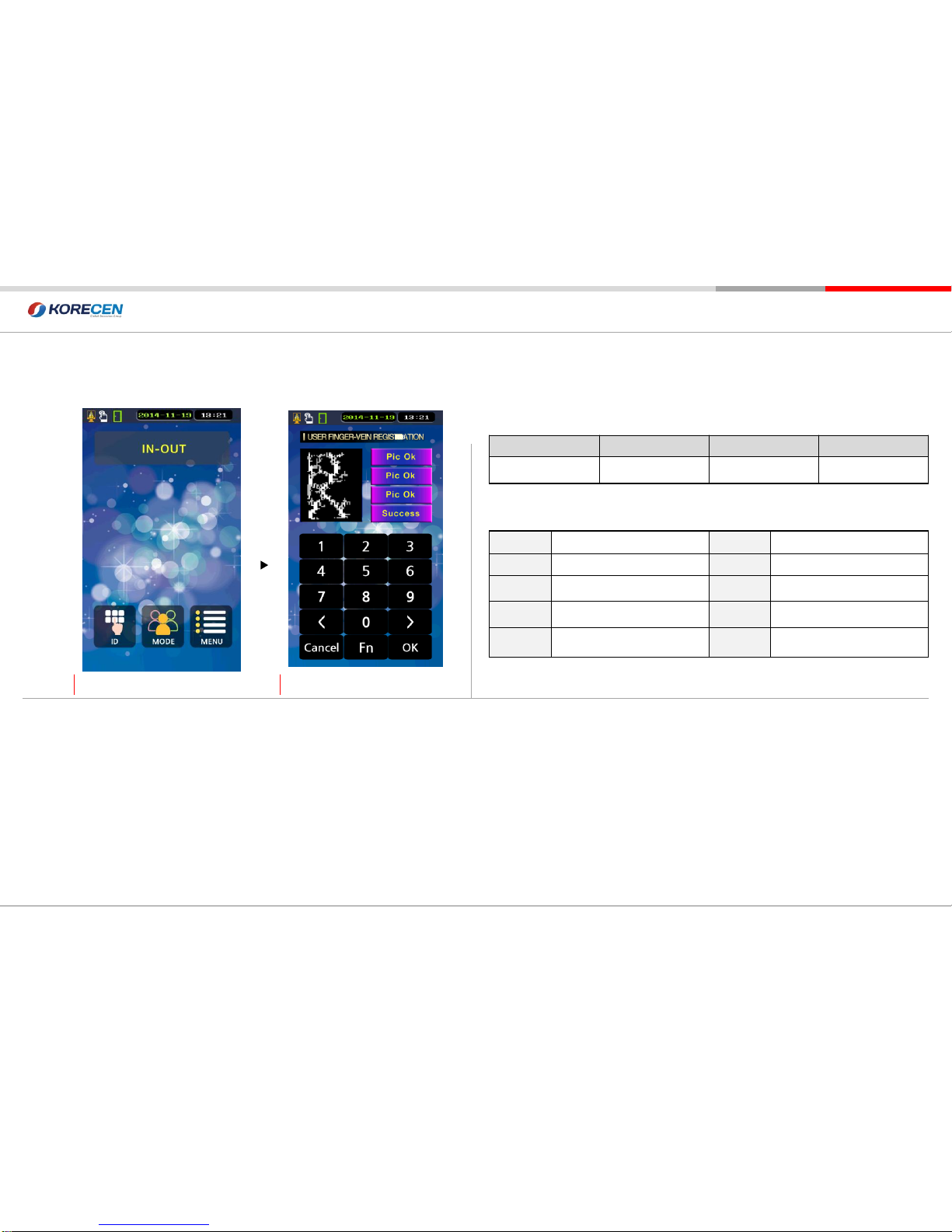
Fingerprint Registration & Authentication method
1. Component Checkㅣ2.Names and Functions of each partㅣ3.Use Precautions
I. Prior to Using
Do not reach
ending point
Do not over
ending point