Using the Isolation Transformer
7
5 Using the Isolation Transformer
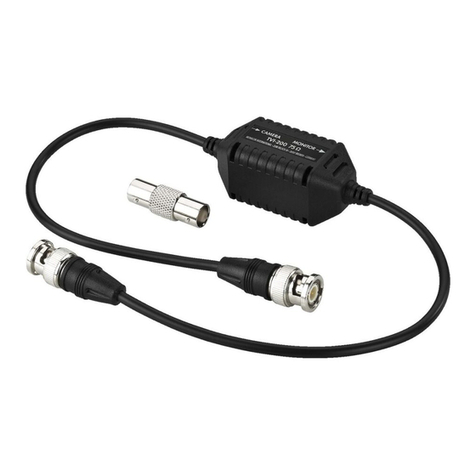
The Isolation Transformers are used for s-Video signals.
There are no general rules as to how and where to connect the Isolation
Transformers. This depends on many factors, which relate to the setup of the
studio, improper grounding and so on.
The recommended method is to disconnect all the equipment and then
connect together one piece at a time, checking for hum as each piece of
equipment is re-connected. When hum is detected, an appropriate Isolation
Transformer is connected at that point to break the ground loop.
The Isolation Transformers also provide different grounding combinations,
which are set via the dipswitches for optimum operation. The grounding
conditions usually are set by trial and error. Check all the options to work out
which one best suits your needs
1
.
This section describes how to connect an Isolation Transformer and set the
dipswitches for optimum performance (see section 5.1).
5.1 Connecting the Isolation Transformer
When installing an Isolation Transformer, you just connect it somewhere on the
line between the source and the acceptor. The particular example in Figure 5 shows
how to connect the TR-2YC s-Video Dual Isolation Transformers. However, this is
not a specific recommendation, as there are many different configuration options.
To connect the TR-2YC, as shown in the example in Figure 5, do the
following:
1. Connect a video source (for example, an s-Video player) to the s-VIDEO IN
4p connector.
2. Connect the s-VIDEO OUT 4p connector to a video acceptor (for example, an
s-Video display).
3. Turn the power ON on the s-Video source and acceptor.
4. Set the dipswitches for optimum performance
2
.
The same principles apply to the TR-1YC, simply connect the unit anywhere
between the source and acceptor, as required.
1 In most applications the ground is not connected
2 See above – usually set by trial and error