Features
• Provides a complete AUI to thin Ethernet (10Base2)
interface including:
— Transmit function
— Receive function
— Collision presence function
— Jabber function
— SQE (Signal_Quality_Error) test
• Supports data transfer rate of 10Mbps
• Capability for driving the coaxial trunk cable
segment up to 185M (600 ft.) without a repeater
• CSMA/CD access mechanism
• Selectable SQE test
• Power LED indication
• Dimension: 42mm x 65mm x 20mm
• Input voltage: 10.2 to 15.75 VDC
• Input current: 250mA @12 VDC (typical)
Connectors & Cables
BNC connection:BNC female connector
RG-58A/U thin coaxial cable
AUIconnection:D-sub 15 pin male connector
AUI drop cable (50 meters max.)
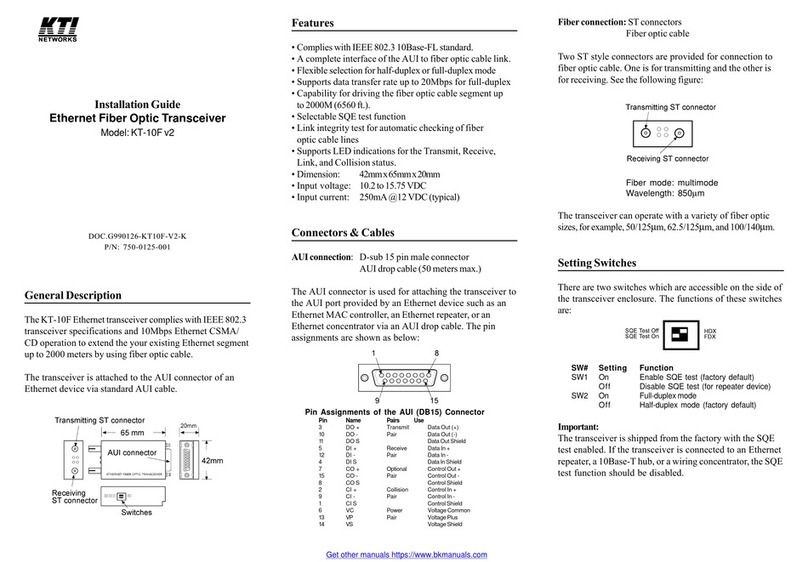
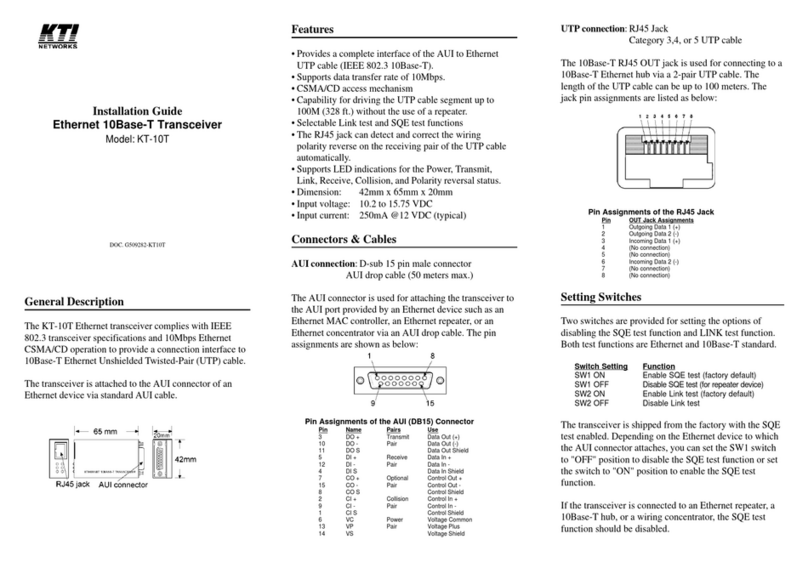
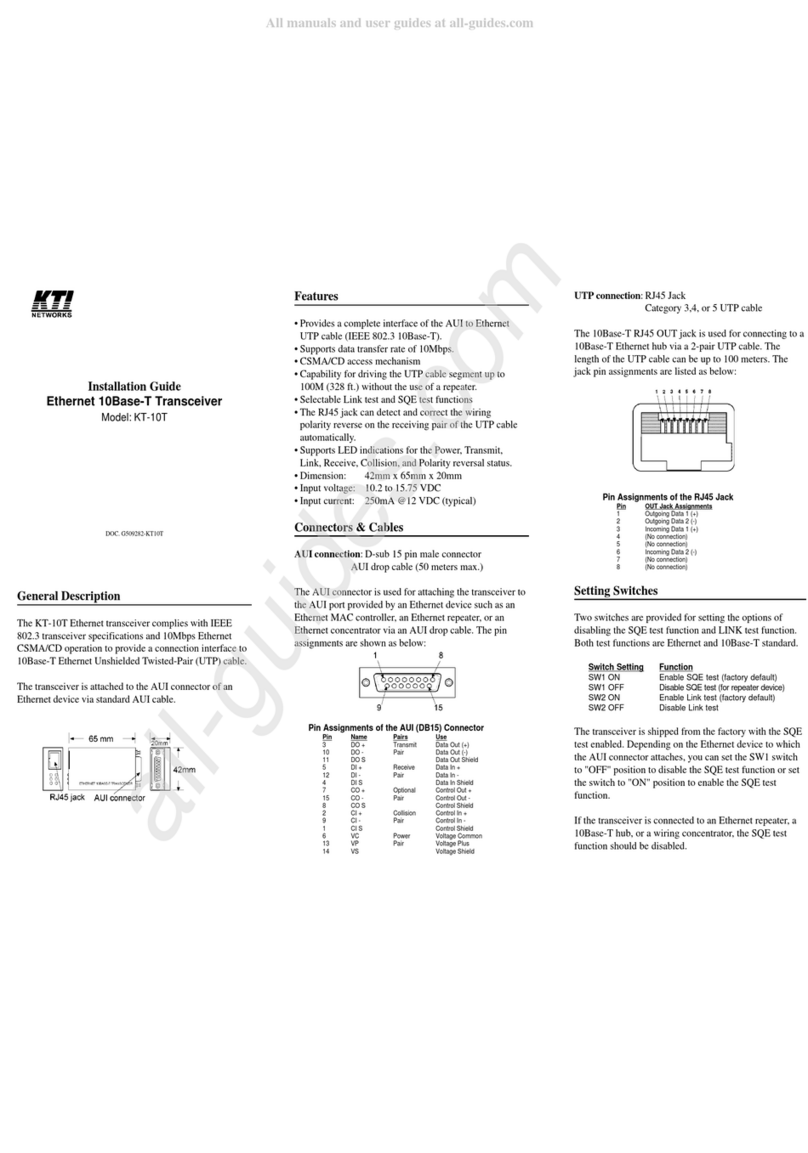
Pin Assignments of the AUI (DB15) Connector
Pin Name Pairs Use
3 DO + Transmit Data Out (+)
10 DO - Pair Data Out (-)
11 DO S Data Out Shield
5 DI + Receive Data In +
12 DI - Pair Data In -
4 DI S Data In Shield
7 CO + Optional Control Out +
15 CO - Pair Control Out -
8 CO S Control Shield
2 CI + Collision Control In +
9 CI - Pair Control In -
1 CI S Control Shield
6 VC Power Voltage Common
13 VP Pair Voltage Plus
14 VS Voltage Shield
Installation
1. Connect a BNC T-connector to the BNC female
connector on the transceiver, then connect thin
coaxial cable to the T-connector. If the T-connector is
located at the end of the cable segment, plug a 50
ohm BNC terminator onto another female end of the
T-connector.
2. A standard AUI cable (50M max.) is required to
connect the transceiver to the AUI port of Ethernet
device. Or, you may directly mount the transceiver to
the AUI port.
Setting Switches
Switch Setting Function
SW1 ON Enable 50ohm cable terminator
SW1 OFF Disable 50ohm cable terminator
SW2 ON Enable SQE test
SW2 OFF Disable SQE test
The 50ohm cable terminator is built in the transceiver. If
the transceiver is located at the end of a thin coaxial
cable, the built-in terminator can be enabled to eliminate
the need for plugging an external BNC terminator.
The transceiver is shipped from the factory with the SQE
test enabled. Depending on the Ethernet device to which
the AUI connector attaches, you can set the SW2 switch
to "OFF" position to disable the SQE test function or set
the switch to "ON" position to enable the SQE test
function.
If the transceiver is connected to an Ethernet repeater, a
10Base-T hub, or a wiring concentrator, the SQE test
function should be disabled.
General Description
The KT-10B Ethernet transceiver complies with IEEE
802.3 transceiver specifications and 10Mbps Ethernet
CSMA/CD operation to provide a connection interface to
thin Ethernet coaxial cable.
The transceiver is attached to the AUI connector of an
Ethernet device via standard AUI cable.
Installation Guide
Ethernet 10Base2 Transceiver
Model: KT-10B
DOC. G509281-KT10B