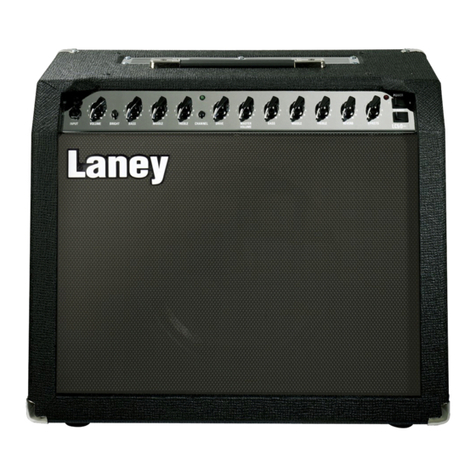
Laney GH50R User manual

GH50R
GH100R
GH50R-212

2
Dear Player,
Thank you very much for purchasing your new Laney product and becoming part of the worldwide Laney
family. Each and every Laney unit is designed and built with the utmost attention to care and detail, so I
trust yours will give you many years of enjoyment.
Laney products have a heritage which stretches back to 1967 when I first began building valve amplifiers in
my parents’ garage.
Since then we have moved on from strength to strength developing an extensive range of guitar, bass,
public address, multi instrument and keyboard amplification products along with a list of Laney endorsees
that includes some of the world’s most famous and respected musicians.
At the same time we believe we have not lost sight of the reason Laney was founded in the first place - a
dedication to building great sounding amplification for working musicians.
Warm Regards,
Lyndon Laney Chairman & Founder
Welcome

Introduction
3
GH50R-212
GH100R
GH50R
The infinite balance of power
The GHR range represents the most tonally versatile amplifiers we have ever heard. Unique construction allows direct control by the player
over the balance between the amount of pre amp and power amp colour in the overall tone.
A balance between Red & Black.
As a direct descendant of the world-renowned GH range the GHR range builds on this critically acclaimed sonic platform and brings many
new tonal options available for the player to discover.The GHR range has been a long time in its creation – we wanted to make sure it
sounded as good as it possibly could, whatever it was called upon to do.
During the extensive design and testing period we invited many players of many different styles to listen to the amplifier and the opportunity
to comment on it. All the players involved brought their unique aspects to the amplifier and in ever case the amplifier sounded amazing –
whatever it was required to do, faithfully articulating all the nuances of a wide variety of styles and players – making it the serious tone
hounds go to amp!
Visually the GHR amplifiers look as good as they sound. Finished in a striking ox blood red & black leather grain livery complete with black
stringing, housing an stylish single height, twin channel control panel giving the player complete access to all the control they need to dial in a
killer tone.
Each amplifier features a twin channel pre- amp consisting of Channel 1 and
Channel 2, shared 3 band EQ, Master Tone, Master Output and Reverb. Sonically
Channel one is warm and sparking and sweet on the high end whilst punchy on
the bottom. It is capable of a wide variety of tonal colour and when pushed hard
in conjunction with the Master Volume output produces some truly mouth-
watering tones. Whilst Channel 2 gives you the same broad spectrum of tones
and with the inclusion of a volume control on the channel allows you to run the
output section wide open and control the listening volume via the Channel 2
volume.
The GHR's EL34 loaded output section delivers raw throaty power with plenty of
grunt and growl when required and features a cabinet emulated DI out with
comes post output section meaning that your feed to the PA is not missing any
vital elements in the tone path, removing the need to mic your rig for
performance or recording.
To get the most out of your GHR amplifier please read the manual carefully and
remember the more time you spend experimenting with your GHR amp the
more it will reward you with amazing tones.
The more you play it the more it delivers

4
WARNING: When using electrical products, basic cautions should always be followed, including the following:
1. Read these instructions.
2. Keep these instructions safe.
3. Heed all warnings.
4. Follow all instructions.
5. Do not use this apparatus near water.
6. Clean only with a dry cloth.
7. Do not block any of the ventilation openings. Install in accordance with manufacturer’s instructions.
8. Do not install near any heat sources such as radiators, heat registers, stoves or other apparatus (including amplifiers) that produce heat.
9. An apparatus with Class I construction shall be connected to a mains socket outlet with a protective connection. Do not defeat the safety purpose of the
polarized or grounding-type plug. A polarized plug has two blades with one wider than the other. A grounding type plug has two blades and a third grounding
prong. The wide blade or third prong is provided for your safety. If the provided plug does not fit into your outlet, consult an electrician for replacement of the
obsolete outlet.
10. Protect the power cord from being walked on or pinched, particularly at plugs, convenience receptacles, and the point they exit from the apparatus.
11. Only use attachments/accessories provided by the manufacturer.
12. Use only with a cart, stand, tripod, bracket, or table specified by the manufacturer, or sold with the apparatus. When a cart is used, use caution when
moving the cart/apparatus combination to avoid injury from tip-over.
13. The mains plug or appliance coupler is used as the disconnect device and shall remain readily operable. The user should allow easy access to any mains
plug, mains coupler and mains switch used in conjunction with this unit thus making it readily operable. Unplug this apparatus during lightning storms or when
unused for long periods of time.
14. Refer all servicing to qualified service personnel. Servicing is required when the apparatus has been damaged in any way, such as when power-supply cord
or plug is damaged, liquid has been spilled or objects have fallen into the apparatus, the apparatus has been exposed to rain or moisture, does not operate
normally, or has been dropped.
15. Never break off the ground pin. Connect only to a power supply of the type marked on the unit adjacent to the power supply cord.
16. If this product is to be mounted in an equipment rack, rear support should be provided.
17. Note for UK only: If the colours of the wires in the mains lead of this unit do not correspond with the terminals in your plug‚ proceed as follows:
a) The wire that is coloured green and yellow must be connected to the terminal that is marked by the letter E‚ the earth symbol‚ coloured green or
coloured green and yellow.
b) The wire that is coloured blue must be connected to the terminal that is marked with the letter N or the colour black.
c) The wire that is coloured brown must be connected to the terminal that is marked with the letter L or the colour red.
18.This electrical apparatus should not be exposed to dripping or splashing and care should be taken not to place objects
containing liquids, such as vases, upon the apparatus.
19. Exposure to extremely high noise levels may cause a permanent hearing loss. Individuals vary considerably in
susceptibility to noise-induced hearing loss, but nearly everyone will lose some hearing if exposed to sufficiently intense noise for a
sufficient time.
The U.S. Government’s Occupational Safety and Health Administration (OSHA) has specified the following permissible noise level
exposures: According to OSHA, any exposure in excess of the above permissible limits could result in some hearing loss. Earplugs or
protectors to the ear canals or over the ears must be worn when operating this amplification system in order to prevent a permanent
hearing loss, if exposure is in excess of the limits as set forth above. To ensure against potentially dangerous exposure to high sound
pressure levels, it is recommended that all persons exposed to equipment capable of producing high sound pressure levels such as this
amplification system be protected by hearing protectors while this unit is in operation.
Important Safety Instructions

NOTE
This manual has been written for easy access of information. The front and
rear panels are graphically illustrated, with each control and feature numbered.
For a description of the function of each control feature, simply check the
number with the explanations adjacent to each panel.
Your Laney amplifier has undergone a thorough two stage, pre-delivery
inspection, involving actual play testing.
When you first receive your Laney amplifier, follow these simple procedures:
(i) Ensure that the amplifier is the correct voltage for the country it is to be
used in.
(ii) Connect your equipment with a high quality shielded cable. You have
probably spent considerable money on your amplifier and equipment - don’t
use poor quality cable, it won’t do your gear justice.
Please retain your original carton and packaging so in the unlikely event that
some time in the future your amplifier should require servicing you will be
able to return it to your dealer securely packed.
Care of your Laney amplifier will prolong it’s life.....and yours!
CAUTION:
WARNING:
Intended to alert the user to the presence of high ‘Dangerous Voltage’ within the products enclosure that may be sufficient to constitute a risk of electrical
shock to persons.
Intended to alert the user of the presence of important operating and maintenance (Servicing) instructions in the literature accompanying the product.
Risk of electrical shock - DO NOT OPEN. To reduce the risk of electrical shock, do not remove the cover. No user serviceable parts inside. Refer servicing
to qualified personnel.
To prevent electrical shock or fire hazard, do not expose this appliance to rain or moisture. Before using this appliance please read the operating instructions.
If your appliance features a tilting mechanism, please use this
design feature with caution. Due to the ease with which the
amplifier can be moved between straight and tilted back
positions, only use the amplifier on a level, stable surface.
DO NOT operate the amplifier on a desk, table, shelf or
otherwise unsuitable non-stable platform.
After unpacking your amplifier check that it is
factory fitted with a three pin ‘grounded’ (or
earthed) plug. Before plugging into the power
supply ensure you are connecting to a grounded
earth outlet.
If you should wish to change the factory fitted
plug yourself, ensure that the wiring convention
applicable to the country where the amplifier is
to be used is strictly conformed to. As an
example in the United Kingdom the cable
colour code for connections are as follows.
5

Front Panel Controls
6
GH50R-212
GH50R, GH100R
1. INPUT: 1/4" mono jack socket. Connect your guitar here. Use only a good quality instrument cable.
2. CHANNEL 1 DRIVE: – this control determines the level of drive present in the channel 1 signal. This control should be set in
conjunction with the level of the Master Output control in order to get the level of drive and overall volume you want. Channel 1
Drive is capable of providing significant levels of gain from sparking clean to soulful naturally compressed high-gain. When first
setting Channel 1 up - start with the Drive level set low and the Master Output wound up to it's max and then as you bring the
DRIVE up, dial the Master Output back and listen to the pleasing way the level of drive develops.
CHANNEL 1 PULL BRIGHT: – The pull bright feature allows you to add a fixed amount of high-end sparkle to your tone. This can
be used to compensate between the natural tonal characteristics of different guitars – or simply to add some more brilliance to your
tone without the need to adjust your overall EQ. (This is more effective at lower drive settings).
3. CHANNEL SWITCH: Switches between Channels 1 & 2,
4. CHANNEL 2 DRIVE: – The Drive control on channel 2 allows you to set the level of drive in your guitar tone but in contrast
to the Channel 1 this has a volume control associated with it. This means that you have the opportunity to get even more tonal
variations when you use both of these controls in conjunction with the Master Output control. Try experimenting with settings
which have the Volume and Master Output in a variety of positions without changing the level of gain and listen to the subtle
variations in tone. Set the Master Volume to the maximum whilst dialling back the Channel 2 volume control. Now try the controls
in the opposite positions. These settings have subtle differences and understanding the way these controls interact is the key to
getting the best tone out of your setup.

Front Panel Controls Continued
7
5. CHANNEL 2 VOLUME: – The Volume control lets you determine the amount of signal that progresses through to the power
amp section. The Volume control should be used in conjunction with the Channel 2 Drive control and the Master Output control
in order to get the desired tone out of the amp.
6. LEAD EQ CONTROLS: These are a traditional set of passive tone controls. Passive controls have the advantage of always –
sounding musical at any of their settings, due to their unique interactive nature. This gives the player a more natural set of tools to
shape their ideal sound. Set these to midway (12 O’clock) as a good starting point.
MID-SHIFT: Pulling on the MID control knob will shift the response of the control, this lowers the frequency range of the mid
control to give a tighter sound.
7. TONE: – This Tone control works in a similar fashion to the Tone control you probably have on your guitar except that it
uniquely works at the other end of the amplification chain. This has the ability to not only control the overall top end response but
also reduce upper harmonics on the output stage and preamplifier overdrive sounds. This will give you bright cutting sounds at
high settings and smooth rounded sounds at lower settings. Midway ( ) is a good starting point. 12 O’clock
The Tone control depends greatly on the speaker cabinet connected to the amplifier.
8. MASTER OUTPUT: – The Master Output control determines how “open” the output section is allowed to run. Dial in a low
setting and the output section is wound back and the overall listening level of the amplifier is reduced. Dial the Master Output fully
open and the output section of the amp is now running at full tilt. Experiment with the Master Output and the Channel 2 volume
controls set in different relationships. Experimenting with these controls is the key to getting the best tone out of your amp.
Try the sample settings on page 10 as a starting point to your ideal tone
9. REVERB: – Controls the level of the built in Laney-designed digital reverb.
PULL FOCUS: Focus more on the guitar tone as opposed to external influences, (room, fret noise etc)–
10. STANDBY SWITCH: – Disconnects the main HT voltage from the tubes but keeps the tubes warm so that they are ready
to play instantly. Switch for short breaks when you don't want to wait for the tubes to warm up again. With the switch in the 1
position, the amp is in play mode, while 0 allows the amp to warm up.
STANDBY LAMP: – This will illuminate when the amplifier is in play mode.
11. POWER SWITCH: – Main power switch for the unit. Tube amplifiers take between 30 seconds to 2 minutes to warm up
and be ready to play after switching on, this is normal. Use in conjunction with the standby switch to prolong tube life. To turn on,
flip the switch to 1.
POWER LAMP: – This will illuminate when the power switch is operated, indicating the presence of mains power within the amplifier.

Rear Panel Controls
8
GH50R-212
GH50R, GH100R
L ZB 1 2 3 4
LZ B1 2 3 4
1. MAINS INLET SOCKET: Connect to your power source. Make sure the voltage indicated on the rear panel is correct for –
your country!
MAINS FUSE: This drawer contains the main safety fuse for the unit. The fuse protects the amplifier from damage in the event of –
fault by disconnecting the mains power supply. USE ONLY THE CORRECT SIZE AND RATING SPECIFIED ON THE PANEL. If a fuse blows
or fails and a replacement of the same size and rating is installed which in turn blows, the amplifier has suffered a malfunction and
needs immediate service from a qualified technician. DO NOT TRY A FUSE OF HIGHER RATING - Using a fuse that is too large in current
rating may cause serious, irreparable damage to the amplifier and presents a serious fire hazard. The mains fuse ratings are detailed in
the Specifications section of this manual, as well as printed on the rear of the amplifier. There is a spare fuse located in the fuse drawer
of the mains power inlet in the event of a failure.
2. HT FUSE: This fuse disconnects the high voltage DC power to the tubes within the amplifier in the event of a fault. USE –
ONLY THE CORRECT SIZE AND RATING FUSE AS SPECIFIED ON THE PANEL. If a fuse blows or fails and a replacement of the
same size and rating is installed which in turn blows, the amplifier has suffered a malfunction. At this point check the output tubes,
and replace faulty ones if required. Should the tubes not be the problem, refer the amplifier to a qualified service technician. DO
NOT TRY A FUSE OF HIGHER RATING - Using a fuse that is too large in current rating may cause serious, irreparable damage to
the amplifier. Fuses are designed to protect, do not take chances.
3.SERIAL NUMBER: – Information area relating to the amplifier: Model Code, Serial Number, Fuse Type & Rating etc

Rear Panel Controls Continued
9
4.AUXILIARY INPUT: This input allows the connection of backing tracks etc. to be mixed in post the FX loop.–
5. FX LOOP:
FX RETURN: 1/4" mono jack socket for the connection of the output of an external FX unit. This can also be used as a –
slave in for the power amp. As the FX Loop is an insert type, this will mute the preamp signal.
FX LOOP SWITCH: Selects the FX Loop mode of operation: –
! Bypass - Removes the FX Loop from the signal path.
! 0dBu - For connection of FX units with a 0dBu nominal output level.
! -10dBu - For connection of FX units with a -10dBu nominal output level. As this is intended for devices with a lower output
level, this switch increases the gain of the FX Loop by 10dB.
FX SEND: 1/4" mono jack socket for connection to the input of an external FX unit. This can also be used as a line out for –
connection to another power amp slave input or for recording.
6. REMOTE: 1/4" stereo jack socket for the connection of the Included FS2 Foootswitch, allowing remote operation of the –
following functions: Channel & Reverb.
7. DI.: Unlike most DI's fitted to ordinary amps which take their signal pre power amp the DI on the GHR comes directly after –
the output section meaning you do not miss any of the output sections contribution to your tone.
This output with dedicated level control provides a balanced direct feed for connection to an external device. Some examples
include: house PA, recording setup, stage monitor system. In the unlikely event of ground hum when connecting to other
equipment, simple dis-engadge the D.I ground link. Additionally 4*12 cabinet emulation can also be applied here with the cabinet
emulation switch.
8. SPEAKERS: Five 1/4" mono jack sockets are provided for the connection of a variety of speaker cabinets. Mismatching your –
speaker impedance will reduce the performance of your amplifier, and in extreme cases may damage the unit. Only use one
impedance selection at a time.
Always operate this amplifier with a load connected. If not serious irreparable damage may occur.
The GH50R-212 is equipped with 2*12" Celestion Vintage 30 16 ohm loudspeakers which should always be connected to the 8 ohm
socket, (marked Internal) when used without an extension cabinet. When using the GS212VR, or any other 8 ohm cabinet in conjunction
with the internal speakers, use the 2*8 ohm sockets as in the sample set diagrams.

10
Channel 1 & 2 Sample Settings
Sparkling clean
- Single Coil
Pushed Clean - HB
Spanked Crunch
Cool Clean Crunch
- Dimed MO
Lead - Dimed MO
This manual suits for next models
2
Table of contents
Other Laney Amplifier manuals
Laney
Laney B1 User manual
Laney
Laney HCP804 User manual
Laney
Laney LX20 User manual

Laney
Laney KC25 User manual
Laney
Laney LA30 User manual
Laney
Laney Richter Bass RB115 User manual
Laney
Laney VC30-210 User manual

Laney
Laney Richter Bass RB8 User manual
Laney
Laney Richter Bass RB5 User manual

Laney
Laney GH100L User manual
Laney
Laney ChromeOzone User manual
Laney
Laney LION HEART L20H User manual
Laney
Laney LV200 User manual
Laney
Laney AudioHub AH40 User manual

Laney
Laney KB30 User manual
Laney
Laney KD65 User manual

Laney
Laney BC 250 User manual
Laney
Laney LFR-212 User manual
Laney
Laney LC50-II User manual

Laney
Laney CA Series User manual