MPS 200
For Boys And Girls
Ages 5 And Up
LIGHTED
CONSTRUCTION SET INCLUDES:
Requires 3 AA Batteries
Batteries NOT
Included
www.LaserPegs.com
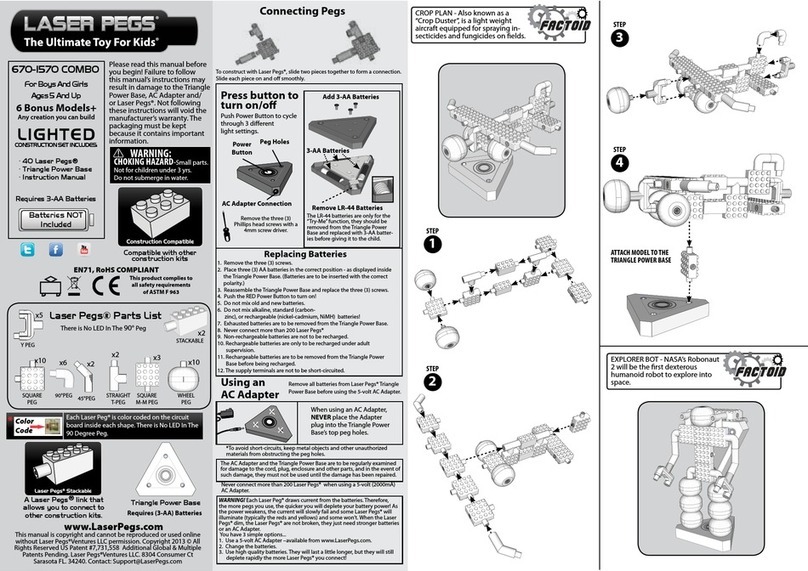
Laser Pegs® Parts List
Please read manual before you
begin! Failure to follow this manual’s
instructions may result in damage to
the Triangle Power base, AC Adapter
and/or Laser Pegs®. Not adhering
to these directions will void the
manufacturer’s warranty.
Packing has to be kept since it
contains important information.
This manual is copyright and cannot be reproduced or used online without Laser
Pegs®Ventures LLC permission. Copyright 2013 © All Rights Reserved US Patent
#7,731,558 Additional Global & Multiple Patents Pending. Laser Pegs® Ventures
LLC. 8304 Consumer Ct., Sarasota FL. 34240. Contact: Support@LaserPegs.com
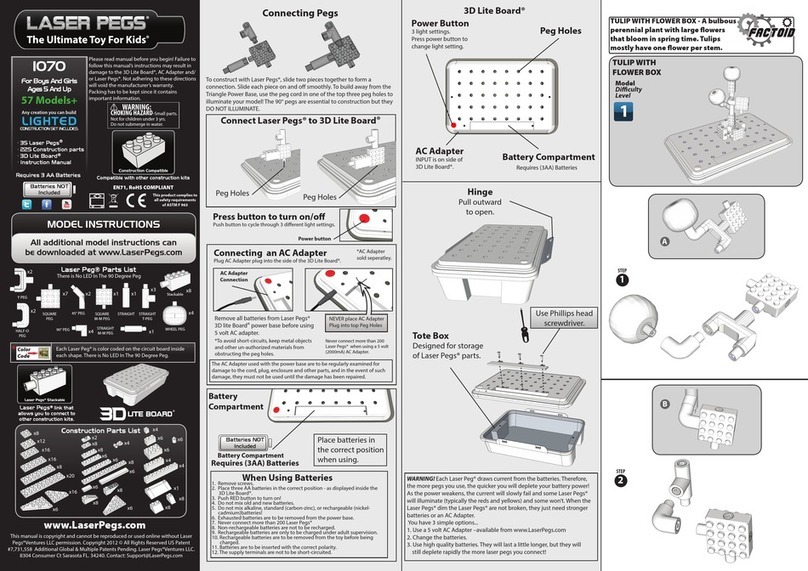
1. Remove screws.
2. Place three LR 44 batteries in the correct
position - as displayed inside the Mobile Power Source.
3. Push Power Switch to turn on!
4. Do not mix old and new batteries.
5. Do not mix alkaline, standard (carbon-
zinc), or rechargeable (nickel-cadmium) batteries!
6. Exhausted batteries are to be removed
from the power base.
7. Never connect more than 4 Laser Pegs®
8. Non-rechargeable batteries are not to be recharged.
9. Rechargeable batteries are only to be charged under
adult supervision.
10. Rechargeable batteries are to be removed from the
toy before being charged.
11. Batteries are to be inserted with the correct polarity.
12. The supply terminals are not to be short-circuited.
WARNING! Each Laser Peg® draws current from the batteries.Therefore,
the more pegs you use, the quicker you will deplete your battery power! As
the power weakens, the current will slowly fail and some Laser Pegs® will
illuminate (typically the reds and yellows) and some won’t. When the Laser
Pegs® dim the Laser Pegs® are not broken, they just need stronger batteries.
You have 3 simple options...
1. Change the batteries.
2. Use high quality batteries. They will last a little longer, but they will still
deplete rapidly the more Laser Pegs® you connect!
Compatible with other
construction kits
Laser Pegs®link that allows you to
connect to other construction kits.
Each Laser Peg® is color coded on the circuit board inside
each shape. There is No LED In The 90 Degree Peg.
Color
Code
Press button to
turn on/o/ash
Push button to cycle
through dierent
light settings.
Power Switch
Power
Switch
Peg Holes
Battery
section
Remove the three Philips
head screws with a 4mm
screw driver.
CHOKING HAZARD-Small parts.
Not for children under 3 yrs.
Do not submerge in water.
Construction Compatible
Laser Pegs
®
Stackable
*To avoid short-circuits, keep metal objects and other
un-authorized materials from obstructing the peg holes.
When Using Batteries
EN71, RoHS COMPLIANT
x2
This product complies to all safety
requirements of ASTM F 963
STACKABLE
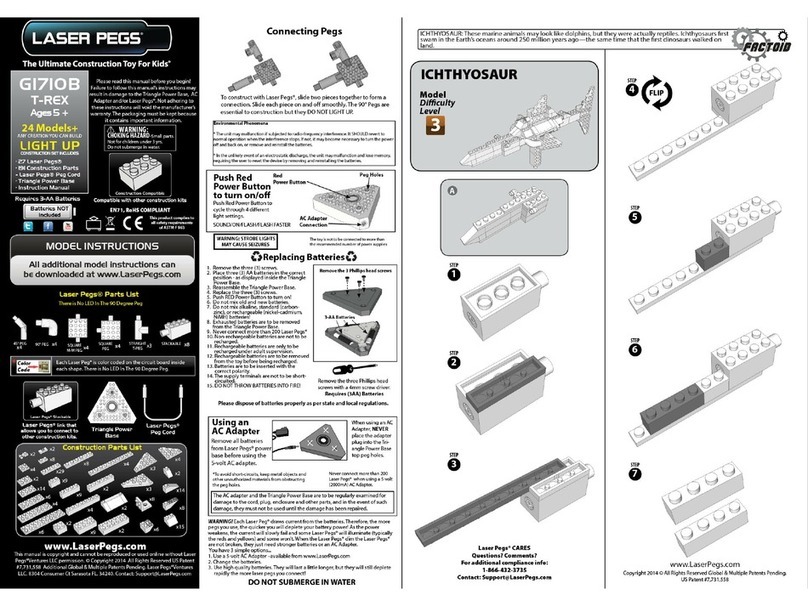
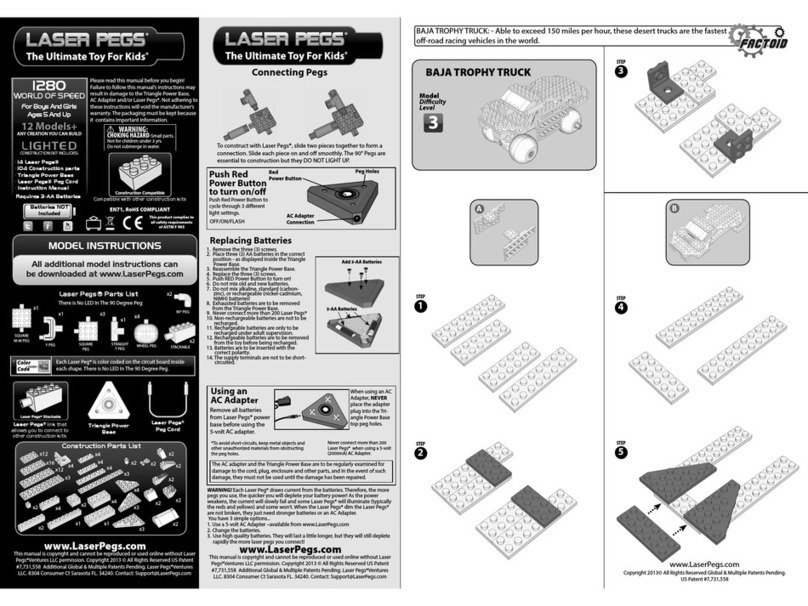
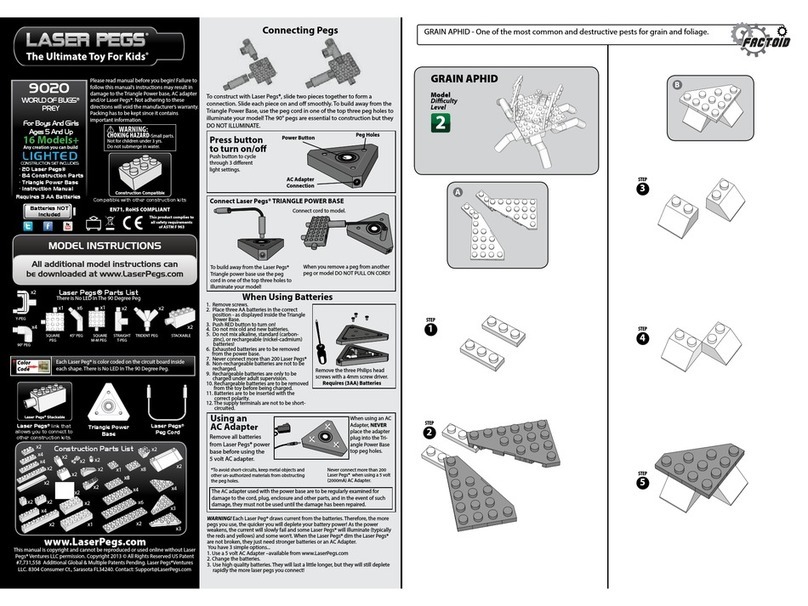
MODEL INSTRUCTIONS
All additional model instructions can be
downloaded at www.LaserPegs.com
4 Models+
Any creation you can build
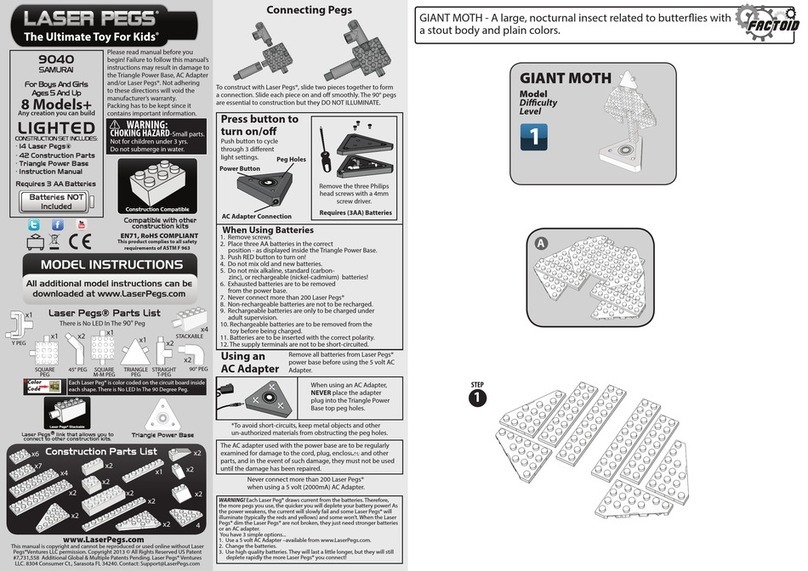
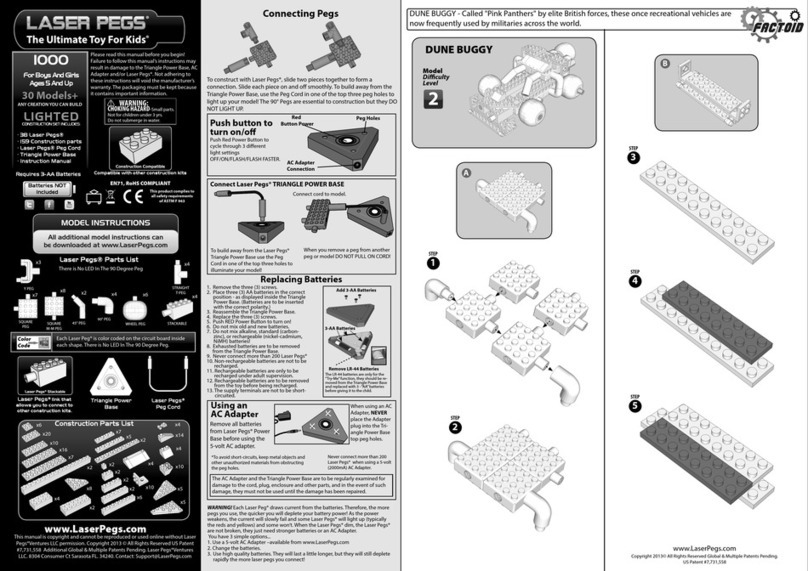
To construct with Laser Pegs®, slide two pieces together to form a
connection. Slide each piece on and o smoothly.
Connecting Pegs
Requires
3 LR 44 Button Cell
Batteries
x1
Push switch to
ON/OFF/FLASH
MPS 200
For Boys And Girls
Ages 5 And Up
LIGHTED
CONSTRUCTION SET INCLUDES:
Batteries
Included
www.LaserPegs.com
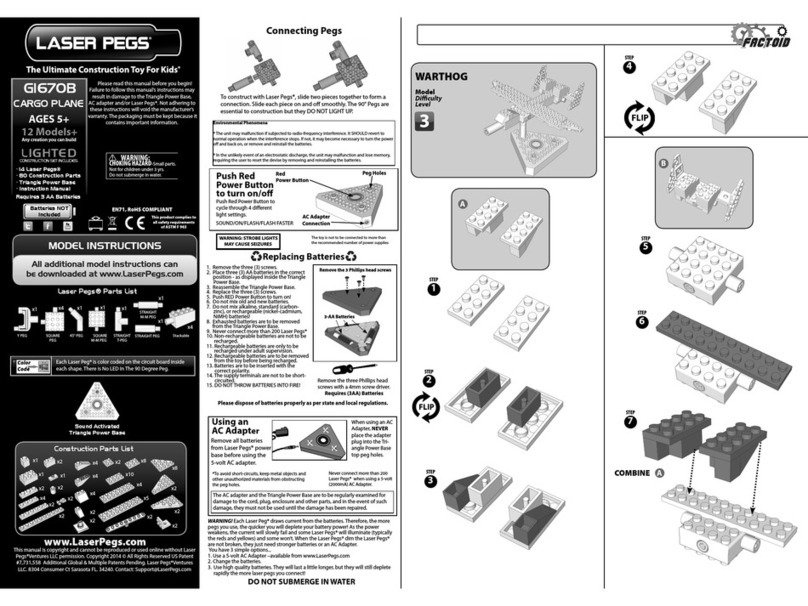
Laser Pegs® Parts List
Please read this manual before
you begin! Failure to follow this
manual’s instructions may result in
damage to the Mobile Power Source
and/or Laser Pegs®. Not adhering
to these instructions will void
the manufacturer’s warranty. The
packaging must be kept because it
contains important information.
This manual is copyright and cannot be reproduced or used online without Laser
Pegs®Ventures LLC permission. Copyright 2013 © All Rights Reserved US Patent
#7,731,558 Additional Global & Multiple Patents Pending. Laser Pegs® Ventures
Laser Pegs®link that allows you to
connect to other construction kits.
Laser Pegs
®
Stackable
EN71, RoHS COMPLIANT
x2
This product complies to all safety
requirements of ASTM F 963
STACKABLE
MODEL INSTRUCTIONS
All additional model instructions can be
downloaded at www.LaserPegs.com
4 Models+
Any creation you can build
x1
ROBOT
• 2 Laser Pegs®
• 61 Construction Parts
• Mobile Power Source
• Instruction Manual
Construction Parts List
x3
x1
x11
x2
x2
x4
x1
x4
x1
x2 x5 x2 x2
x9
x2
x8
x2
WARNING! Each Laser Peg® draws current from the batteries.Therefore,
the more pegs you use, the quicker you will deplete your battery power! As
the power weakens, the current will slowly fail and some Laser Pegs® will
illuminate (typically the reds and yellows) and some won’t. When the Laser
Pegs® dim, the Laser Pegs® are not broken, they just need stronger batteries.
You have 3 simple options...
1. Change the batteries.
2. Use high quality batteries. They will last a little longer, but they will still
deplete rapidly the more Laser Pegs® you connect!
Slide Power Switch
to turn on/o/ash
Slide Power Switch to cycle
through dierent
light settings.
*To avoid short-circuits, keep metal objects and other
unauthorized materials from obstructing the peg holes.
Power Switch
Peg Holes
Battery
Compartment
Remove Pull
Tab To Activate
Batteries
To construct with Laser Pegs®, slide two
pieces together to form a connection.
Slide each piece on and o smoothly.
Connecting Pegs
Construction Compatible
Remove the Phillips head
screw with a 4mm screw
driver.
1. Remove the Phillips head screw.
2. Remove the Battery Compartment Cover.
3. Place three LR 44 batteries in the correct position.
(Batteries are to be inserted with the correct polarity).
4. Replace the Battery Compartment Cover.
5. Replace the Phillips head screw.
6. Slide Power Switch to turn on!
7. Do not mix old and new batteries.
8. Do not mix alkaline, standard (carbon-zinc), or
rechargeable (nickel-cadmium, NiMH) batteries!
9. Exhausted batteries are to be removed from the power
base.
10. Never connect more than 4 Laser Pegs®
11. Non-rechargeable batteries are not to be recharged.
12. Rechargeable batteries are only to be recharged under
adult supervision.
13. Rechargeable batteries are to be removed from the toy
before being recharged.
14. The supply terminals are not to be short-circuited.
15. DO NOT THROW BATTERIES INTO FIRE!
Requires
3 LR 44 Button Cell
Batteries
Batteries
Mobile Power Source
Battery
Compartment Cover
Screw
LR 44
Button Cell
Battery x3
Replacing Batteries
Please dispose of batteries properly as per state and local regulations.