How change the repeat mode?
Long press the key you can change the repeat mode:
LCD Version (LEMP3FM03): All (repeat All) / Random / Folder All (repeat all song inside a
folder) / One (repeat one)
LED Version (LEMP3FM02): CA (repeat All) / CS (Random) / Fd (repeat all song inside a
folder) / Cr (repeat one)
How to use folder function?
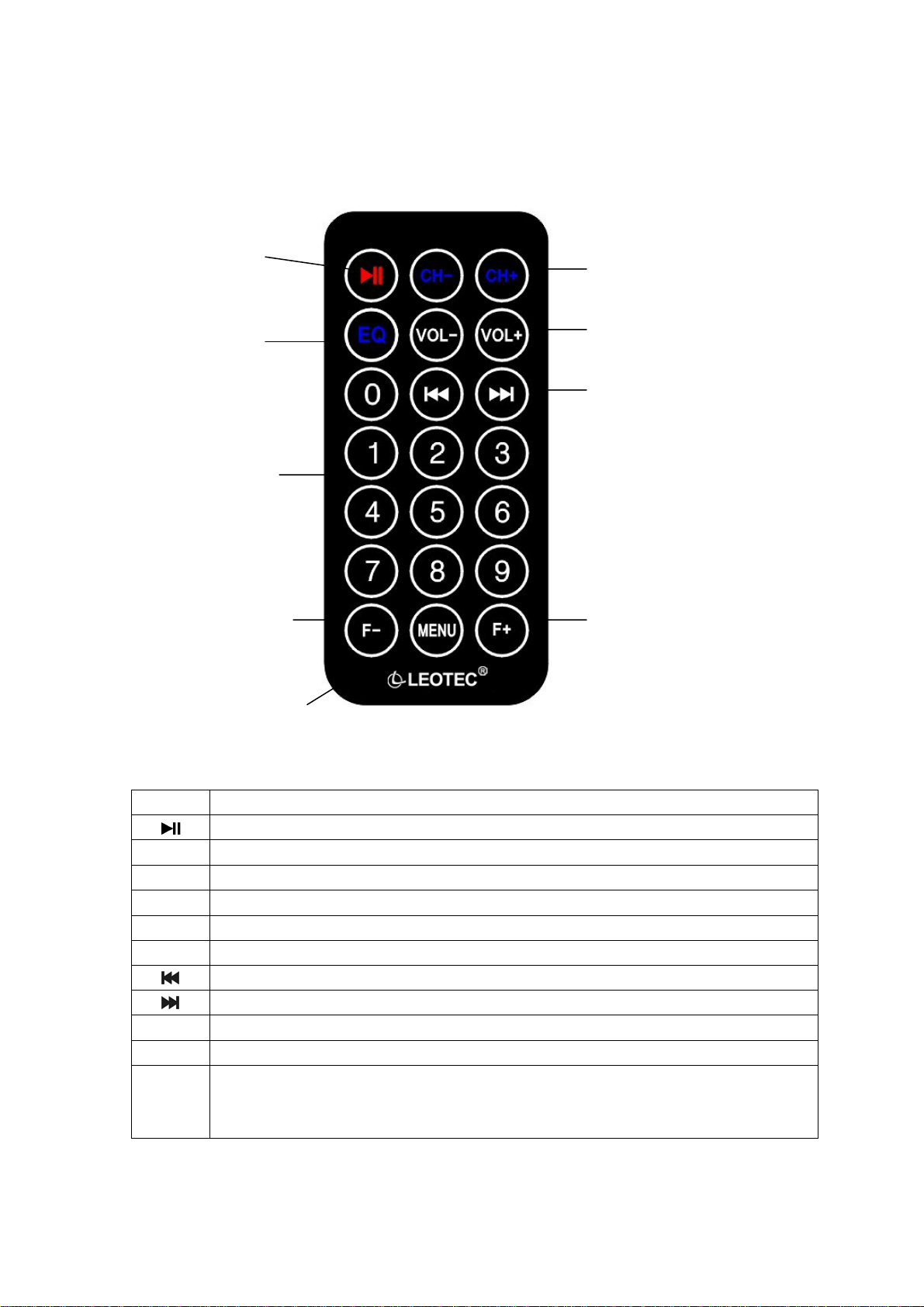
Press F-/F+ to choose the last/the next folder
Operation Keys on the player
1." " Play/ Pause
2.“ ” Short press for next song.
“ ” Short press for previous song.
How to set up frequency?
●Frequency adjustment setup:
Press CH+ key to increase the frequency 0.1MHz by 0.1MHz and press CH-
key to decrease the frequency 0.1MHz by 0.1MHz.
●Numeric input setup:
Use the numeric keys on the remote controller to set up the frequency.
e.g.: If you want to set up the frequency as 107.9 MHz , it just needs to input the
digits:1,0,7,9 and then press CH-/CH+ to finish the setup.
Technical Specifications
Display LED (LEMP3FM02) /LCD (LEMP3FM03)
Power supply DC12V-24V
Audio formats MP3
Working current <120mA
Bit rate 8K bps- 320K bps
FM range 87.5-108.0MHz
Channel setting switch Press CH key or use remote control to select
SNR 85dB
HAR distortion ≤0.05%
Working temperature - 5ºto +40º
Available distance <5m
Note: the design and specifications of the product shall be subject to
change without any future notice.