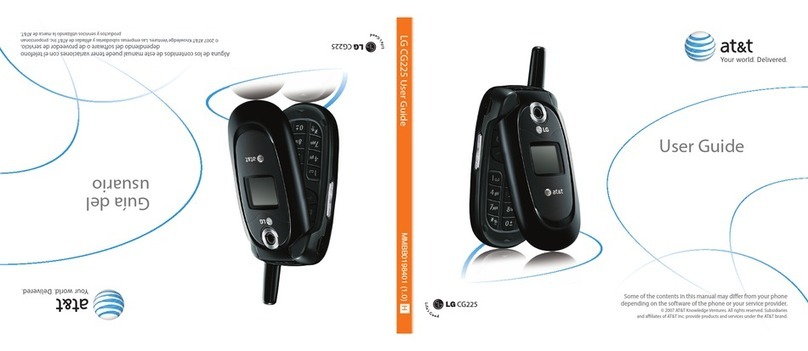
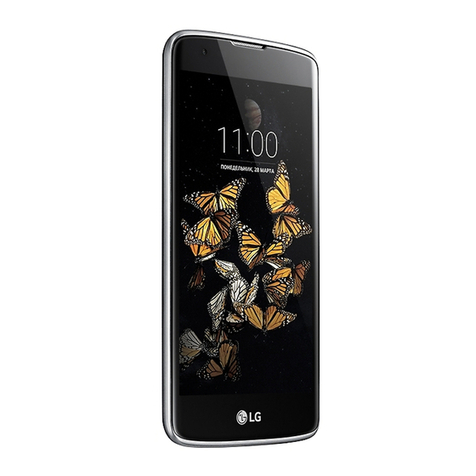
manuals.online logo
Brands
  1. Home
  2. •
  3. Brands
  4. •
  5. LG
  6. •
  7. Cell Phone
  8. •
  9. LG US550 Lotos User manual

LG US550 Lotos User manual

Other LG Cell Phone manuals

LG U8550 User manual

LG

LG U8550 User manual

LG GS170 User manual

LG

LG GS170 User manual

LG LM-G850UM User manual

LG

LG LM-G850UM User manual

LG MS659 User manual

LG

LG MS659 User manual

LG 355 User guide

LG

LG 355 User guide

LG LM-Q610EM User manual

LG

LG LM-Q610EM User manual

LG CU320 User manual

LG

LG CU320 User manual

LG LM-G710EMW User manual

LG

LG LM-G710EMW User manual

LG AS855 User manual

LG

LG AS855 User manual

LG Chocolate User manual

LG

LG Chocolate User manual

LG LM-G710EAW User manual

LG

LG LM-G710EAW User manual

LG LG-H324TR User manual

LG

LG LG-H324TR User manual

LG G7050 User manual

LG

LG G7050 User manual

LG LGC-500W User manual

LG

LG LGC-500W User manual

LG LG-X240YK User manual

LG

LG LG-X240YK User manual

LG LGVX8550 User guide

LG

LG LGVX8550 User guide

LG LG-X230H User manual

LG

LG LG-X230H User manual

LG LGH870.AZAFBK User manual

LG

LG LGH870.AZAFBK User manual

LG LGVN150 User manual

LG

LG LGVN150 User manual

LG U8330 User manual

LG

LG U8330 User manual

LG freedom 2 User manual

LG

LG freedom 2 User manual

LG G5400 User manual

LG

LG G5400 User manual

LG K350n User manual

LG

LG K350n User manual

LG Muziq Phone User manual

LG

LG Muziq Phone User manual

Popular Cell Phone manuals by other brands

Nokia 6700 classic user guide

Nokia

Nokia 6700 classic user guide

Ericsson T60d manual

Ericsson

Ericsson T60d manual

Zte Score M user manual

Zte

Zte Score M user manual

Sony Xperia Z1 Compact Startup guide

Sony

Sony Xperia Z1 Compact Startup guide

AT AT-Q5 user manual

AT

AT AT-Q5 user manual

Vingtor ACM-M-A-V2 Installation/configuration

Vingtor

Vingtor ACM-M-A-V2 Installation/configuration

Olitech EasyFlip 2 Quick setup guide

Olitech

Olitech EasyFlip 2 Quick setup guide

Zte Atrium Z793C user manual

Zte

Zte Atrium Z793C user manual

Alcatel IDEAL manual

Alcatel

Alcatel IDEAL manual

Zte BLADE A520 quick start guide

Zte

Zte BLADE A520 quick start guide

switel M222 user manual

switel

switel M222 user manual

Argom E500 manual

Argom

Argom E500 manual

Hisense U30 user manual

Hisense

Hisense U30 user manual

Argom Tech E401 user manual

Argom Tech

Argom Tech E401 user manual

Nokia 3595 - Cell Phone - GSM Manual Del Usuario

Nokia

Nokia 3595 - Cell Phone - GSM Manual Del Usuario

Nokia iSkoot 6600 user guide

Nokia

Nokia iSkoot 6600 user guide

Nokia RM-14 DISASSEMBLY AND REASSEMBLY INSTRUCTIONS

Nokia

Nokia RM-14 DISASSEMBLY AND REASSEMBLY INSTRUCTIONS

honor 8X user guide

honor

honor 8X user guide

manuals.online logo
manuals.online logoBrands
  • About & Mission
  • Contact us
  • Privacy Policy
  • Terms and Conditions

Copyright 2025 Manuals.Online. All Rights Reserved.

Getting to Know Your Phone Getting to Know Your Phone
U.S. Cellular®
Customer Care:
1-888-944-9400
QUICK START GUIDE
MBM64982001 (1.0)
Microphone
Headset Jack
Microphone
Earpiece
Front Camera
Lens
Charger/USB port
Proximity
Sensor
Power/Lock Key
Speaker
Flash
Rear Camera Lens
Volume Keys
Gesture Shot
Take seles using Gesture Shot.
Use Gesture Shot
There are two methods for using the Gesture
shot feature.
• Raise your hand, with an open palm, until the
front camera detects it and a box appears on
the screen. Then close your hand into a st to
start the timer, allowing you time to get ready.
• Raise your hand, in a clenched st, until the
front camera detects it and a box appears on
the screen. Then unclench your st to start the
timer, allowing you time to get ready.
OR
Glance View
When the phone screen is off, you can see
the status bar, time and date by dragging
your nger down on the screen.
Printed in China
All materials in this QSG including, without limitation,
the design, the text, and any marks are the property
of LG Electronics USA, Inc. Copyright © 2015 LG
Electronics USA, Inc. ALL RIGHTS RESERVED. LG, LG
Life’s Good and the LG logo are registered trademarks
of LG Corp. Google and Android are trademarks of
Google Inc. Wi-Fi is a registered trademark of the
Wi-Fi Alliance. The Bluetooth® word mark and logos
are registered trademarks owned by Bluetooth SIG, Inc.
and any use of such marks by LG Electronics USA, Inc.
is under license. Other trademarks and trade names
are those of their respective owners. Unless otherwise
specied herein, all accessories referenced herein are
sold separately. All features, functionality, and other
product specications are subject to change.
Visit www.uscellular.com to view the user guide and
more information.
Some content and illustrations may differ from your
device depending on the region, service provider,
software version, or OS version, and are subject to
change without prior notice.
www.lg.com/us/