manuals.online logo
Brands
  1. Home
  2. •
  3. Brands
  4. •
  5. LG
  6. •
  7. Server
  8. •
  9. LG 24CK550W User manual

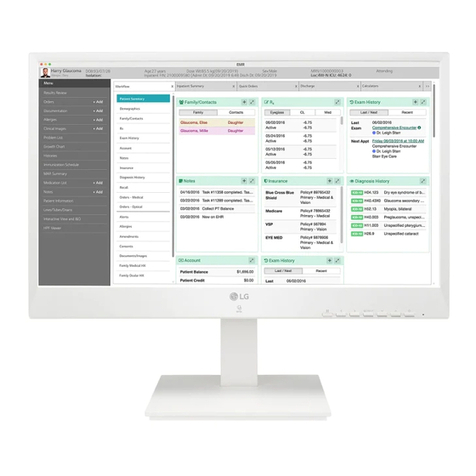
LG 24CK550W User manual

Other manuals for 24CK550W

1

This manual suits for next models

4

Other LG Server manuals

LG 27CN651W User manual

LG

LG 27CN651W User manual

LG CL600W User manual

LG

LG CL600W User manual

LG Cloud Device 24CQ65 Series User manual

LG

LG Cloud Device 24CQ65 Series User manual

LG PCS100R Pro:Centric User manual

LG

LG PCS100R Pro:Centric User manual

LG 27CN650W User manual

LG

LG 27CN650W User manual

LG PCS400R Pro:Centric User manual

LG

LG PCS400R Pro:Centric User manual

LG Cloud Device CL601W User manual

LG

LG Cloud Device CL601W User manual

LG Ericcson iPECS-CM Owner's manual

LG

LG Ericcson iPECS-CM Owner's manual

LG 27CN650N User manual

LG

LG 27CN650N User manual

LG 24CK550N-3A User manual

LG

LG 24CK550N-3A User manual

LG Centric PCS150R Pro User manual

LG

LG Centric PCS150R Pro User manual

LG 27CN650N User manual

LG

LG 27CN650N User manual

LG Centric PCS200R Pro User manual

LG

LG Centric PCS200R Pro User manual

LG Cloud T Series CBT42 User manual

LG

LG Cloud T Series CBT42 User manual

LG CloudDevice 24CR67 Series User manual

LG

LG CloudDevice 24CR67 Series User manual

LG Cloud Device 38CL950P User manual

LG

LG Cloud Device 38CL950P User manual

LG IPECS Owner's manual

LG

LG IPECS Owner's manual

LG PCS200R Pro:Centric User manual

LG

LG PCS200R Pro:Centric User manual

LG CloudDevice 24CN670W User manual

LG

LG CloudDevice 24CN670W User manual

LG CL600I User manual

LG

LG CL600I User manual

LG LVS201 series User manual

LG

LG LVS201 series User manual

LG Pro:Centric PCS200S Operating and maintenance manual

LG

LG Pro:Centric PCS200S Operating and maintenance manual

LG PCS500R Pro:Centric Operating and maintenance manual

LG

LG PCS500R Pro:Centric Operating and maintenance manual

LG 24CK560N User manual

LG

LG 24CK560N User manual

Popular Server manuals by other brands

HP Tc2120 - Server - 256 MB RAM installation guide

HP

HP Tc2120 - Server - 256 MB RAM installation guide

Lenovo ThinkServer RD230 manual

Lenovo

Lenovo ThinkServer RD230 manual

Avocent CPS810 Installer/user guide

Avocent

Avocent CPS810 Installer/user guide

Dell PowerEdge R6615 Installation and service manual

Dell

Dell PowerEdge R6615 Installation and service manual

FreeWave HT2+ installation guide

FreeWave

FreeWave HT2+ installation guide

GIGA-BYTE TECHNOLOGY G492-Z50 user manual

GIGA-BYTE TECHNOLOGY

GIGA-BYTE TECHNOLOGY G492-Z50 user manual

Lanner HTCA-E400 user manual

Lanner

Lanner HTCA-E400 user manual

Bull NovaScale T840 E2 user guide

Bull

Bull NovaScale T840 E2 user guide

Asus RS740-E70RS24-EG Configuration guide

Asus

Asus RS740-E70RS24-EG Configuration guide

Meinberg LANTIME M300/TCR manual 

Meinberg

Meinberg LANTIME M300/TCR manual 

HP ProLiant SL335s G7 Maintenance and service guide

HP

HP ProLiant SL335s G7 Maintenance and service guide

ZyXEL Communications VANTAGE RADIUS 50 user guide

ZyXEL Communications

ZyXEL Communications VANTAGE RADIUS 50 user guide

Lantronix xDirect-IAP quick start guide

Lantronix

Lantronix xDirect-IAP quick start guide

Fujitsu PRIMEQUEST 2400E3 General description

Fujitsu

Fujitsu PRIMEQUEST 2400E3 General description

IBM 9040-MR9 manual

IBM

IBM 9040-MR9 manual

IBM 306m - eServer xSeries - 8849 user guide

IBM

IBM 306m - eServer xSeries - 8849 user guide

green hippo Hippotizer Nevis+ quick start guide

green hippo

green hippo Hippotizer Nevis+ quick start guide

IBM 8203-E4A Brochure & specs

IBM

IBM 8203-E4A Brochure & specs

manuals.online logo
manuals.online logoBrands
  • About & Mission
  • Contact us
  • Privacy Policy
  • Terms and Conditions

Copyright 2025 Manuals.Online. All Rights Reserved.

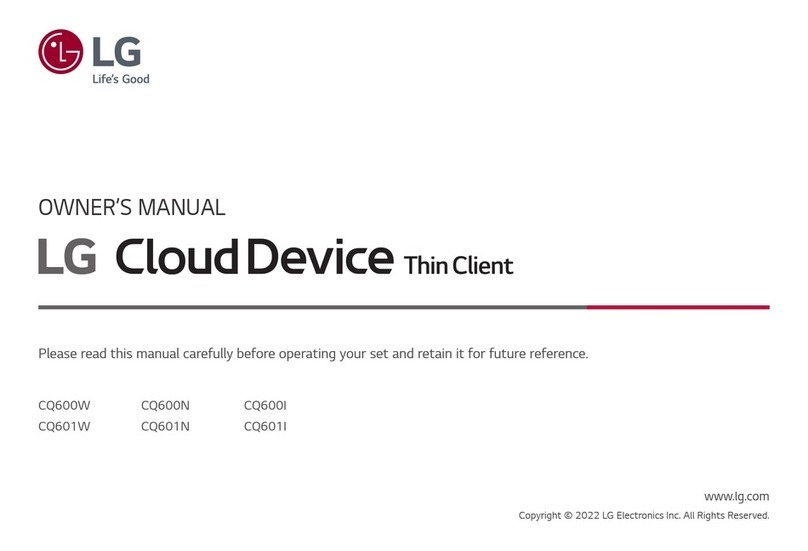
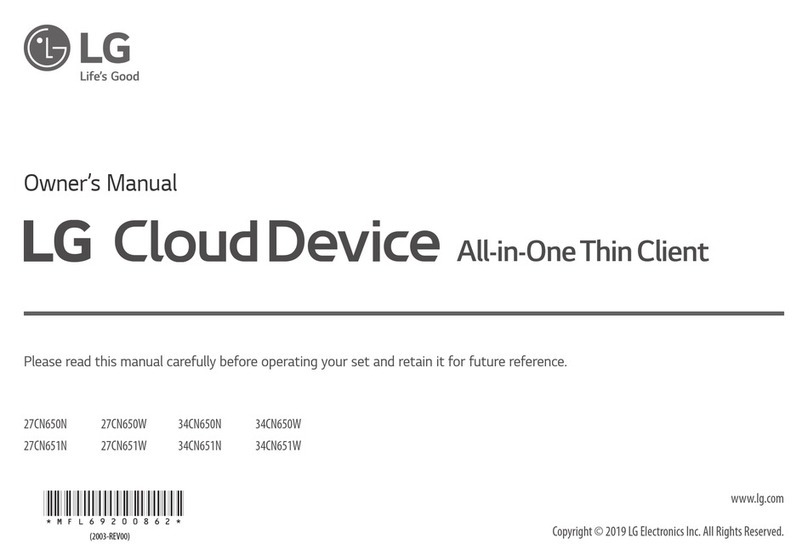
LG Cloud Device All-in-One Thin Client
24CK550W
24CK551W
24CK550N
24CK551N
*MBM65382222*
(1902-REV02)
www.lg.com
English It is recommended that use the supplied components.
Français Nous vous recommandons d’utiliser les composants fournis.
Español Se recomienda utilizar los componentes suministrados.
Português Recomenda-se a utilização dos componentes fornecidos.
Deutsch Es wird empfohlen, die mitgelieferten Zubehörteile zu verwenden.
Česky Doporučujeme, abyste používali dodané součásti.
Polski Zaleca się korzystanie z części dostarczonych w zestawie.
Srpski Preporučuje se korišćenje priloženih komponenti.
Slovenčina Odporúča sa používať dodané komponenty.
Italiano Si consiglia di utilizzare i componenti forniti.
Türkçe Ürünle birlikte gelen bileşenleri kullanmanız tavsiye edilir.
Dansk Det anbefales at du bruger de medfølgende komponenter.
Norsk Vi anbefaler at du bruker komponentene som følger med.
Svenska Vi rekommenderar att du använder de komponenter som medföljer.
Suomi On suositeltavaa käyttää tuotteen mukana toimitettuja osia.
Română Se recomandă utilizarea componentelor furnizate.
 Рекомендуется использовать компоненты, входящие в комплект поставки.
English You can download the web manuals for this product at the following websites.
Français Vous pouvez télécharger le guideWeb pour ce produit sur les sites suivants.
Español Puede descargar los manuales web de este producto en los siguientes sitios web.
Português Pode transferir os manuais na Internet deste produto nos websites que se seguem.
Deutsch Sie können dieWebhandbücher für dieses Produkt auf den folgendenWebsites herunterladen.
Česky Můžete si stáhnout webové návody kobsluze tohoto produktu znásledujících webových stránek.
Polski Instrukcje obsługi tego produktu można pobrać na następujących stronach internetowych.
Srpski Веб приручнике за овај производ можете преузети на следећим веб локацијама.
Slovenčina Webové príručky pre tento výrobok môžete stiahnuť na nasledujúcich webových stránkach.
Italiano È possibile scaricare i manuali online di questo prodotto dai seguenti sitiWeb.
Türkçe Bu ürünün web kılavuzlarını aşağıdaki web sitelerinden indirebilirsiniz.
Dansk Du kan downloade webvejledningen til dette produkt på følgende websteder.
Norsk Du kan laste ned webhåndbøker for dette produktet fra de følgende webområdene.
Svenska Du kan hämta produktens onlinehandböcker på följande webbplatser.
Suomi Voit ladata tuotteen verkko-oppaat seuraavilta verkkosivuilta.
Română Puteți descărca manualele web pentru acest produs pe următoarele site-uri web.
 Онлайн-руководство для данного устройства Вы можете скачать на следующем веб-сайте.
www.lg.com
1
5
3
or
6
2
4
1
2
DP IN
Monitor
Hub/Router
LAN
English • Using a DVI to HDMI / DP (DisplayPort) to HDMI cable may cause compatibility issues.
• Make sure to use the supplied cable. Otherwise, this may cause the device to malfunction.
Français • L’utilisation d’un câble DVI à HDMI/DP (DisplayPort) à HDMI peut causer des problèmes de compatibilité.
• Assurez-vous d’utiliser le câble fourni avec le produit. Le non-respect de cette consigne peut entraîner un dysfonctionnement du périphérique.
Español • El uso de un cable de DVI a HDMI / DP (DisplayPort) a HDMI puede causar problemas de compatibilidad.
• Asegúrese de utilizar el cable suministrado con el producto. De lo contrario, puede provocar que el dispositivo no funcione correctamente.
Português • A utilização de um cabo DVI para HDMI/DP (DisplayPort) para HDMI poderá causar problemas de compatibilidade.
• Certique-se de que utiliza o cabo fornecido com o produto. Caso contrário, poderá causar avarias no dispositivo.
Deutsch • Bei der Verwendung eines DVI-zu-HDMI-Kabels bzw. DP (DisplayPort)-zu-HDMI-Kabels kann es zu Kompatibilitätsproblemen kommen.
• Stellen Sie sicher, dass Sie das mitgelieferte Kabel verwenden. Andernfalls kann es zu Fehlfunktionen kommen.
Česky • Používání kabelu DVI do HDMI / DP (DisplayPort) do HDMI může vést k problémům s kompatibilitou.
• Pokud používáte běžně dostupné kabely bez certikace společnosti LG, nemusí obrazovka zobrazovat nebo může vznikat šum obrazu.
Polski • W przypadku korzystania z przewodu DVI–HDMI / DP (DisplayPort) – HDMI mogą występować problemy ze zgodnością.
• Użyj przewodu dołączonego do produktu.W innym razie urządzenie może nie działać prawidłowo.
Srpski • Korišćenje DVI na HDMI / DP (DisplayPort) na HDMI kabla može da izazove probleme sa kompatibilnošću.
• Obavezno koristite kabl koji je priložen uz proizvod. U suprotnom, to može dovesti do pogrešnog rada uređaja.
Slovenčina • Pri používaní kábla DVI do HDMI / DP (DisplayPort) do HDMI môže dôjsť k problémom s kompatibilitou.
• Dbajte na to, aby ste použili dodaný kábel produktu. Inak by mohlo dôjsť k poruche zariadenia.
Italiano • L’uso di un cavo da DVI a HDMI o da DP (DisplayPort) a HDMI potrebbe causare problemi di compatibilità.
• Accertarsi di utilizzare il cavo del prodotto in dotazione. In caso contrario, potrebbe vericarsi un malfunzionamento del dispositivo.
Türkçe •DVI - HDMI / DP (DisplayPort) - HDMI kablosu kullanmak uyumluluk sorunlarına yol açabilir.
•Ürünle birlikte verilen kablosunu kullandığınızdan emin olun. Aksi halde, bu durum cihazın arızalanmasına neden olabilir.
Dansk • Brug af et DVI til HDMI / DP (DisplayPort) til HDMI-kabel kan forårsage kompatibilitetsproblemer.
• Sørg for at bruge det medfølgende kabel. I modsat fald kan det forårsage fejlfunktionalitet i enheden.
Norsk • Hvis du bruker en DVI til HDMI-kabel/ DP (DisplayPort) til HDMI-kabel, kan det oppstå kompatibilitetsproblemer.
• Sørg for at du bruker kabelen som følger med. Bruk av en annen kabel kan føre til funksjonsfeil i enheten.
Svenska • Om du använder en DVI till HDMI-kabel eller en DP (DisplayPort) till HDMI-kabel kan det orsaka kompatibilitetsproblem.
• Se till att använda den medföljande kabeln. Annars kan det hända att enheten inte fungerar som den ska.
Suomi • DVI–HDMI- / DP (DisplayPort)–HDMI-kaapeli saattaa aiheuttaa yhteensopivuusongelmia.
• Käytä tuotteen mukana toimitettua johtoa. Muutoin tuote voi vahingoittua.
Română • Utilizarea unui cablu DVI - HDMI / DP (DisplayPort) - HDMI poate genera probleme de compatibilitate.
• Asiguraţi-vă că utilizaţi cablul furnizat. În caz contrar, aceasta ar putea cauza defectarea dispozitivului.
 • Использование кабеля DVI-HDMI / DP (DisplayPort)-HDMI может привести к возникновению проблем совместимости.
• Используйте кабель, входящий в комплект поставки. В противном случае это может привести к неисправности устройства.
2
1
3
English
Dual Band Wireless module (AC3168) Specications
Wireless LAN
Standard IEEE 802.11a/b/g/n/ac
Frequency Range Output Power (Max.)
2400 to 2483.5 MHz
5150 to 5725 MHz
5725 to 5850 MHz
15.5 dBm
15.5 dBm
15.5 dBm
Bluetooth
Frequency Range Output Power (Max.)
2400 to 2483.5 MHz 10 dBm
• As band channels can vary per country, the user cannot change or adjust the operating frequency.This
product is congured for the regional frequency table.
• For consideration of the user, this device should be installed and operated with a minimum distance of 20
cm between the device and the body.
• "IEEE 802.11ac" is not available in all countries.
Deutsch
Dual Band Wireless-Modul (AC3168) Spezikationen
WLAN
Standard IEEE 802.11a/b/g/n/ac
Frequenzbereich Ausgangsleistung (Max.)
2400 bis 2483,5MHz
5150 bis 5725 MHz
5725 bis 5850 MHz
15,5dBm
15,5dBm
15,5dBm
Bluetooth
Frequenzbereich Ausgangsleistung (Max.)
2400 bis 2483,5MHz 10dBm
• Da sich Bandkanäle je nach Land unterscheiden können, kann der Benutzer die Betriebsfrequenz nicht
ändern oder anpassen. Dieses Produkt ist für die regionale Frequenztabelle konguriert.
• Der Benutzer sollte darauf achten, dass das Gerät mit einem Mindestabstand von 20cm zwischen Gerät und
Körper installiert und betrieben wird.
• “IEEE 802.11ac”ist in einigen Ländern nicht verfügbar.
Français
Caractéristiques du module sans l à double bande (AC3168)
LAN sans-l
Standard IEEE 802.11a/b/g/n/ac
Plage de fréquence Puissance en sortie (max.)
De 2400 à 2483,5 MHz
De 5150 à 5725 MHz
De 5725 à 5850 MHz
15,5dBm
15,5dBm
15,5dBm
Bluetooth
Plage de fréquence Puissance en sortie (max.)
De 2400 à 2483,5 MHz 10dBm
• Les canaux de bande pouvant varier selon la pays, l'utilisateur ne peut pas modier ni régler la fréquence de
fonctionnement. Ce produit est conguré conformément au tableau de fréquences régionales.
• Pour plus de sécurité, ce périphérique doit être installé et utilisé à une distance minimale de 20cm de votre
corps.
• La norme“IEEE 802.11ac”n’est pas disponible dans tous les pays.
Italiano
Speciche del modulo wireless Dual Band (AC3168)
LAN wireless
Standard IEEE 802.11a/b/g/n/ac
Gamma di frequenza Potenza in uscita (max.)
Da 2.400 a 2.483,5 MHz
Da 5.150 a 5.725 MHz
Da 5.725 a 5.850 MHz
15,5 dBm
15,5 dBm
15,5 dBm
Bluetooth
Gamma di frequenza Potenza in uscita (max.)
Da 2.400 a 2.483,5 MHz 10 dBm
• Dal momento che i canali della banda possono variare da paese a paese, l'utente non può modicare né
regolare la frequenza operativa. Questo prodotto è congurato in base alla tabella di frequenza regionale.
• Nel rispetto della salute dell'utente, questo dispositivo deve essere installato e utilizzato a una distanza
minima di 20 cm dal corpo umano.
• Lo standard“IEEE 802.11ac”non è disponibile in tutti i paesi.

Español
Especicaciones del módulo inalámbrico de banda dual (AC3168)
LAN inalámbrico
Standard IEEE 802.11a/b/g/n/ac
Rango de frecuencias Potencia de salida (máx.)
De 2400 a 2483,5 MHz
De 5150 a 5725 MHz
De 5725 a 5850 MHz
15,5 dBm
15,5 dBm
15,5 dBm
Bluetooth
Rango de frecuencias Potencia de salida (máx.)
De 2400 a 2483,5 MHz 10 dBm
• Dado que los canales de banda pueden variar según el país, el usuario no puede cambiar ni ajustar la
frecuencia de funcionamiento. Este producto está congurado para la tabla de frecuencias de la región.

• Por seguridad del usuario, este dispositivo se debe instalar y utilizar con una distancia mínima de 20 cm
entre el dispositivo y el cuerpo.
• “IEEE 802.11ac”no está disponible en todos los países.
Português
Especicações do Módulo de Banda Dupla sem os (AC3168)
LAN sem os
Standard IEEE 802.11a/b/g/n/ac
Intervalo de frequência Potência de saída (máx.)
2400 a 2483,5 MHz
5150 a 5725 MHz
5725 a 5850 MHz
15,5 dBm
15,5 dBm
15,5 dBm
Bluetooth
Intervalo de frequência Potência de saída (máx.)
2400 a 2483,5 MHz 10 dBm
• Uma vez que os canais de banda podem variar consoante o país, o utilizador não pode alterar nem ajustar a
frequência de funcionamento. Este produto está congurado para a tabela de frequência regional.
• À atenção do utilizador: este dispositivo deve ser instalado e utilizado a uma distância mínima de 20 cm
entre o dispositivo e o corpo.
• O padrão“IEEE 802.11ac”não se encontra disponível em todos os países.
Nederlands
Specicaties draadloze module (AC3168)
Draadloze LAN
Standaard IEEE 802.11a/b/g/n/ac
Frequentiebereik Uitgangsvermogen (max.)
2400 tot 2483,5 MHz
5150 tot 5725 MHz
5725 tot 5850 MHz
15,5 dBm
15,5 dBm
15,5 dBm
Bluetooth
Frequentiebereik Uitgangsvermogen (max.)
2400 tot 2483,5 MHz 10 dBm
• Omdat bandkanalen kunnen verschillen per land, kan de gebruiker de bedieningsfrequentie niet wijzigen of
aanpassen. Dit product is gecongureerd voor de regionale frequentietabel.
• Het is optimaal voor de gebruiker als dit apparaat op minimaal 20 cm van het lichaam wordt geïnstalleerd
en bediend.
• “IEEE 802.11ac”is niet in alle landen beschikbaar.
Ελληνικά
Προδιαγραφέ ονάδα ασύρατη λειτουργία δύο ζωνών (AC3168)
Ασύρατο LAN
Πρότυπο IEEE 802.11a/b/g/n/ac
Εύρος συχνοτήτων Ισχύς εξόδου (Μέγ.)
2400 έως 2483,5 MHz
5150 έως 5725 MHz
5725 έως 5850 MHz
15,5 dBm
15,5 dBm
15,5 dBm
Bluetooth
Εύρος συχνοτήτων Ισχύς εξόδου (Μέγ.)
2400 έως 2483,5 MHz 10 dBm
• Καθώς τα κανάλια ζώνης μπορεί να διαφέρουν ανά χώρα, ο χρήστης δεν μπορεί να αλλάξει ή να προσαρμόσει
τη συχνότητα λειτουργίας. Αυτό το προϊόν έχει διαμορφωθεί για τον πίνακα τοπικών συχνοτήτων.
• Προς ενημέρωση του χρήστη, αυτή η συσκευή θα πρέπει να εγκατασταθεί και να λειτουργήσει με ελάχιστη
απόσταση 20 εκ. μεταξύ της συσκευής και του σώματος.
• Το“IEEE 802.11ac”δεν είναι διαθέσιμο σε όλες τις χώρες.