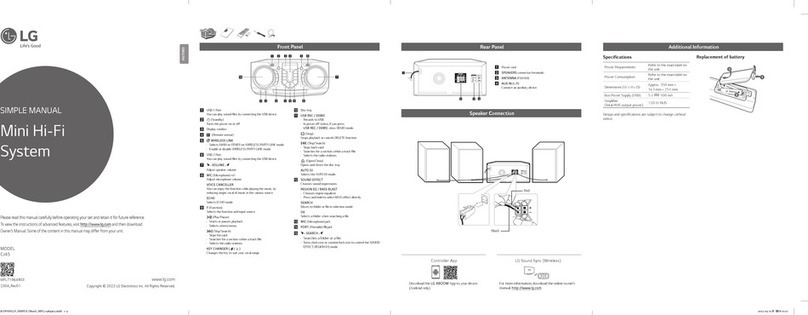
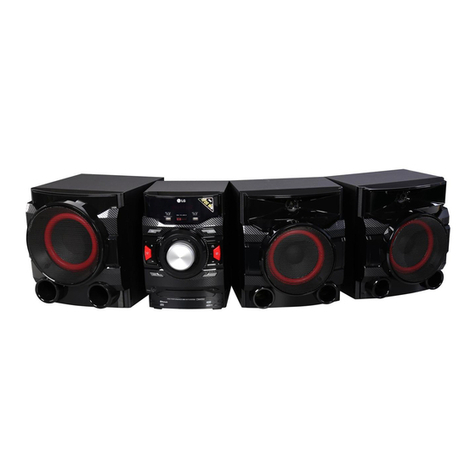
LG CK56 Specification sheet

www.lg.com
Copyright © 2018 LG Electronics Inc. All Rights Reserved.
SIMPLE MANUAL
Mini Hi-Fi
System
Please read this manual carefully before operating your set and retain it for future reference.
To view the instructions of advanced features, visit http://www.lg.com and then download
Owner’s Manual. Some of the content in this manual may differ from your unit.
MODEL
CK56
SLOVENŠČINA SHQIP
BOSANSKI
SVENSKA
DANSK NORSK SUOMI
SRPSKIHRVATSKILATVIEŠUROMÂNĂPOLSKI
SLOVENČINA
ČESKY
ENGLISH
PORTUGUÊS
ΕΛΛΗΝΙΚΑ
ESPAÑOLITALIANO
NEDERLANDS
FRANÇAISDEUTSCH
БЪЛГАРСКИ
MAGYAR
МАКЕДОНСКИ
MFL70941017
1909_Rev03
CK56-DB.DEUSLLB_SIM_ENG_MFL70941017.indd 1 2019-09-19 2:11:06
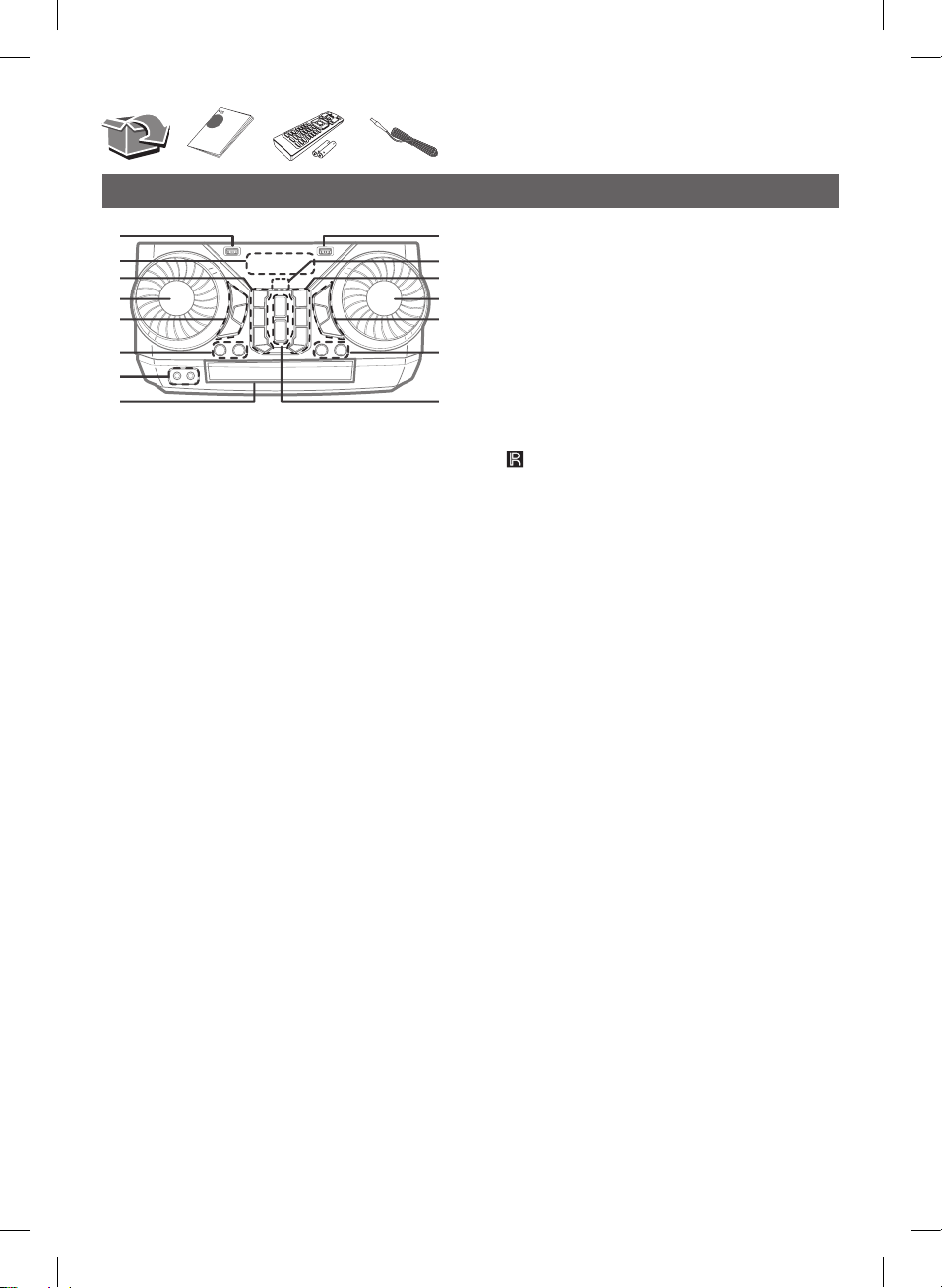
Front Panel
d
e
f
h
g
a
i
k
l
m
o
n
c
b
j
aUSB 1 Port
YoucanplaysoundlesbyconnectingtheUSBdevice.
bDisplaywindow
c 1(Standby)
Turnsthepoweronoroff.
USB REC / DEMO
- RecordstoUSB.
- TostopRecording,pressandholdfor3seconds.
- Inpoweroffstatus,ifyoupressUSB REC / DEMO,
showDEMOmode.
C(Skip/Search)
- Skipsbackward.
- Searchesforasectionwithinatrack/le.
- Selectstheradiostations.
Z(Stop)/RDS
- StopsplaybackorcancelsDELETEfunction.
- RadioDataSystem
dEQUALIZER / SEARCH
- Choosessoundimpressions.
- Searchesafolderorale.
- Selectsthelightingeffects.
eSPECIAL EQ / BASS BLAST (or BASS BLAST+)
- Choosesspecialequalizer.
- PressandholdtoselectBASS(orBASS+)effect
directly.
SEARCH
Movestofolderorfileinselectionmode.
OK
Selectsafolderwhensearchingafile.
fLIGHTING
Selectslightingmode.
VOICE CANCELLER
Youcanreducethevocaltonesduringmusicplayback
fromvariousinputsources.
gPORTABLE IN jack
MIC (Microphone)jack
hDisctray
iUSB 2 Port
YoucanplaysoundlesbyconnectingtheUSBdevice.
j (Remotesensor)
kF (Function)
Selectsthefunctionandinputsource.
3WIRELESS LINK
- SelectsMAINorOTHERonWIRELESSPARTYLINK
mode.
- EnableordisableWIRELESSPARTYLINKmode.
V(Skip/Search)
- Skipsforward.
- Searchesforasectionwithinatrack/file.
- Selectstheradiostations.
B(Open/Close)
Opensandclosesthedisctray.
l
MASTER VOL. (Volume)/ MULTI
- Adjustspeakervolume.
- Adjustmicrophonevolume.
- Selectsvocaleffects.
m
VOCAL EFFECTS
SelectsVOCALEFFECTSmode.
MIC VOL (Microphonevolume)
Selectsmicrophonevolumemode.
MIC ECHO
SelectsECHOmode.
n
KEY CHANGER (l/L)
Changesthekeytosuityourvocalrange.
o
AUTO DJ
SelectstheAUTODJmode.
N(Play/Pause)
- Startsorpausesplayback.
- Selectsstereo/mono.
CK56-DB.DEUSLLB_SIM_ENG_MFL70941017.indd 2 2019-09-19 2:11:07

Rear Panel
a
b c d e
100 100
aPowercord
bSPEAKERSconnector
cSPEAKER LIGHTING SYSTEM
Connectthespeakerlightingcables.
d
AUX IN (L/R)
Connectanauxiliarydevice.
eANTENNA(FM)
DownloadtheMusic Flow BluetoothApptoyour
device.(Androidonly)
Formoreinformation,downloadtheonlineowner’s
manual.http://www.lg.com
LG Sound Sync (Wireless)
Controller App
Speaker Connection Additional Information
100 100
100 100
Specifications
PowerRequirements Refertothemainlabelon
theunit.
PowerConsumption
Refertothemainlabelon
theunit.
Networkedstandby:0.5W
(Ifallnetworkportsare
activated.)
Dimensions(WxHxD) Approx.350mmx166mmx
276mm
BusPowerSupply(USB) 5V0500mA
Amplier
(TotalRMSoutputpower) 700WRMS
Designandspecicationsaresubjecttochangewithout
notice.
CK56-DB.DEUSLLB_SIM_ENG_MFL70941017.indd 3 2019-09-19 2:11:09

Additional Information
Replacement of battery
(R03)
(R03)
How to disconnect the wireless network
connection or the wireless device
Turnofftheunitbypressingthepowerbuttonformorethan
5seconds.
Declaration of Conformity
Hereby,LGElectronicsdeclaresthattheradioequipmenttype
MiniHi-FiSystemisincompliancewithDirective2014/53/
EU.ThefulltextoftheEUdeclarationofconformityis
availableatthefollowinginternetaddress:
http://www.lg.com/global/support/cedoc/cedoc#
Forconsiderationoftheuser,thisdeviceshouldbeinstalled
andoperatedwithaminimumdistanceof20cmbetweenthe
deviceandthebody.
Frequencyrange Outputpower(Max.)
2402to2480MHz 10dBm
CK56-DB.DEUSLLB_SIM_ENG_MFL70941017.indd 4 2019-09-19 2:11:09
Other manuals for CK56
1
Other LG Stereo System manuals