SERVICE/MONITORING APPOINTMENTS PROPER CARE AND USE
The reason for the lockout is shown at the bottom of the screen and may
include Service Date (meaning you are past due for service), Event Log Full,
Device Failure, Bypass, and Violations.
If you have to change a scheduled monitoring appointment, you will
need to call 1-888-769-6080 24 hours in advance to avoid a Missed
Appointment Fee.
Early Recall:
Many Violations recorded by the device will require an Early Recall.
This means that you must return to your service provider to have the
device’s data downloaded, interpreted and reported. Depending on your
jurisdiction, you will have 3 to 10 days to return to your service provider
before the device enters Permanent Lockout.
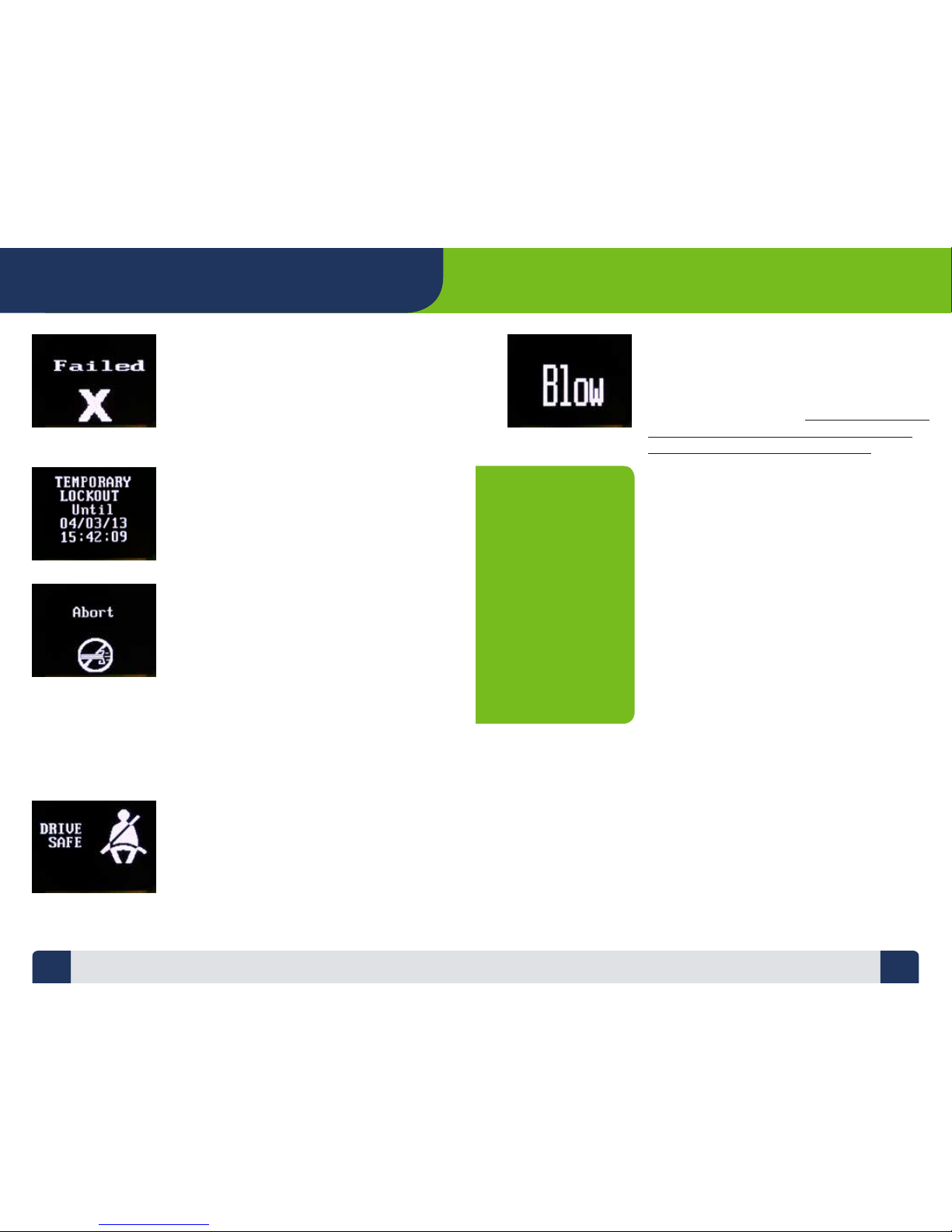
You will be advised of the Early Recall requirement via the Lockout screen.
It will display the date and time the lockout will start along with the
Reason: Violation.
The device monitors its own functionality in accordance with fail-safe
technical requirements. Any type of malfunction or failure that could
aect the reliability or accuracy of the device’s test results will also put the
device into Early Recall. This will again result in a Lockout screen advising
of the date, time and reason for lockout.
Lockout Override Code:
The device has the ability to have a Lockout Override Code entered.
• Use of the code will temporarily lift the lockout, as dened by your
jurisdiction, and will allow normal operation of the device and vehicle.
• You must call LifeSafer at 1-800-634-3077 for the code.
Vehicle Electrical Systems
The device operates o your vehicle’s electrical system. If your vehicle is over
10 years old, you should have the electrical system checked by an automotive
professional. If your vehicle has electrical shorts or a failed alternator, the
power surges can damage the device and void the warranty. If applicable
maintain proper water-levels in your car battery (use distilled water) and keep
the terminal connections clean and free of corrosion. The device will usually
work with an old battery, but bad or weak batteries are the primary cause of
problems that can result in Early Service Recall and an unscheduled visit to
the service provider at your expense. If your car battery is weak or old, ask
your LifeSafer Service Provider what your jurisdiction’s regulations are for
having it replaced. Since all power disconnects are recorded and reported,
you must document each time the battery is disconnected, or the device is
disconnected from power. We have provided a chart on page 15 where you
can document all disconnects.
Extreme Cold or Heat
It is recommended that you disconnect the device’s handset from the coil
cord and take it inside during extreme conditions. Since the handset is
disconnected and not using power, this will not only help with the wait
for warm-up, but will also ease the load on your vehicles battery during
these periods. When the handset is disconnected do not allow it to become
excessively moist, hot or cold. In extreme heat, removing the device and
taking it indoors will protect its sensitive components and will help ensure
you will be able to drive if your car has been in a very hot place for an
extended period of time.
Avoid Contact with Moisture and Dirt
The device is not waterproof. It is an electronic product. Keep it out of the
rain. Keep the device stored o the oor of your vehicle. Excessive contact
with moisture, dirt, mud, or rain will damage the internal circuitry for which
repair or replacement of the device is your responsibility.
Avoid Electro-Static Discharge (ESD)
Place the key in the ignition before picking up the handset.
ESD, especially during the cold and dry winter months, is common
and may damage the device.
15 16