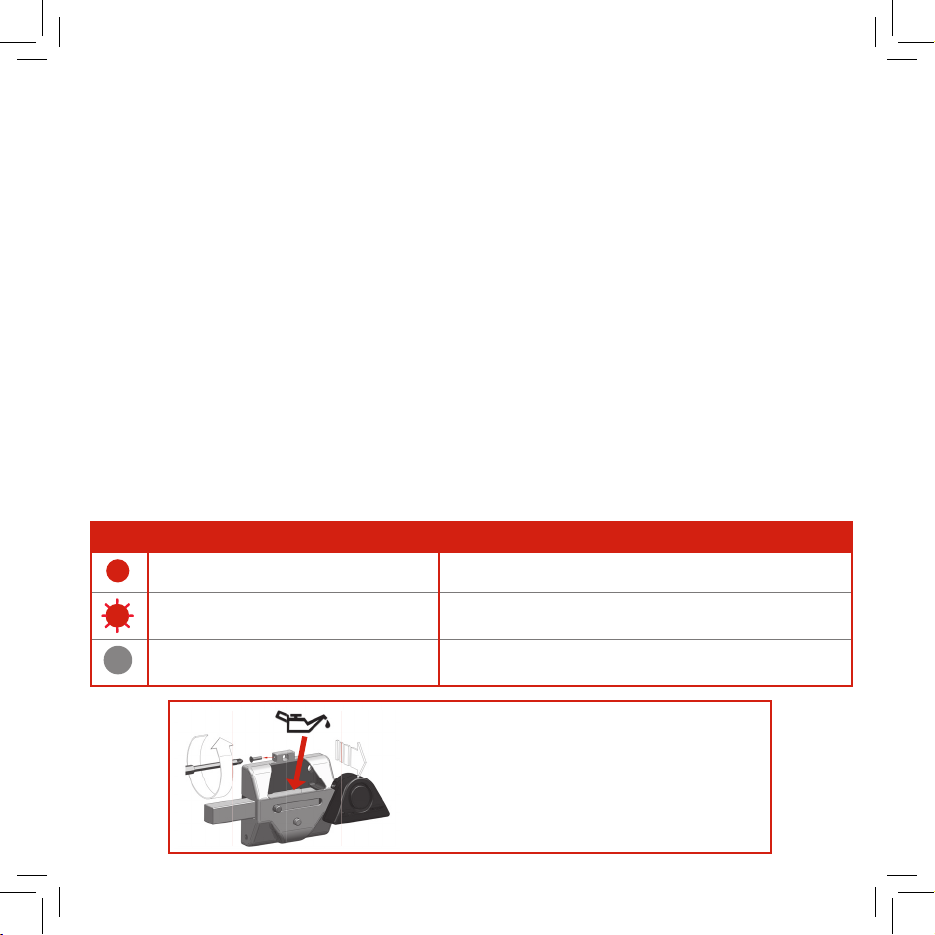
Alimentación externa 5V (conector microUSB)
Alimentation externe 5V (connecteur micro USB)
External 5V power supply (micro USB connector)
REQUISITOS Y MODO PARA
REALIZAR LA CARGA DE LA BA-
TERÍA A TRAVÉS DE USB
El módulo de la alarma contiene una
batería recargable. ATENCIÓN: debe
cargarse completamente en el mo-
mento de la instalación del cerrojo.
Este módulo de la alarma contiene un
puerto micro-USB para su carga. Co-
nectar a la corriente a través de un
cable micro-USB estándar (no sumi-
nistrado) y su cargador de móvil.
También puede cargar la batería co-
nectándolo directamente a una ba-
tería externa (powerbank).
Los dos modos de carga anteriores
pueden llevarse a cabo con el cerro-
jo instalado y sin necesidad de ma-
nipular el mismo.
Hay otro modo de carga de la batería
que implica la extracción del módulo
alarma para su carga, igualmente a
través del puerto micro-USB, en otro
lugar alejado del propio cerrojo. En
este caso también es posible la cone-
xión a través de un puerto USB de un
PC, ordenador portátil, smart TV...
Si tiene problema con la carga del
“modulo alarma” haga la prueba a uti-
lizar otro cable y comprobar si el pilo-
to led rojo parpadea en señal de carga.
CONDITIONS ET MODE DE CHARGE-
MENT DE LA BATTERIE AVEC LE PORT
USB.
Le module de l’alarme contient une bat-
terie rechargeable. ATTENTION: elle doit
être complétement chargée lors de l’in-
stallation du verrou.
Ce module de l’alarme contient un port
micro-USB pour son chargement.
Brancher à la prise de courant à l’aide
d’un câble micro-USB standard (non
fourni) et votre chargeur de téléphone
portable.
Vous pouvez également charger la batte-
rie en la branchant directement à une
batterie externe (powerbank).
Les deux modes de chargement décrits
peuvent être réalisés avec le verrou in-
stallé, sans besoin de le manipuler.
Il existe un autre mode de chargement
de la batterie qui implique l’extraction du
module alarme, également au travers du
port micro-USB, dans un lieu éloigné du
verrou. Dans ce cas, la connexion est
également possible à l’aide d’un port
USB d’un PC, ordinateur portable, smart
TV...
Si vous avez un problème avec la
charge du “module alarme”, essayez
d´utiliser un autre câble et vérifiez si le
LED rouge clignote en signe de charge.
REQUIREMENTS AND PROCEDURES
FOR CHARGING THE BATTERY USING
THE USB PORT
The alarm module incorporates a re-
chargeable battery. WARNING: the
battery should be fully charged before
installing the lock.
This alarm module includes a mi-
cro-USB port for charging. Connect
the power supply using a standard
micro-USB cable (not supplied) and
your mobile charger.
You can also charge the battery by
connecting it directly to an external
battery (powerbank).
The two charge methods mentioned
above may be carried out with the lock
installed and without needing to carry
out any action on the lock.
There is another way to charge the
battery by extracting the alarm mod-
ule. This method also uses the mi-
cro-USB port but it allows the
charge in another location far away
from the lock. In this case, connec-
tion is also possible using the USB
port of a PC, laptop, smart TV, etc.
If the alarm unit does not charge,
try a different cable and adapter
and verify if the red-light flickers
as a sign of charge.
Carga de batería
Charge de la batterie
Battery charge
1 2