Manual
English
13
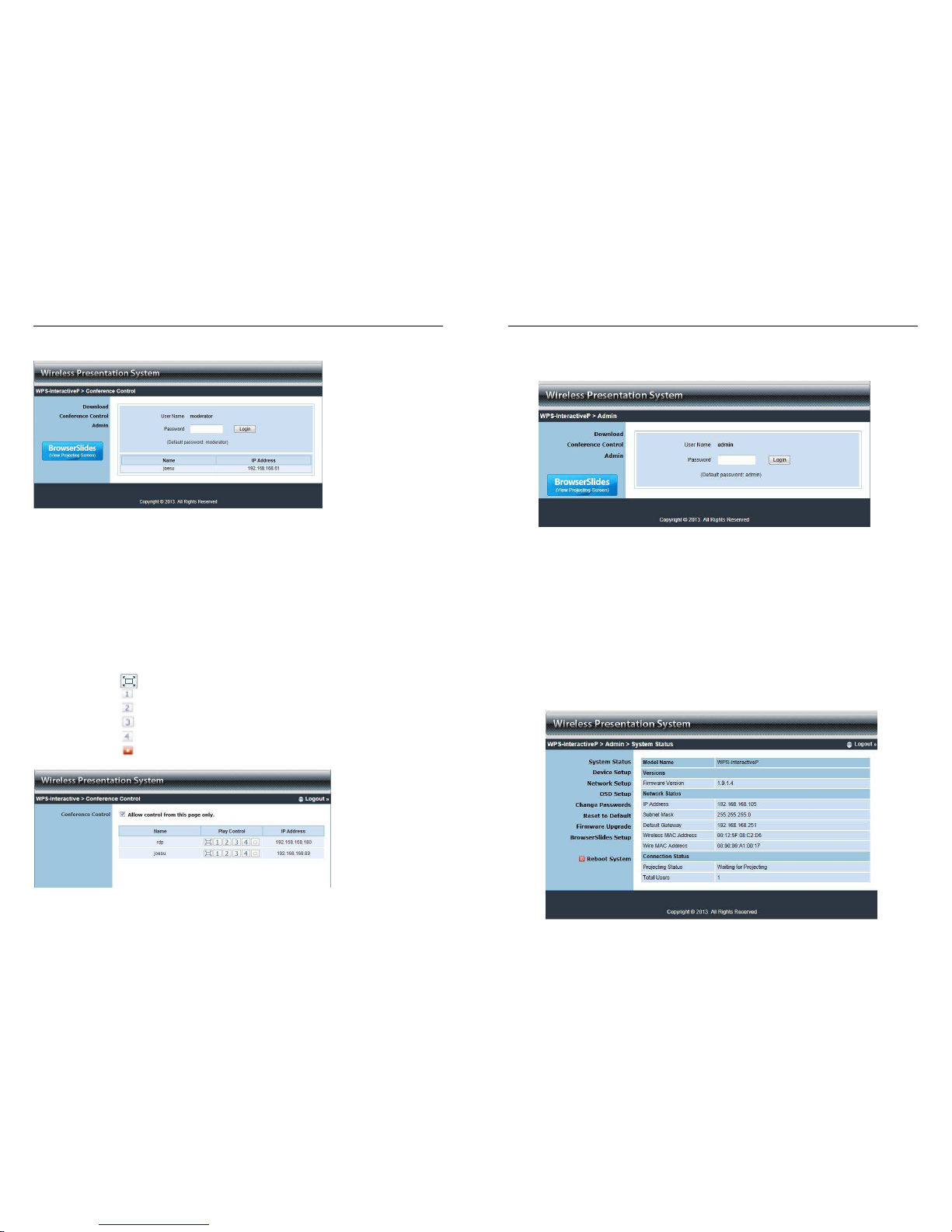
System Status
This section shows information on the current system status; Model Name, Firmware Version,
IP Address, Subnet Mask, Default Gateway, Wireless Mac Address, Wire Mac Address,
Projecting Status and Total users.
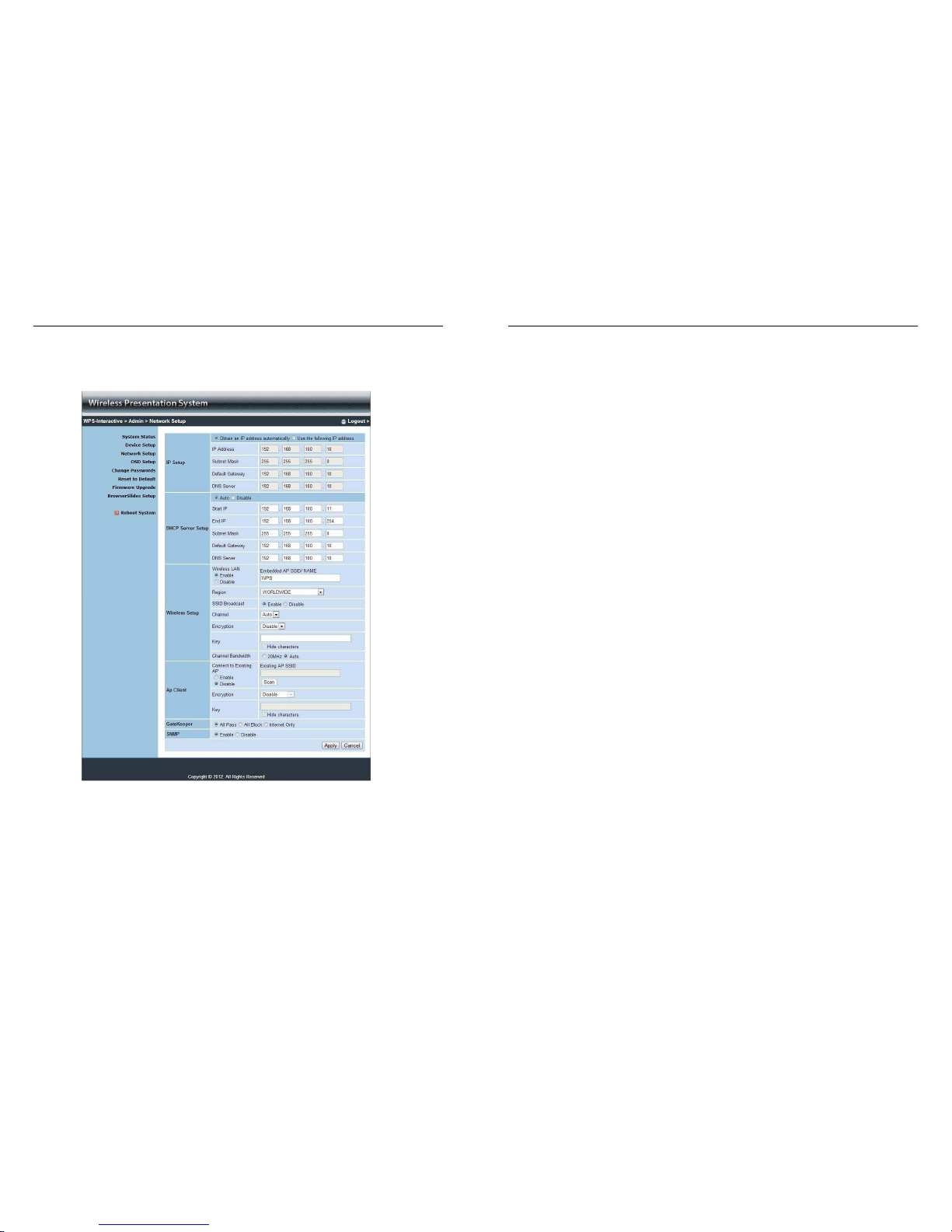
Network Setup
The default setting of the Wireless Projector Server is DHCP Auto (Dynamic Host Configuration
Protocol). When the Wireless Projector Server is connected to a LAN that already has a DHCP
server, the Wireless Projector Server will take an IP address assigned to it by that server. When
the Wireless Projector Server is connected to a LAN that does not have a DHCP server, the
Wireless Projector Server becomes the DHCP server in that network.
Manual
English
14
If you do not require the DHCP function it is recommended to select Disable
IP Setup:
Select Obtain IP address automatically or Use the following IP address
IP Address - the default value is 192.168.100.10
Subnet Mask - the default value is 255.255.255.0
Default Gateway - the default value is 192.168.100.10
DNS Server - the default value is 192.168.100.10
DHCP Server Setup:
Select Auto/Disable Enable
Start IP - the start IP address of the DHCP Server
End IP - the end IP address of the DHCP Server
Subnet Mask - the default value is 255.255.255.0
Default Gateway - the default value is 192.168.100.10
DNS Server - the default value is 192.168.100.10
Wireless Setup:
Wireless LAN - the default value is Enable
Connect to Existing AP - input the SSID of the Wi-Fi AP you want to connect to
Region - the default value is Worldwide
SSID - SSID string, max. Length is 32 bytes
SSID Broadcast - the default value is Enable
Channel - use this to set Fixed Channel or Auto. In Auto the Wireless Projector Server
will scan all available wireless channels and select one automatically when powered on
Encryption - select Disable or set WEP/WPA/WPA2 in 64 or 128bit with an ASCII or
HEX string
Key - if Encryption is enabled, you will have to set the key value here according to the
encryption mode selected
Gatekeeper:
Gatekeeper is designed for maintaining enterprise network security within the
Wireless Projector Server
All Pass - allows Guest users to access all office networks and Internet connections
All Block - blocks Guest users to access all office networks (LAN)
Internet Only - blocks Guest users from office networks (LAN) but still reserves Internet
connection capability, if available
Apply - applies any changes made to these settings
Cancel - cancels any changes made to these settings