EnglishDeutsch
 logo
Brands
  1. Home
  2. •
  3. Brands
  4. •
  5. Little Tikes
  6. •
  7. Watch
  8. •
  9. Little Tikes Tobi User manual

Little Tikes Tobi User manual

Other Little Tikes Watch manuals

Little Tikes TOBI 2 Robot Smartwatch User manual

Little Tikes

Little Tikes TOBI 2 Robot Smartwatch User manual

Popular Watch manuals by other brands

Pandora WATCH2 quick guide

Pandora

Pandora WATCH2 quick guide

Casio QW-4343 Service manual

Casio

Casio QW-4343 Service manual

Suunto X6 user guide

Suunto

Suunto X6 user guide

Seiko N830 instruction manual

Seiko

Seiko N830 instruction manual

MotionX 365 user guide

MotionX

MotionX 365 user guide

Garmin VENU SQ 2 owner's manual

Garmin

Garmin VENU SQ 2 owner's manual

QCY Watch GTC manual

QCY

QCY Watch GTC manual

Canyon Cindy CNE-KW41WP quick guide

Canyon

Canyon Cindy CNE-KW41WP quick guide

Esq Watches Operating instructions warranty & service guide

Esq

Esq Watches Operating instructions warranty & service guide

Crane AA5-CDSM-3A user manual

Crane

Crane AA5-CDSM-3A user manual

Timex W-214 product manual

Timex

Timex W-214 product manual

DETOMASO MATERA manual

DETOMASO

DETOMASO MATERA manual

Geemarc Watch N Shake user guide

Geemarc

Geemarc Watch N Shake user guide

LORUS W590 instruction manual

LORUS

LORUS W590 instruction manual

STENLILLE Actío user manual

STENLILLE

STENLILLE Actío user manual

Casio 5594 Operation guide

Casio

Casio 5594 Operation guide

Sinn HUNTER'S WATCH 3. Edition manual

Sinn

Sinn HUNTER'S WATCH 3. Edition manual

Slazenger SLZ800 manual

Slazenger

Slazenger SLZ800 manual

https://manuals.online logo
https://manuals.online logoBrands
  • About & Mission
  • Contact us
  • Privacy Policy
  • Terms and Conditions

Copyright 2026 Manuals.Online. All Rights Reserved.

Swipe right to tickle Tobi™.
Swipe left to make Tobi™annoyed.
Feed Tobi™by pressing and holding on its mouth.
Poke Tobi’s face and it will shake its arms
and legs.
Swipe down to check Tobi’s status bar. Tap
the volume icon to quickly change volume.
Tobi™gets dizzy when you shake it.
Swipe up to put Tobi into listen mode and
Tobi™will react when it hears you speak.
Rock Tobi™back and forth and it will fall asleep.
Quick Start Guide
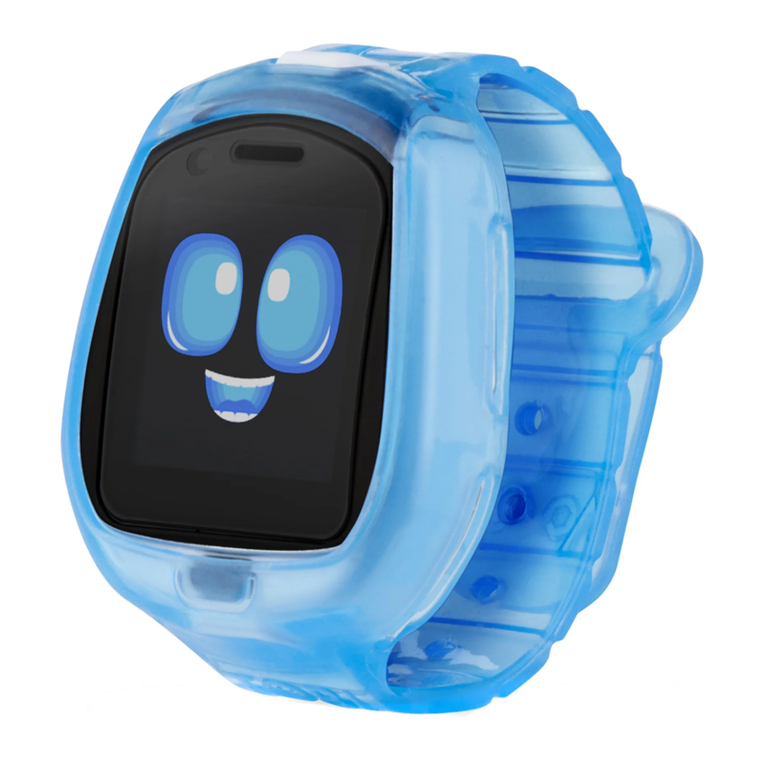
Robot Smartwatch
12:45 03781
© 2021 Little Tikes
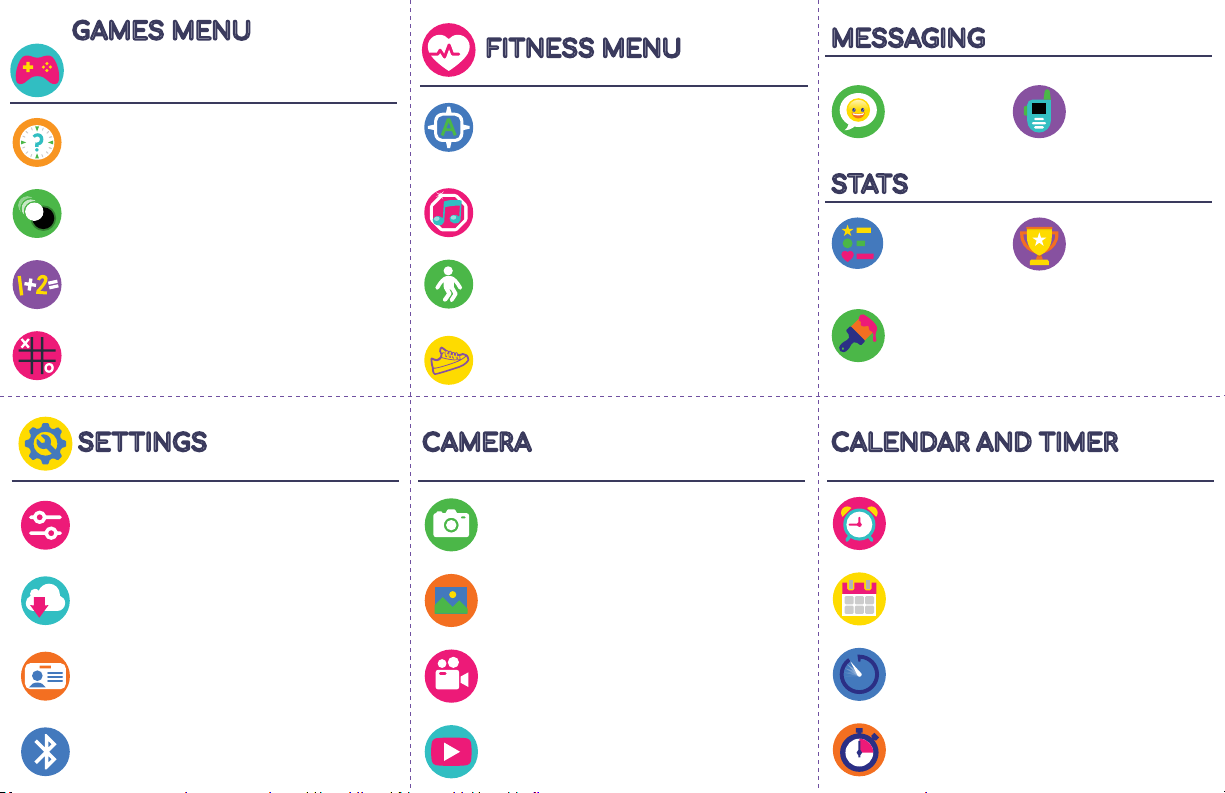
GAMES MENU
All of Tobi's games have three levels of
diculty. Play dierent games and diculty
levels to unlock new features and rewards!
A-B-Seek - This is an augmented reality
game where you match letters to objects.
For example, Tobi™ might prompt the letter
‘A’ and then somewhere on screen will be
an Alligator the user has to find.
Freeze Dance - Dance along with Tobi™, but
don't forget to freeze when the music stops.
SETTINGS
FITNESS MENU
Watch your recorded videos.
View your photos and add silly stickers.
Record video using Tobi's dual P.O.V.
and selfie cameras.
Take photos using Tobi's dual P.O.V.
and selfie cameras.
Alarm clock - Set up to three
dierent alarms with
custom wake up sounds.
Stopwatch - Time
yourself doing activities
with your Tobi™.
Calendar - See what day it
is and add stickers to
mark special occasions.
Timer - Use preset timers
or create your own.
Decorate Tobi's
room with rewards
and other
decorations you've
unlocked.
Earn stars as you
play games and
activities with Tobi.
Earning stars
unlocks photo
stickers,
decorations for
Tobi's room, food to
feed Tobi, and new
animations.
See how Tobi™
is feeling.
Send pictures
and Emojis to
paired Tobi
devices.
Send voice
messages to a
paired Tobi
device and
add silly voice
eects.
A-Maze-Ing Balance - Move Tobi™ around to
guide the colored balls into the correct holes.
Smash Math - Solve Tobi's math problems
before the time runs out.
Tic-Tac-Tobi™ - Challenge Tobi™ to a game
of Tic-Tac-Toe
Tobi Time - Help Tobi™ tell time by reading the
analog clock and entering the correct time.
Tobi Says - Copy Tobi's moves and see how
many you can get in a row.
Set activity goals for the week and view
your progress.
MESSAGING
STATS
Set Tobi’s date, time, language, volume and
brightness.
Pair with other Tobi™ devices.
Name your Tobi™ device.
Update Tobi’s software.
CAMERA CALENDAR AND TIMER