manuals.online logo
Brands
  1. Home
  2. •
  3. Brands
  4. •
  5. LOXONE
  6. •
  7. Control Unit
  8. •
  9. LOXONE AO Extension User manual

LOXONE AO Extension User manual

This manual suits for next models

1

Other LOXONE Control Unit manuals

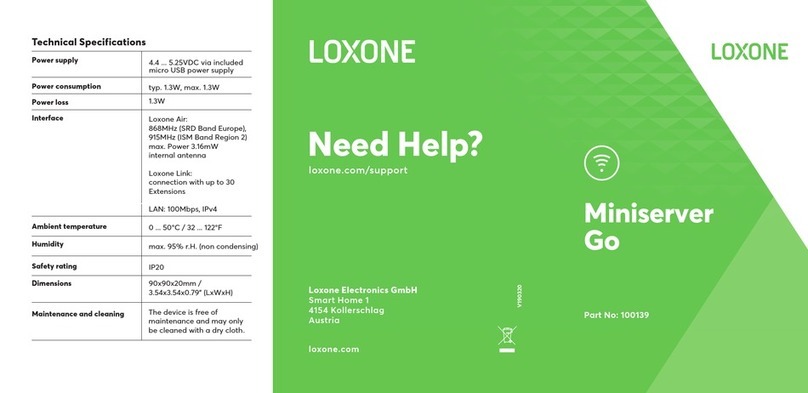
LOXONE Miniserver Go User manual

LOXONE

LOXONE Miniserver Go User manual

LOXONE Touch Nightlight Air User manual

LOXONE

LOXONE Touch Nightlight Air User manual

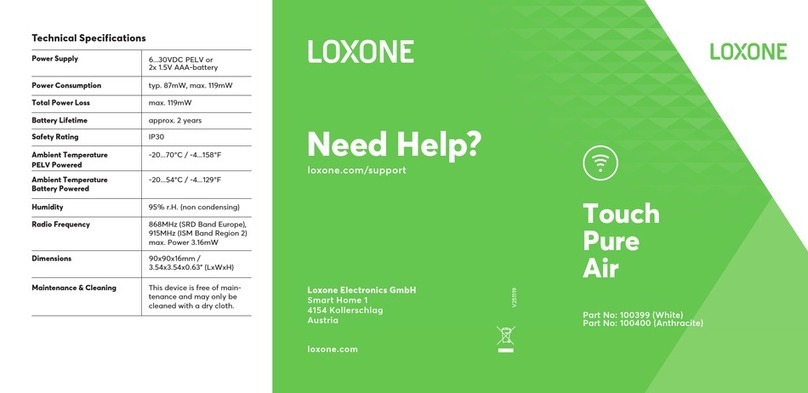
LOXONE Touch Pure Air Series User manual

LOXONE

LOXONE Touch Pure Air Series User manual

Popular Control Unit manuals by other brands

Seitz 14A80 user manual

Seitz

Seitz 14A80 user manual

Wilo RS485 Installation and operating instructions

Wilo

Wilo RS485 Installation and operating instructions

Becker CentralControl CC41 Commissioning Instruction

Becker

Becker CentralControl CC41 Commissioning Instruction

SICK CDB650 operating instructions

SICK

SICK CDB650 operating instructions

Panduit NetKey NKP5E88M Series installation instructions

Panduit

Panduit NetKey NKP5E88M Series installation instructions

MX Options Concentric Petite Fitting instructions

MX

MX Options Concentric Petite Fitting instructions

Clean Water Systems Fleck 2510 Installation & start?up guide

Clean Water Systems

Clean Water Systems Fleck 2510 Installation & start?up guide

Fairchild FSB44104A user guide

Fairchild

Fairchild FSB44104A user guide

LEGRAND Wattstopper LMIN-104 installation instructions

LEGRAND

LEGRAND Wattstopper LMIN-104 installation instructions

PMK ATT10BNCS instruction manual

PMK

PMK ATT10BNCS instruction manual

Tektronix TDS3FFT user manual

Tektronix

Tektronix TDS3FFT user manual

Woodward easYgen Technical manual

Woodward

Woodward easYgen Technical manual

Balluff BNI EIP-502-105-R015 user guide

Balluff

Balluff BNI EIP-502-105-R015 user guide

NXP Semiconductors TWR-LS1021A Getting started

NXP Semiconductors

NXP Semiconductors TWR-LS1021A Getting started

Advantech PCM-3117 Startup manual

Advantech

Advantech PCM-3117 Startup manual

Danfoss MCO 101 manual

Danfoss

Danfoss MCO 101 manual

Moons' Lin Engineering R701P user manual

Moons'

Moons' Lin Engineering R701P user manual

Aventics RV1 operating instructions

Aventics

Aventics RV1 operating instructions

manuals.online logo
manuals.online logoBrands
  • About & Mission
  • Contact us
  • Privacy Policy
  • Terms and Conditions

Copyright 2025 Manuals.Online. All Rights Reserved.

Part No.: 100382
Need Help?
loxone.com
No Gimmicks.
Real Smart Homes.
AO
Extension
Loxone Electronics GmbH
Smart Home 1
4154 Kollerschlag
Austria
loxone.com/support
Technical Specifications
Power Supply 14...28VDC SELV
Power Consumption max. 1.26W
Total Power Loss max. 435mW
Safety Rating IP20
Ambient Temperatures 0...55°C / 32...131°F
Humidity 95% r.H. (non condensing)
Dimensions 35.5x88x57mm /
1.4x3.46x2.24” (LxWxH)
Maintenance & Cleaning This device is free of maintenance
and must only be cleaned with a
dry cloth.
Outputs 4 analogue outputs 0...10VDC
Momentary Output max. 20mA
AOConnection
Wire Diameter 0.14...0.5mm² / AWG26...AWG20
Exposed Wire Length 7mm / 0.28”
Push-In-Technology To make connection, insert wire; to
remove the wire, twist and pull at
the same time.
Continuous Output max. 10mA
Power
Supply
+ 24V
GND
Loxone
Link +
Link -
AO
Extension
AQ1
AQ2
AQ3
AQ4
AQ1
AQ2
AQ3
AQ4
For additional information, declaration of
confirmity, visit www.loxone.com/help/ao
Power Supply and Link Connection
Wire Diameter 0.25...0.8mm² / AWG23...AWG18
Exposed Wire Length 5mm / 0.2”
Push-In-Technology To make connection, insert wire; to
remove the wire, twist and pull at the
same time.
About the product
With the Loxone AO Extension, you can easily extend your
Loxone system with four additional analogue 0-10V outputs.
Features
•4 analogue outputs 0...10V
This folder is a part of the product!
Installation & electrical connection
The installation of this device has to be carried out by a
qualified person. The device has to be fitted in accordance
with building regulations for electrical and fire safety. If the
device is not installed according to manufacturer‘s guidelines
the protection of the device may be affected.