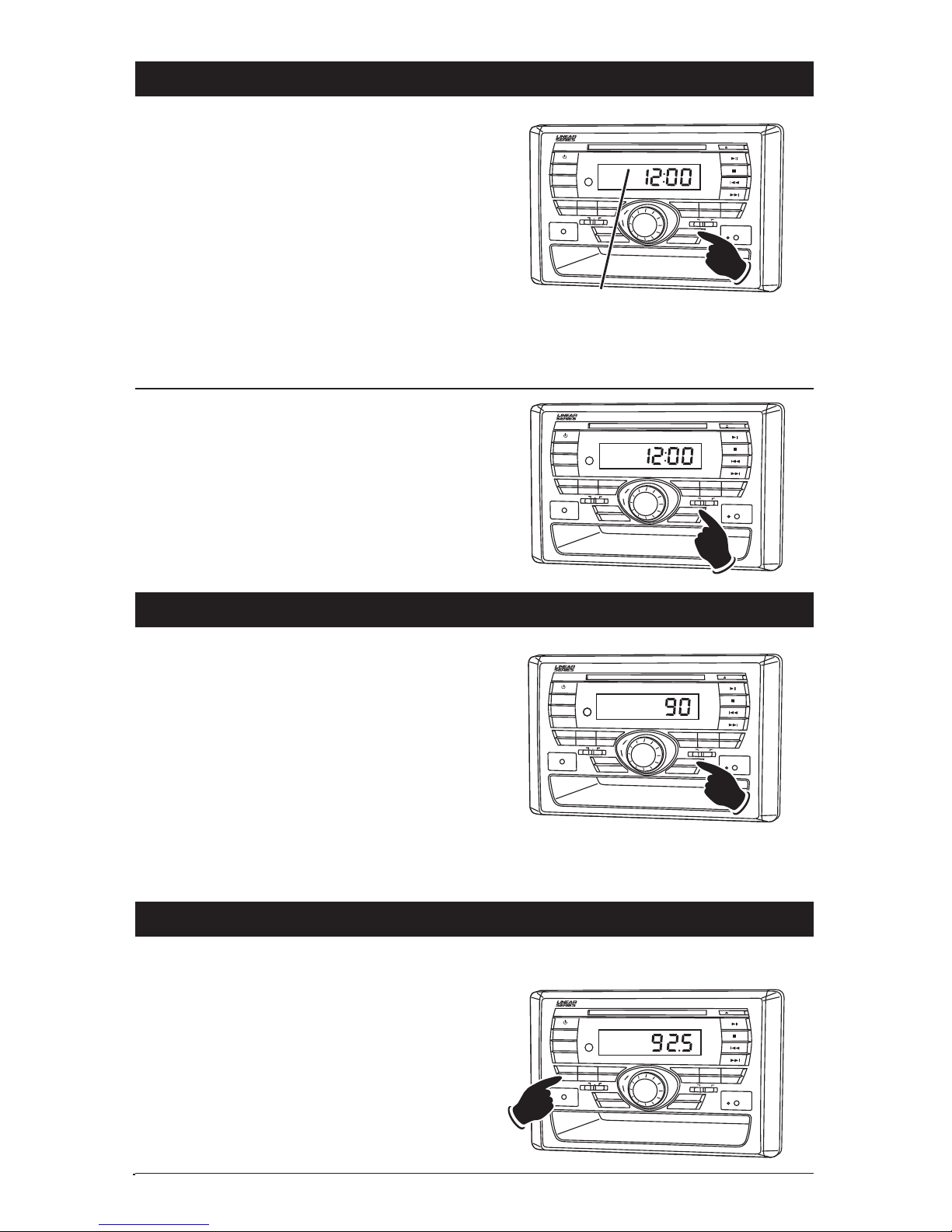
Cancelling the Alarm Timer:
1. Press the POWER button to turn the unit off.
2. Press the SLP/ALM button, the unit will enter
a standby mode and light up the display.
3. Press the SLP/ALM button again until the
“ALARM” indicator disappears from the display.
4.
Wait approximately 10 seconds and the display
will turn off
. The alarm will now turn off.
B
AA+B
DIM
MODE
DISP
POWER
123
BAND EQ AS
MUTE
MEMORY
EJECT
VOLUME
SELECT
PUSH
AUDIO
MULTI-MEDIA INPUT
LS5050CD AM/FM/CD MULTI-MEDIA RECEIVER
456
RPT/CH+ INTRO RDM/CH-
SLP/ALM
LOUD
RESET
SATELLITE
RADIO INPUT
MAIN SPEAKERS
®
SPEAKER CONTROL
ALL ON
MAIN OFF AUX OFF
ALARM TUNER
AM
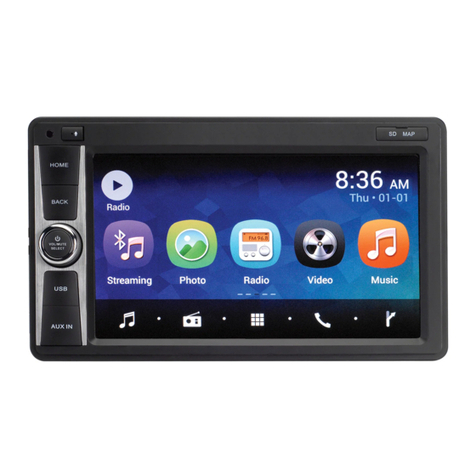
Activating the Alarm Timer:
1. Press the POWER button to turn the unit off.
2. Press the SLP/ALM button, the unit will enter
a standby mode and light up the display.
3. Press the SLP/ALM button again until the
“ALARM” indicator is in the display.
4.
Wait approximately 10 seconds and the display
will turn off
. The alarm will now turn the unit
on at the specified time.
Note: Once the alarm feature is turn on the
alarm will trigger the same time every day until
the alarm timer is cancelled.
B
AA+B
DIM
MODE
DISP
POWER
123
BAND EQ AS
MUTE
MEMORY
EJECT
VOLUME
SELECT
PUSH
AUDIO
MULTI-MEDIA INPUT
LS5050CD AM/FM/CD MULTI-MEDIA RECEIVER
456
RPT/CH+ INTRO RDM/CH-
SLP/ALM
LOUD
RESET
SATELLITE
RADIO INPUT
MAIN SPEAKERS
®
SPEAKER CONTROL
ALL ON
MAIN OFF AUX OFF
ALARM TUNER
AM
Alarm Indicator
9
Alarm Operation (Continued)
Sleep Timer Operation
Setting the Sleep Timer:
1. Press the SLP/ALM button until the desired
sleep time appears in the display (0, 10, 20,
30, 40, 50, 60, 70, 80, 90 minutes).
2. Wait 5 seconds and the display will return to
normal operation.
3.
After the designated sleep timer has expired
the unit will turn off automatically
.
Cancelling the Sleep Timer:
1. Press the SLP/ALM button until “0” is dis-
played.
B
AA+B
DIM
MODE
DISP
POWER
123
BAND EQ AS
MUTE
MEMORY
EJECT
VOLUME
SELECT
PUSH
AUDIO
MULTI-MEDIA INPUT
LS5050CD AM/FM/CD MULTI-MEDIA RECEIVER
456
RPT/CH+ INTRO RDM/CH-
SLP/ALM
LOUD
RESET
SATELLITE
RADIO INPUT
MAIN SPEAKERS
®
SPEAKER CONTROL
ALL ON
MAIN OFF AUX OFF
SLEEP TUNER
AM/FM Operations
Power On/Off:
Press the POWER button to turn the unit 0n.
Selecting the Play Source:
Press the MODE button until “TUNER” appears
in the display. Either AM or FM frequency will
appear in the display.
Selecting the AM or FM Band:
Press the BAND button and select between AM
or FM band.
B
AA+B
DIM
MODE
DISP
POWER
123
BAND EQ AS
MUTE
MEMORY
EJECT
VOLUME
SELECT
PUSH
AUDIO
MULTI-MEDIA INPUT
LS5050CD AM/FM/CD MULTI-MEDIA RECEIVER
456
RPT/CH+ INTRO RDM/CH-
SLP/ALM
LOUD
RESET
SATELLITE
RADIO INPUT
MAIN SPEAKERS
®
SPEAKER CONTROL
ALL ON
MAIN OFF AUX OFF
TUNER
MHz
STEREO
FM
LS5050CD-UM 4/29/08 12:26 PM Page 9