使用说明书User Manual Catalog
Catalog
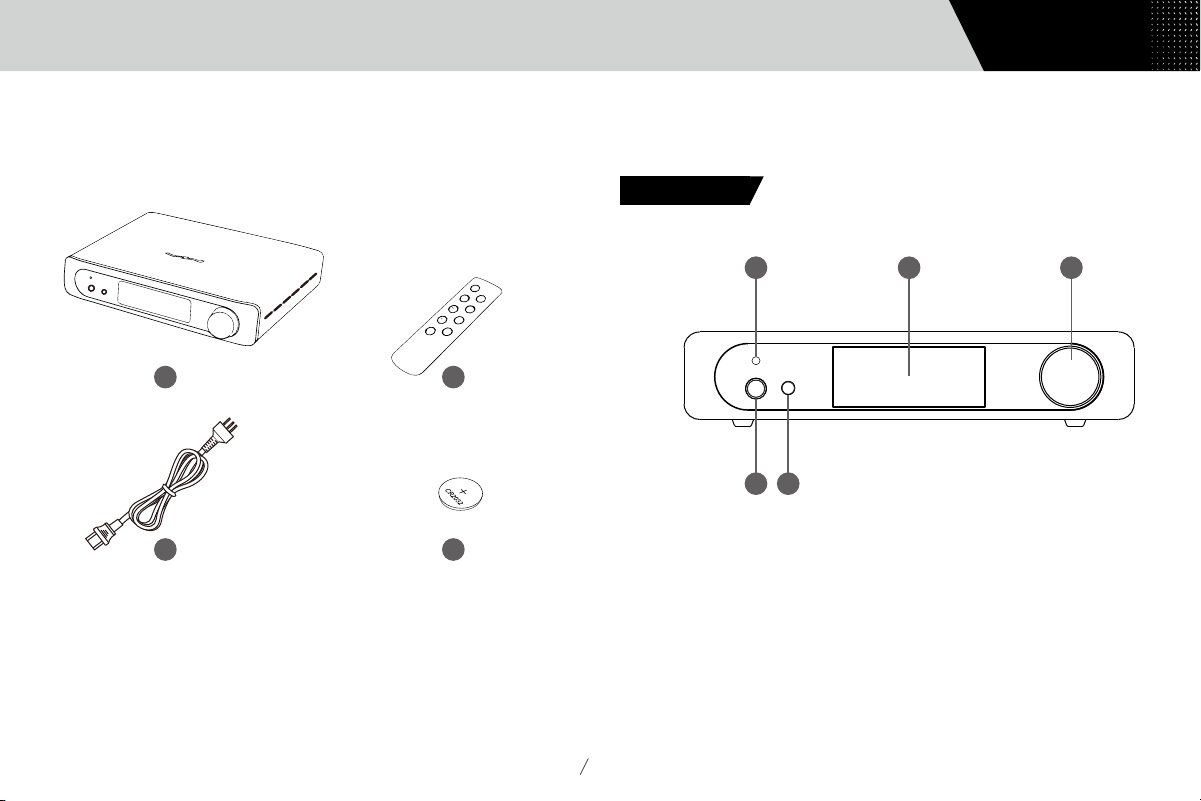
1. Packing list
···································01
2.
Parts and names
···································01
2.1
Front panel········································01
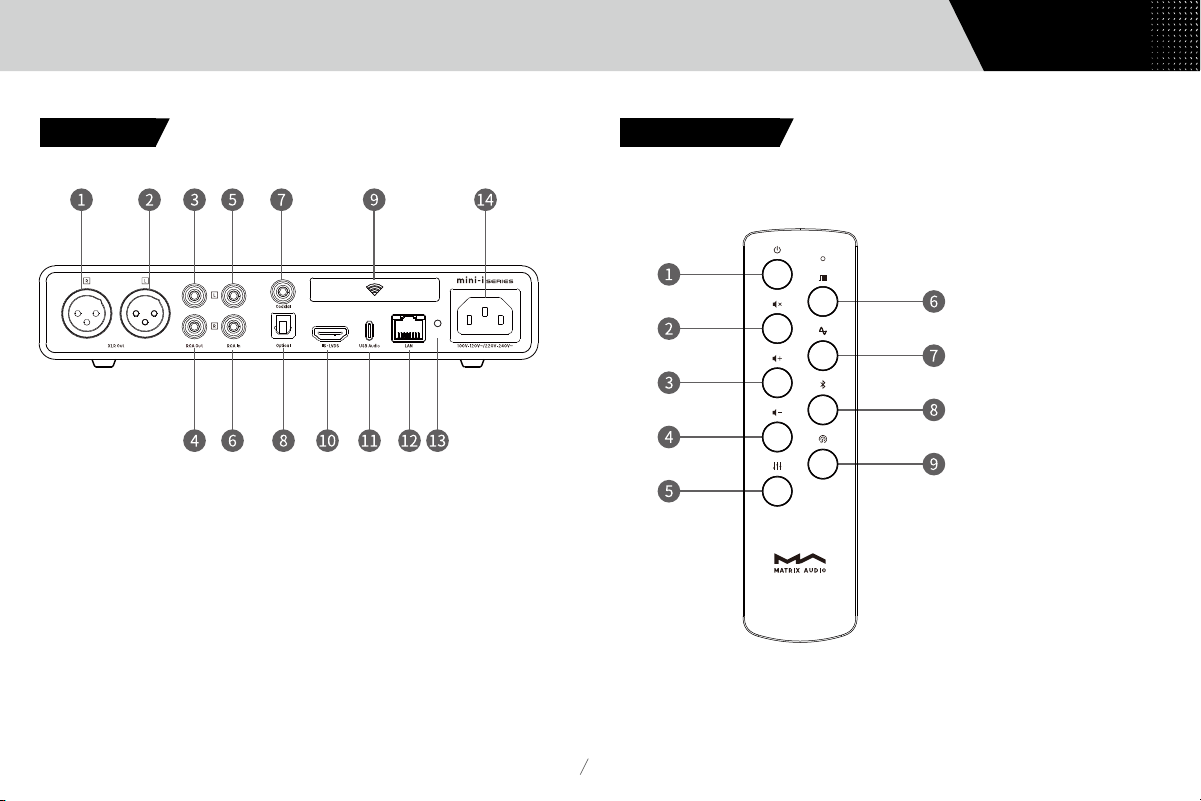
2.2
Rear panel·········································02
2.3
Remote control·····································02
3.
Connections··································03
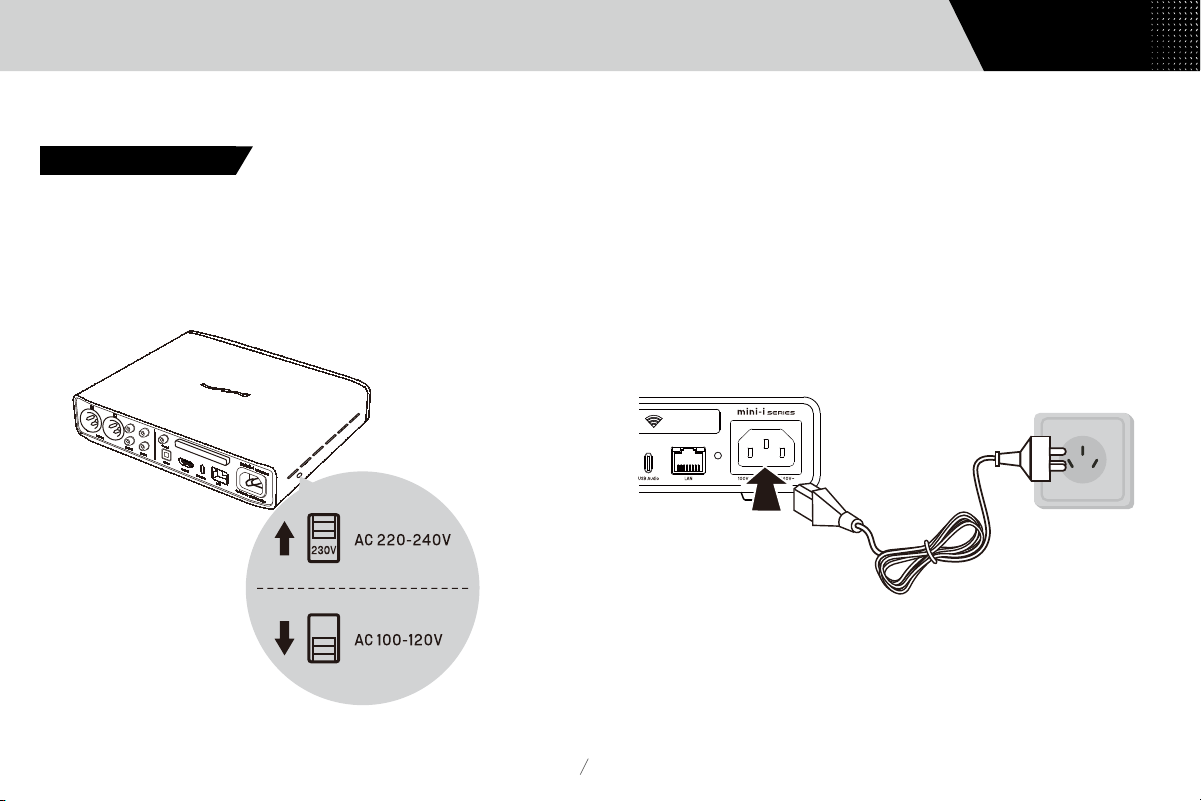
3.1
Connect to AC power································03
3.2
Connect to input source······························04
3.3
Connect to headphone·······························04
3.4 Connect to active speaker or AMP
······················05
3.5
Connect to LAN
·····································05
3.6
Connect to WLAN
···································06
4.
Play
··············································06
4.1
Basic operations
····································06
4.1.1
Power on and standby······························06
4.1.2 Select input source
································07
4.1.3 volume control
···································07
4.1.4 Filter settings
·····································08
4.1.5 Auto Standby
·····································08
4.1.6 Remote control
···································08
4.2
Play music through optical, coaxial or IIS-LVDS port
·······09
4.3
Play music over AirPlay and Roon
······················09
4.4
Play music over USB Audio port
·······················10
4.5
Play music via Bluetooth
····························
11
5. Settings
······································12
6. Appendix
··········································12
6.1
About MQA
········································12
6.2
IIS-LVDS Port
·······································13
6.3
Technical Specifications
······························13
6.4
Power supply
······································15
6.5
Other specifications
·································15