5
1.2 How to adjust the volume
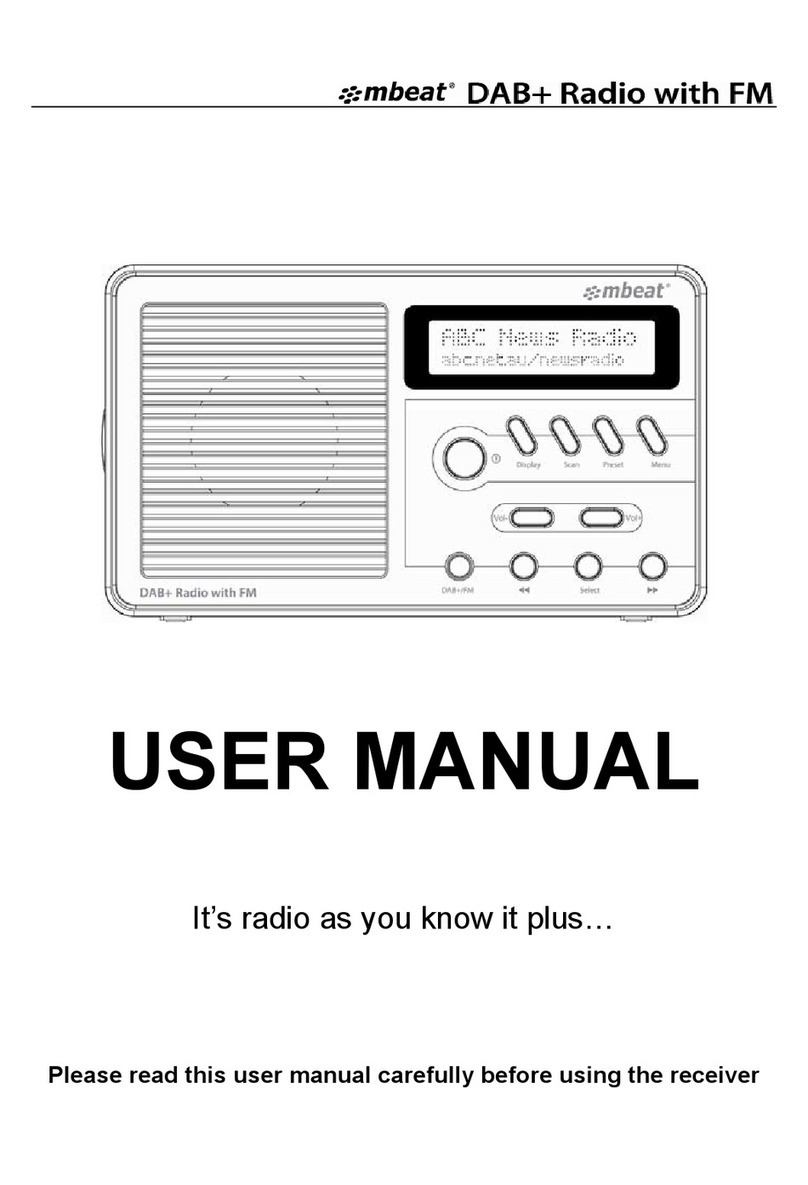
Press the "Vol+" up to increase the volume and the "Vol-" down to
decrease the volume. Press and hold the "Vol+” or "Vol-" to
progressively increase or decrease the volume.
1.3 How to change the radio stations
1.3.1 If you are not already in DAB+ mode, Press the "DAB+/FM"
button to go to DAB+ mode. Then you can press "DAB+/FM" button
again to go to FM mode.
1.3.2 Press the "◄◄" or "►►" button, to scroll through the stations.
By default, the stations are listed in numerical and then alphabetical
order. Just in few seconds, the DAB+ radio will tune to the station.
1.3.3 In FM mode, Press the "◄◄" or "►►" button to change the FM
frequency
1.4 How to scan the stations
With DAB+ radio, additional stations and services regularly become
available so it's a good idea to carry out a manual scan every now and
then to make sure that you have the most up to date station listing
stored within the memory of your radio. If you have moved your radio
to another location, eg: if you go on holiday, then it" s also a good idea
to carry out a manual scan.
Note: before start, please pull out the telescopic aerial or walk outdoor
to get max reception of the digital radio signal during initially scans.
1.4.1 If you are not already in DAB+ mode, Press the "DAB+/FM"
button to go to DAB+ mode first.
1.4.2 Press the "Scan" button to begin a local search for stations. The
display will change to "FULL SCAN" and the number of stations found