Preparing Discs for Recording
Compatible Discs
zRecordable Disc Types
DVD+R/+RW
zPlayable Disc and Media Types
DVD video, VCD, SVCD, Audio CD, MP3, and Photo CD
We cannot guarantee that your recorded discs will play on another DVD player. Please check the
manual for the other DVD player to make sure that it can play DVD+R and DVD+RW discs.
Although your DVD recorder can play DVD﹣R, music CDs, and MP3s, you can not use it to record video-
whether a TV broadcast or a home movie - to DVD+R or DVD+RW.
Disc Types
DVD+RW discs can be erased and copied over again, although this may reduce the quality of your
recording. DVD+R discs cannot be copied over, and you cannot add new data to a DVD+R disc once it
has been finalized.
You may not be able to record to a DVD+RW disc that already contains recordings from another DVD
recorder or PC. If you are able to add a new recording to a disc from another DVD recorder, your
recorder will rewrite the DVD menu. If the disc contains data from a personal computer, this data will
be erased by your DVD recorder.
Initialize a New Disc
Your DVD recorder will automatically initalize a new DVD+R or DVD+RW disc the first time it is placed
into the recorder. This takes about 1 minute, during which the TV screen shows READING. After the
procedure is complete, the TV screen shows a blank title and indicates the recording capacity is 100%.
Recording TV
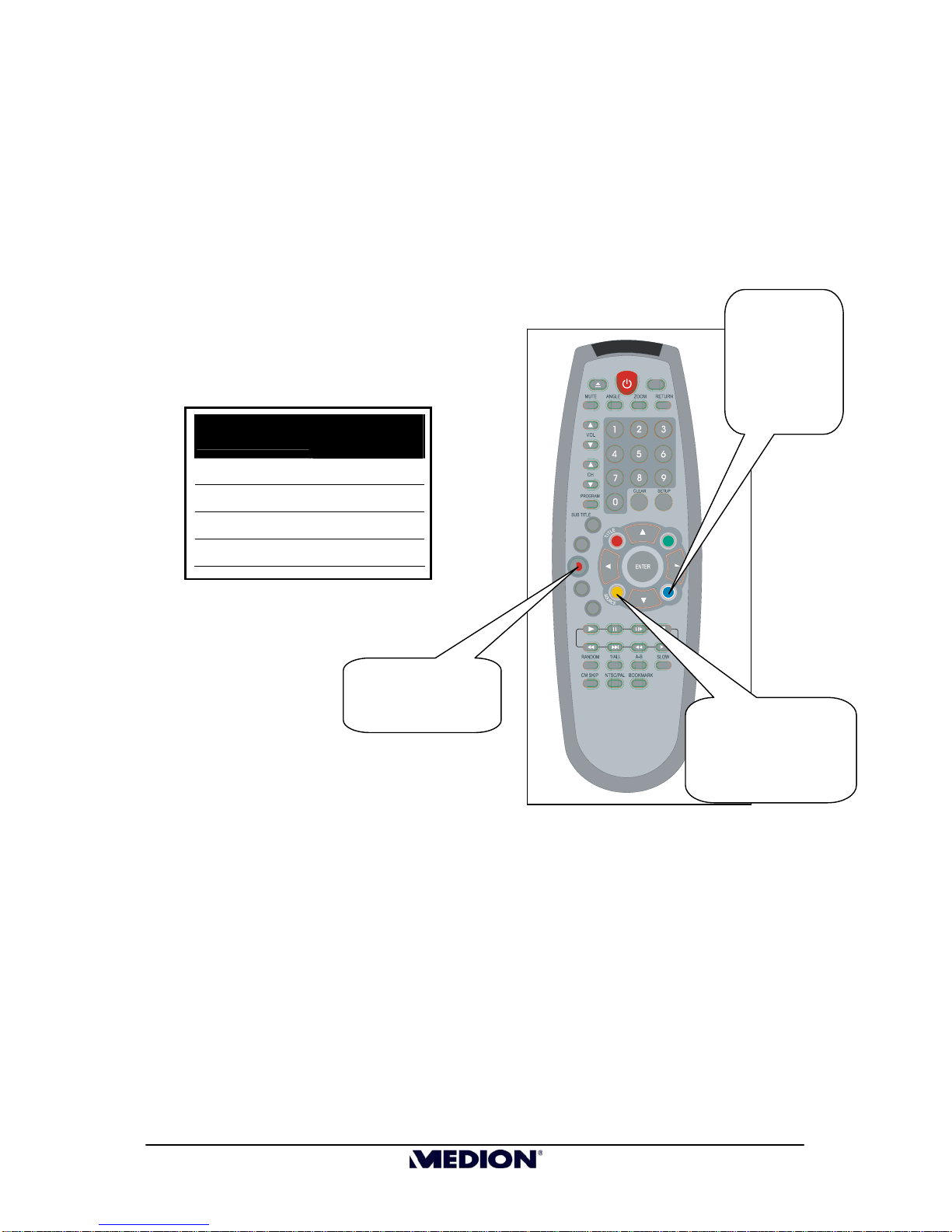
1. Place an initialized DVD+R or DVD+RW disc in the DVD recorder.
2. Press
MONITOR
on the remote to switch from DVD mode to external input mode.
3. Select the channel you want to record, or
4. Press
SOURCE
to select the input source you want to record. Press SOURCE multiple times to cycle
through the options:
CVBS1 ¨CVBS2 ¨SVIDEO01 ¨SVIDEO02 ¨Channel
5. Press
RECORD
key on remote control or front panel to start recording.
6. Press
STOP
to stop recording. Please wait while the screen displays “WAIT”. After 15 to 17 seconds,
the recording action is completed.
7. Press
MONITOR
to switch to DVD mode. The recorded title will appear on the screen. Press
ENTER
to
view your recorded video.
7
MD 80137 Digital DVD
Recorder and Player
Quick Start Guide