
Microchip Technology Microsemi PDS-408G/AC Troubleshooting guide

English
Deutsch
Microsemi PDS-408G/AC
User Installation Guide
Bedienungsanleitung

2
Related Documents / web configuration
Web configuration Guide: Microsemi PDS-408 web
Visit our web site at:
http://www.microsemi.com/products/poe-systems/poe-systems
Notice
It is Microsemi’s policy to improve its products as new technology,
components, software, and firmware become available. Microsemi,
therefore, reserves the right to change specifications without prior
notice.
Technical Support
If you encounter problems when installing or using this product, please
consult your local Embedded Solutions Engineers or go to
microchipsupport.force.com/s/
USA/Canada: +1-949-380-6245

English
3
PRODUCT OVERVIEW ............................................................................... 4
SAFETY STANDARDS APPROVALS ...................................................... 4
INTRODUCTION .......................................................................................... 6
INSTALLATION ........................................................................................... 6
CONNECTING THE AC POWER CORD ................................................... 8
SAFETY INFORMATION ............................................................................ 9
INFORMATION EN MATIÈRE DE SÉCURITÉ ....................................... 10
TROUBLESHOOTING .............................................................................. 11
LED INDICATION ...................................................................................... 12
TERMINAL BLOCK INLET ....................................................................... 13
SPECIFICATIONS ..................................................................................... 16

4
Product overview
The Microsemi PDS-408G Digital Ceiling PoE Switch offers optimal and
cost-effective solution for PoE applications like PoE lighting and other
digital ceiling applications.
It allows lighting fixtures and other Ethernet terminals to receive power,
along with data, over standard Ethernet cables in the most efficient way.
The PDS-408G is a 480W fanless switch, designed to be deployed in the
ceiling or in communications rooms. Provides automatic output PoE
power based on PoE PD device class. It supports full power mode by
providing 60W for all 8 ports simultaneously and any specific port can go
up to 90W.
The 480W high-speed switch can be managed over Web, SSH, Telnet,
CLI. It has 8 ports of 10/100/1000Mbps (Gigabit Ethernet) with PoE BT
ports, 2 Gigabit ports and one 1000M/100M SFP port.
Safety Standards Approvals
PDS-408G EMC Compliance:
CE:
EN 55024: 2010+A1:2015
EN61000-4-5
EN 61000-3-2:2014 ; 3:2013
EN 61000-4-2:2008 ; EN61000-4-11:2004
EN 61000-4-3:2006+A1:2007+A2:2010
EN 61000-4-4:2012 ; EN 61000-4-5:2014
EN 61000-4-6:2013 ; EN 61000-4-8:2009
EN55032 class A
FCC Part 15 class A
VCCI
PDS-408G Safety Compliance:
UL60950-1; UL 2043
IEC60950-1
UL62368
GS Compliance

English
5
Other Standards and Approvals:
IEEE 802.3at, IEEE 802.3af & IEEE 802.3bt (PoE) standards
RoHS Compliant
WEEE Compliant
REACH Compliant
PVC FREE

6
Introduction
Figure 1: PDS-408G Front Panel
Figure 2: PDS-408G Rear Panel
Installation
Verifying kit contents
Unpack the kit and verify that the following items are included:
Power over Ethernet Switch
Mounting brackets (for 19-inch racks)
Screws for assembling mounting brackets
User guide
Power cord

English
7
Rack mounting brackets
The switch comes with 19-inch mounting brackets and screws.
Figure 1
Figure 2
Figure 3
*When planning to install the device on the ceiling

8
Figure 4
Connecting the AC power cord
1. Connect the AC power cord to the switch's AC power socket.
2. Connect the other end of the AC power cord to the AC power outlet.
3. The power cord can be securely fastened
4. Check the SYS LED. If it is ON, the power is correctly connected
(The LED will Blink after 30 seconds).
Figure 5

English
9
Safety Information
Do not work on the system or connect or disconnect cables during
periods of lightning activity.
Installation and removal of the PoE Switch must be carried out by
qualified personnel only.
The PoE Switch "DATA IN" and "DATA PWR OUT" ports are
shielded RJ45 data sockets. They cannot be used as Plain Old
Telephone Service (POTS) sockets. Only RJ45 data connectors can
be connected to these sockets.
Read the installation instructions before connecting the PoE Switch
to its power source.
Follow basic electricity safety measures whenever connecting the
PoE Switch to its power source.
A voltage mismatch can cause equipment damage and may pose a
fire hazard. If the voltage indicated on the label is different from the
power outlet voltage, do not connect the PoE Switch to this power
outlet!
All wiring and connections shall be in accordance with NFPA 70
(NEC)
This product is not intended to become a permanent part of the
building structure.
Power supply cord must not be attached to the building surface or
run through walls, ceilings, floors and similar openings in the building
structure.
Measures must be taken to prevent physical damage to the power
supply cord, including proper routing.
The ITE should be connected only to POE networks without routing
to the outside plant.
Caution: Double pole/neutral fusing

10
Information en matière de sécurité
Ne pas exécuter de travaux sur le système, connecter ou
déconnecter des câbles pendant les orages.
Seul du personnel qualifié doit être autorisé à installer et remplacer
cet équipement.
Les ports « DATA » et « DATA PWR OUT » sont des prises de
données blindées RJ-45. Elles ne peuvent pas être utilisées comme
prises de service téléphonique traditionnel. Connecter seulement
des connecteurs de données RJ45 à ces prises. Le câblage Ethernet
connexe doit être limité à l'intérieur de l'immeuble.
Lire les instructions d'installation avant de connecter le Midspan à
une source d'alimentation.
Suivre les mesures de sécurité électriques de base chaque fois que
vous branchez le PD-9501GC à une source d'alimentation.
Une disparité de voltage peut endommager l'équipement et
constituer un risque d'incendie. Si le voltage indiqué sur l'étiquette
est différent du voltage de la source d'alimentation, ne pas connecter
le PoE à cette prise.
Tout le câblage et les connexions doivent être conformes à la norme
NFPA 70 (NEC)
Ce produit n'est pas destiné à devenir une partie permanente de la
structure du bâtiment.
Le cordon d'alimentation ne doit pas être fixé à la surface du
bâtiment ni traverser les murs, les plafonds, les planchers et les
ouvertures similaires de la structure du bâtiment.
Des mesures doivent être prises pour éviter tout dommage physique
au cordon d'alimentation, y compris un acheminement approprié.
Cet ITE appareil doit être branché à des réseaux PoE (alimentation
électrique par Ethernet) seulement, et ce, sans routage vers d'autres
réseaux.
Attention: fusion bipolaire / neutre
Table of contents
Languages:
Other Microchip Technology Switch manuals
Microchip Technology
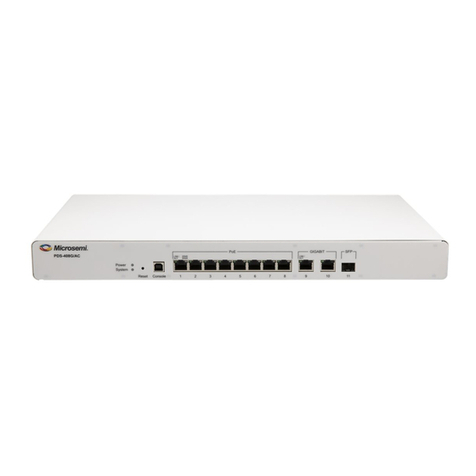
Microchip Technology Microsemi PDS-408G User manual
Microchip Technology
Microchip Technology PDS-204GCO/AC User manual
Microchip Technology
Microchip Technology USB2507 User manual
Microchip Technology
Microchip Technology USB5744 User manual
Microchip Technology
Microchip Technology PD-9501-10GCO/AC Troubleshooting guide

















