Turn your Band on and off
Power on
Press and hold the power button until you feel a slight vibration and the Me Tile appears.
Power off (two ways)
Hold the power button down until Turn Power Off? appears, then swipe left and tap Yes.
You can also turn off your Band from the Me Tile. Here’s how:
From the Me Tile, swipe left and tap the Settings Tile > Power .
Tap Turn Power Off > Yes.
Important
Microsoft Band 2 won’t turn off while charging. Remove it from the charger first and then turn it off.
Turn the display on and off
To save battery power, your Band display automatically turns off or switches to Watch Mode
when you aren’t working with the tiles. For more info, see Watch Mode.
Tip
Turning off Watch Mode helps preserve battery power. You can also enable Rotate On, which
shows the time only when you rotate your wrist. For more info, see Tips for longer battery life.
Turn the display off manually
Press the power button.
Turn the display on (two ways)
Press the power button.
Connect the USB charging cable to your Band.
When you turn on the display, the Me Tile appears automatically unless you had turned off the
display for only a few seconds. In that case, you’ll see the last tile that was open.
Charge your Microsoft Band 2
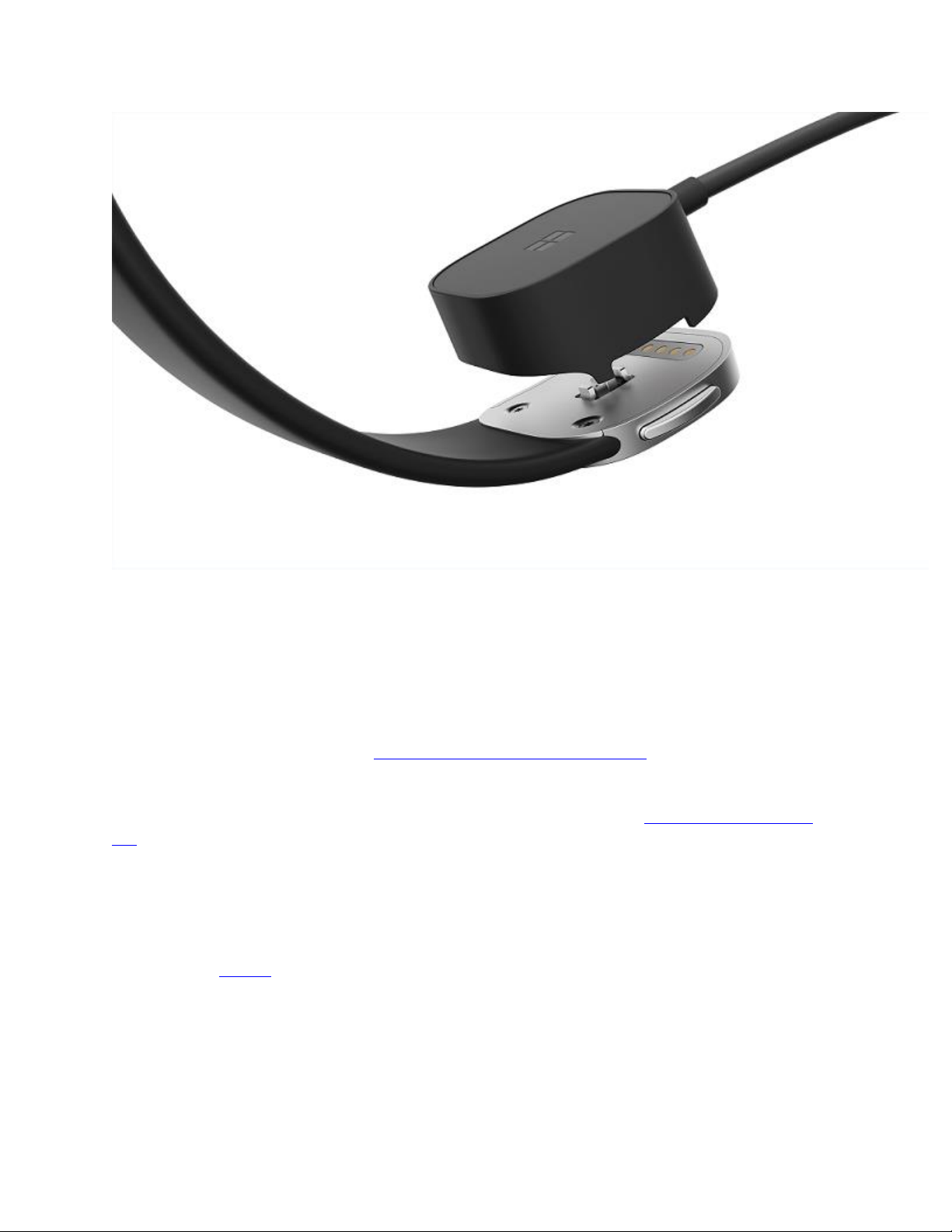
Connect the magnetic charging connector on the USB charging cable to the charging port on the
clasp of your Band, making sure that the gold connector points on the charging cable line up
with the gold connector points on the clasp. Plug the USB end of the cable into a powered USB
port (USB 2.0 or greater).