manuals.online logo
Brands
  1. Home
  2. •
  3. Brands
  4. •
  5. Microtek
  6. •
  7. Scanner
  8. •
  9. Microtek ScanMaker 3880 User manual

Microtek ScanMaker 3880 User manual

Other Microtek Scanner manuals
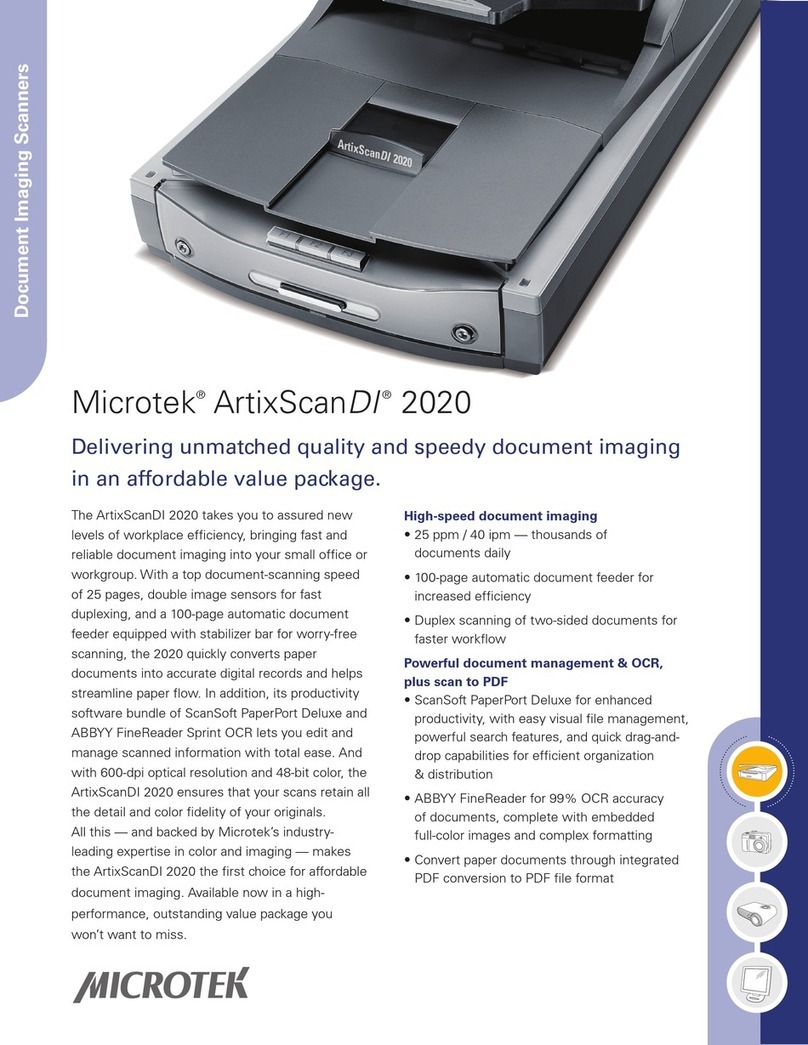
Microtek ArtixScan DI 2020 User manual
Microtek

Microtek ArtixScan DI 2020 User manual

Microtek ArtixScan DI 2015c Instruction Manual

Microtek

Microtek ArtixScan DI 2015c Instruction Manual

Microtek ScanMaker 8700 Pro User manual

Microtek

Microtek ScanMaker 8700 Pro User manual

Microtek ScanMaker 9700XL User manual

Microtek

Microtek ScanMaker 9700XL User manual

Microtek Bio-1000F User manual

Microtek

Microtek Bio-1000F User manual

Microtek LS-4600 User manual

Microtek

Microtek LS-4600 User manual

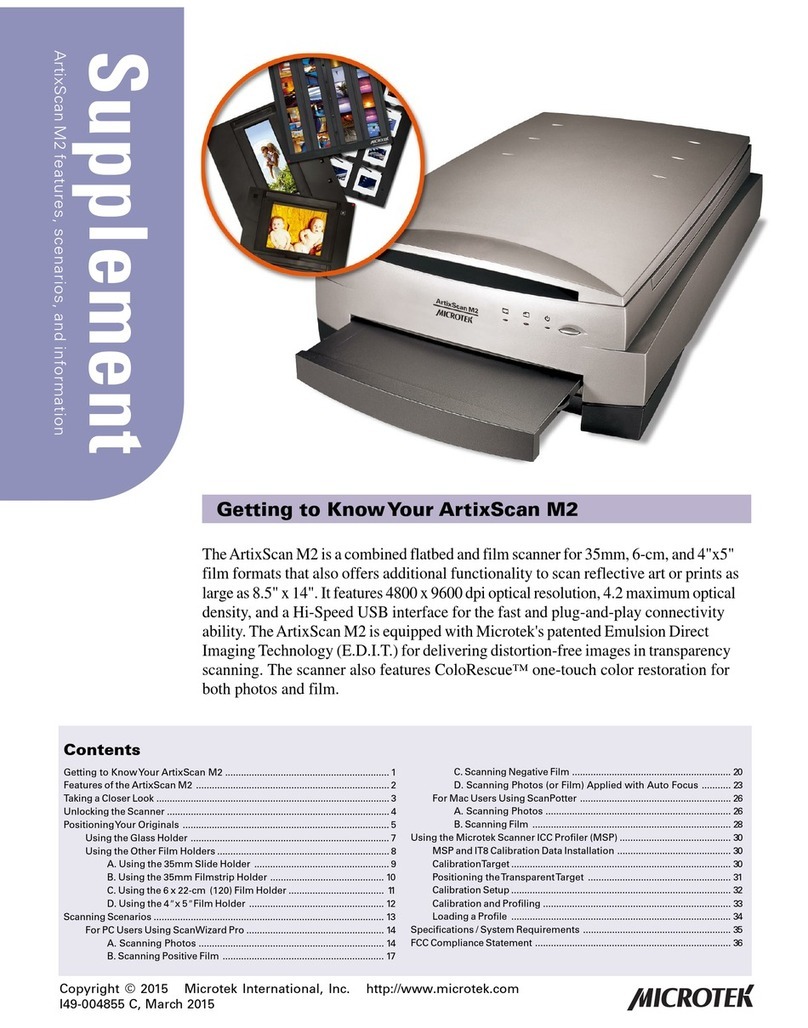
Microtek ArtixScan M2 Instruction Manual

Microtek

Microtek ArtixScan M2 Instruction Manual

Microtek ADF-700 User manual

Microtek

Microtek ADF-700 User manual

Microtek ScanMaker 1000XL Instruction Manual

Microtek

Microtek ScanMaker 1000XL Instruction Manual

Microtek Bio-6000 User manual

Microtek

Microtek Bio-6000 User manual

Microtek ScanMaker i800 Plus Instruction Manual

Microtek

Microtek ScanMaker i800 Plus Instruction Manual

Microtek ScanMaker s380 Instruction Manual

Microtek

Microtek ScanMaker s380 Instruction Manual

Microtek ScanMaker i900 User manual

Microtek

Microtek ScanMaker i900 User manual

Microtek ScanMaker i900 User manual

Microtek

Microtek ScanMaker i900 User manual

Microtek ScanMaker IIG User manual

Microtek

Microtek ScanMaker IIG User manual

Microtek ScanMaker 3700 Manual

Microtek

Microtek ScanMaker 3700 Manual

Microtek ArtixScan 1800f Manual

Microtek

Microtek ArtixScan 1800f Manual

Microtek ScanMaker 3700 User manual

Microtek

Microtek ScanMaker 3700 User manual

Microtek ScanMaker i700 User manual

Microtek

Microtek ScanMaker i700 User manual
Microtek ArtixScanDI 6240S User manual

Microtek

Microtek ArtixScanDI 6240S User manual

Microtek ScanMaker i450 Owner's manual

Microtek

Microtek ScanMaker i450 Owner's manual

Microtek ScanMaker i280 Owner's manual
Microtek

Microtek ScanMaker i280 Owner's manual

Microtek ScanMaker i900 User manual

Microtek

Microtek ScanMaker i900 User manual

Microtek Vantas 3100 User manual

Microtek

Microtek Vantas 3100 User manual

Popular Scanner manuals by other brands

Radio Shack PRO-433 quick start guide

Radio Shack

Radio Shack PRO-433 quick start guide

Atid AT911N series user guide

Atid

Atid AT911N series user guide

Siemens RUGGEDCOM WiN5100 Faq

Siemens

Siemens RUGGEDCOM WiN5100 Faq

Canon CanoScan LiDE 20 Specifications

Canon

Canon CanoScan LiDE 20 Specifications

Epson 4180 - Perfection Photo Product support bulletin

Epson

Epson 4180 - Perfection Photo Product support bulletin

Radio Shack PRO-72 owner's manual

Radio Shack

Radio Shack PRO-72 owner's manual

Lanier 5622 Operator's guide

Lanier

Lanier 5622 Operator's guide

Faro Freestyle 2 user manual

Faro

Faro Freestyle 2 user manual

Kramer VS-16N user manual

Kramer

Kramer VS-16N user manual

Z/I Imaging PhotoScan 2001 instructions

Z/I Imaging

Z/I Imaging PhotoScan 2001 instructions

Renkforce DS100-5M operating instructions

Renkforce

Renkforce DS100-5M operating instructions

Canon imageFORMULA CR-120N user manual

Canon

Canon imageFORMULA CR-120N user manual

Fujitsu FI-4860C2 Specifications

Fujitsu

Fujitsu FI-4860C2 Specifications

HPc9861a 4400c Setup and support guide

HPc9861a

HPc9861a 4400c Setup and support guide

Kodak i5800 Scanner Brochure & specs

Kodak

Kodak i5800 Scanner Brochure & specs

Kodak i7300 user guide

Kodak

Kodak i7300 user guide

Revopoint POP user manual

Revopoint

Revopoint POP user manual

Fujitsu fi-4860C installation guide

Fujitsu

Fujitsu fi-4860C installation guide

manuals.online logo
manuals.online logoBrands
  • About & Mission
  • Contact us
  • Privacy Policy
  • Terms and Conditions

Copyright 2025 Manuals.Online. All Rights Reserved.

1
Table of Contents for ScanMaker 3880
Table of Contents Page No.
Table of Contents
1
SCANNER FEATURE OF ScanMaker 3880 2
ELECTRICAL PARTS LIST OF ScanMaker 3880
5
MECHANICAL PARTS LIST OF ScanMaker 3880
6
MECHANICAL DRAWING OF ScanMaker 3880
7
OPTICAL DRAWING IN REFLECTIVE MODE
12
HOW YOU REMOVE UPPER HOUSING ASSEMBLY FROM SM 3880
13
REPAIR FLOW OF ScanMaker 3880
14
FEATURE LIST OF ScanMaker 3880
16
THE LOGO OF SAFETY MARK AND EMI FROM POWER LABEL OF
ScanMaker 3880
17
SYSTEM WIRING DIAGRAM OF ScanMaker 3880
18
SYSTEM BLOCK DIAGRAM OF ScanMaker 3880
19
WHERE YOU FIND MODEL CODE OF SM 3880 IN S/W DRIVER :
ScanWizard 5 V6.113 20
ScanMaker 3880 designs
with USB2.0 interface and
its optical resolution is
2400dpi (V) x 1200dpi (H)..
Its driver : ScanWizard 5
V6.113 or its later version
can support SM 3880 to do
photo scanning under PC
Windows system only, and
SM 3880 can also e
quip with
LightLid-35 for 35mm film
scanning.
2
SCANNER FEATURE OF ScanMaker 3880
SCANNER TYPE : flatbed scanner offer 3 buttons function ( Scan / Copy / E-mail ).
One pass , 48Bit ( R,G,B ) color scanner with USB2.0 interface.
The following S/W driver can support ScanMaker 3880 to do photo scanning under PC Wins system.
ScanWizard 5 V6.113 or its later version ( PC version ) : PC WinXP / 2K / Me / 98 system.
OPTICAL RESOLUTION : 1200dpi (H) * 2400dpi (V)
SCAN AREA : 8.5” (W) * 11.7” (L) in Reflective mode,
CCD TYPE : 2905D ( Toshiba CCD ) , 5400 PIXELS ( 5100 EFFECTIVE PIXELS ).
TCD-2905D is a stack CCD with 6 rows of line sensors ( R1,R2, B1,B2, G1 & G2 ),
each of line sensor has 5400 pixels totally, but R1 and R2 has 0.5 pixel shift in alignment
each other ( G1and G2, B1and B2 have the same design also. ). This reason can make
scanner resolution was enhanced from 600dpi ( 600dpi * 8.5” ( W ) = 5100 effective pixels )
to 1200dpi ( R1 + R2 = 10200 effective pixels = 1200dpi * 8.5” ( W ) ).
A/D CONVERTER : Chip Scan113 (16BIT/Pixel ) on Main Board ( MARCH-0503 ).
SENSOR : HOME SENSOR *1 ( IN THE BUTTON BOARD, MARCH-BUT ).
STEPPING MOTOR : 12Vdc/0.5A ( NEOCENE 2T3542142 ), MOTOR STEP=3.75 DEGREE/STEP
MICRO STEPPING RATE = FULL, HALF
FULL STEP = 1200 dpi ( V )
HALF STEP = 2400 dpi ( V ) ( ScanMaker 3880 run at 2400dpi )
STEPPING MOTOR DRIVER : IC CHIP ( 6219 ) ON MAIN BOARD ( MARCH-0503).
LAMP TYPE : COLD CATHODE LAMP *1 IN CARRIAGE ASSEMBLY OF ScanMaker 3880
AC-INVERTER : DC INPUT VOLTAGE = 12V
LAMP START-UP AC VOLTAGE = 550VP-P ( MINIMUM )
LAMP AC CURRENT = 10mA (APPROXIMATELY)
VIDEO MEMORY BUFFER : 1M WORD ON MAIN BOARD ( MARCH-0503 ).
DATA PROCESSING CHIP : SCAN CHIP : SQ113 ON MAIN BOARD ( MARCH-0503 ).
SCANNER CONTROLLER : SCAN CHIP : SQ113 ( 8 BIT PROCESSOR ) ON MAIN BOARD.
USB INTERFACE : SCAN CHIP : SQ113 ( USB CONTROLLER ), USB 2.0 INTERFACE.
DATA TRANSMISSION SPEED CAN BE UP TO 4M BYTE/SECOND
SCANNER POWER ADAPTER, O/P : 12Vdc/1.25A ( VENDOR : DVE or HARD )
R1 Line sensor has 5400 Pixels totally.
G1 Line sensor has 5400 Pixels totally.
B1 Line sensor has 5400 Pixels totally.
B2 Line sensor has 5400 Pixels totally.
3
Rear View OF ScanMaker 3880
Accessory of SM 3880 : LightLid-35 ( P/N :1108-03-520041 )
If your SM 3880 equips with LightLid 35 for film scanning, then we suggest you to do Lightlid 35
calibrator before you start ScanWizard to scan slide / negative film with Lightlid 35 for better quality.
USB 2.0 interface
connector *1
Power jack of scanner
( 12Vdc / 1.25A )
Power Label
( P/N : 219-21-820000 )
15 pin conne
ctor
for LightLid 35
The Label of scanner S/N.
Attention Tag for power use
LightLid 35
Calibrator is an
AP and support
to do lamp
calibration for
your LightLid 35.
Left illustration is
a windows
message after
you start
LightLid 35
calibrator. You
can click
“ calibrate “ to
do lamp
calibration after
lamp in Lightlid
35 is warmed up
for 3 minutes.
4
Button Function OF ScanMaker 3880
Status LED Indicator : When scanner is powered up and link with PC via USB interface well, and
then LED indicator will light up in Green steadily while scanner is ready.
Scan Button : Scan to saved as file, or sent it to another application for further image processing.
Copy Button : Scan an image and send it to your printer for print-out directly.
E-mail Button : Scan an image and deliver it to your e-mail editor ( Outlook Express / Lotus Notes
/ Hotmail / Microsoft Outlook ) directly.
Above Button Function can be set or defined in Microtek Scanner Configuration ( MSC ) utility.
Scan
Button
Copy
Button
E
-
mail
Button
Status LED
Indicator
After you complete to install scanner driver : ScanWizard 5
into PC Windows system, and then you can find the icon of
“ Microtek Scanner Configuration “, “ ScanWizard 5 “, and
“ My Image “ will list you on the Desktop of Windows system.
Click the icon of ScanWizard 5 from the Desktop of Windows
system, and then you can get into the stand alone version of
ScanWizard 5 to do image scanning with Microtek scanner.
All of scanned images in ScanWizard 5 will be saved into My
images, its default path in PC Windows system located at "
C:\Program Files \ Microtek \ ScanWizard 5 \ My Images ".
This icon is
Micortek Scanner Finder
, is resident in PC
Windows system, it means PC Windows system can
not find the scanner is linking with PC wel
l via interface.
This icon is
Micortek Scanner Finder
, is resident in PC
Windows system, it means PC Windows system has
found the scanner is linking with PC well via interface.
5
ELECTRICAL PARTS LIST OF ScanMaker 3880
1. MAIN BOARD : MARCH-0503 ( P/N : 1108-01-820000 )
2. CCD BOARD : MARCH-2905BFG ( IN CARRIAGE ASSEMBLY )
3. AC-INVERTER BOARD : HDDA4W101 ( P/N : 545-00-520005, locate in carriage assembly )
4. BUTTON BOARD : MARCH-BUT ( P/N : 1108-01-820002 )
5. POWER ADAPTER ( O/P : 12Vdc/1.25A ) : THE VENDOR IS DVE./ HARD.
EU
type : HDAD15W101
-
124
( EU, 220VAC, P/N : 545-00-580001 )
EU type : DSA-0151A-12 UP
( EU / AP, 220VAC, P/N : 545-00-520016 )
UK type : HDAD15W101-126
( UK, 240VAC, P/N : 545-00-580003 )
Australia type : DSA-0151A-12 AS
( AUS, 220VAC, P/N : 545-00-520018 )
The function of AC
-
Inverter Board is to convert
the DC input ( 12Vdc ) to AC output ( 550VP-P ),
and then light up the lamp ( for photo scanning )
in the carriage assembly of scanner.
The vendor is HARD.
The function of CCD board is to
convert the optical signal to analogue
signal, and each of line sensor in the
CCD has 5,400 pixels totally.
The home sensor is positioned
in the button board.
LED is In Button Board.
6
MECHANICAL PARTS LIST OF ScanMaker 3880
A. DRESS UNIT ( P/N :I41-013141 )
a. BOOK COVER ASSEMBLY ( P/N : 215-01-820002 )
b. UPPER HOUSING ASSEMBLY ( P/N : I41-013142 )
b1. BUTTON BOARD, MARCH-BUT ( P/N : 1108-01-820002 )
c. BASE ASSEMBLY ( P/N : I41-013143 )
c1. MAIN BOARD : MARCH-0503 ( P/N : 1108-01-820000 )
c2. BOTTOM HOUSING ( P/N :215-01-820000 )
c3. CARRIAGE ASSEMBLY ( P/N :I41-013144 )
aa. CCD ASSEMBLY : ( P/N : I41-013145 )
bb. AC-INTERTER BOARD IN CARRIAGE ASSEMBLY ( P/N : 545-00-520005 )
cc. COLD CATHODE LAMP x 1pcs ( P/N : 570-19-520000 )
c4. MOTOR ASSEMBLY ( P/N : 215-17-820000 )
c5. IDLE PULLEY ASSEMBLY ( P/N : I41-009984 )
c6. SLIDING ROD ( P/N : 215-31-520000 )
c7. TIMING BELT, 388mm ( P/N : 404-88-000388 )
c8. CCD Flexible Flat Cable 19 pin, 404mm ( P/N :121-80-820000 )
c9. Button Flexible Flat Cable 9 pin, 434mm ( P/N : 121-80-820001 )
B. CARTON FOR SM 3880 ( AP / EU, P/N : 219-31-820000 ),
C. BOTTOM CUSHION ( P/N : 219-44-520012 )
D. TOP CUSHION ( P/N : 219-44-520013 )
E. POWER ADAPTER ( 12Vdc/1.25A ),
HDAD15W101-124 ( EU / AP, 220VAC, P/N : 545-00-580001 ).
DSA -0151A-12 UP ( EU / AP, 220VAC, P/N : 545-00-520016 ).
HDAD15W101-126 ( UK, 240VAC, P/N : 545-00-580003 ).
DSA -0151A-12 AS ( AUS, 220VAC, P/N : 545-00-520018 ).
F. USB2.0 GRAY Cable, 1.5m/4Pin with Core ( P/N : 121-44-150504 )
G. S/W BUNDLE ( P/N : I41-013151, AP VERSION ).
S/W BUNDLE ( P/N : I41-013150, EU VERSION ).
H. LIGHTLID 35 : 1108-03-520041
7
Mechanical Drawing of SM 3880
A. Dress Unit :I41-013141
B. Book Cover Assembly : 215-01-820002
C. Upper Housing Assembly : I41-013142
Book Cover Assembly :
215-01-820002
Upper Housing Assembly :
I41-013142
Base Assembl
y :
I41-013143
This center mark is for scanner CCD
center alignment during calibration.
The white area in this white stripe is
doing white calibration for the sc
anner.
This glass is glued and taped on the
upper housing.
8
D. Base Assembly : I41-013143
E. Idle Pulley Assembly ( P/N : I41-009984, not include Spring )
F. Motor Assembly : 215-17-820000 ( Step Motor : 12Vdc / 0.5A, NEOCENE 2T3542142 )
Carriage Assembly :
I41-013144
Bottom Housing :
215-01-820000
9
Pin Button
Flexible Cable :
121
-
80
-
820001
Button Board :
1108-01-820002
Sensor Bar
Timing Belt :
404-88-000388
Sliding Rod :
215-31-520000
Motor Assembly :
215-17-820000
Cold Cathode Lamp :
570-19-520000
Idle Pulley
Assembly :
I41-009984
Spring :
215-30-520000
Idle Pulley :
215-00-540018
Pulley
Bracket
:
215-20-520000
Base Lock is in the
bottom housing
Main Board :
1108-01-820000
19 Pin CCD Fl
at
Cable :
121
-
80
-
820000
E
-
ring, 4mm, Ni :
142-80-504000
9
G. Carriage Assembly -1 :I41-013144
Carriage Assembly-2 :I41-013144
Cold Cathode Lamp : 570-19-520000
Timing Belt, 388MXL : 404-88-000388
LOCK Mechanism of ScanMaker 3880
Cold Cathode Lamp : 570-19-520000
CCD Assembly
I41-013145
Lens Cover :
215-00-520002
Carriage Roller :
215-00-520003
AC
-
Inverter Board :
545-00-520005
Timing Belt Clamp
Sensor Bar
Carriage is in lock position.
Carriage is in unlock position.
10
Core for 9 pin flat cable : 141-10-520000
Core for19 pin flat cable : 141-10-520001
CCD Flexible Cable 19 pin, 435mm : 121-80-820001
Insulation Film for main board : 215-00-520008
I. USB2.0 Gray Cable : 121-44-150504
Button
Flexible Flat Cable 9 Pin, 404mm
:
121-80-820000
Core
, M5W ZP33, 5*6.5*12
:
141-10-520000
Core, M5W ZP18, 9*6.5*12
:
141-10-520001
This
insulation film
is positioned
underneath main board.