E-2
II. Installation space (unit: mm (inch))
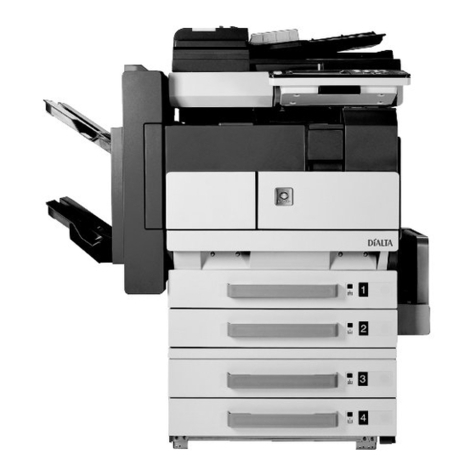
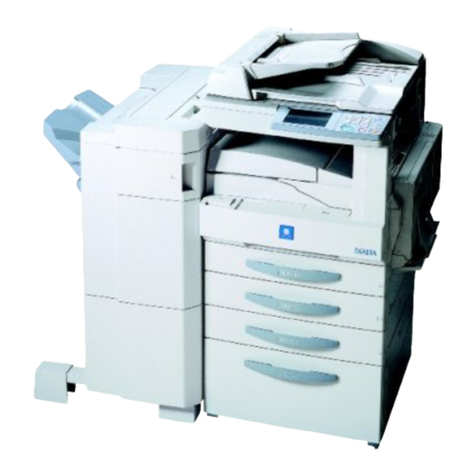
bizhub 42 + PC-211 + FS-529
III. Pre-installation check items
1. Select a level and stable place for installing the
machine.
2. Be sure to use a power source of the voltage and
frequency indicated in the product specifications.
Ensure that the current carrying capacity of the
power outlet is at least equal to the current listed
in the product specifications.
3. Power the machine directly from a dedicated
power outlet. (Do not use an extension cord.)
4. Do not plug or unplug the power cord with wet or
dirty hands, otherwise you may get an electric
shock.
5. Avoid a hot and humid environment, or a place
exposed to direct sunlight.
6. Avoid a dusty location, or a place near volatile
and flammable substances.
7. Avoid a poorly ventilated place.
IV. Accessory parts
*Varies depending on the applicable marketing area.
Note:
This manual provides the illustrations of the acces-
sory parts and machine that may be slightly differ-
ent in shape from yours. In that case, instead of
the illustrations, use the appearance of your
machine to follow the installation procedure. This
does not cause any significant change or problem
with the procedure.
1173 (46-3/16)
1187 (46-3/4)
458 (18-1/16)
327
(12-7/8)
94 (3-11/16) 976 (38-7/16)
729 (28-11/16)
807
(31-3/4)
1363 (53-11/16)
A3EW11A002AA
103
(4-1/16)
229
(9)
100
(3-15/16)
Name Q’ty
User’s guide holder 1
Quick guide
(Copy/Fax/Scan/Box operations) 1
Installation manual 1 set
User’s guide CD 1
CD-ROM 1 set
Paper size label 1
Label (Legal restrictions on copying) * 1
Label (IR Prohibited) 1
Power cord *1
Power cord instruction *1
Spacer *1
Developer 1
Mylar 2
After unpacking, be sure to get rid of the
packaging materials and keep them out of
the reach of children.
Putting the head in the plastic bag
involves danger of suffocation.