Mist AP41 Manual

Mist Confidential. Distribution under NDA only.
1
AP41 Hardware Installation Guide
Mist Systems (C) Copyright 2 16. All Rights Reserved
AP41 Hardware Installation Guide
Overview
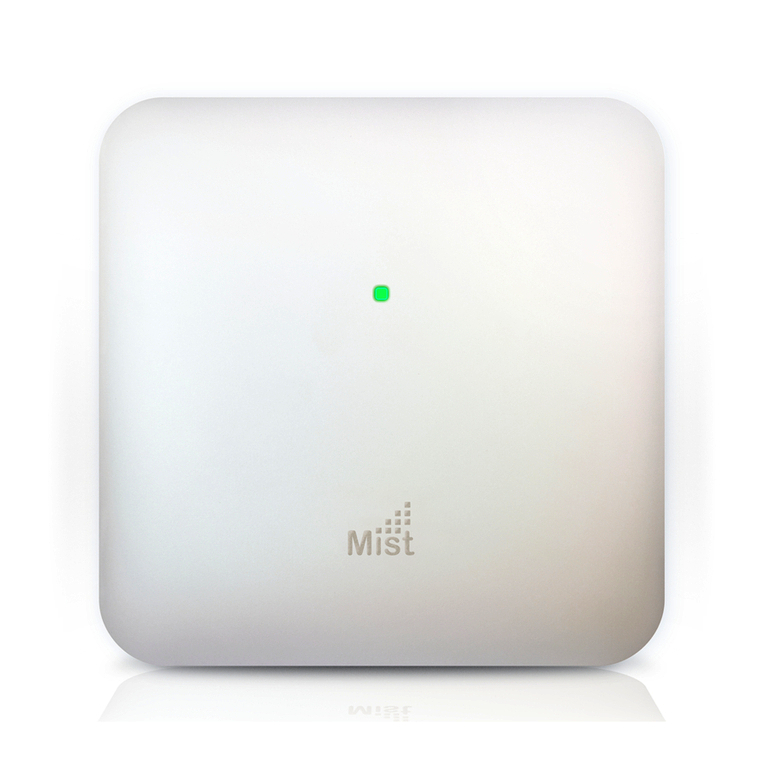
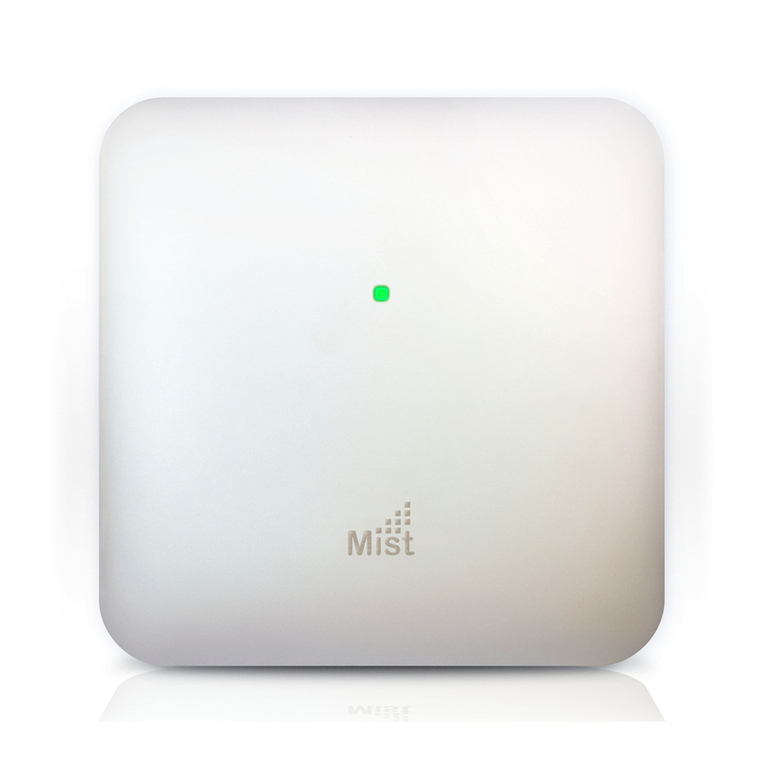
The Mist AP41 delivers 4x4 MIMO with four spatial streams when operating in
multi-user (MU) or single-user (SU) mode that supports the IEEE 8 2.11ac
Wave 2 specification.

Mist Confidential. Distribution under NDA only.
2
AP41 Hardware Installation Guide
Mist Systems (C) Copyright 2 16. All Rights Reserved
I/O ports and Kensington lock

Mist Confidential. Distribution under NDA only.
3
AP41 Hardware Installation Guide
Mist Systems (C) Copyright 2 16. All Rights Reserved
Reset Reset to the factory default settings
USB USB2. support interface
12VDC Support for the 12VDC power supply recommended by Mist
IoT 8-pin interface for digital input, digital output, analog
input, and ground
Module 1 /1 /1 BaseT RJ45 interface
Eth1 1 /1 /1 BaseT RJ45 interface
Eth +PoE 1 /1 /1 BaseT RJ45 interface that supports 8 2.3at
PoE PD
Mounting kit installation

Mist Confidential. Distribution under NDA only.
4
AP41 Hardware Installation Guide
Mist Systems (C) Copyright 2 16. All Rights Reserved

Mist Confidential. Distribution under NDA only.
5
AP41 Hardware Installation Guide
Mist Systems (C) Copyright 2 16. All Rights Reserved
In a wall mount installation, please use screws that have a 1/4in. (6.3mm)
diameter head with a length at least 2 in. (5 .8mm).
Technical pecifications:

Mist Confidential. Distribution under NDA only.
6
AP41 Hardware Installation Guide
Mist Systems (C) Copyright 2 16. All Rights Reserved
Feature Description
Power options 8 2.3at PoE
12V/3A DC power supply
Powering adaptor 1 -24 VAC, 5 -6 Hz, input
All regions (output): 12V/3A DC output
Dimensions 215mm x 215mm x 52mm (8.46in x 8.46in x
2. 5in)
Weight 1.6 kg (3.53 lbs)
Operating
temperature
Internal antenna ° to 4 ° C
External antenna -2 ° to 5 ° C
Operating humidity 1 % to 9 % maximum relative humidity, non-
condensing
Operating altitude 3, 48m (1 , ft)
Electromagnetic
emissions FCC Part 15 Class B
I/O
1 - 1 /1 /1 BASE-T auto-sensing RJ-45 with
PoE
1 – 1 /1 /1 BASE-T auto-sensing RJ-45
1 – 1 /1 /1 BASE-T auto-sensing RJ-45
USB2.
IoT terminal block
12VDC
RF
2.4GHz - 4x4:4 spatial streams 8 2.11ac MU-MIMO
& SU-MIMO
5GHz - 4x4:4 spatial streams 8 2.11ac MU-MIMO
& SU-MIMO
2.4GHz / 5GHz scanning radio
2.4GHz BLE with Dynamic Antenna Array
Maximum PHY rate
Total maximum PHY rate – 2533Mbps
5GHz – 1733 Mbps
2.4GHz – 8 Mbps
Indicators Multi-color status LED

Mist Confidential. Distribution under NDA only.
7
AP41 Hardware Installation Guide
Mist Systems (C) Copyright 2 16. All Rights Reserved
Compliance
standards
UL 6 95 -1
CAN/CSA-C22.2 No. 6 95 -1
UL 2 43
FCC Part 15.247, 15.4 7, 15.1 7, and 15.1 9
RSS-247
ICES- 3 (Canada)
Warranty Information
The AP41 family of Access Points comes with a limited lifetime warranty.
Ordering Information:
Access Points
AP41-US Premium Wi-Fi & BLE Array AP with internal antennas for
the US Regulatory domain
AP41E-US Premium Wi-Fi & BLE Array AP with external antenna
connectors for the US Regulatory domain
AP41-US-M Premium Wi-Fi & BLE Array AP with internal antennas for
the US Regulatory domain – Multi-Pack
AP41E-US-M Premium Wi-Fi & BLE Array AP with external antenna
connectors for the US Regulatory domain – Multi-Pack
Mounting brackets
AP41BR1 Premium AP T-bar ceiling mounting bracket kit
AP41BR2 Premium AP drywall ceiling mounting bracket kit
AP41BR3 Premium AP ⅝ inch threaded mounting bracket kit

Mist Confidential. Distribution under NDA only.
8
AP41 Hardware Installation Guide
Mist Systems (C) Copyright 2 16. All Rights Reserved
Power upply options
12V DC
supply
1 -24 VAC, 5 -6 Hz, input
All regions (output): 12V/3A DC output
Regulatory Compliance Information:
This product and all interconnected equipment must be installed indoors within
the same building, including the associated LAN connections as defined by the
8 2.3at Standard.
If you need further assistance with purchasing the power source, please contact
Mist Systems, Inc.

Mist Confidential. Distribution under NDA only.
9
AP41 Hardware Installation Guide
Mist Systems (C) Copyright 2 16. All Rights Reserved
FCC Requirement for Operation in the United tates
of America:
FCC Guideline for Human Exposure
This equipment complies with FCC radiation exposure limits set forth for an
uncontrolled environment. This equipment should be installed and operated
with minimum distance 31cm between the radiator & your body.
This device complies with Part 15 of the FCC Rules. Operation is subject to the
following two conditions: (1) This device may not cause harmful interference,
and (2) this device must accept any interference received, including
interference that may cause undesired operation.
This equipment has been tested and found to comply with the limits for a Class
B digital device, pursuant to Part 15 of the FCC Rules. These limits are
designed to provide reasonable protection against harmful interference in a
residential installation. This equipment generates, uses and can radiate radio
frequency energy and, if not installed and used in accordance with the
instructions, may cause harmful interference to radio communications.
However, there is no guarantee that interference will not occur in a particular
installation. If this equipment does cause harmful interference to radio or
television reception, which can be determined by turning the equipment off and
on, the user is encouraged to try to correct the interference by one of the
following measures:
●Reorient or relocate the receiving antenna.
●Increase the separation between the equipment and receiver.
●Connect the equipment into an outlet on a circuit different from that to
which the receiver is connected.
●Consult the dealer or an experienced radio/TV technician for help.
FCC Caution
●Any changes or modifications not expressly approved by the party
responsible for compliance could void the user's authority to operate this
equipment.
●This transmitter must not be co-located or operating in conjunction with
any other antenna or transmitter.
●For operation within 5.15 ~ 5.25GHz / 5.47 ~5.725GHz frequency range,
it is restricted to indoor environment.

Mist Confidential. Distribution under NDA only.
10
AP41 Hardware Installation Guide
Mist Systems (C) Copyright 2 16. All Rights Reserved
●The band from 56 -565 MHz will be disabled by the software during the
manufacturing and cannot be changed by the end user. This device meets
all the other requirements specified in Part 15E, Section 15.4 7 of the
FCC Rules.
Industry Canada
This device complies with RSS-247 of the Industry Canada Rules. Operation is
subject to the following two conditions: (1) This device may not cause harmful
interference, and (2) this device must accept any interference received,
including interference that may cause undesired operation.
Ce dispositif est conforme à la norme CNR-247 d'Industrie Canada applicable
aux appareils radio exempts de licence. Son fonctionnement est sujet aux deux
conditions suivantes: (1) le dispositif ne doit pas produire de brouillage
préjudiciable, et (2) ce dispositif doit accepter tout brouillage reçu, y compris un
brouillage susceptible de provoquer un fonctionnement indésirable.
Radiation Exposure Statement:
This equipment complies with IC radiation exposure limits set forth for an
uncontrolled environment. This equipment should be installed and operated
with minimum distance 26cm between the radiator & your body.
Déclaration d'exposition aux radiations:Cet équipement est conforme aux
limites d'exposition aux rayonnements IC établies pour un environnement non
contrôlé. Cet équipement doit être installé et utilisé avec un minimum de 26 cm
de distance entre la source de rayonnement et votre corps.
IC Caution
(i) The device for operation in the band 515 -525 MHz is only for indoor use to
reduce the potential for harmful interference to co-channel mobile satellite
systems;
(ii) The maximum antenna gain permitted for devices in the bands 525 -535
MHz and 547 -5725 MHz shall be such that the equipment still complies with
the e.i.r.p. limit;
(iii) The maximum antenna gain permitted for devices in the band 5725-585
MHz shall be such that the equipment still complies with the e.i.r.p. limits
specified for point-to-point and non-point-to-point operation as appropriate;
and
Other manuals for AP41
1
Other Mist Wireless Access Point manuals