7
Note: As the Temperature/Time are only
approximates and dependent on the
volumes of ingredients placed in the
basket, you can increase or decrease
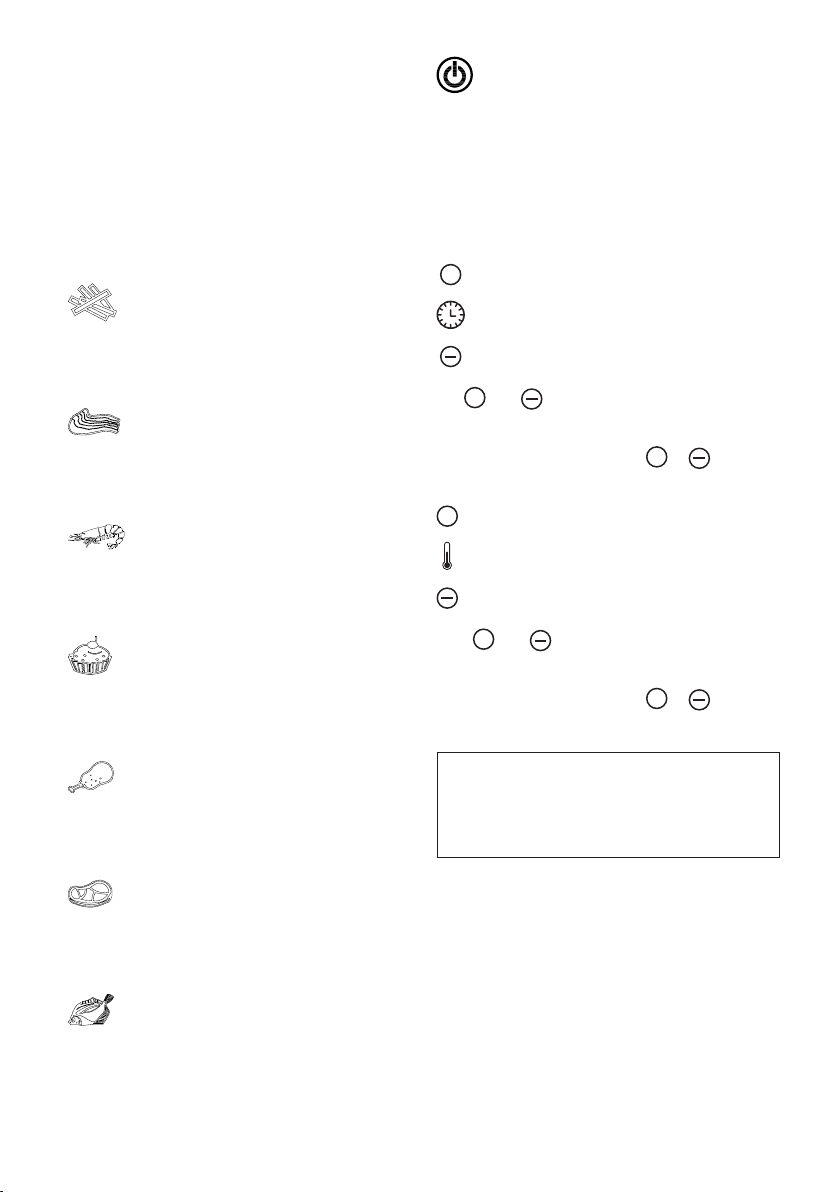
both Cooking Time at 1 Minute intervals
and Temperature at 5 degree interval
by continues touching the +/- keys at
either side of the respective Time and
Temperature icons or fast scroll by
holding keys down to set your desired
cooking Time/Temperatures.
Tip: Before cooking the food, it is better to
preheat the appliance without food in the
basket in Manual cooking function for 5
minutes at approximate 80 degree Celsius
when the basket are cold.
6. After the cooking function is selected and the
time/temperature are set, touch the Power
on key again to start the cooking process.
The rotating fan indicator light ( Blue ) and
heating element indicator star light at the
centre ( Red ) will illuminate at the same time.
Note: During the cooking process the
Heating Element star indicator light will go
On and OFF in unison with the thermostat
to maintain set temperature whilst the fan
indicator light keeps turning.
7. During the cooking process, oil will drip and
be collected on the bottom of the basket, this
can be cleaned at the end of the cooking
process and when basket has cooled down,
ready for future use of the appliance
8. For cooking of some ingredients, it requires
you to toss contents of the basket halfway
during the cooking process to ensure even
cooking and avoid charring of ingredients
positioned in top of basket. Where indicated
to do so, you can remove basket without
affecting the timing and after tossing place
back into the appliance to resume cooking.
Caution: The appliance will stop working
when the basket is pulled out, when basket
is placed back into the appliance, it will
resume cooking and the remaining time
showing on the display after the basket
was repositioned into the appliance.
Tip : You can set the timer for half of the cooking
time , when time has elapsed and Beeping
sound activates, remove the basket from the
appliance to toss ingredients , place basket
back in appliance , then reset timer for the
balance of the cooking time, cooking cycle
is completed when time has elapsed and
beeping sound activates.
9. When you hear the beeping sound , the set
cooking time has elapsed (for approximately
20 seconds the fan continues to operate
after which the appliance turns automatically
OFF). At this point, check if ingredients are
cooked to your satisfaction , if not , set timer
for a few more minutes until contents are
cooked to your satisfaction .
Remove the basket from the appliance,
only holding by the handle as other surfaces
are hot, tip contents of the basket in a dish
directly or alternatively place basket on
at,rmandheatresistantsurface,remove
basket and then tip contents into dish .
NOTE: Do not turn over the basket
because the oil or fat that dripped
into the basket bottom will pour in the
cooked food and container.
Note: You can manually switch Off the
appliance at anytime during the cooking
process, if unable to supervise, by
pressing the Power ON/OFF icon button
(The fan will continue to operate for
approximately 20 seconds, after which
the appliance automatically turns OFF).
NOTE: The basket and basket contents
are hot during cooking process and
cooking is just completed, Steam may
escape from the basket, it is depending
on the type of ingredients was cooked in
the basket.
Tip: To remove large individual or delicate
ingredients from the basket, don’t tip out, but
pick up with pair of tongs.
10. On completion of the cooking process, the
air fryer is immediately ready for cooking the
next batch of ingredients.
11. After cooking process is completed,allow the
fan to cool down appliance and when fan
stops the appliance can be switched at wall
socket and unplugged.