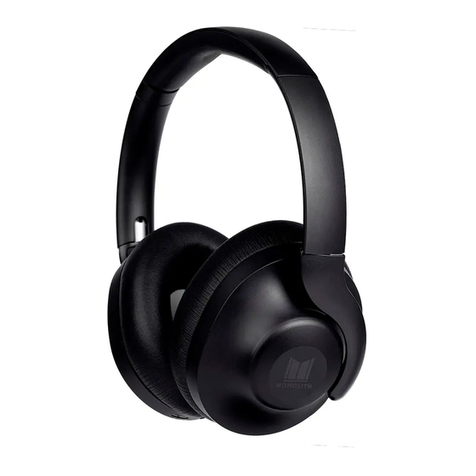
monolith TrueWireless with Sonarworks SoundID M-TWE User manual

2
SAFETY WARNINGS AND GUIDELINES
Please read this entire manual before using this device,
paying extra attention to these safety warnings and
guidelines. Please keep this manual in a safe place for future
reference.
•This device is intended for indoor use only.
•Do not expose the charging case to water or
moisture of any kind. Do not place drinks or other
containers with moisture on or near it. If moisture
does get in or on the charging case, immediately
remove it from its power source and allow it to fully
dry before reapplying power.
•The earphones carry an IPx4 waterproof rating, which
means that they can safely withstand rain and
splashing water. Do not immerse them in water or
subject them to more forceful water streams.
•Do not subject the product to extreme force, shock,
or fluctuations in temperature or humidity.
•Do not use this device while operating a motor
vehicle, heavy equipment, walking in traffic, or any
other situation in which situational awareness is a
key to safety.
•Do not expose this device to excessively high
temperatures. Do not place it in, on, or near a heat
source, such as a fireplace, stove, radiator, etc. Do
not leave it in direct sunlight.

3
•Charge the battery before first use and at least once
every three months to keep the battery fresh and
capable of holding the full charge.
•Clean using a soft, dry cloth only. Do not use
chemical cleaners, solvents, or detergents. For
stubborn deposits, moisten the cloth with warm
water.
•This device has no user serviceable parts. Do not
attempt to open, service, or modify this device.
CUSTOMER SERVICE
The Monoprice Customer Service department is dedicated
to ensuring that your ordering, purchasing, and delivery
experience is second to none. If you have any problem with
your order, please give us an opportunity to make it right.
You can contact a Monoprice Customer Service
representative through the Live Chat link on our website
www.monoprice.com or via email at
support@monoprice.com. Check the website for support
times and links.
4
PACKAGE CONTENTS
Please take an inventory of the package contents to ensure
you have all the items listed below. If anything is missing or
damaged, please contact Monoprice Customer Service for a
replacement.
1x Pair TrueWireless™ Earphones with Medium
Earbuds
1x Charging Case
1x Soft Pouch
4x Pairs Sized Earbud (XS, S, L, XL)
1x USB Type-A to Type-C® Charging Cable
1x User's Manual
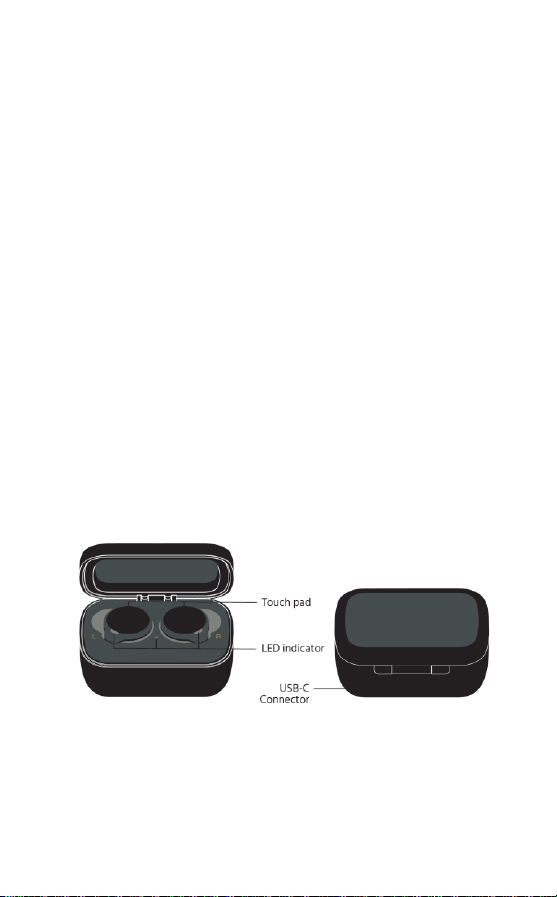
PRODUCT OVERVIEW

5
QUICK START GUIDE
1. Open the charging case and remove the earphones.
They will automatically power on when removed
from the charging case.
•If the earphones are not already paired or if they
have been paired with a device that is either
powered off or out of range, they will
automatically enter pairing mode.
•If the earphones have already been paired with a
device and that device is powered on and within
range, they will automatically connect to the
paired device.
2. Open the Bluetooth® settings on your device and
scan for nearby Bluetooth devices. Locate and select
the MP41500 entry. This will pair and connect your
device with the first earphone.
3. After a few seconds a Bluetooth pairing request pop-
up menu will appear. Press the PAIR button to
connect the second earphone.
BLUETOOTH PAIRING
Perform the following steps to manually pair your Bluetooth
device with the
1. Remove both earphones from the charging case.
They will power on automatically.

6
2. Momentarily press
the touch pad on
either earphone
twice, then press
and hold it for 2
seconds.
3. Open the
Bluetooth® settings on your device and scan for
nearby Bluetooth devices. Locate and select the
MP41500 entry. This will pair and connect your device
with the first earphone.
4. After a few seconds a Bluetooth pairing request pop-
up menu will appear. Press the PAIR button to
connect the second earphone.
CLEARING BLUETOOTH PAIRING
Perform the following steps to clear the Bluetooth® pairing
from the earphones.
1. Remove both earphones from the charging case.
They will power on automatically.
2. Momentarily press the touch pad on either earphone
twice, then press and hold it for 2 seconds.
3. Press and hold the touch pad on either earphone
until the LEDs flash red 3 times.
4. Place the earphones back in the charging case and
leave them there for at least 10 seconds. The pairing
record is now cleared.
7
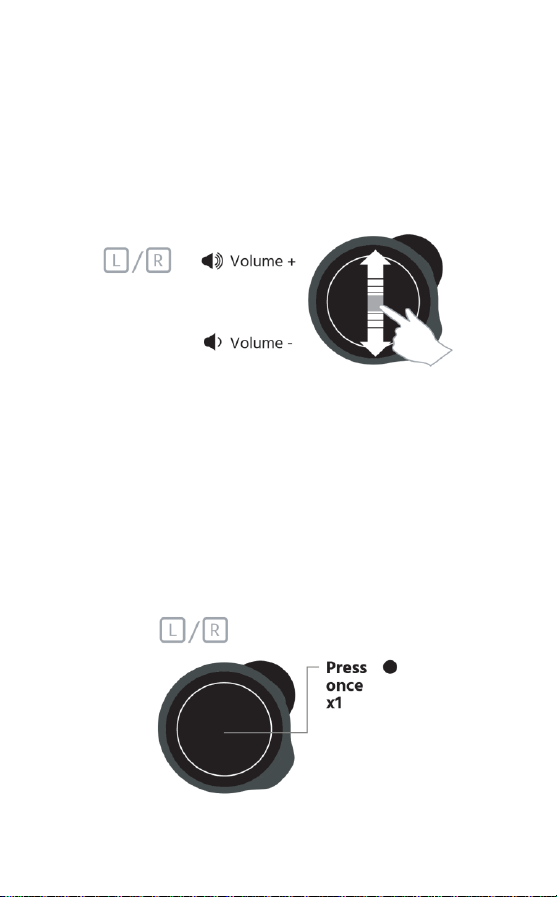
VOLUME CONTROL
•Swipe up on the touch pad on either earphone to
increase the volume level.
•Swipe down on the touch pad on either earphone to
decrease the volume level.
NOISE CANCELLATION/AMBIENT
MODES
Momentarily press the touch pad on either earphone to
cycle through the Noise Cancellation, Ambient Sound, and
All Off Modes. Note that when powered on, the earphones
are automatically set to Noise Cancellation Mode.

8
•Noise Cancellation Mode: The noise cancelling
technology and optimized passive isolation can
suppress wide-band ambient noise.
•Ambient Sound Mode: This mode allows you to hear
ambient sounds around you while wearing the M-
TWE earphones.
CALL AND PLAYBACK CONTROL
LED INDICATIONS
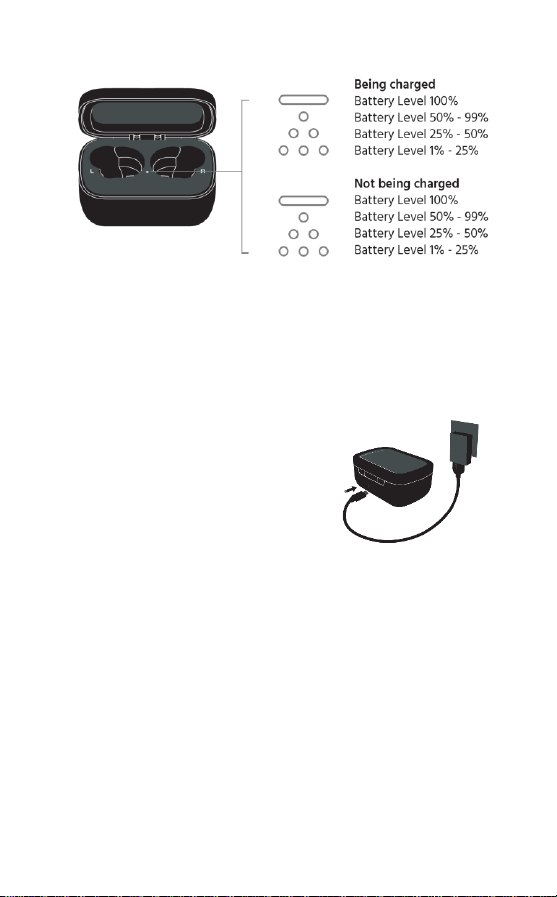
9
CHARGING
Note that the battery should be fully charged before first
use and at least once every 3 months.
•Using the included USB
charging cable, plug one end
into the charging case, then
plug the other end into a USB
power source (not included),
such as a computer, wall
charger, etc.
•5 minutes of charging time results in 1 hour of
playback time. The earphones can hold a sufficient
charge for 10 hours of playback time, plus an
additional 20 hours with the charging case.

10
SOUNDID FROM SONARWORKS
These earphones support the SoundID™ from Sonarworks™
app for iOS and Android devices, which allows you to
create a custom sound profile to personalize your
earphones to your unique hearing preferences. To use
SoundID, first download the app from the Apple® App
Store® or Google™ Play™. You can
scan the QR code to the right to get
to the appropriate store page for
your device or point your browser
to http://sound.id/m-twe to
download the app from the
SoundID website.
1. Open the app, then locate and select the Monolith
M-TWE entry.
2. Complete several quick listening tests to create your
custom SoundID profile to enjoy sound
personalization wherever you go. You can always
return to SoundID app to personalize your sound
profile even more
This manual suits for next models
1
Table of contents
Other monolith Headphones manuals