manuals.online logo
Brands
  1. Home
  2. •
  3. Brands
  4. •
  5. Monte Carlo Fan Company
  6. •
  7. Remote Control
  8. •
  9. Monte Carlo Fan Company CK-300 User manual

Monte Carlo Fan Company CK-300 User manual

Other Monte Carlo Fan Company Remote Control manuals

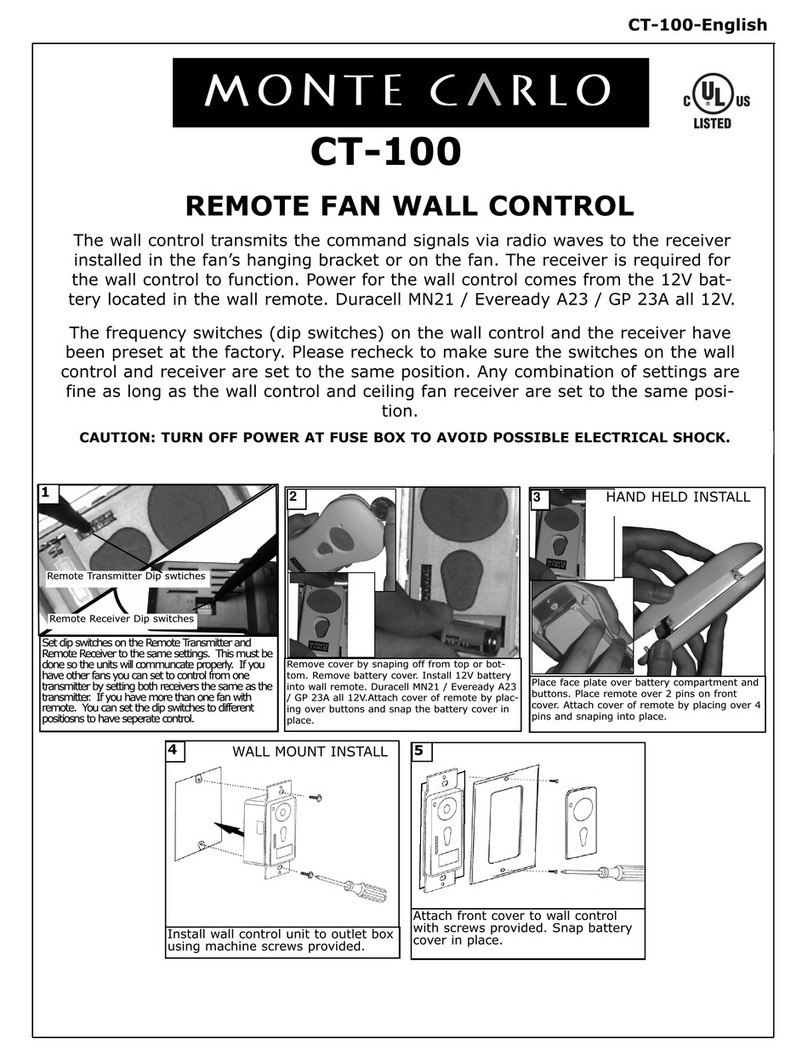
Monte Carlo Fan Company CT-100 User manual

Monte Carlo Fan Company

Monte Carlo Fan Company CT-100 User manual

Monte Carlo Fan Company CKF310 User manual

Monte Carlo Fan Company

Monte Carlo Fan Company CKF310 User manual

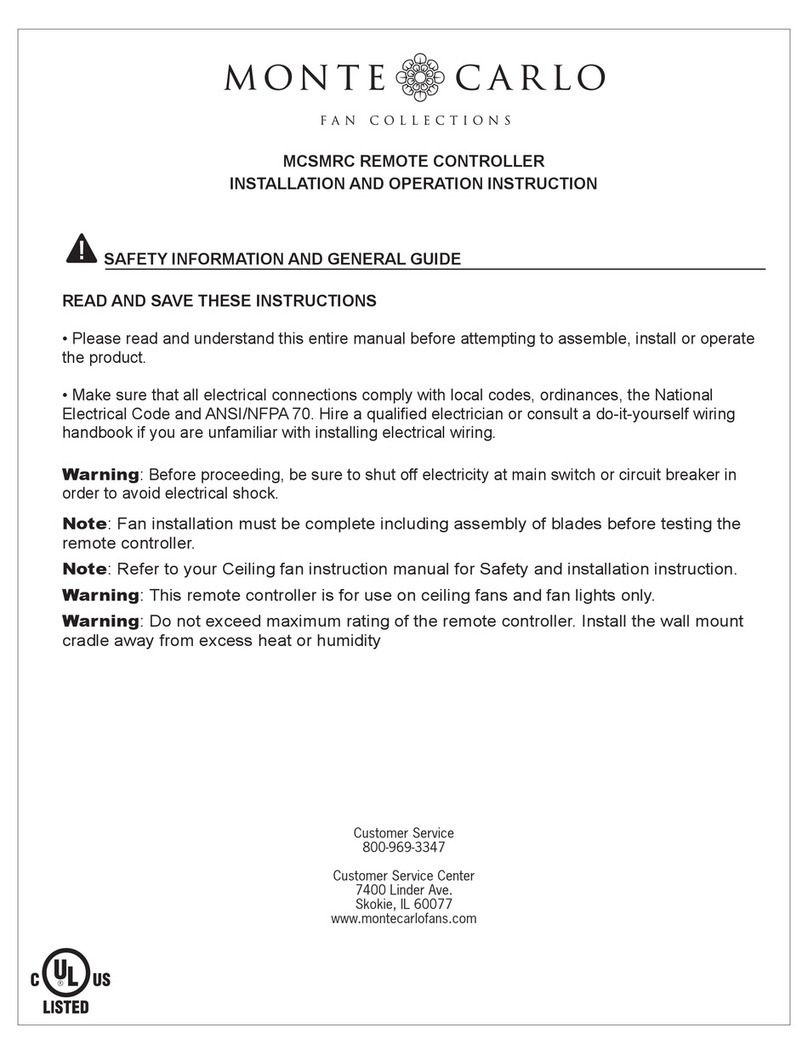
Monte Carlo Fan Company MCSMRC Owner's manual

Monte Carlo Fan Company

Monte Carlo Fan Company MCSMRC Owner's manual

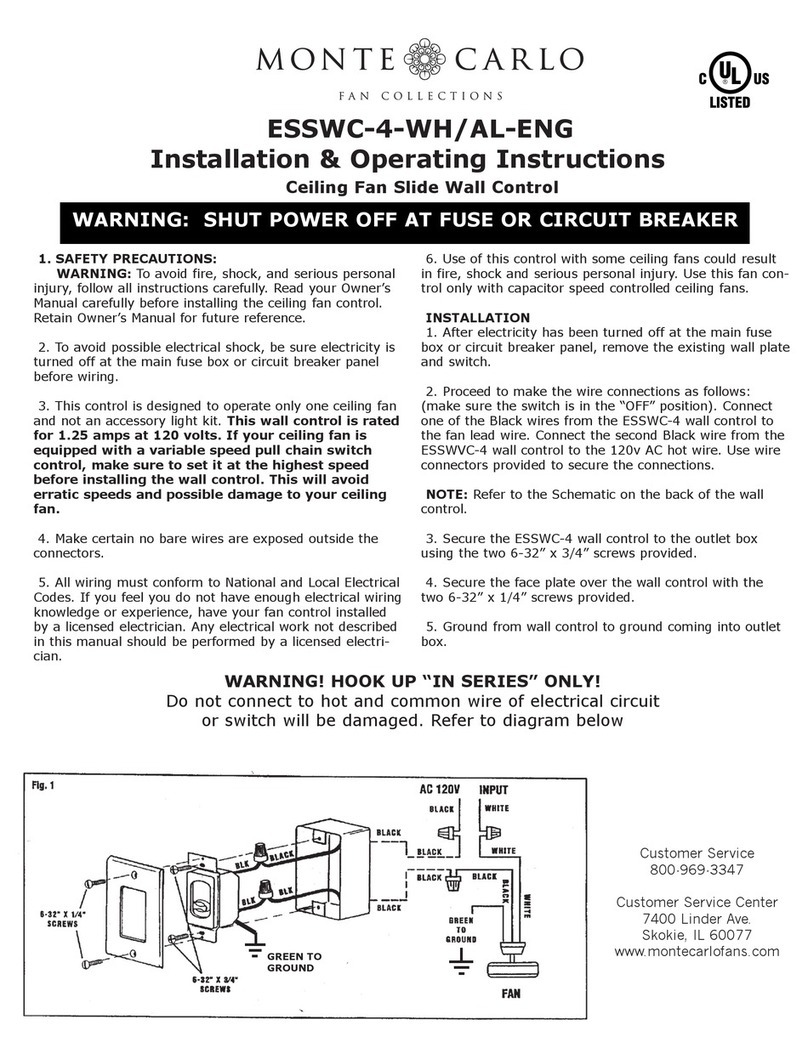
Monte Carlo Fan Company ESSWC-4-WH Manual

Monte Carlo Fan Company

Monte Carlo Fan Company ESSWC-4-WH Manual

Monte Carlo Fan Company MCRC1R series Owner's manual

Monte Carlo Fan Company

Monte Carlo Fan Company MCRC1R series Owner's manual

Monte Carlo Fan Company MCRC1 series Owner's manual

Monte Carlo Fan Company

Monte Carlo Fan Company MCRC1 series Owner's manual

Popular Remote Control manuals by other brands

Bircher Reglomat RC Duo 2 user guide

Bircher Reglomat

Bircher Reglomat RC Duo 2 user guide

Emerson RCBT100 owner's manual

Emerson

Emerson RCBT100 owner's manual

BILDA Element-6 user manual

BILDA

BILDA Element-6 user manual

Absima CR7P manual

Absima

Absima CR7P manual

Mitsubishi Electric PAR-32MAAG Instruction book

Mitsubishi Electric

Mitsubishi Electric PAR-32MAAG Instruction book

RCA RCRTBL08BE1 quick start guide

RCA

RCA RCRTBL08BE1 quick start guide

US Electronics NOVARI user guide

US Electronics

US Electronics NOVARI user guide

Panasonic EUR7622KB0 Operation guide

Panasonic

Panasonic EUR7622KB0 Operation guide

Bang & Olufsen Beo4 user manual

Bang & Olufsen

Bang & Olufsen Beo4 user manual

Marantz RC101 user guide

Marantz

Marantz RC101 user guide

FUTABA 9ZAP - PART2 manual

FUTABA

FUTABA 9ZAP - PART2 manual

HR Matic HR MULTI 3 quick start guide

HR Matic

HR Matic HR MULTI 3 quick start guide

Anritsu MP1777A Operation manual

Anritsu

Anritsu MP1777A Operation manual

Niles WVC100 Installation & operating guide

Niles

Niles WVC100 Installation & operating guide

Bang & Olufsen BEO6 Getting started

Bang & Olufsen

Bang & Olufsen BEO6 Getting started

GE 94901 instruction manual

GE

GE 94901 instruction manual

FUTABA R7108SB Full manual

FUTABA

FUTABA R7108SB Full manual

Invacare G91S user manual

Invacare

Invacare G91S user manual

manuals.online logo
manuals.online logoBrands
  • About & Mission
  • Contact us
  • Privacy Policy
  • Terms and Conditions

Copyright 2025 Manuals.Online. All Rights Reserved.

CK-300-ENG
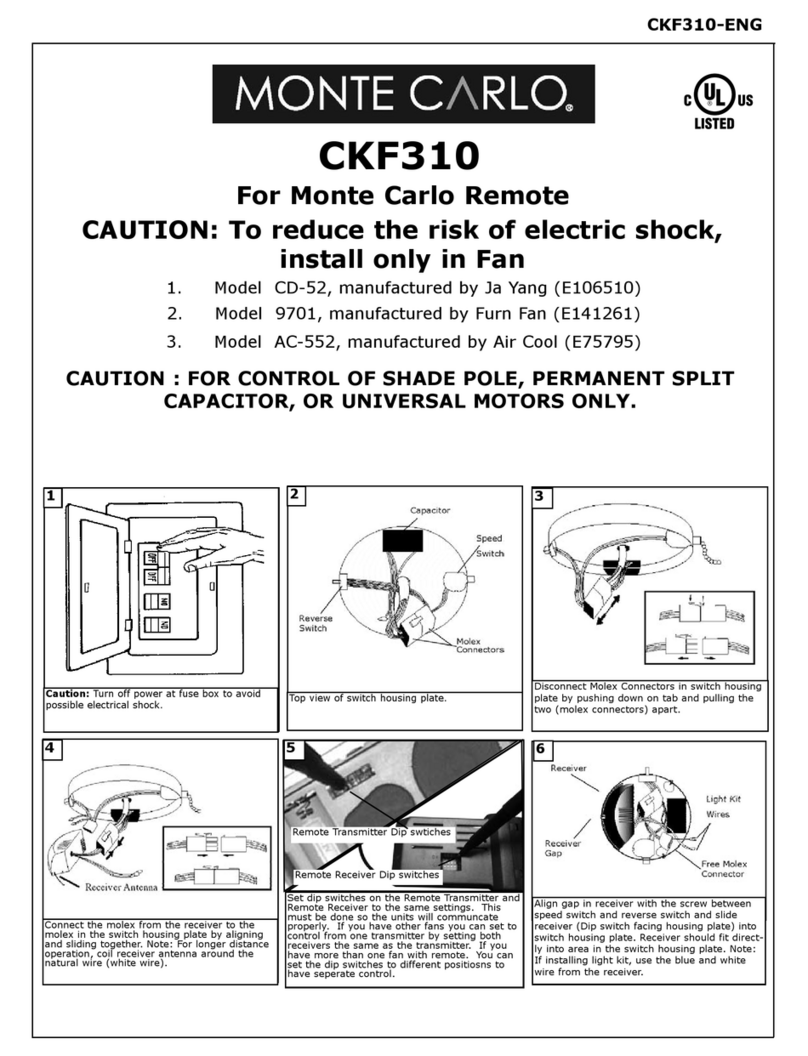
1. Model CD-52, manufactured by Ja Yang (E106510)
CK-300
Top view of switch housing plate.
2
Disconnect Molex Connectors in switch housing
plate by pushing down on tab and pulling the
two (molex connectors) apart.
3
CAUTION: To reduce the risk of electric shock,
install only in Fan
CAUTION : FOR CONTROL OF SHADE POLE, PERMANENT SPLIT
CAPACITOR, OR UNIVERSAL MOTORS ONLY.
Connect the molex from the receiver to the
molex in the switch housing plate byaligning
and sliding together. Note: For longer distance
operation, coil receiver antenna around the
natural wire (white wire).
4
Align gap in receiver with the screw between
speed switch and reverse switch and slide
receiver (Dip switch facing housing plate) into
switch housing plate. Receiver should fit direct-
ly into area in the switch housing plate. Note:
If installing light kit, use the blue and white
wire from the receiver.
6
Set dip switches on the Remote Transmitter and
Remote Receiver to the same settings. This
must be done so the units will communcate
properly. If you have other fans you can set to
control from one transmitter by setting both
receivers the same as the transmitter. If you
havemore than one fan with remote. You can
set the dip switches to different positiosns to
have seperate control.
Remote Transmitter Dip swtiches
Remote Receiver Dip switches
5
2. Model 9701, manufactured by Furn Fan (E141261)
3. Model AC-552, manufactured by Air Cool (E75795)
For Monte Carlo Remote
Caution: Turn off power at fuse box to avoid
possible electrical shock.
1

The wall control transmits the command signals via radio waves to the receiver
installed in the fan’s hanging bracket or on the fan. The receiver is required for
the wall control to function. Power for the wall control comes from the 12V bat-
tery located in the wall remote. Duracell MN21 / Eveready A23 / GP 23A all 12V.
The frequency switches (dip switches) on the wall control and the receiver have
been preset at the factory. Please recheck to make sure the switches on the wall
control and receiver are set to the same position. Any combination of settings are
fine as long as the wall control and ceiling fan receiver are set to the same posi-
tion.
CAUTION: TURN OFF POWER AT FUSE BOX TO AVOID POSSIBLE ELECTRICAL SHOCK.
Install wall control unit to outlet box
using machine screws provided.
3
Attach front cover to wall control
with screws provided. Snap battery
cover in place.
4
Remove cover by snaping off from top or bot-
tom. Remove battery cover. Install 12V battery
into wall remote. Duracell MN21 / Eveready A23
/ GP 23A all 12V.
Place face plate over battery compartment and
buttons. Place remote over 2 pins on front
cover. Attach cover of remote by placing over 4
pins and snaping into place.
2
1HAND HELD INSTALL
WALL MOUNT INSTALL
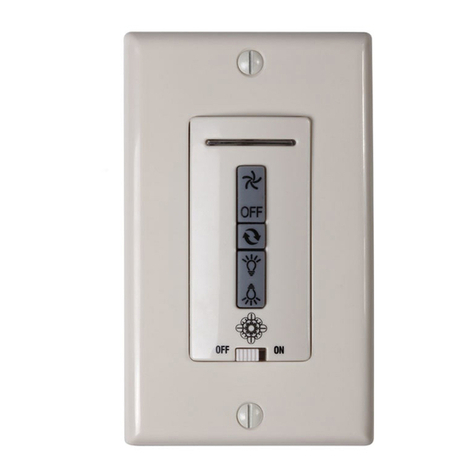
Remote Control Transmitter Features:
FAN SPEED Depress “l dot” for low speed, “2 dots” for medium or “3 dots” for
high. To turn fan off press square”.
LIGHT DIMMER To turn light on, press light dimmer once quickly. To turn off
press once quickly while light is on. To dim light hold down button “light dimmer”.
The light will cycle from bright to dim to bright until button is released. Light will
maintain last setting if turned off.
FORWARD/REVERSE Depress rev button allow a few seconds for remote to
change rotation direction.
HIGH SPEED
MEDIUM SPEED
LOW SPEED
FAN OFF SETTING
(Turns fan off only)
Forward/Reverse
(Press once to
change direction of
the fan.
LIGHT ON/OFF SET-
TING AND DIMMER
(Press and hold to
dim light infinitively)
LED LIGHT
8/29/07 REV.0 CK-300-ENG Replaces WK-100-ENG