4
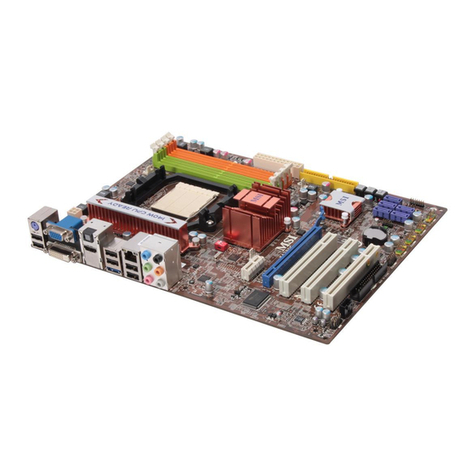
REARPANEL
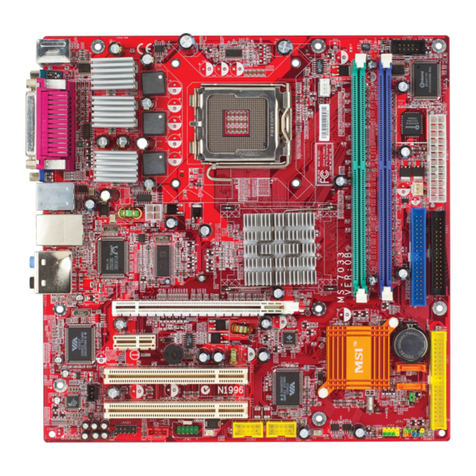
The rearpanelprovidesthefollowing connectors:
LAN Jack
1394 Port
(Optional) Line-In
Line-Out
Mic
Keyboard
RS-Out
CS-Out
SS-Out
HARDWARESETUP
ThischaptertellsyouhowtoinstalltheCPU, CPUcoolersetandmemorymodules,aswell
ashowtosetupthejumperson themainboard. Italsoprovidestheinstructionson
connecting theperipheraldevices. While doing theinstallation,becarefulinholdingthe
componentsandfollowtheinstallationprocedures.
CPUInstallationProcedures forSocketAM2
1.Pleaseturnoffthepowerandunplug thepower
cordbeforeinstalling theCPU.
2.Pulltheleversidewaysawayfromthesocket.
Makesuretoraisetheleveruptoa90-degree
angle.
3.LookforthegoldarrowoftheCPU.Thegold
arrowshouldpoint asshowninthepicture.The
CPUcanonlyfitin thecorrectorientation.
4.IftheCPUiscorrectlyinstalled, thepinsshould
becompletelyembeddedintothesocketand
can notbeseen.Pleasenotethatanyviolation
ofthecorrect installation proceduresmaycause
permanentdamagestoyourmainboard.
5.Press theCPUdownfirmlyintothesocket and
closethelever.AstheCPUislikelytomove
whiletheleverisbeing closed,alwaysclosethe
leverwithyourfingerspressingtightlyon top of
theCPUtomakesuretheCPUisproperlyand
completelyembedded intothesocket.
90degree
Sliding
theplate
Goldarrow
placement
O
Press down
theCPU
Close
Important:
Overheatingwill seriouslydamagetheCPUandsystem.Alwaysmakesurethecoolerset
can workproperlytoprotecttheCPUfromoverheating.
Makesurethat youapplyan even layerof heat sinkpaste(orthermaltape)betweenthe
CPUand theheatsinktoenhanceheatdissipation.
While replacingtheCPU, alwaysturnofftheATXpowersupplyorunplugthepowersupply
powercordfromthegroundedoutletfirst toensurethesafetyofCPU.
PDFcreated withpdfFactoryProtrialversion www.pdffactory.com