Temperature Display
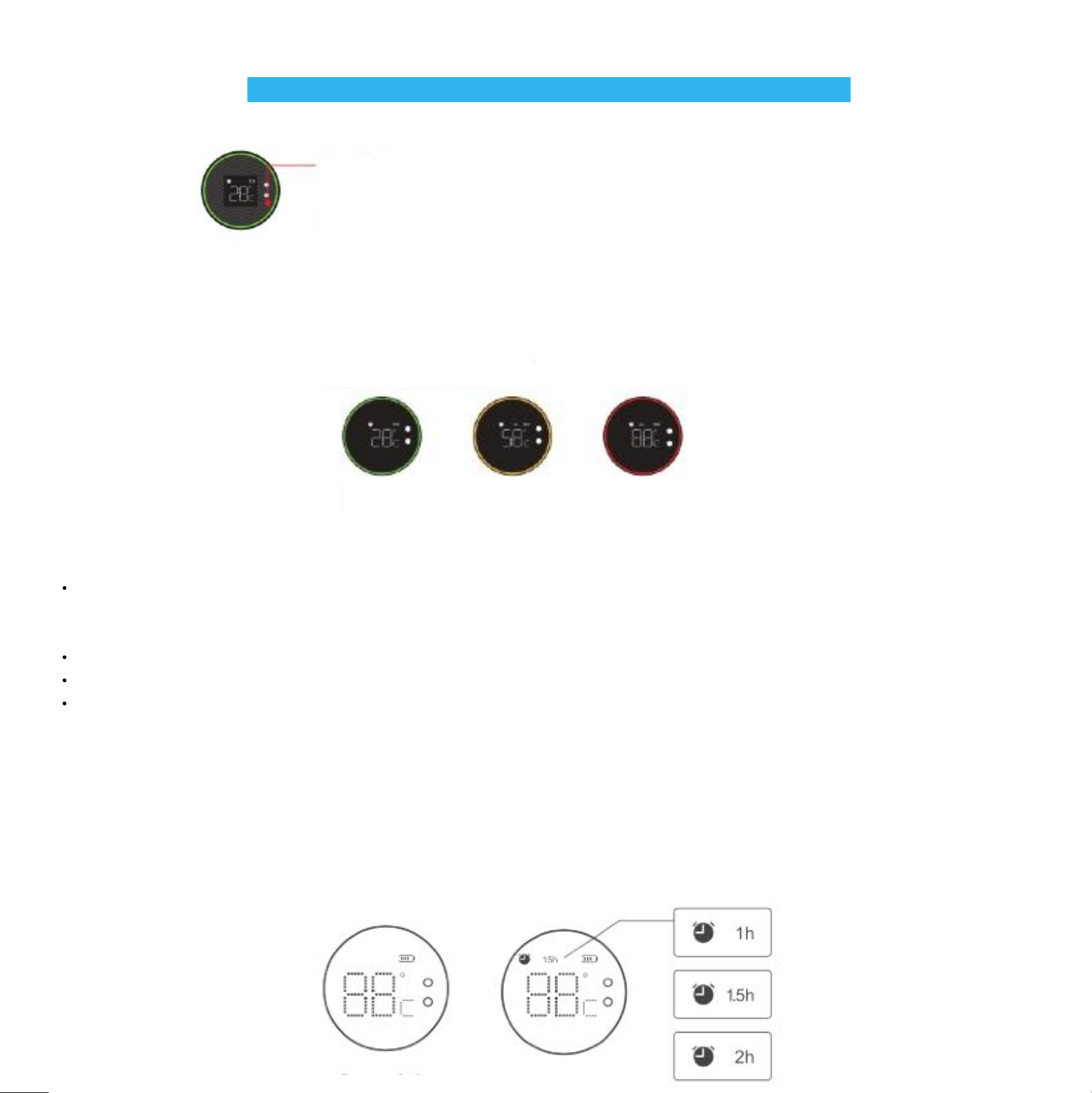
Click on the screen once, the light strip and content icon will light up at the same time. The screen will display the current water
temperature in the bottle. The light strip will display three different color lights as reminders: green, orange, and red according to
different temperature ranges in the bottle.
Green
0℃-36℃
Yellow
37℃-60℃
Red
61℃-99℃
Setting alarm clock method: click to light up the screen, then double-click the touch area of the screen, after screen/lid makes a
"beep" sound and the alarm clock icon & 1hr appears on the screen. That means the alarm is setting successfully. It will "beep-beep-"
reminds you to drink water every hour.
Double-click the screen for the second time, showing the switch to 1.5h reminder.
Double-click for the third time, and switch to 2hr reminder.
Double-click for the fourth time, the alarm clock icon disappears and the alarm clock reminder is canceled.
Alarm reminder
There are three options for alarm clocks, they are 1 hour, 1.5 hours, and 2 hours respectively.
When the alarm clock sounds working, click on the touch area of the screen, and the "dripping" sound will stop and the light off (timing
mode will not be canceled at this time).
After the reminder is set, the alarm clock will be automatically canceled if the screen is not touched for 8 hours.
Expiry reminder: when the drinkable liquid in the bottle has not been drunk for more than 8 hours (without touching the lid of the screen
more than 8 hours), the "X" symbol is displayed on the screen, and the light band is bright red.
OPERATION METHOD
Touch area
Kindly remind: when you touch the
LCD screen, please touch the blank
area around numbers, and then the
screen will quickly respond to your
operation