Controls:
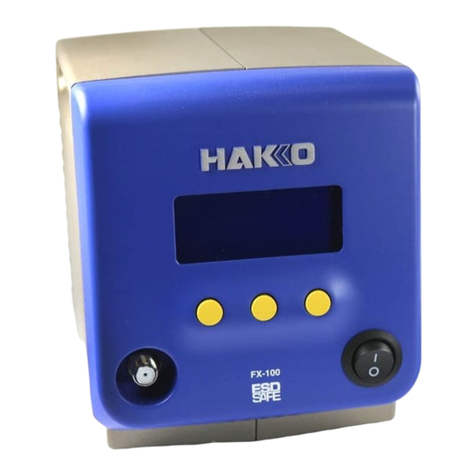
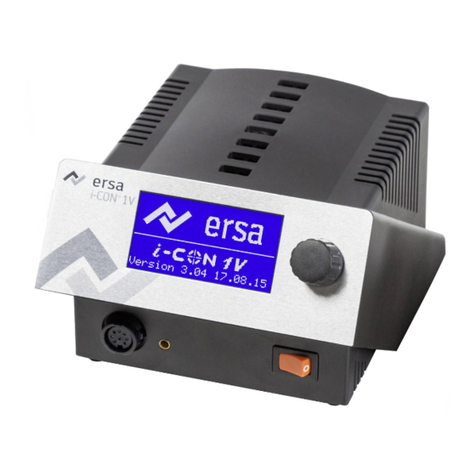
The black up and down buttons adjust Temperature in Celsius.
The dial adjusts the speed of the air flow.
The black switch on the Air Torch™powers the machine on or off.
The red square button changes between Manual and Automatic modes. In
Manual mode, the Air Torch™will continue to run even with the handset in the
cradle.
The three preset buttons (DO, RE, ME)allow you to save presets for both heat
level and air flow speed.
Using the Air Torch:
1. Place the Air Torch™gun in its holster with the desired tip on the gun.
2. Check that the power is turned off.
3. Plug in the unit.
4. Using the black buttons, adjust the temperature as desired.
5. Turn the air flow knob all the way clockwise to maximum air flow.
6. Remove the Air Torch™ gun from its cradle and the fan should start.
7. Aim the hot air where needed.
8. Adjust the temperature and air flow as needed.
*To save a desired temperature/airflow preset, press and hold one of the three
preset buttons until the machine beeps*
When you are done using the gun:
1. Place the handle back on the cradle.
2. Make sure the Air Torch™is in Automatic mode and is cooling.
3. Always allow the unit to cool itself.
4. When the fan stops, turn the power switch off.
30 Day Guarantee
With Free Shipping in U.S. and Canada and a 30 day guarantee you can
order the tools you need, knowing that if it is not what you intended to
purchase you can return it. After 30 days from purchase date
products cannot be accepted for return or exchange.