Muzak Central Product Support 800 329.1179 (option #2) www.muzak.com REV 07.06.10
Online Client Control – Encompass MV2
Control Site
Q: WHAT IS THE ENCOMPASS MV2 CONTROL SITE?
A: The Encompass MV2 Control Site is an online tool that allows
you to schedule the music and/or messaging that plays in your
business location(s). Schedules can be created for a day, a week,
a month or the entire year. You can customize and change your
schedules to fit your business needs.
Note: Scheduling options depend on your setup and available content.
Q: WHAT ELSE CAN I DO USING THE CONTROL SITE?
A: In addition to music and message scheduling, key features
of the Control Site include:
• The ability to view music playlists and programs
• The ability to request a song
• The ability to block a song (up to 5 at a time)
• The ability to upload your own messages
• The ability to manage groups of devices
• A Google map of your devices and their locations
Q: HOW QUICKLY WILL SCHEDULE CHANGES TAKE EFFECT?
A: Changes made in the Control Site are not instant. Timing
depends on when your device calls into the Muzak servers for
updates and on download timing, which depends on your network
bandwidth. After making and saving updates in the Control Site,
you must “Publish” them in the Site to make them available for
download to your device. Downloads begin when your device is
scheduled to call into the Muzak servers.
Note: Devices call into the Muzak servers approximately once an
hour, however if your company has restrictions and has set a des-
ignated time each day for receiving downloads, updates will not be
available for download until during that designated time.
Q: HOW CAN I LEARN MORE ABOUT THE ENCOMPASS MV2
CONTROL SITE AND GAIN ACCESS?
A: Contact Muzak Central Product Support at
controlsupport@muzak.com.
From “The Box” – Encompass MV2 Device
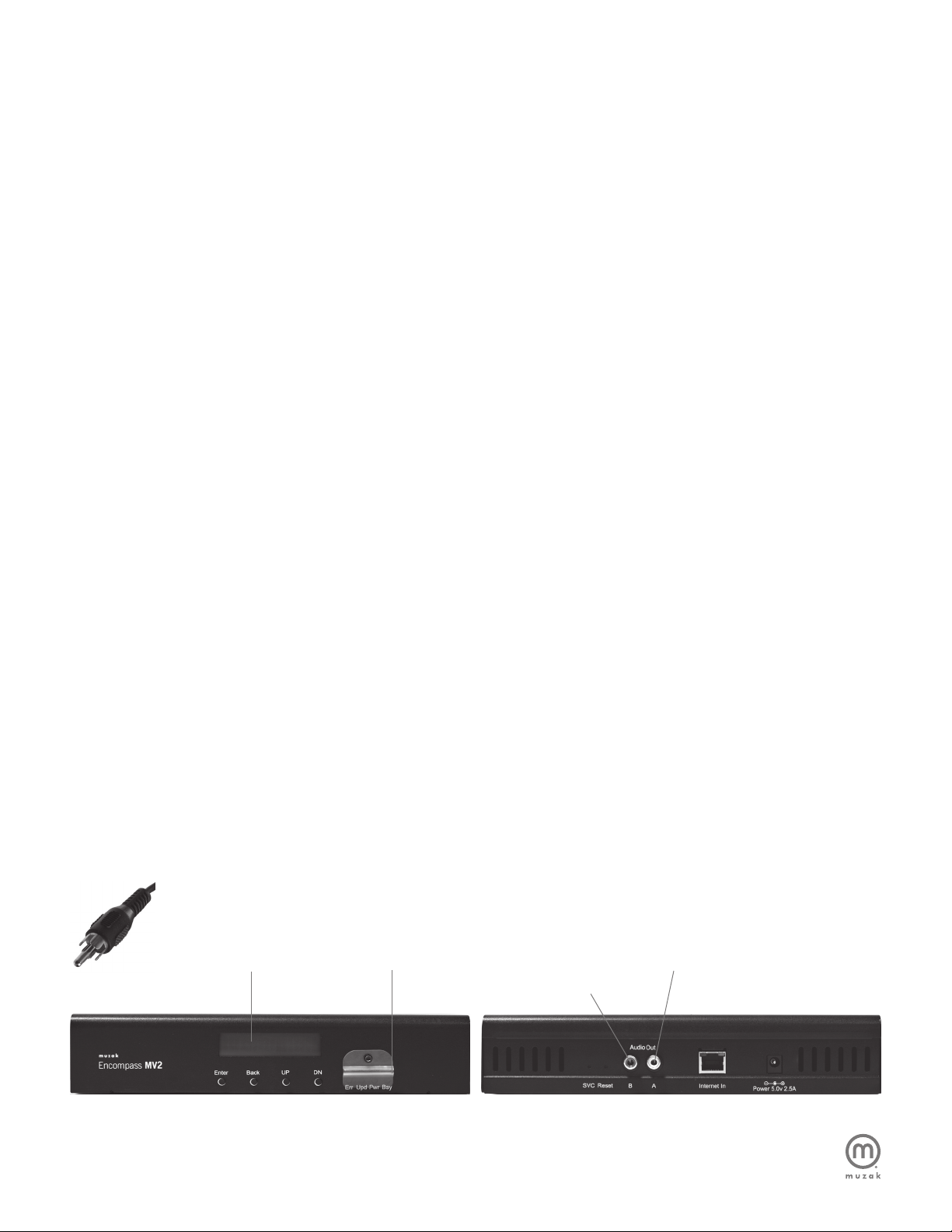
Q: HOW DO I FIND OUT WHAT’S PLAYING ON THE DEVICE?
A: The device will display the artist and song title automatically on
the screen. If it’s not displaying, press Back on the front panel of
the unit until artist and song title is display.
Note: Information displayed on the device is based on the zone
selected. To see what’s playing in a different zone, first change
the zone (see next column).
Q: HOW DO I CHANGE ZONES FROM THE DEVICE?
A: If you have selectable programs from within a zone (meaning
you are set up to play different music and/or messaging in
different areas of your business), while the display is showing
“Artist & Song Title,” press ENTER and DN until “Select Program
Menu” is displayed. Press ENTER to access this menu. Press
DN/UP to change zones and press ENTER to save. Any changes
made will be reflected on the currently selected zone only.
Note: When the device calls in to the Muzak servers for updates,
whatever is scheduled in the Control Site will override manual
changes previously made at the device level.
Q: HOW DO I SELECT OR CHANGE MY MUSIC
PROGRAMMING FROM THE DEVICE?
A: If you have not already set-up a schedule in the Control Site
and have selectable programs, while the display is showing
“Artist & Song Title”, press ENTER and DN until “Select Program
Menu” is displayed. Press ENTER to access this menu. Select
the appropriate zone (A/B) and press ENTER. Press DN to scroll
through all available programs and press ENTER to select and save.
The display will default back to the main screen and finish playing
the current song before switching to the newly selected program.
Note: When the device calls in to the Muzak servers for updates,
whatever is scheduled in the Control Site will override changes
previously made at the device level.
Q: WILL THE DEVICE STILL PLAY IF I REMOVE THE SD CARD?
A: No, the device requires the SD card to be inserted in the slot
and it must remain in the device to play. The SD card will only play
on the Encompass MV2 device.
General
Q: CAN I PERFORM THE SAME ACTIONS ON THE DEVICE
THAT I CAN IN THE CONTROL SITE?
A: No, you cannot create or change schedules using the device.
You can view and change what music program is playing on the
device or what zone is displayed. The Control Site gives you full
control over your music and/or messaging scheduling.
Q: DO I NEED TO INSTALL ANY SOFTWARE ON MY
NETWORK OF OFFICE COMPUTERS?
A: No, you will only need an “always on” Internet connection so
the device can receive updates. To use the Control Site you will
need one of these browsers: Internet Explorer 8, Internet Explorer 7,
Firefox 3.6 or Safari 5.
3
Encompass MV2 FAQ