Cassini 1/37 Scale Model Assembly Instructions v 3.1
This scale model of the Cassini spacecraft, with Huygens Probe, is designed for anyone interested, although it might
be inappropriate for children younger than about ten years of age. Children should have adult supervision to assemble
the model.
A. YOU’LL NEED THE FOLLOWING:
❐A good pair or scissors.
❐An art knife, such as X-ACTO #11, with a sharp new blade. Children must have adult supervision, of course, to use an
art knife. You'll also need a cutting surface such as a linoleum pad, or thick chipboard, when using the art knife. Use
caution: one can hurt oneself, or the furniture, with an art knife.
❐Wooden toothpicks for applying glue.
❐Glue. Use regular white glue (Elmer’s Glue-All® or equivalent). You might also try a thick white glue, sold in art and fabric
stores, called “TACKY GLUE” (Aleen’s or equivalent). Also, for the High-Gain Antenna (HGA), you'll need a low-
moisture glue, such as a glue stick.
❐A popsicle stick to help with assembly.
❐A beverage cup, preferably a heavy ceramic cup or mug, for supporting parts during assembly.
❐A thin clear sheet such as that used for making overhead transparencies. This will be used to fashion a stand for your
model. You can instead use a small, clear plastic beverage cup with a hole cut in the bottom.
❐A round pencil or dowel to wrap curvature into some parts.
❐A metal ruler to use as a straight edge.
❐A small pair of long-nose pliers to reach and squeeze some parts together while they glue. Small metal paper clamps
may also be useful to hold parts together while glue dries.
❐Space. Set up a well lighted, comfortable work area, with room to set glued parts to dry.
❐Time. Don't hurry. Plan to spend several hours for assembly. About 6 hours would probably be minimum if you
concentrate solely on assembly. It can easily be done in shorter steps, however, over a period of several days.
❐Patience. There may be trying times. But remember that extra care, and time, will pay off with a surprisingly accurate
representation of the Cassini spacecraft.
❐Optional: Rigid wire for the RPWS antennas. If your use of the model would present no danger of eye injury, you might
consider getting some thin, stiff brass or steel wire from a hobby store. Half a meter, or a couple of feet, should be
enough.
❐Optional: A straight pin which has a small metal head, for use in a science instrument.
❐Optional: Gold leaf, or imitation gold leaf, to apply to the Huygens Probe shield. You'll need spray-glue to apply it.
❐Optional: As you read through these instructions, you'll see that intersecting planes are used to simulate 3-
dimensional objects like tanks and rocket engines. You might wish to do some creative searching for different objects
to replace them, and increase the realism of your model. The High-gain Antenna (HGA) paper cone might also be
replaced by a small curved bowl-shaped object painted white.
B. BEFORE BEGINNING ASSEMBLY:
❐Read all of these instructions. Compare model parts with images. Examine the six Parts Sheets and read the
names of all the parts.
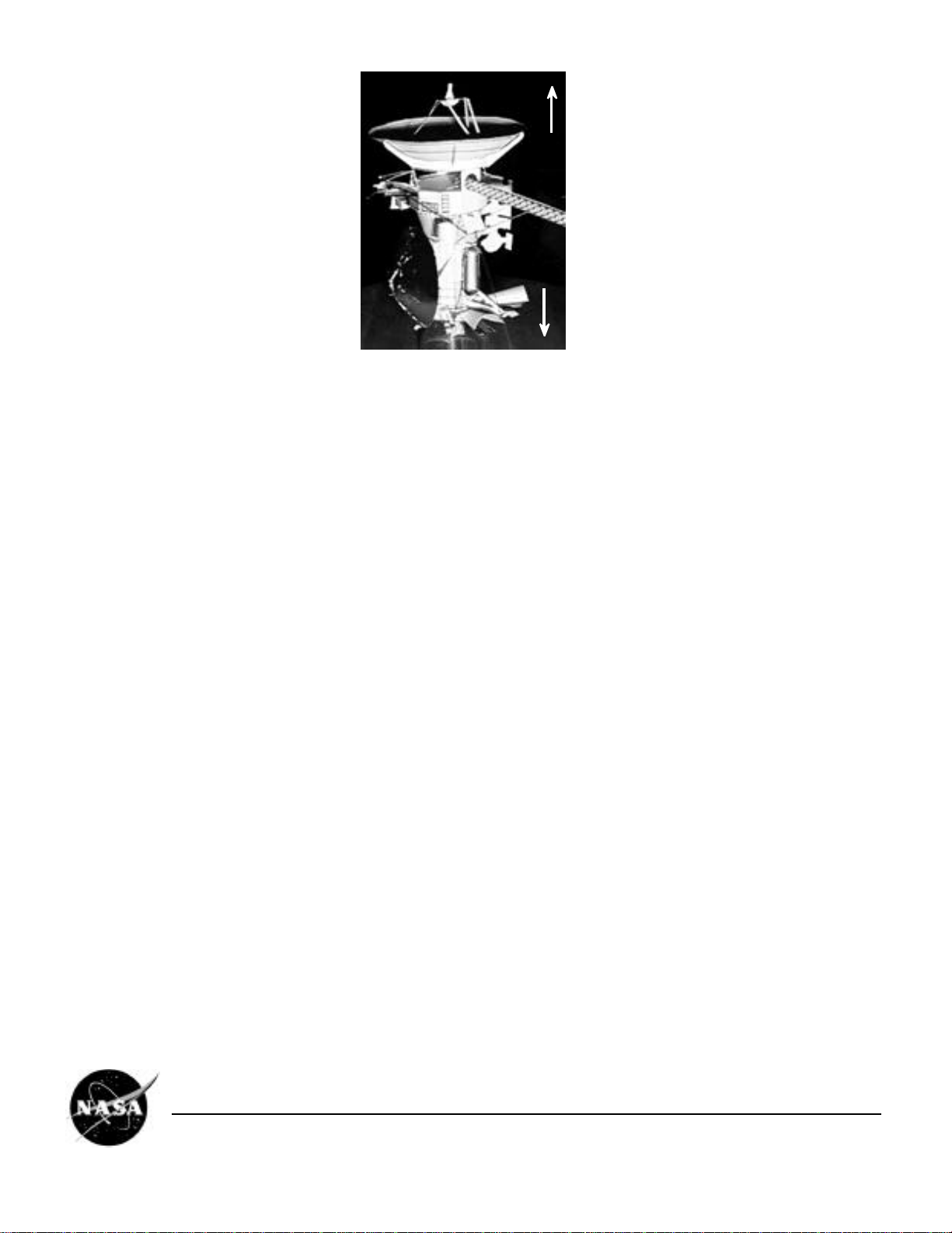
❐Get your bearings: this diagram defines "up," "down," etc. for the purpose of assembly. This will be the reference when
words such as "top" and bottom" are used to describe sides of parts. Also, during assembly, you'll notice that the
spacecraft's axes are indicated. These three imaginary lines pass through the center of mass of the spacecraft, and are
labeled X, Y, and Z. The Z axis goes up and down; down, in this picture, is "plus Z" (+Z). The general directions for the X
and Y axes are indicated on the parts. The axis directions can also be used to point to a side of the spacecraft, for
example, the -Z side of the spacecraft is where the High-Gain Antenna dish is mounted.
Cassini Spacecraft 1/37 Scale Model EB-1999-04-001-JPL
Page 2