National Electronics & Watch Co,. Ltd.
BC10
ALARM mode
Setting the ALARM:
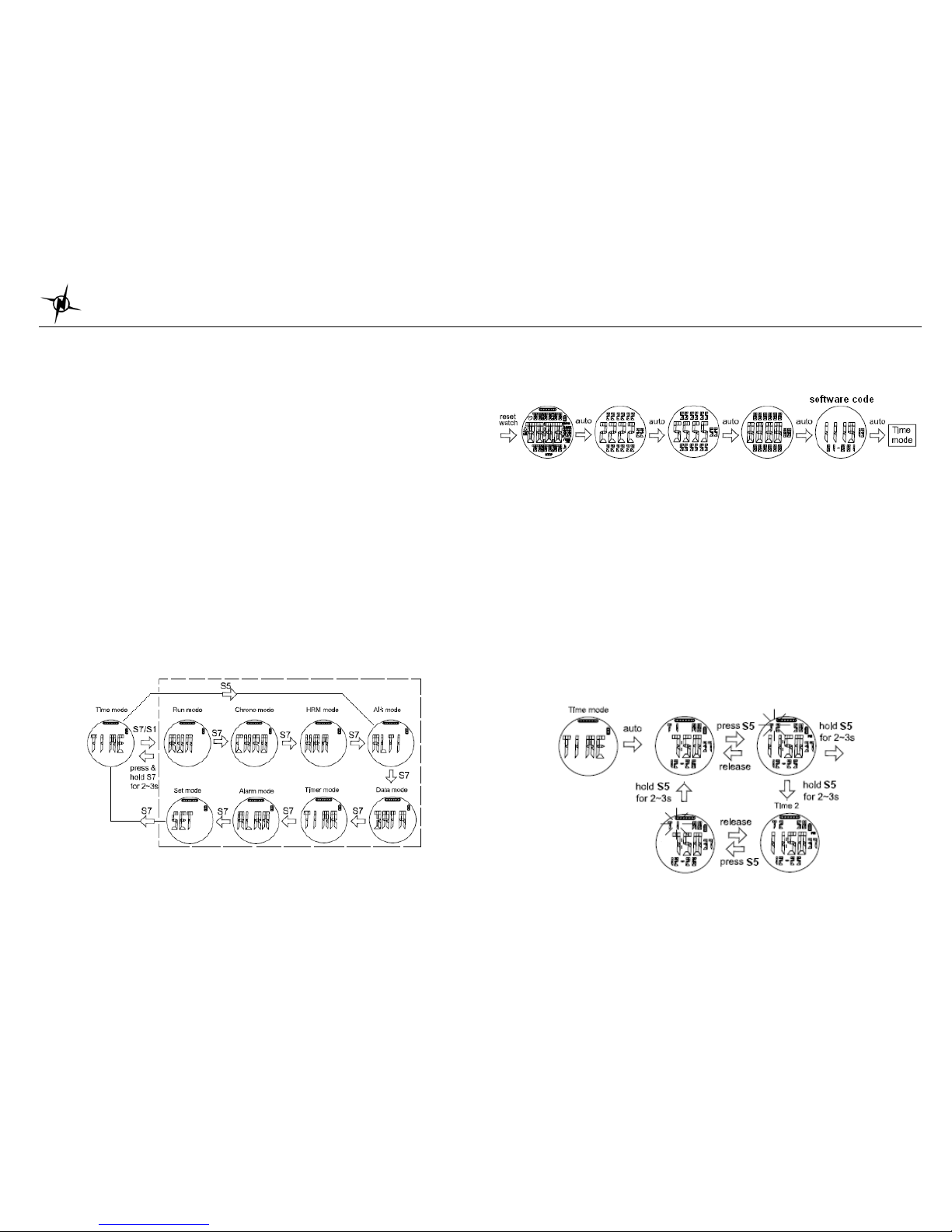
Press S7 from TIMER mode to enter ALARM mode. The watch will display the alarm view.
Press and hold S11 until the Alarm digit starts to blink. Press S1/S11 to select the Alarm 1 to 5.
Press S3 to set the Hour, Minute, Time (T1/T2) and Alarm (On/Off).
Alarm setting in SET mode:
•Select ALARM by pressing S1 or S11 and then press S5 alarm digit is flashing.
•Select ALARM 1 to ALARM 5 by pressing S1 or S11 and then press S5 to enter.
•Set the HOUR. Press S1 or S11 to change values. Press S5 to enter
•Set the MINUTE. Press S1 or S11 to change values. Press S5 to enter
•Set the alarm time referred to T1 or T2. Press S1 or S11 to change. Press S5 to enter
•Set the alarm ON or OFF. Press S1 or S11 to change. Press S5 to enter
•Set the Chime ON or OFF. Press S1 or S11 to change. Press S5 to enter
•Press S7 to exit alarm setting
SET mode
Press S7 from ALARM mode to SET mode. 1.5 seconds later the watch will display the setting
options. The ff. sequence are as follows; AUTO LAP, TIME, UNIT, USER, HRM, HRM LINK,
NIGHT, CONTRAST, CHIME, ALARM and TIMER. Press S5 to enter selected option to set.
Press S1/S11 to select then press S5 to enter. Press S7 to exit setting to Time mode.
Setting the Auto Lap:
Press S5 to set AUTO LAP. Then press S1 or S11 to select Auto lap setting options (0.4, 1,
2, 3, 4, 5 and OFF). Press S5 to enter the selected setting. Press S7 to exit setting.
Note: Alert sub-mode, press S5 to enter ALERT function. When alert is set to ON, there will be
a beep sound during taking auto lap. When it is set to OFF, there is no beep sound.
SETTING THE TIME:
TIME 1 setting:
You have two options in setting the watch, GPS or MANUAL. In manual setting, you can
manually set the time. If you select the GPS option, the watch will be automatically set based
on the data and time data from GPS satellites.
•Select TIME by pressing S1/S11 and then press S5 to enter.
•Select GPS or MANUAL setting by pressing S1/S11 and then press S5 to enter.
GPS setting:
¾Select TIME ZONE by pressing S1/S11 and press S5 to enter.
¾Select DST ON or OFF by pressing S1/S11 and press S5 to enter.
¾Select 12H/ 24H format setting by pressing S1/S11. Press S5 to enter.
¾Select M-D/ D-M format by pressing S1/S11 and press S5 to enter.
¾The watch will go back to Time.
MANUAL setting:
¾Set the HOUR by pressing S5 and press S1/S11 to change digit then press S5 to enter.
¾Set the MIN by pressing S5 and press S1/S11 to change digit then press S5 to enter.
¾Set the SEC by pressing S5 and press S1/S11 to change digit then press S5 to enter.
¾Set the YEAR by pressing S5 and press S1/S11 to change digit then press S5 to enter.
¾Set the MONTH by pressing S5 & press S1/S11 to change digit then press S5 to enter.
¾Set the DATE by pressing S5 and press S1/S11 to change digit then press S5 to enter.
¾Set the 12/24H by pressing S5 and press S1/S11 to change digit then press S5 to enter.
¾Set the M-D/ D-M format by pressing S1/S11 to change the press S5 to enter.
¾The watch will go back to Time.
TIME 2 setting:
You have two options in setting the watch, AUTO or MANUAL. In manual setting, you can
manually set the time. If you select the AUTO option, the watch will be automatically set base
on the data and time data from GPS satellites.
The procedure in setting time 2 is the same with time 1 setting.
Setting the UNIT:
Press S5 to enter. Press S1 or S11 to select KM or Mi. Press S5 to confirm.
Setting the User’s information:
Press S5 when the USER option is highlighted. The sequence of setting is as follows: Gender
ÆAge ÆWeight ÆHeight Press S1 or S11 to change values. Press S5 to set next parameter.
Press S7 to exit.
Setting the HRM:
Press S5 to enter. Press S1/S11 to select HRM zones. Then press S5 again to set Low and
High limit of the zone. Press S1/S11 to manually change the value. Press S5 to confirm setting.
Press S7 to exit setting.
Note: User has also an option to ON or OFF the zone Alarm.
HRM LINK:
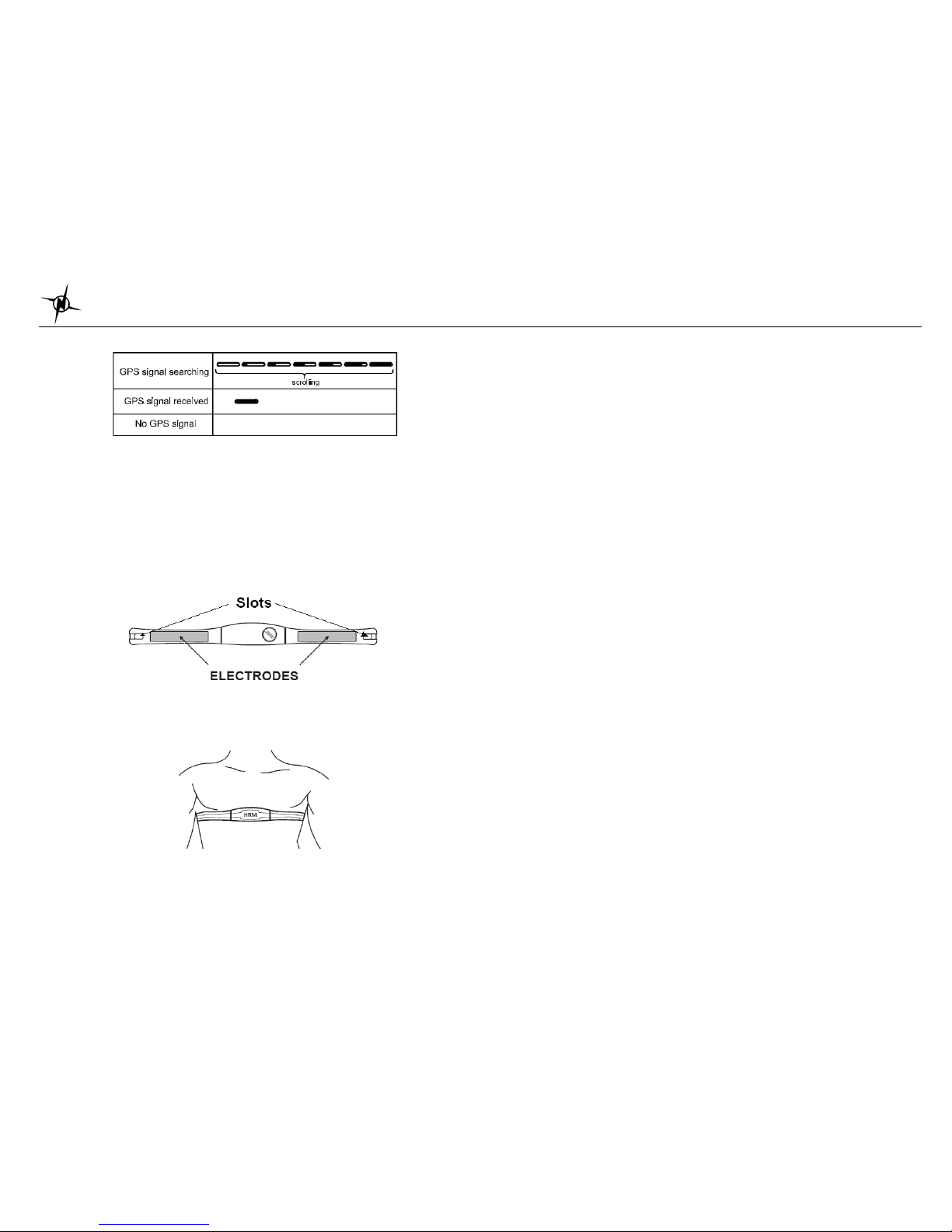
Press S5 to enter HRM LINK mode. It will then start to search (within 1 min) for HR belt and If
a new HR belt is found, it will display the HR belt ID number. If HRM link fails, after 1 minute of
searching, the watch will display “HRM LINK FAIL”.
Setting the DISPLAY (LCD contrast):
Press S5 to enter. Press S1 or S11 to change the setting. Press S5 to confirm setting.
Setting the Chime:
Press S5 to enter. Press S1 or S11 to select ON or OFF. Press S5 to confirm setting.
Note: