Nauticam 38703 User manual
Current as of 2018-12-05
Instruction Manual for N50 Short Port with
Bayonet Mount (To use with WWL-1)
PN# 38703
FOREWORD
Thank you for your purchase of a NAUTICAM product.
At NAUTICAM, we pride ourselves in the ability to recognize the requirements
of professional as well as amateur underwater photographers and fulfill them
through the innovative designs of our products. We strive to achieve a high
level of user-friendliness by allowing stress-free installation and easy
operation of all important functions of the camera.
Please read this manual carefully before using the product, this will maximize
its performance as well as its lifetime.
WARRANTY
All NAUTICAM Products are warranted against any material and
manufacturing defects for two years from the date of purchase for consumer
use. This warranty only applies to products purchased from authorized
NAUTICAM dealers and does not extend beyond the original retail purchaser.
To return your product for service, please contact your regional authorized
service center(s). Please note that this warranty only applies when the product
is purchased in the territory where the service center is located.
NAUTICAM does not hold responsibility for damage, of any nature, to any
equipment used with and/or placed within our products.
NAUTICAM accepts no liability for any loss of captured images or the inability
to capture images even if it is due to the malfunctioning of our products.
Unauthorized modifications and/or repairs of our products will automatically
invalidate the warranty.
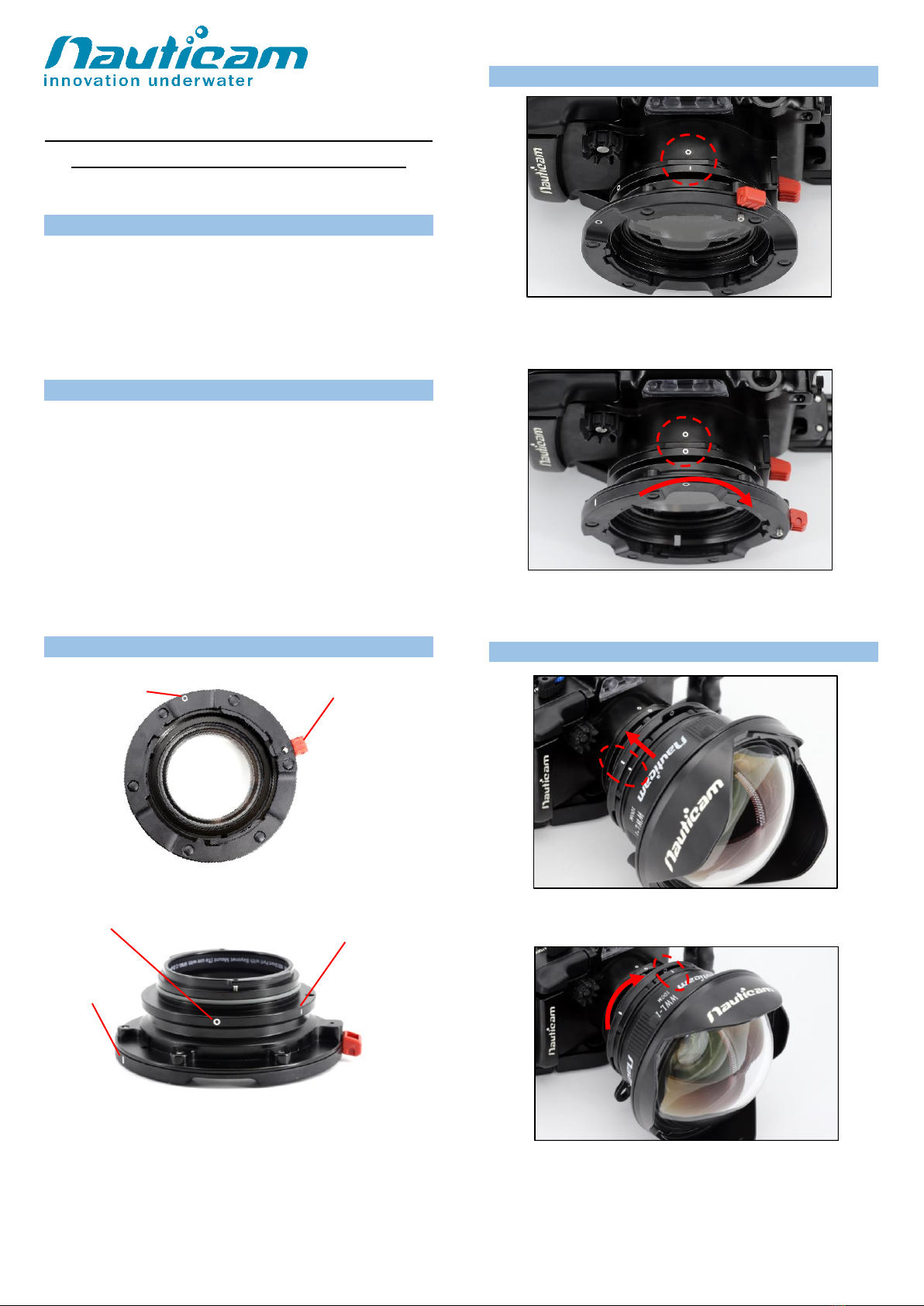
IDENTIFICATION OF PARTS
MOUNT TO THE HOUSING
1. Align the ‘’I’’ mark on the Port with the ‘’o’’ mark on the
housing, then gently push the port into the port opening of
the housing, until it cannot go in any further.
2. Turn the port clockwise until the “o” mark on the port aligns
with the ‘’o’’ mark on the housing and a “click” sound is
heard.
MOUNTING LENS
1. Align the “I” mark on the lens with the “I” mark on the Bayonet
Mount and then push it in.
2. Turn the lens clockwise until the “I” mark on the lens aligns
with the WHITE dot on the Bayonet Mount and a “click” sound
is heard.
Lens release button
Lens alignment dot
on Bayonet Mount
Port alignment dot
Port alignment ‘’I’’ mark
Lens alignment ‘’I’’ mark
on Bayonet Mount

Current as of 2018-12-05
UN-MOUNTING LENS
1. Press and hold the RED lens release button and then turn
the lens counter clockwise.
2. Remove the lens when “I” mark on the lens aligns with the
“I” mark Bayonet Mount.
UN-MOUNTING PORT
1. Press and hold the RED Port release button and then turn
the port counter clockwise.
2. Remove the port when “I” mark on the port aligns with the
“o” mark on the housing
Remark: All Nauticam product manual will be changed to e-manual in end of
2018. Please download corresponding product manuals on Nauticam.com
website, or contact us for e-manuals.
Press and hold
Press and hold
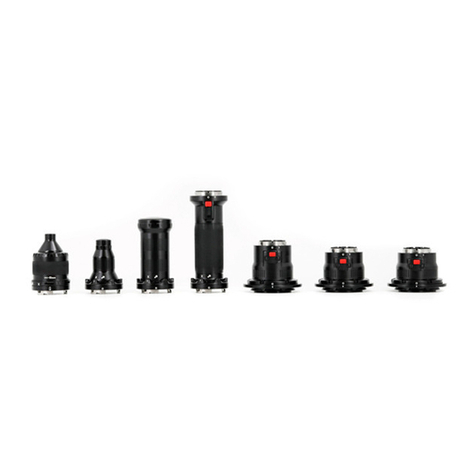
Other Nauticam Lens manuals
Popular Lens manuals by other brands

Tamron
Tamron SP 70-300mm F/4-56 Di VC USD Brochure & specs
Panasonic
Panasonic VW-W4907 operating instructions
Navitar
Navitar 1-51332 Dimensional drawing
Leica
Leica APO-SUMMICRON-SL 1:2/50 ASPH. instructions

Sony
Sony LKRL-Z200 Series Product information

Cosina
Cosina Voigtländer SUPER NOKTON 29mm F0.8... instruction manual