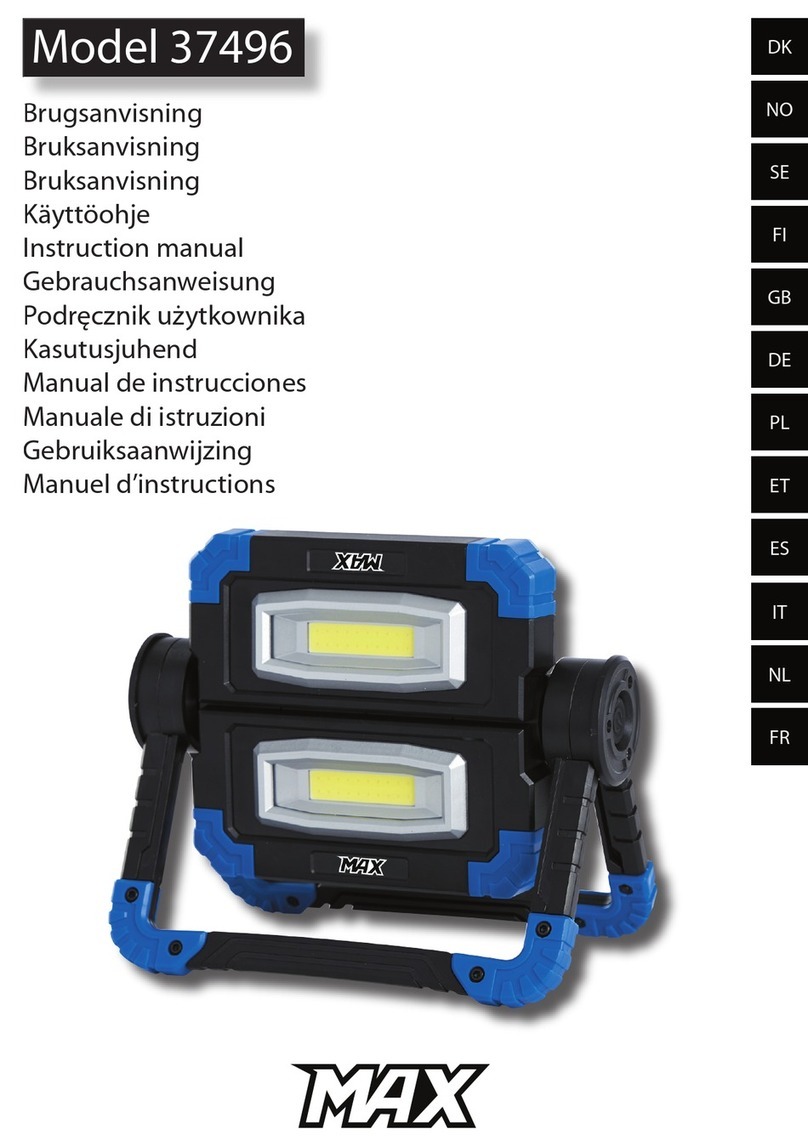
novostella NTF36 User manual

NTF68 & NTF69
User Manual • Uživatelský manuál •
Užívateľský manuál • Használati utasítás

2
English
3 –16
Čeština
17 –31
Slovenčina
32 –46
Magyar
47 –61

3
Thank you for choosing Novostella. It is pretty easy to set up this light by taking a few
minutes to watch the step-by-step tutorial video. And for those who prefer to have a
manual at hand for set-up, you may also read the rest pages for details.
Video Guide
Please scan the left QR code below, choose the language to watch the installation on
YouTube.
Before installation, please no:
•This product only supports 2.4GHz Wi-Fi network, not 5.0GHz.
•Make sure to keep an interval over 2 seconds between each turn-on and turn-off
during the set-up.
General Troubleshooting
Scan the right QR code below for FAQ. If your problem is not yet solver, please write us
4
Smart LED Flood Light User Guide
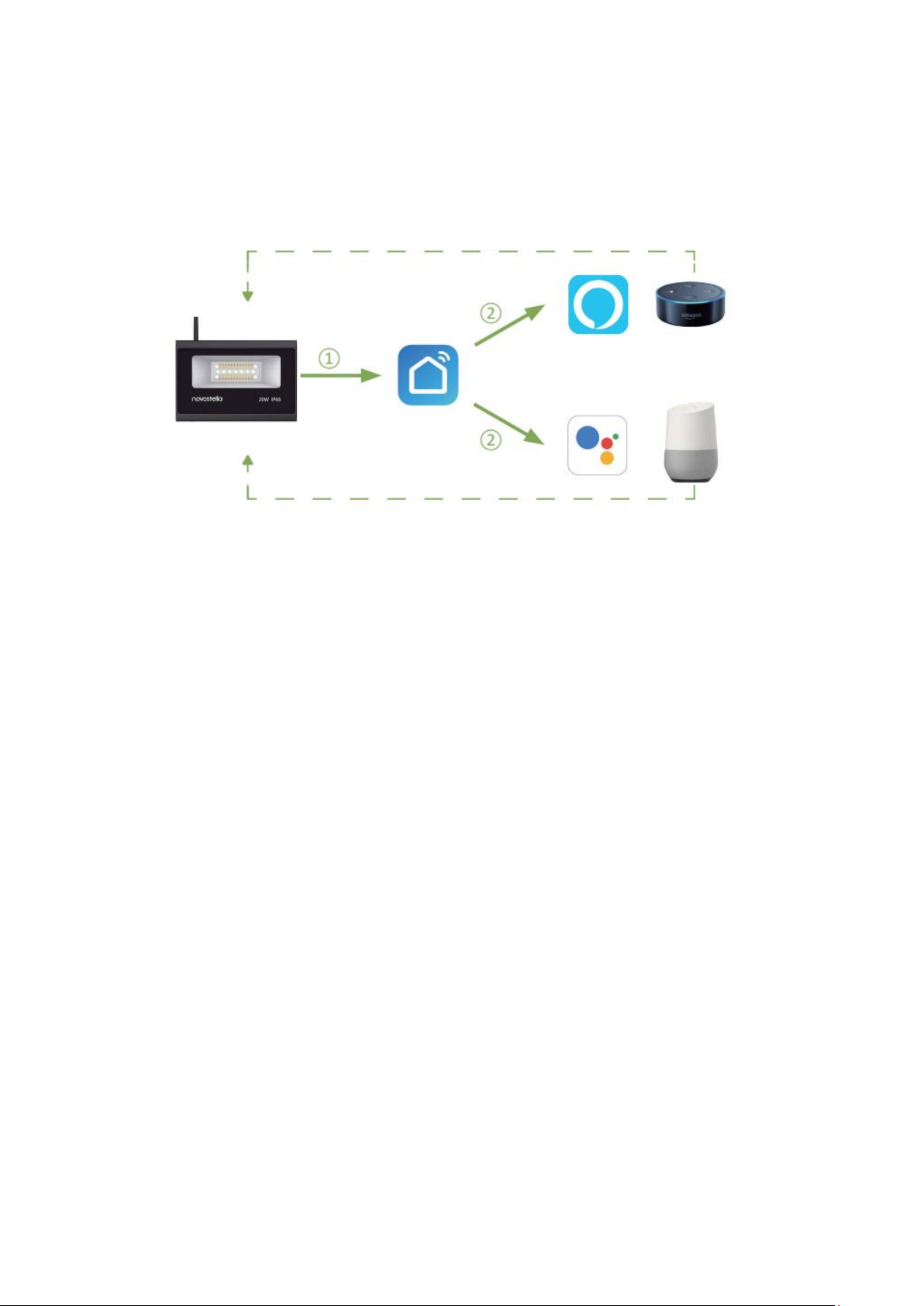
Before installation, let’s know how the whole thing works.
•Step One: Install the smart flood light.
•Step Two: Fundamental set-up –Connect smart LED flood light so Smart Life App.
•Step Three & Four: Optional set-up –Connect Smart Life App to Amazon Alexa or
Google Assistant.
After completing Step Two, you can remote control the light on Smart Life App. After
completing Step Three and Four, you can voice control the light with Alexa or Google
Assistant. This manual consists of Four parts.
•Part One –How to install the light?
•Part Two –How to pair the light to Smart Life app?
•Part Three –How to control the light with Amazon Alexa?
•Part Four –How to control the light with Google Assistant?
How to install the light?
Warning
•Please check if the light and the parts are intact before installation.
•Make sure to cut off power before installation.
•Please do not place this light in corrosive conditions.
•If there is any damage to the cord, please cut off the power and stop using it
immediately.
•Please do not retrofit the light within the warranty period.
•To ensure the light works properly, please use the voltage indicated on the
packing.
Voice Control
Voice Control

5
Parameters
SKU
NTF36-RGBCW
NTF68-RGBW
NTF69-RGB
Model Number
NTF36
NTF68
NTF69
Wattage
20W
60W
100W
Color
RGB, Warm White,
Cool White
Daylight White/RGB
Color
Temperature
2700K-6500K
5000K
Frequency
50/60Hz
Waterproof Rating
IP66
Input Voltage
100-240V AC
Beam Angle
120°
Working
Temperature
-25~40°C
Components
Note: Cord –type Y attachment
For type Y attachment: If the external flexible cable or cord of thus luminaire is
damaged, it shall be exclusively replaced by the manufacturer or his service agent or a
similar qualified person in order to avoid a hazard.
Front cover
Heatsink
Lock screw
Bracket
UK/EU: H05RN-F 3x1.0mm2
US: 18AWG 3x0.824mm2
EU Plug
US Plug
UK Plug
Tempered
glass lid
Reflector
LED light source
Wi-Fi Transmitter
6
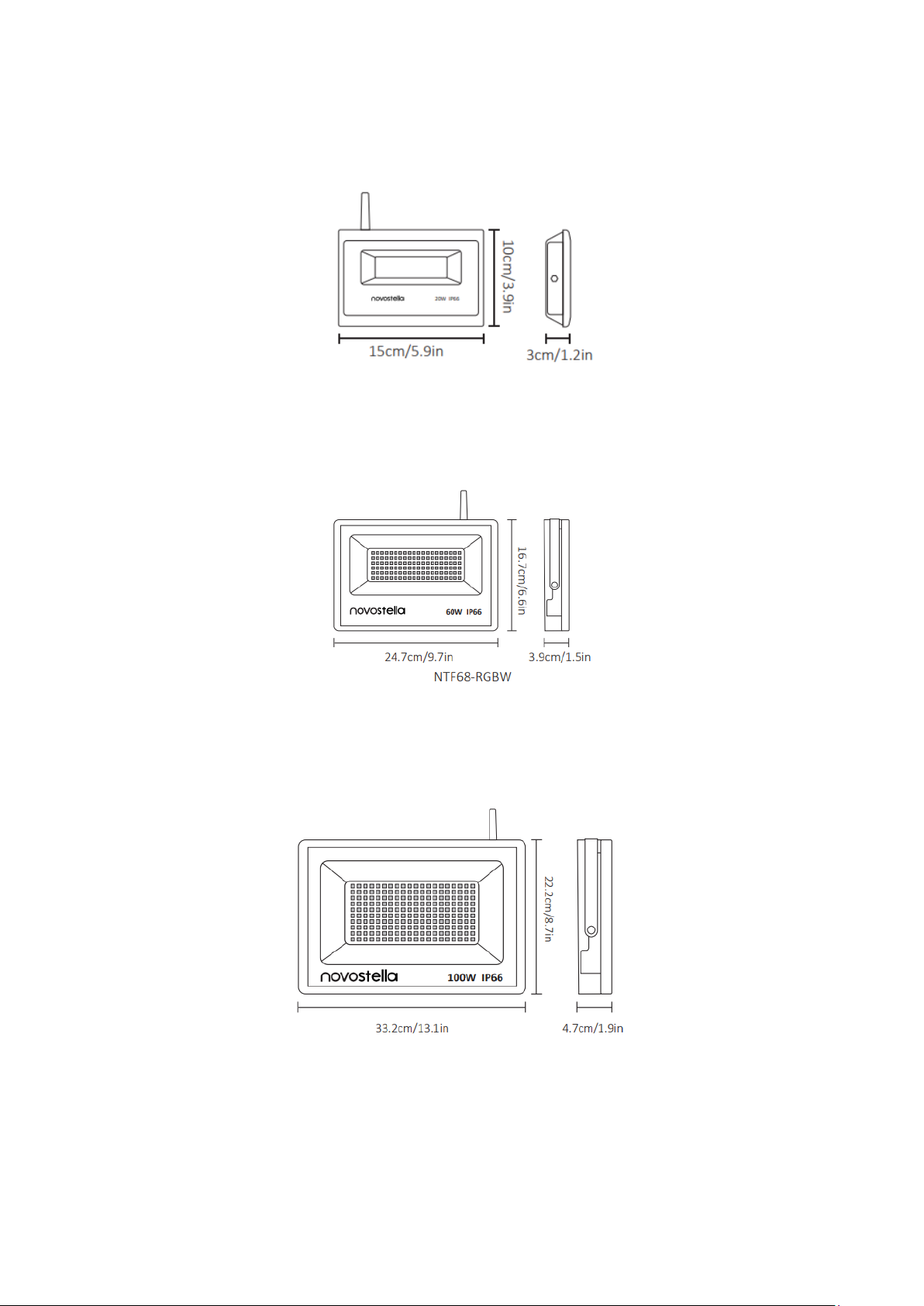
Dimension
NTF36-RGBCW
Weight: 1.4lb/0.62kg
Max Projected Area: 20m2
NTF68-RGBCW
Weight: 3.05lb/1.4kg
Max Projected Area: 50m2
NTF69-RGBW
Weight: 5.51lb/2.5kg
Max Projected Area: 80m2

7
Installation
Step A: Wi-Fi transmitter is to boost the Wi-Fi signal. Take out the Wi-Fi transmitter from
the package. Screw the Wi-Fi transmitter to the top of the light.
Step B: According to the spacing of two screw bits on the bracket, drill two holes on the
mounting panel.
Note: Maximum mounting height is over 5m.
Step C: Aim the bracket at the holes and fix it with two bolts.
Step D: Adjust the lighting direction up or down as per you need and plug in to power
the light on.
8
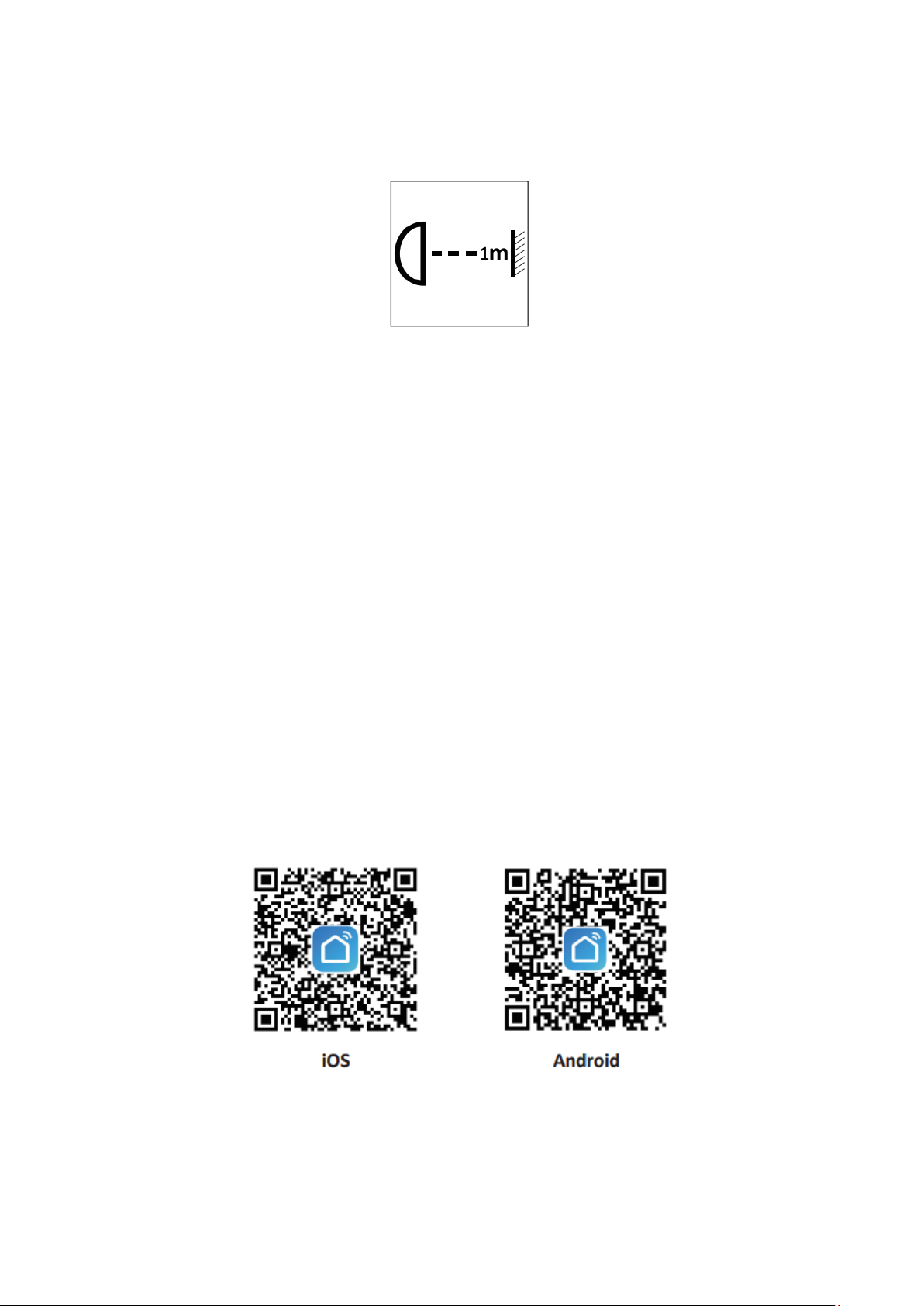
Note:
Make sure that the distance between the light and the object being lit is more than 1
meter, so as to avoid hight temperature caused by short distance.
The light source of this luminaire is not replaceable.
Limitation of Indoor and Outdoor Use
•This light is waterproof and dampproof. It is protected against the rain, but it
cannot be immersed in water.
•The mounting position of this light should be able to bear at least 10 times as
heavy as the light.
•This light should be used in condition that is good for heat dissipation. Its
working temperature should be less than 45°C. Too hight the working
temperature will cause serious lumen depression and affect lifespan of the light.
How to pair the light Smart Life app?
Step A: Smart Life app installation
Please choose either way either way below to download and install the app.
1. As per your phone system, choose the QR code to scan.
2. Search keyword “Smart Life” in Apple Store or Google Play.

9
Step B: Create an account on Smart Life and login.
Note: Please keep your account and password in mind for Alexa or Google Assistant App
painting later.
Step C: Add the light to Smart Life App
1. Tap “+” button on top right corner to add device, then tap “lighting devices” to
enter next page.
Wi-Fi Connection
This smart light supports 2.4GHz Wi-Fi network, not 5.0GHz. Please make sure your
working network is 2.4GHz, and your phone is connected to the require Wi-Fi network.
1. Power on the light with your own switch.
2. Observe how frequently the light blinks to identify which mode it is in.
•Smart Life App supports two Wi-Fi connection, EZ (Easy) Mode and Access Points
(AP) mode. When in EZ mode, the light blinks rapidly (about 0.5s per blink), when
in AP mode, the light blinks slowly (about 3s per blink)
•EZ mode is the easier wat for Wi-Fi connection. When the light is in AP mode, you
can change it to EZ mode by repeatedly turn on-off-on-off-on the switch to
activate the light into rapid blinking status (about 0.5s per blink) And please make
sure to keep an interval over 2 seconds between each turn-on and turn-off.

10
3. Confirm the light is in EZ mode, then tap “confirm” button to proceed. If you need
help, tap “view help” for more details.
Step D: Give a name to the light
•A simple name is recommended for easier voice recognition with Alexa or Google
Assistant.
•The name given to the light will be the same for voice control on Alexa or Google
Assistant. For example, the light is named “smart light” on this user guide.
Step E
The named light will be shown on the app homepage. Now you can control the light
(turn on/off, change colors, adjust brightness etc.) with Smart Life on the setting page.
Turn on or off the light by tapping the bulb icon.
Note: To control the light with Amazon Alexa, please read Part Three. To control the light
with Google Assistant, please read Part Four directly.
This manual suits for next models
5
Table of contents
Languages:
Other novostella Floodlight manuals