INDEX
08
6 Programming .................................................................................
11
6.6 Programming the PLU (price look up)..................................................
12
6.6.3 Printing the PLUs programmed.....................................................................
19
7.3.3 Clerk logs off ...............................................................................................
01
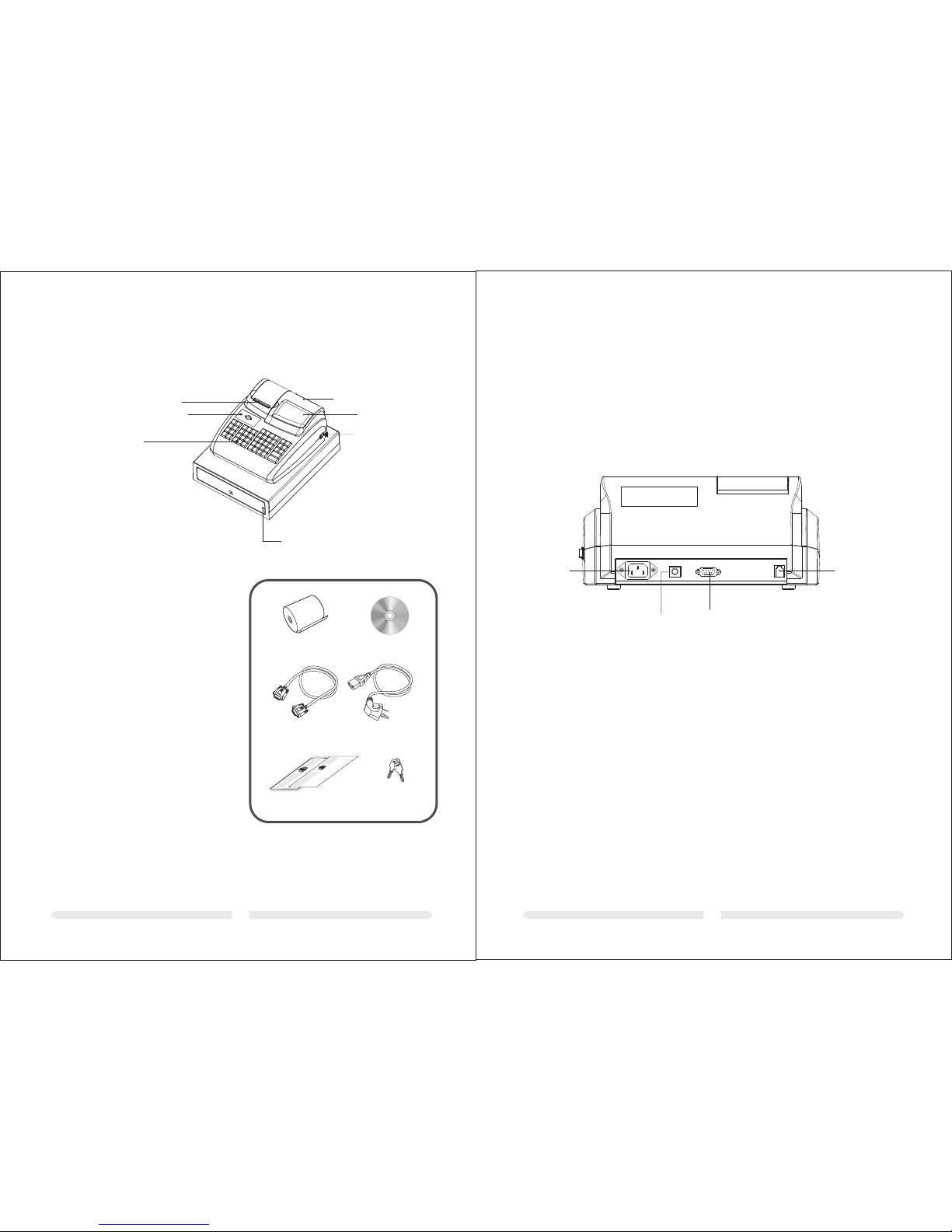
1 ECR Parts Description ...................................................................
02
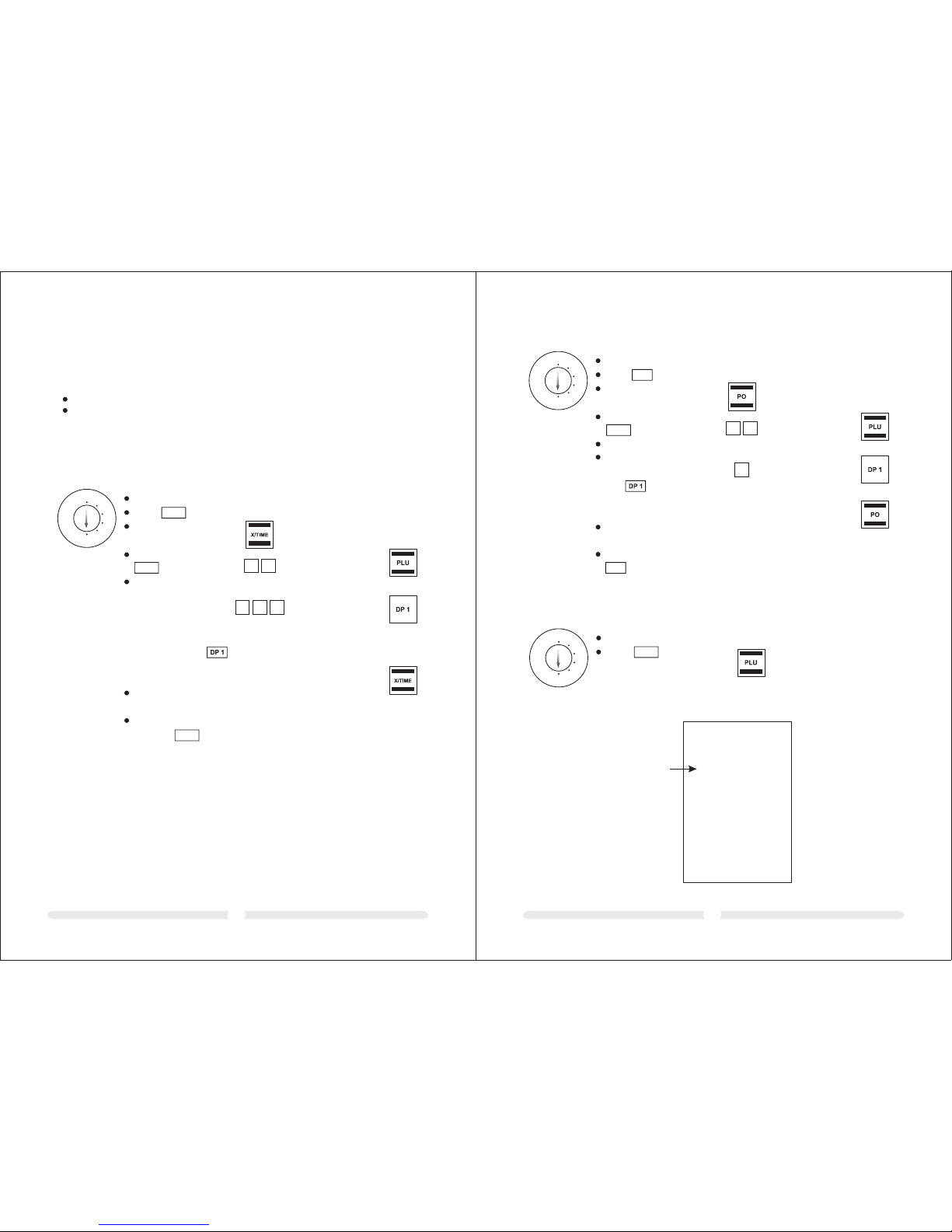
2 Description To Ports ......................................................................
03
3 Load paper ....................................................................................
04
4 Key Switch .....................................................................................
04
4.1 Key switch positons ..............................................................................
04
4.2 Keys .....................................................................................................
05
5 Keyboard .......................................................................................
05
5.1 Changing the key labels ........................................................................
05
5.2 Keyboard description ...........................................................................
6.1 Programming the date.......................................................................... 08
6.2 Programming the time ......................................................................... 08
6.3 Programming the VAT rate................................................................... 08
09
6.4 Programming a percentage discount .................................................... 09
6.5.1 Programming department status and fixed price ............................................. 09
6.5.2 Printing the department programme ............................................................... 10
6.6.1 Programming the price and department assignment ....................................... 11
6.6.2 Programming the PLU status and department assignment ............................... 11
6.7 Programming foreign currencies ......................................................... 13
6.8 System options...................................................................................... 13
6.8.1 Programming system settings....................................................................... 13
6.8.2 Printing the system options (dump report) .................................................... 16
7 Clerk System .................................................................................. 17
7.1 Activating the clerk system................................................................... 17
7.2 Clerk system without a password.......................................................... 17
7.2.1 Clerk log-on with clerk number..................................................................... 17
7.2.2 Clerk logs off .............................................................................................. 17
7.3 Clerk system with password.................................................................. 18
7.3.1 Programming a clerk password...................................................................... 18
7.3.2 Clerk log-on with clerk number and clerk password ........................................ 18
6.5 Programming departments (DP) .......................................................... 09
8 Operation..................................................................................... 19
8.1 Registering departments ................................................................... 19
8.2 Registering negative departments ..................................................... 20
8.3 Registering PLUs ............................................................................... 21
8.3.1 Registering PLUs with a fixed price ........................................................... 21
8.3.2 Registering a PLU with free pricing........................................................... 21
8.3.3 Registering negative PLUs........................................................................ 22
8.4 Concluding receipts / Methods of payment............................................ 22
8.4.1 Payment by cash.......................................................................................... 22
8.4.2 Payment by EC card / check.......................................................................... 23
8.4.3 Payment by credit card / credit approval......................................................... 23
8.5 Foreign currency payment.................................................................... 23
8.6 Registering a discount as an amount...................................................... 24
8.7 Registering a discount as a percentage.................................................. 24
8.7.1 Registering a percentage discount on a PLU .................................................. 24
8.7.2 Registering a percentage discount on a subtotal.............................................. 24
8.8 Error Correction and Void.................................................................... 24
8.8.1 EC ............................................................................................................. 24
8.8.2 Normal void ............................................................................................... 25
8.9 Refund / Void........................................................................................ 25
8.10 Received on account operations.......................................................... 25
8.11 Paid out operations ............................................................................ 26
8.12 Printing function................................................................................ 27
8.13 Opening the cash drawer without a sale .............................................. 27
8.14 Printing a receipt on/off ..................................................................... 28
8.15 Printing a copy of the receipt............................................................... 28
9 Training Mode................................................................................. 28
9.1 Activating Training mode..................................................................... 28
9.2 Practising in Training mode.................................................................. 28
9.3 Deactivating Training mode.................................................................. 29
10 Cash Register Reports ................................................................... 29
10.1 Basic information............................................................................... 29
10.2 Overview of cash register reports........................................................ 29
11 Eliminating Problems.................................................................... 30
11.1Error messages in the display .............................................................. 30
11.2 Display indicators .............................................................................. 30
11.3 Printer malfunction ........................................................................... 31
11.4 Resetting the cash register to its default settings.................................. 31
31
31
34
12 PC Software Instruction ...............................................................
12.1 Install the Program ...........................................................................
34
12.2 Communication Setting .....................................................................
12.3 Data Backup and Recovery ................................................................
12.4 commodity information input ............................................................
12.5 download LOGO ...............................................................................
36
36
12.6 Receipt title logo message and tail AD message setting ........................ 37