Oculus VR Rift DK2 User manual

Quick Start Guide
revised 7/25/2014

2 TM & © 2014 Oculus VR, LLC. All Rights Reserved. TM & © 2014 Oculus VR, LLC. All Rights Reserved. 3
Oculus Rift Development Kit 2
Development Kit 2 Contents
Remove the contents from the box carefully. If any part is missing or
damaged, please contact Oculus Customer Support at
support.oculusvr.com.
Please read the safety warnings provided in this guide carefully
before using the headset.
You can nd more details on setup and troubleshooting online at:
support.oculusvr.com.
2 TM & © 2014 Oculus VR, LLC. All Rights Reserved. TM & © 2014 Oculus VR, LLC. All Rights Reserved. 3
Oculus Rift Development Kit 2
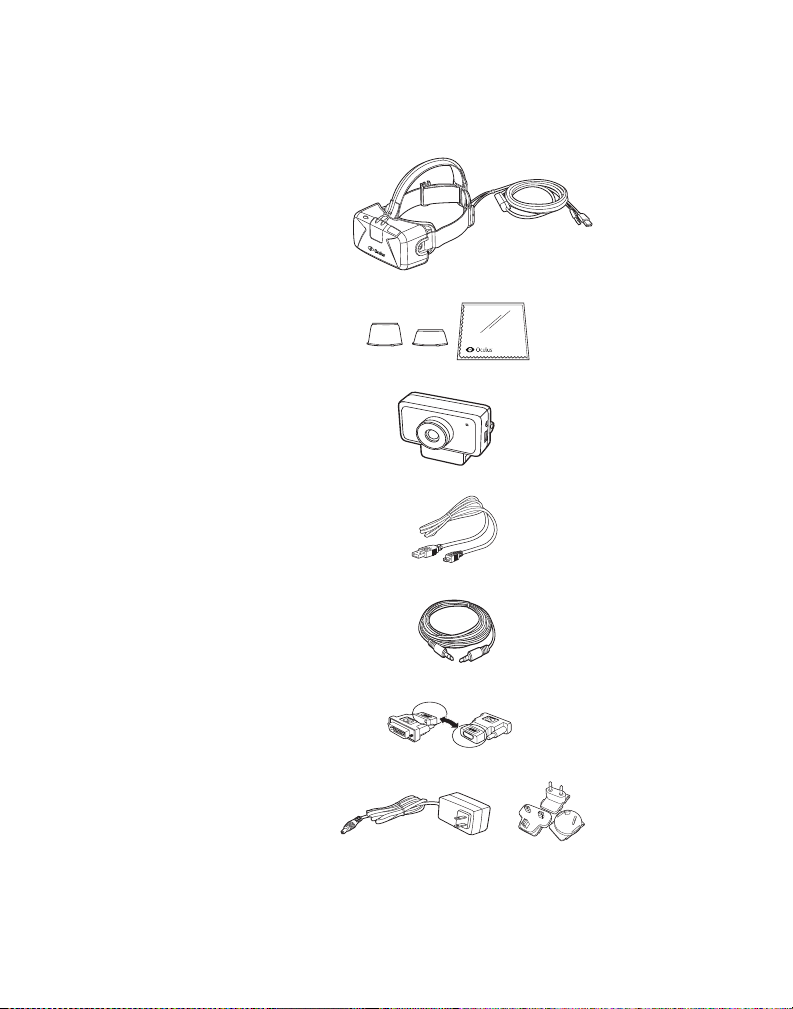
The kit contains the following:
Headset with detachable
cable
Lenses - 2 sizes and cloth
BA
Positional tracker
Positional tracker USB
cable
Positional tracker sync
cable
1 DVI to HDMI adapter
Power adapter and 4
plugs: US (attached), UK,
AU, EU

4 TM & © 2014 Oculus VR, LLC. All Rights Reserved. TM & © 2014 Oculus VR, LLC. All Rights Reserved. 5
Oculus Rift Development Kit 2
Install the Oculus Software
Development Kit (SDK)
To develop applications for the Rift, you need the Oculus
SDK. You can download the SDK by visiting the Oculus
Developer Center at developer.oculusvr.com.
After you register, please log in and select the
Downloads tab to choose the SDK for your operating
system.
STEP
1
USB and HDMI
connectors
Cable
Cover
Set Up the Headset
Remove the cover on the front of the headset to make
sure that the cable is securely inserted into the ports on
the front of the headset. Please replace the door on the
front of the headset.
Do not place stickers or anything else on the front of the
headset that could obstruct the LEDs, as this may impact
performance.
STEP
2
4 TM & © 2014 Oculus VR, LLC. All Rights Reserved. TM & © 2014 Oculus VR, LLC. All Rights Reserved. 5
Oculus Rift Development Kit 2
USB
cable
HDMI
cable
Headset
cable
Connect Headset Cable to
Computer
Unwrap the cable that is attached to the headset. The
end of the headset cable has an HDMI connector and a
USB connector. Plug both the HDMI connector and the
USB connector into your computer.
If your computer does not have an HDMI interface but
does have a DVI interface, use the included DVI to HDMI
adapter to connect the HDMI to the DVI port.
STEP
3
Note: To minimize cable thickness, each DK2 cable
is individually calibrated for maximum HDMI signal
integrity over the length of the cable. As such,
joining multiple HDMI cables via passive couplers is
not recommended for use with the DK2 cable as the
additional length is not compatible with this calibration.

6 TM & © 2014 Oculus VR, LLC. All Rights Reserved. TM & © 2014 Oculus VR, LLC. All Rights Reserved. 7
Oculus Rift Development Kit 2
Rift cable
Cable
connector
box
Sync cable to
cable connector box
USB cable
to computer
HDMI cable
to computer
Sync cable to
cable connector box
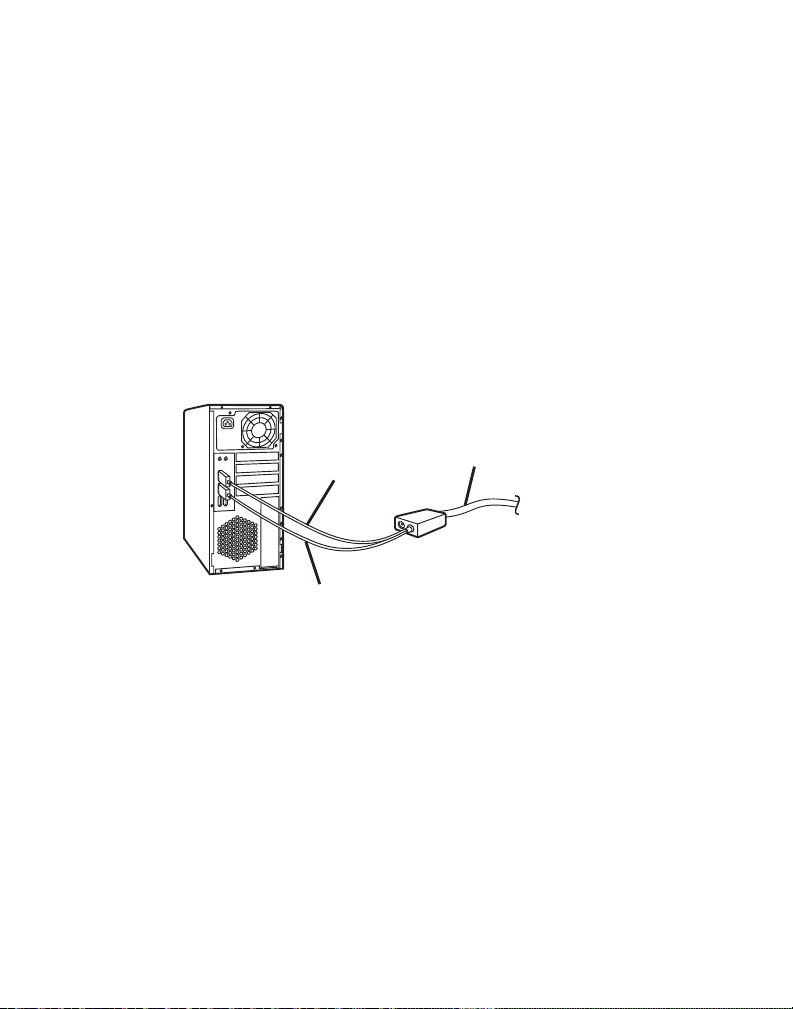
Attach the sync and USB cables to the positional
tracker.
Positional tracker sync cable - Insert one end of the
sync cable to the top connector on the right side of the
positional tracker with the positional tracker facing you.
Connect the other end of the sync cable to the cable
connector box on the headset cable.
Positional tracker USB cable - Insert the mini USB end of
the positional tracker USB cable to the lower connector on
the right side of the positional tracker. Connect the other
end of the positional tracker USB cable to one of the USB
ports on the computer.
Connect Positional Tracker
Cables
STEP
4
6 TM & © 2014 Oculus VR, LLC. All Rights Reserved. TM & © 2014 Oculus VR, LLC. All Rights Reserved. 7
Oculus Rift Development Kit 2
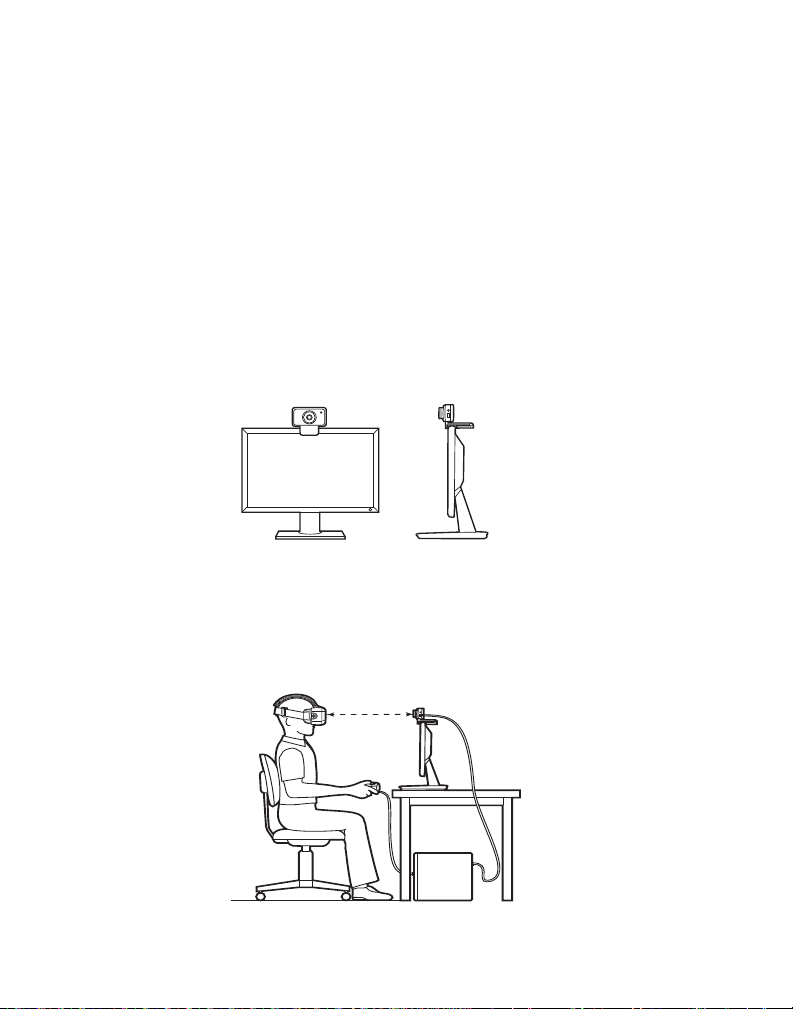
Ensure there is a direct line of sight from the positional
tracker to the headset.
For optimal performance, position yourself about 1.5
meters or 5 feet away from the positional tracker.
5 Feet
The positional tracker is used for tracking the position of
the headset in 3D space.
Attach the positional tracker to a tripod or the top of your
monitor, or rest it on your desk. Make sure the positional
tracker lens is facing you. The positional tracker must be
stable, as shaking the positional tracker can cause the
image rendered on the display panel to shake even if you
are sitting still.
STEP
5Attach Positional Tracker to
Tripod or Monitor

8 TM & © 2014 Oculus VR, LLC. All Rights Reserved. TM & © 2014 Oculus VR, LLC. All Rights Reserved. 9
Oculus Rift Development Kit 2
USB cable
to computer HDMI cable
to computer
Power cord
Positional tracker
USB cable
to computer
Sync cable to
cable connector box
HDMI cable
to computer
Power cord
USB cable
to computer
When all the cables are connected, the setup will look like
the following:
The power adapter is used to allow use of the USB
accessory port on the headset. Plug the barrel connector
of the power cord to the cable connector box.
You must plug the power adapter with the appropriate
country plug to a power source. Make sure that you use
only the power adapter supplied with your headset.
STEP
6Connect Power to the Cable
Connector Box (optional)
8 TM & © 2014 Oculus VR, LLC. All Rights Reserved. TM & © 2014 Oculus VR, LLC. All Rights Reserved. 9
Oculus Rift Development Kit 2
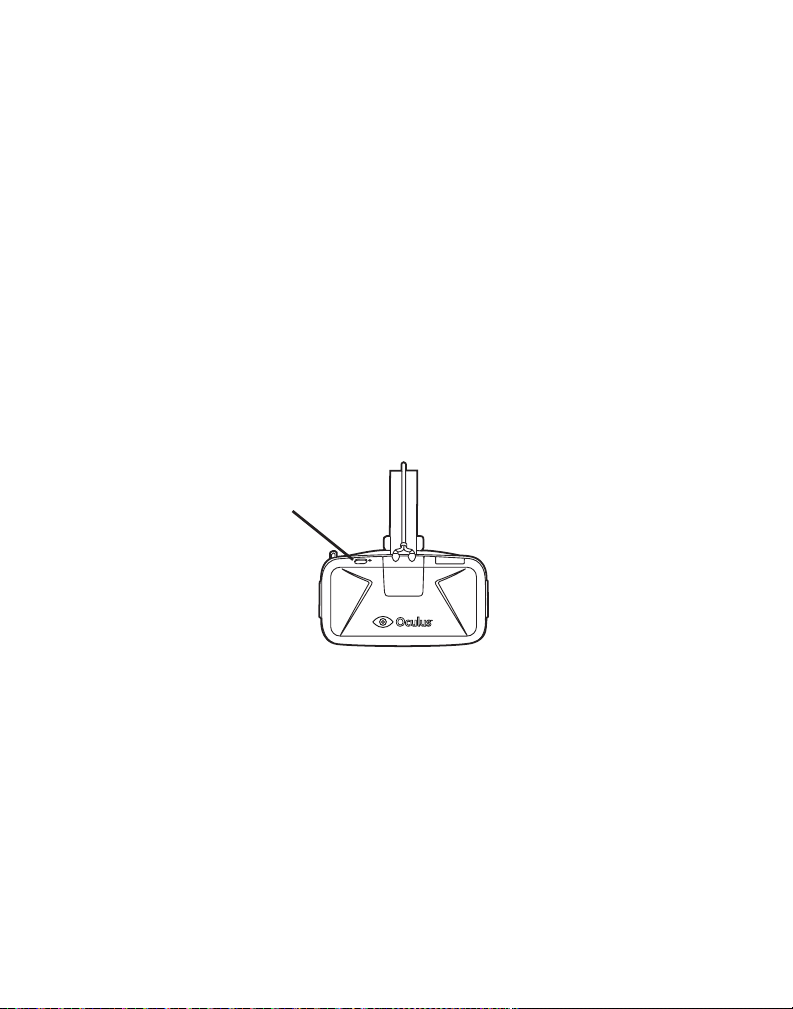
Power button
STEP
7Power On the Headset
The headset is on by default on plug in. The screen in the
headset should be on.
If the headset does not turn on, please check to make
sure all cables are rmly and properly connected. If the
LED on the headset is illuminated orange, the headset
is powered on, but does not have a video signal. If the
LED is illuminated blue, the headset is powered on and is
receiving a video signal.
If you are still having trouble, please check our support
site at support.oculusvr.com for additional information.
10 TM & © 2014 Oculus VR, LLC. All Rights Reserved. TM & © 2014 Oculus VR, LLC. All Rights Reserved. 11
Oculus Rift Development Kit 2
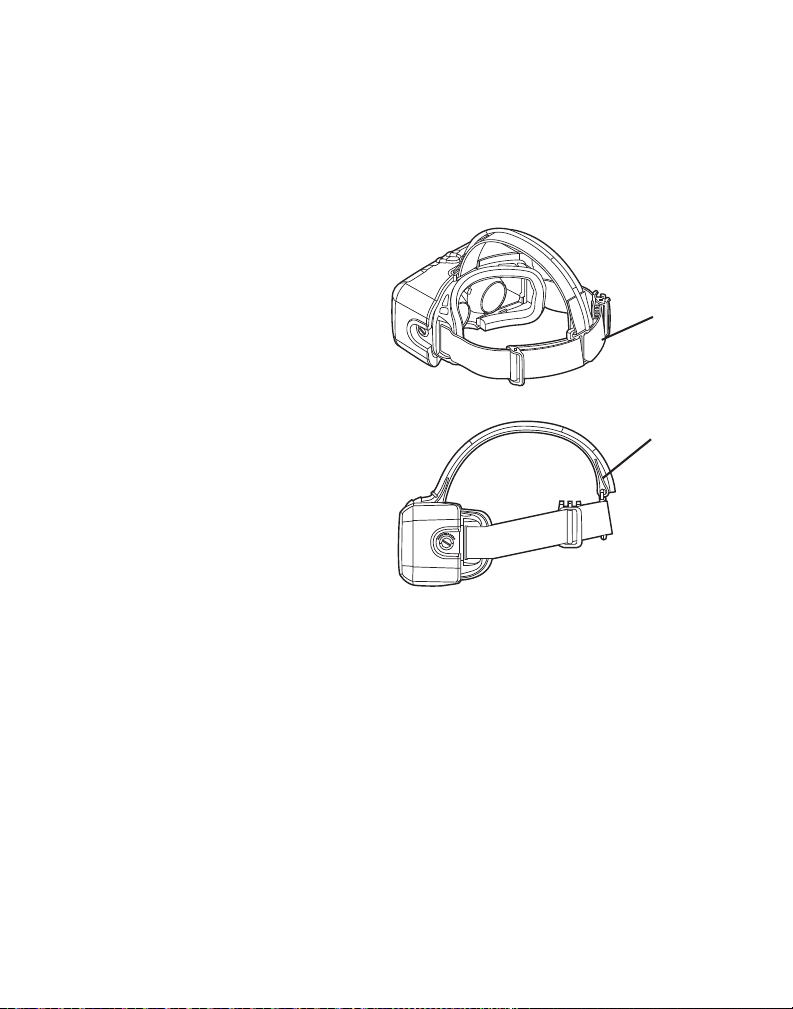
Over-the-head
strap
Lateral
head Strap
Adjust Head Straps
Adjust the lateral and over-the-head straps so that the
headset ts snugly and comfortably.
STEP
8
Table of contents
Other Oculus VR Virtual Reality Headset manuals