manuals.online logo
Brands
  1. Home
  2. •
  3. Brands
  4. •
  5. Omega
  6. •
  7. Data Logger
  8. •
  9. Omega OMP-MODL User manual

Omega OMP-MODL User manual

Other Omega Data Logger manuals

Omega OM-WEB-TC User manual

Omega

Omega OM-WEB-TC User manual

Omega OM-CP-QUADVOLT User manual

Omega

Omega OM-CP-QUADVOLT User manual

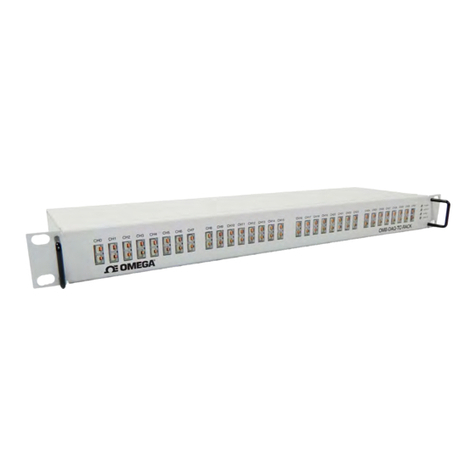
Omega OMB-DAQ-TC-RACK User manual

Omega

Omega OMB-DAQ-TC-RACK User manual

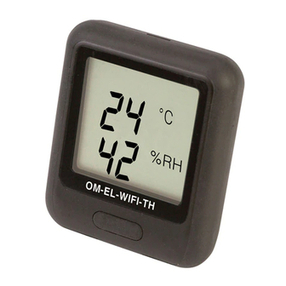
Omega OM-EL-WiFi Series User manual

Omega

Omega OM-EL-WiFi Series User manual

Omega OM-USB-5201 User manual

Omega

Omega OM-USB-5201 User manual

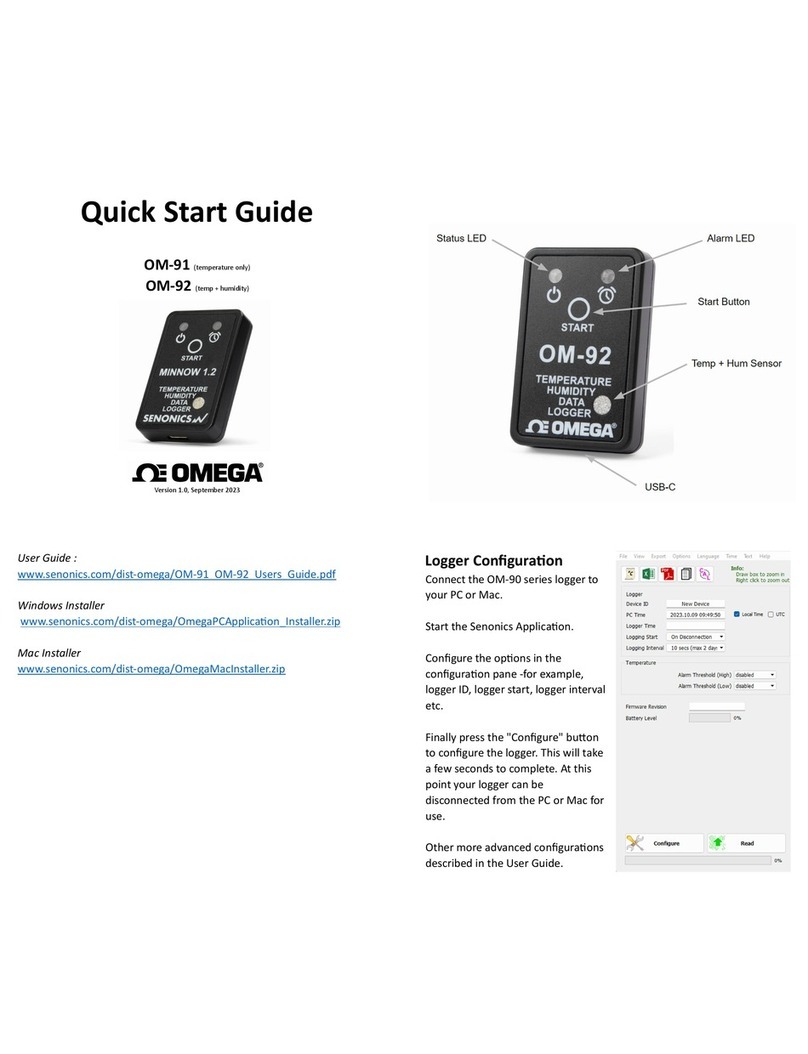
Omega OM-91 User manual

Omega

Omega OM-91 User manual

Omega OM-CP-PRHTEMP2000 User manual

Omega

Omega OM-CP-PRHTEMP2000 User manual

Omega OM-USB-1208HS Series User manual

Omega

Omega OM-USB-1208HS Series User manual

Omega HH520 User manual

Omega

Omega HH520 User manual

Omega OM-CP-RFCURRENT2000A User manual

Omega

Omega OM-CP-RFCURRENT2000A User manual

Omega OM-60-TE User manual

Omega

Omega OM-60-TE User manual

Omega CT485B-110V-G-AL User manual

Omega

Omega CT485B-110V-G-AL User manual

Omega OM-EL-WiFi-TH User manual

Omega

Omega OM-EL-WiFi-TH User manual

Omega OM-EL-WiFi-TP User manual

Omega

Omega OM-EL-WiFi-TP User manual

Omega OM-CP-ULTRASHOCK-A User manual

Omega

Omega OM-CP-ULTRASHOCK-A User manual

Omega OM-90 Series User manual

Omega

Omega OM-90 Series User manual

Omega OM8800D User manual

Omega

Omega OM8800D User manual

Omega OM-CP-PROCESS101A User manual

Omega

Omega OM-CP-PROCESS101A User manual

Omega OM-21A User manual

Omega

Omega OM-21A User manual

Omega OM-CP-HITEMP140-FP User manual

Omega

Omega OM-CP-HITEMP140-FP User manual

Omega OM-DLAC User manual

Omega

Omega OM-DLAC User manual

Omega OM-VIB-101 User manual

Omega

Omega OM-VIB-101 User manual

Omega OM-EL-WiFi Series User manual

Omega

Omega OM-EL-WiFi Series User manual

Omega OMB-DAQ-2408 Series User manual

Omega

Omega OMB-DAQ-2408 Series User manual

Popular Data Logger manuals by other brands

UGCS SkyHub user manual

UGCS

UGCS SkyHub user manual

Avisaro 4.0 Series user manual

Avisaro

Avisaro 4.0 Series user manual

DDB C3 manual

DDB

DDB C3 manual

TESTO 176 instruction manual

TESTO

TESTO 176 instruction manual

HBM SOMAT XR CX22B-R operating manual

HBM

HBM SOMAT XR CX22B-R operating manual

Agtrix 380i manual

Agtrix

Agtrix 380i manual

Beijing ART Tech PCI2320 user manual

Beijing ART Tech

Beijing ART Tech PCI2320 user manual

Athena GET SL1 user manual

Athena

Athena GET SL1 user manual

Motec Systems C185 user manual

Motec Systems

Motec Systems C185 user manual

Beijing ART Tech USB2832 user manual

Beijing ART Tech

Beijing ART Tech USB2832 user manual

HT Italia XL421 user manual

HT Italia

HT Italia XL421 user manual

Racelogic VBOX LapTimer quick start guide

Racelogic

Racelogic VBOX LapTimer quick start guide

Edu-Logger 900-240 Guide

Edu-Logger

Edu-Logger 900-240 Guide

Elma DT173 manual

Elma

Elma DT173 manual

MadgeTech PRTemp140 Product user guide

MadgeTech

MadgeTech PRTemp140 Product user guide

Comet U0121M user guide

Comet

Comet U0121M user guide

pico Technology PT-104 user guide

pico Technology

pico Technology PT-104 user guide

Sensus DIAVASO user manual

Sensus

Sensus DIAVASO user manual

manuals.online logo
manuals.online logoBrands
  • About & Mission
  • Contact us
  • Privacy Policy
  • Terms and Conditions

Copyright 2025 Manuals.Online. All Rights Reserved.

OMEGAnetSM On-Line Service
http://www.omega.com
Internet e-mail
[email protected]
Servicing North America:
USA: One Omega Drive, Box 4047
Stamford, CT 06907-0047
Tel: (203) 359-1660
e-mail: [email protected] FAX: (203) 359-7700
Canada: 976 Berger
Laval (Quebec) H7L 5A1
Tel: (514) 856-6928
e-mail: [email protected] FAX: (514) 856-6886
For immediate technical or application assistance:
USA and Canada: Sales Service: 1-800-826-6342 / 1-800-TC-OMEGASM
Customer Service: 1-800-622-2378 / 1-800-622-BESTSM
Engineering Service: 1-800-872-9436 / 1-800-USA-WHENSM
TELEX: 996404 EASYLINK: 62968934 CABLE: OMEGA
Mexico and
Latin America: Tel: (95) 800-TC-OMEGASM
En Espanol: (95) 203-359-7803 FAX: (95) 203-359-7807
e-mail: [email protected]
Servicing Europe:
Benelux: Postbus 8034, 1180 LA Amstelveen, The Netherlands
Tel: (31) 20 6418405
Toll Free in Benelux: 06 0993344
e-mail: [email protected]
FAX: (31) 20 6434643
Czech Republic: ul. Rude armady 1868
733 01 Karvina-Hranice
Tel: 420 (69) 6311899
e-mail:[email protected] FAX: 420 (69) 6311114
France: 9, rue Denis Papin, 78190 Trappes
Tel: (33) 130-621-400
Toll Free in France: 0800-4-06342
e-mail: [email protected]
FAX: (33) 130-699-120
Germany/Austria:Daimlerstrasse 26, D-75392 Deckenpfronn, Germany
Tel: 49 (07056) 3017
Toll Free in Germany: 0130 11 21 66
e-mail: [email protected]
FAX: 49 (07056) 8540
United Kingdom: 25 Swannington Road,
Broughton Astley, Leicestershire,
LE9 6TU, England
Tel: 44 (1455) 285520
FAX: 44 (1455) 283912
P.O. Box 7, Omega Drive,
Irlam, Manchester,
M44 5EX, England
Tel: 44 (161) 777-6611
FAX: 44 (161) 777-6622
Toll Free in England: 0800-488-488
e-mail: [email protected]
It is the policy of OMEGA to comply with all worldwide safety and EMC/EMI regulations that
apply. OMEGA is constantly pursuing certification of its products to the European New Approach
Directives. OMEGA will add the CE mark to every appropriate device upon certification.
The information contained in this document is believed to be correct but OMEGA Engineering, Inc. accepts
no liability for any errors it contains, and reserves the right to alter specifications without notice.
WARNING: These products are not designed for use in, and should not be used for, patient connected applications.
1... INTRODUCTION
USING THE OMP-MODL 1-1
1... INTRODUCTION
MANUAL OVERVIEW
This User’s manual provides information relative to the use of the OMP-MODL
Portable Data Logging Systems manufactured by Omega Engineering. The manual
is organized into sections describing the main components of a OMP-MODL system,
from the System Base through the various features within the provided software.
The last section of the manual consists of the Appendices which give detailed
specifications and information for general reference and advanced applications.
After following the instructions for the installation of the HyperWare software, much
can be learned by exploring this manual, the software and the hardware in any
order... without concern for damaging results. However, it is HIGHLY
RECOMMENDED that this User’s manual be read in its entirety before deploying the
OMP-MODL in a real application.
A note on the keyboard / mouse convention used within this manual... Throughout
the manual, instructions on PC keyboard entry or menu selections via mouse are
specified by using italic print such as ENTER which refers to the `Enter’ Key on the
keyboard or FILE which refers to the menu item titled `FILE’.
OMP-MODL SYSTEM: `THE BIG PICTURE’
The OMP-MODL is a battery powered portable data logging and control system. It
can be left at a site to collect data from various analog and digital signal or sensor
inputs. This data is mathematically processed by the OMP-MODL and stored in its
internal memory while simultaneously performing basic onsite alarm functions. The
collected data is then transferred to a PC running the supplied HyperWare software
for data plotting, real-time trending and analysis.
OMP-MNL VS OMP-MODL
The OMP-MNL is a special fixed functionality model of the OMP-MODL family. The
OMP-MNL offers the same functionality as the basic OMP-MODL with the exception
that it cannot be expanded with the addition of Interface Modules.
Throughout this manual, references made to the OMP-MODL generally refer to the
OMP-MNL and the OMP-MODL except where noted.
OMP-MODL SYSTEM COMPONENTS
A OMP-MODL portable data logging system consists of a number of components...
both hardware and software.
The main components are listed below and details follow:
♦OMP-MODL System Base
♦Interface Modules
♦HyperWare™ , Windows based software
♦Options such as modems, PCMCIA, etc
1... INTRODUCTION
USING THE OMP-MODL
1-2
OMP-MODL System Base
The OMP-MODL System Base refers to the main data logger unit composed
of a stack of two interconnected modules... the MLCPU-1 module and the
MLAD-1 module. These two modules combined house the main
microprocessor and support circuitry, memory, power supplies, A to D
converter as well as 6 inputs (4 analog, 1 Cold Junction Compensation
temperature and 1 digital) and 4 outputs. The System Base can be used
stand-alone as a 6 input / 4 output data logger (OMP-MNL) or expanded with
the addition of Interface Modules, battery packs, and/or display modules.
The System Base includes a connector bus that provides signal connections
to the added Interface Modules.
Interface Modules
Interface Modules (See Figure 1... -2) are add-on layers that provide the
interface to various types of inputs and output signals. The Interface
Modules can be User installed onto the System Base then configured for the
specific type of signal or sensor to be connected to the OMP-MODL.
Interface Modules are configured via software and/or switch settings on the
modules.
ML-TOP
TOP PLATE
MLADC-1
MLCPU-1
ML-BACK
BOTTOM PLATE/HANGER
ML001
Figure 1... -1: OMP-MODL System Base w/ top and bottom
plates
1... INTRODUCTION
USING THE OMP-MODL 1-3
A family of Interface Modules is available for interface to various input signal
types such as thermocouples, RTD’s, voltage, current, frequency, event, etc.
Additionally, Interface Modules are available with outputs for digital alarm
and basic ON/OFF control functions.
Note that the OMP-MNL model does not support installation of additional
Interface Modules.
HyperWare™ Software
Utilized with the OMP-MODL is a powerful Windows based software
package called HyperWare. HyperWare, running on an IBM compatible PC
under the Microsoft Windows environment provides a multitude of functions
for setup of the OMP-MODL as well as analysis of collected data including:
♦Serial Communications support between the PC and the
OMP-MODL for RS-232 and telephone modem links
(OMP-MNL does not support modem comm)
♦Programming of the OMP-MODL using the powerful
HyperNet™ visual icon based programming method
♦Multi-channel, graphic data display of previously
collected data using HyperPlot™
♦Screen captures of HyperPlot graphs for seamless
integration into other Windows based software
applications such as wordprocessors, spreadsheets, or
desk-top publishing packages
♦Conversion of collected data files to ASCII text or
Microsoft Excel file formats
Inter-Module Connection bus
Configuration Switches I/O Wiring Terminal
Strip
Side Retaining Screw holes
Figure 1... -2; Interface Module
1... INTRODUCTION
USING THE OMP-MODL
1-4
♦Powerful mathematical data manipulation of collected
data during conversion to HyperPlot graphs, ASCII text
files and Excel files
♦HyperTrack™ real-time graphic and numeric data
display of OMP-MODL inputs and HyperNet nodes
Additional Components
Special function modules are also available to provide:
Telephone Modem Interface - plug-in modules that contain integral
low power 2400 Baud or 14.4 Kbaud telephone modems. These
modules allow for direct connection to standard telephone lines for
data transfer, reprogramming, and control...all from a remote PC
running HyperWare (not supported by OMP-MNL model) .
PCMCIA Memory Card Interface - plug-in module provides a
socket and interface circuitry for removable PCMCIA memory card
support. When utilized, the OMP-MODL stores data to the credit
card sized PCMCIA card. At any time, the card can be unplugged
from its socket and carried or shipped to a another site where the
data can be downloaded to a PC. Advantages of the PCMCIA card
include massive data storage capability, easily transportable data,
field data collection by non-technical staff, and reprogramming of
field units via card.
Battery Pack - add-on module containing 6 alkaline D-Cell batteries
for installations without power.
Front Panel Display and User Switch module - plug-on module
provides a faceplate with 2-line LCD, full set of User switches and
Status indicators.
Special Serial Communications Interface - a variety of special
serial communication types and protocols are available for serial
signal interface. Contact Omega Engineering about your specific
application requirement.
1... INTRODUCTION
USING THE OMP-MODL 1-5
FEATURES
Designed with the User in mind, the OMP-MODL portable data logging system has a
multitude of integral features ranging from special hardware considerations to
unlimited software programmability and data review. Capabilities include:
♦Up to 24 channels of analog input or 40+ digital input/outputs.
♦Configurable Interface Modules accept a multitude of signal types and ranges all
on a single module.
♦Low power design allows for field logging up to 3 weeks from a set of commonly
available D-Cells.
♦Pluggable I/O wiring Terminal Strips facilitate quick connect and disconnect of
the sensor and signal wiring harness.
♦Four integral alarm outputs including two relays
♦True Microsoft Windows based HyperWare software.
♦Powerful HyperPlot graphic data display software with seamless integration of
plotted data into other Windows applications.
♦HyperNet visual icon based programming provides unlimited flexibility in
programming, yet maintains simplicity with drag and drop icon configuration. Set
the OMP-MODL up without writing cryptic lines of code nor experiencing the
rigors of excruciating two button menu tree nightmares.
♦Intelligent logging methodologies include logging only upon change of an input
(Delta-Logging), Conditional logging based on input levels, Conditional logging
based on time of day or elapsed time, dual speed logging initiated by User
programmed conditions, and more.
♦Real-Time data display (on optional liquid crystal display) of User defined node
points... ranging from raw input signals to intermediate processed data to data
logged to memory.
♦User defined alarm messages
♦Pager call-out upon User defined alarm conditions
(Note: OMP-MNL has limited capabilities from above listing)
1... INTRODUCTION
USING THE OMP-MODL
1-6
SUMMARY OF STEPS IN UTILIZING THE OMP-MODL
In a typical application of the OMP-MODL portable data logging system, the
following sequence of steps would be involved. Details of each step are presented
in later sections of this manual.
1. Install the required Interface Modules into the OMP-MODL
System Base. Configure Interface Module hardware switches if
applicable (eg enabling a front end divider for the +/-30VDC
range on the HLIM-1)
2. Connect a serial cable link between the OMP-MODL and your
PC. Launch HyperWare and establish the connection.
HyperWare will automatically configure for the detected logger
model (OMP-MNL, OMP-MODL, or HyperLogger). Then change
to the HyperNet Development Screen.
3. Query the OMP-MODL for its current hardware configuration by
clicking the NEW button.
4. Construct a Program Net for this logging session by dragging
and dropping icons onto the HyperNet screen, then connecting
signals between the icons. Save the Program Net to disk and
print out a Terminal Strip Adapter wiring diagram for field
reference.
5. Transfer the Program Net to OMP-MODL memory via the serial
link and disconnect the serial link.
6. Install the OMP-MODL at the site and make the appropriate
wiring connections to the I/O Terminal Strips and modem (if
used).
7. Enable the OMP-MODL, then as a quick pre-departure check,
check readings at various pre-programmed Program Net nodes
using the Next and Select buttons while viewing the OMP-MODL
display.
8. Leave the OMP-MODL to collect data.
9. Later, connect up to the OMP-MODL via a serial link (RS-232 or
modem) or retrieve the PCMCIA memory card and from within
HyperWare, download the OMP-MODL memory to a file on the
PC.
10. For a fast and immediate review of the collected data, double-
click on the data icon and HyperPlot will automatically load and
graphically display the collected data.
11. Save the desired HyperPlot graphic view as a Windows Bitmap
file , then switch to your Windows based wordprocessor and
seamlessly insert the saved graphic into your test report.
12. Optionally, use the HyperWare Post-Processing capability to
configure a special data reduction/ conversion icon network.
Then run the collected data file through the post processor and
generate a text file, Excel Spreadsheet file or another HyperPlot
file.

1... INTRODUCTION
USING THE MODULOGGER 1-7
13.
2... OMP-MODL System Base
Using the OMP-MODL 2-1
2... OMP-MODL SYSTEM BASE
SYSTEM BASE OVERVIEW
System Base refers to the main data logger unit composed of a stack of two
interconnected modules... the MLCPU-1 module and the MLAD-1 module. These

two modules combined house the main microprocessor and support circuitry,
memory, power supplies, A to D converter as well as 6 inputs (4 analog, 1 Cold
Junction Compensation temperature and 1 digital) and 4 outputs. The System Base
can be used stand-alone as a 6 input / 4 output data logger (i.e. the OMP-MNL) or

expanded with the addition of Interface Modules, battery packs, and/or display
modules in the case of the OMP-MODL model. Additional modules are covered in

the following chapter.
The System Base includes a connector bus that provides signal connections to any
added Interface Modules.
ENCLOSURE / MOUNTING
The OMP-MODL (Figure 2... -1) is built up by plugging together a combination of
modular layers. A top plate (or display module ML-DISP) is then fastened to the top
and a bottom plate/hanger is fastened to the bottom of the stack to complete the
ML-TOP
TOP PLATE
MLADC-1
MLCPU-1
ML-BACK
BOTTOM PLATE/HANGER
ML001
Figure 2... -1: System Base Assembly