manuals.online logo
Brands
  1. Home
  2. •
  3. Brands
  4. •
  5. Omega
  6. •
  7. Temperature Controllers
  8. •
  9. Omega CND3 Series User manual

Omega CND3 Series User manual

Other manuals for CND3 Series

1

This manual suits for next models

1

Other Omega Temperature Controllers manuals

Omega C9000A SERIES User manual

Omega

Omega C9000A SERIES User manual

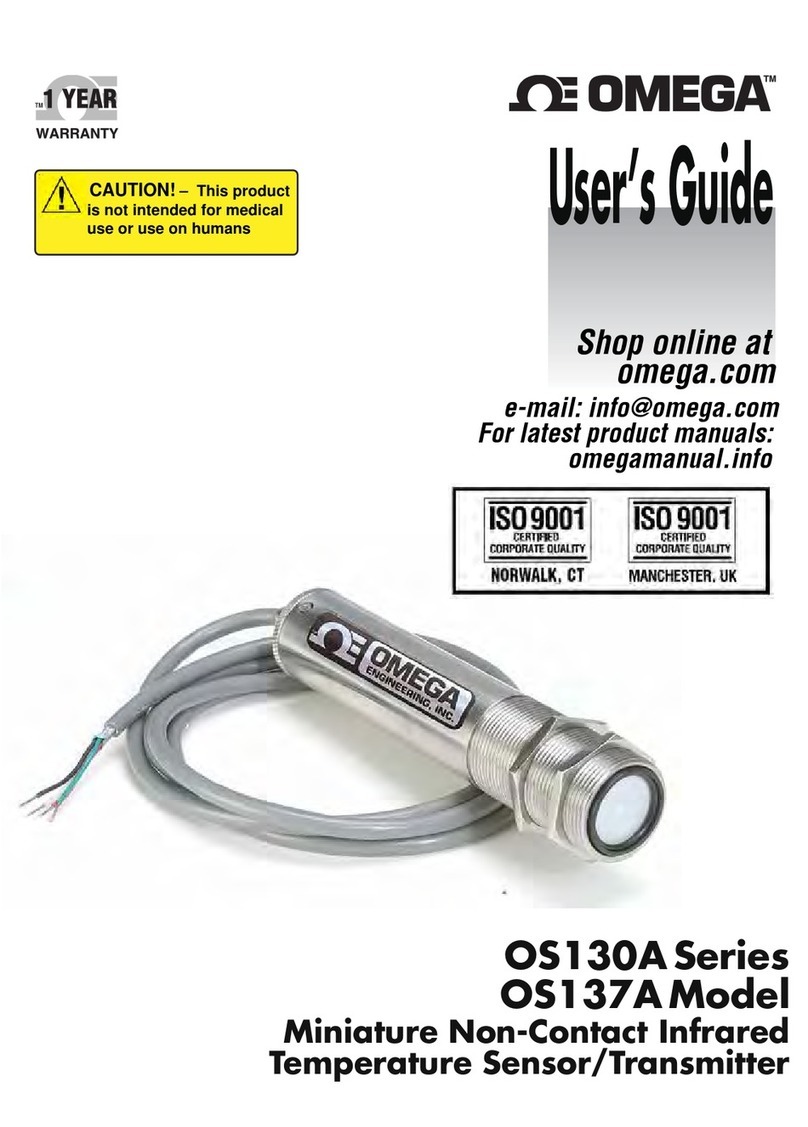
Omega OS130A Series User manual

Omega

Omega OS130A Series User manual

Omega CNI8 User manual

Omega

Omega CNI8 User manual

Omega OS136A Series User manual

Omega

Omega OS136A Series User manual

Omega CN1000-RTD User manual

Omega

Omega CN1000-RTD User manual

Omega CN8200 Series User manual

Omega

Omega CN8200 Series User manual

Omega FUZZY LOGIC CN4800 User manual

Omega

Omega FUZZY LOGIC CN4800 User manual

Omega CYD211 User manual

Omega

Omega CYD211 User manual

Omega CN710 User manual

Omega

Omega CN710 User manual

Omega OS130A Series User manual

Omega

Omega OS130A Series User manual

Omega OS212-MT User manual

Omega

Omega OS212-MT User manual

Omega CN76000 User manual

Omega

Omega CN76000 User manual

Omega OS-MINI SERIES User manual

Omega

Omega OS-MINI SERIES User manual

Omega i Series User manual

Omega

Omega i Series User manual

Omega CN9000A Series User manual

Omega

Omega CN9000A Series User manual

Omega CN1001-RTD User manual

Omega

Omega CN1001-RTD User manual

Omega CN4000 Series User manual

Omega

Omega CN4000 Series User manual

Omega DP26-TC User manual

Omega

Omega DP26-TC User manual

Omega RH32 Series Installation guide

Omega

Omega RH32 Series Installation guide

Omega CN616TC1 User manual

Omega

Omega CN616TC1 User manual

Omega CN63100 Series User manual

Omega

Omega CN63100 Series User manual

Popular Temperature Controllers manuals by other brands

Brookfield TC Series Operator's manual

Brookfield

Brookfield TC Series Operator's manual

Nibe HPAC 45 Installer manual

Nibe

Nibe HPAC 45 Installer manual

Auber TD100 instruction manual

Auber

Auber TD100 instruction manual

IntelliSense INTELLITEMP T-1000 installation instructions

IntelliSense

IntelliSense INTELLITEMP T-1000 installation instructions

Swegon LUNAd MB Instructions for use

Swegon

Swegon LUNAd MB Instructions for use

Lucky Reptile Thermo Control II Operation instructions

Lucky Reptile

Lucky Reptile Thermo Control II Operation instructions

SMC Networks Thermo-con INR-244-639 Operation manual

SMC Networks

SMC Networks Thermo-con INR-244-639 Operation manual

SENSORMETRIX Argon 100 manual

SENSORMETRIX

SENSORMETRIX Argon 100 manual

Fuji Electric PXE4 instruction manual

Fuji Electric

Fuji Electric PXE4 instruction manual

Yuyao gongyi XMT-808 series Operation manual

Yuyao gongyi

Yuyao gongyi XMT-808 series Operation manual

eltherm Ex-TC It Series operating instructions

eltherm

eltherm Ex-TC It Series operating instructions

Selec TC544C user guide

Selec

Selec TC544C user guide

P.W. KEY rt-208gt operating manual

P.W. KEY

P.W. KEY rt-208gt operating manual

Omron C200H-TV Series Operation manual

Omron

Omron C200H-TV Series Operation manual

BH Thermal BriskONE owner's manual

BH Thermal

BH Thermal BriskONE owner's manual

West Control Solutions KS 45 Operation Notes

West Control Solutions

West Control Solutions KS 45 Operation Notes

Opt Lasers TEC-8A-24V-PID-HC operating manual

Opt Lasers

Opt Lasers TEC-8A-24V-PID-HC operating manual

Vaillant VR 92/3 Operating and installation instructions

Vaillant

Vaillant VR 92/3 Operating and installation instructions

manuals.online logo
manuals.online logoBrands
  • About & Mission
  • Contact us
  • Privacy Policy
  • Terms and Conditions

Copyright 2025 Manuals.Online. All Rights Reserved.

CND3 Series
Temperature Controller
www.omegamanual.info
Shop online at
omega.com
For latest product manuals:
User’s Guide
e-mail: [email protected]
omega.com [email protected]
The information contained in this document is believed to be correct, but OMEGA accepts no liability for any errors it contains, and reserves the right
to alter specifications without notice.
U.S.A.
Headquarters:
Servicing North America:
Omega Engineering, Inc.
Toll-Free: 1-800-826-6342 (USA & Canada only)
Customer Service: 1-800-622-2378 (USA & Canada only)
Engineering Service: 1-800-872-9436 (USA & Canada only)
Tel: (203) 359-1660 Fax: (203) 359-7700
e-mail: [email protected]
For Other Locations Visit omega.com/worldwide
1
2018/3/5
CND3 Series Temperature Controller Instruction Sheet
 Precaution
Warning! Please comply with safety precautions in the manual. Failure to do so may cause controller or peripheral products
malfunction, or even result in serious harm such as fire, electrical injury or other damages.
DANGER! Caution! Electric Shock! Do not touch the AC terminals while the power is supplied to the controller to prevent electric
shock. Make sure power is disconnected while checking the unit inside.
This controller is an open-type temperature controller. Be sure to evaluate any dangerous application in which a serious human
injury or serious property damage may occur.
This controller is not furnished with a power switch or fuse, therefore a switch or circuit-breaker should be provided in the
application system including this unit. The switch or circuit-breaker should be nearby and easily reached by operator, and must
have the mark disconnecting means for this unit.
1. Always use recommended solder-less terminals: When integrated into a temperature control system, the maximum ambient
temperature is 50 degree C. Fork terminal with isolation (M3 screw, width is 5.8 mm). Make sure all wires are connected to the
correct polarity of terminals.
2. Do not allow dust or foreign objects to fall inside the controller to prevent it from malfunctioning. Never modify or disassemble the
controller. Do not connect anything to the "No used" terminals.
3. To prevent interference, keep away from high voltage and high frequency when installing. Do not install and/or use the controller in
places subject to:
(a) Dust or corrosive gases and liquid; (b) High humidity and high radiation; (c) Vibration and shock;
4. Power must be off when wiring and replacing a temperature sensor.
5. Be sure to use compensating wires that match the thermocouple types when extending or connecting the thermocouple wires.
6. Please use wires with resistance when extending or connecting a platinum resistance thermometer (RTD).
7. Please keep the wire as short as possible when wiring a platinum resistance thermometer (RTD) to the controller and please route
power wires as far as possible from load wires to prevent interference and induced noise.
8. This controller is an open-type unit and must be placed in an enclosure away from high temperature, humidity, dripping water,
corrosive materials, airborne dust, and electric shock or vibration.
9. Make sure power cables and signals from instruments are all installed properly before energizing the controller, otherwise serious
damage may occur.
10. Do not touch the terminals in the controller or try to repair the controller when power is on, in order to prevent electric shock.
11. Wait at least one minute after power is disconnected to allow capacitors to discharge, and please do not touch any internal circuit
within this period.
12. When maintaining the controller, please turn off the power first and use a dry cloth to clean the surface. Do not open the enclosure or
touch the internal circuit to avoid circuit destruction or malfunction.
13. Do not use any sharp objects to press the operation buttons. It may result in button surface damage or even electrical injury when
accidentally access to internal circuit.
14. Measured current: When measuring current, use an external current transformer (CT).
15. When using this CT device, note that the current transformer must not be under an open circuit.
16. When using this CT device, make sure the powered bus on the secondary side of the current transformer has been locked and
secured to the device to prevent the bus falling during the use, which could damage the device.
17. When using the current transformer with the device, use the transformer that is compliant with the IEC-61010-2-032 standard to
ensure safety.
18. When measuring current, a current transformer must be used with the device.
19. Use copper conductors only.
Note: Not all combinations may be available Check website under "All Models" to see list of available models.
3
EVENT inputs/ CT function (optional) 1 0: None, 1: Event Input3, 2: RS-485 Communication
EVENT inputs/ CT function (optional) 2 0: None, 1: Event Input2, 2: CT measure input2.
EVENT inputs/ CT function (optional) 3 0: None, 1: Event Input1, 2: CT measure input1.
 Specifications
Input Voltage 80 ~ 260Vac 50/60Hz; 24Vac 50/60Hz ±10%; 24 Vdc ±10%
Power Consumption 8VA max.
Display Method LCD display. Process value (PV): Yellow color, Set point (SV): Green color
Sensor Type
Thermocouple: K, J, T, E, N, R, S, B, L, U, TXK
(Thermal couple measuring location are not intended to be directly connected to the MAINS supply.)
3-wire Platinum RTD: Pt100, JPt100
Resistance: Cu50, Ni120
Analog input: 0 ~ 5Vdc, 0 ~ 10Vdc, 0 ~ 20mA, 4 ~ 20mA, 0 ~ 50mVdc
Control Mode PID, PID program control (Ramp/Soak control), FUZZY, Self-tuning, Manual and On/FF
Control Output
Relay output: Max. load 250Vac, 5A resistive load
Voltage pulse output: 12Vdc, Max. output current 40mA
Current output: DC 4 ~ 20m A output (Load resistance: Max. 500Ω)
Analog voltage output: 0 ~ 10Vdc
Alarm Output Type Relay output: Max. load 250Vac, 3A resistive load
Display Accuracy 0 or 1 digit to the right of the decimal point (selectable)
Sampling Rate Analog input: 0.1 sec/ per scan; Thermocouple or Platinum RTD: 0.1 sec/per scan
Vibration Resistance 10 to 55Hz, 10m/s2 for 10min, each in X, Y and Z directions
Shock Resistance Max. 300m/ s2, 3 times in each 3 axes, 6 directions
Ambient Temperature 0°C ~ +50°C
Storage Temperature -20°C ~ +65°C
Altitude Max. 2000m
Relative Humidity 35% ~ 80% RH(non-condensing)
 Operation
There are three modes of operation: operation, regulation and initial setting. When power is applied, controller gets into the operation
mode. Press the key to switch to regulation mode. If the key is pressed for more than 3 seconds, controller will switch to the
initial setting mode. Pressing the key while in the regulation mode or initial setting mode, forces the controller to return to the
operation mode..
PV/SV: Sets the temperature set point and displays the temperature process value. Use keys to set the temperature set
point.
Setting method: While in any function mode, press the key to select the desired function and use keys to change
settings. Press key to save the changes.
The flow chart below shows how to switch the settings and internal functions:
Regulation Mode Operation Mode Initial Setting Mode
Press key less than 3 sec
Press key
Press key more than 3 sec
Press key
【Operation Mode】Parameter Setting:
Display Description Factory Setting
Use to set temperature set point, use to switch between the display parameter
RUN/STOP: Control setting RUN or STOP RUN
PATTERN: Start pattern setting (set control mode to PROG mode) 0
STEP: Start step setting (set control mode to PROG mode) 0
SELECT POINT: Decimal point setting (0: integral ; 1: one decimal point) 1
LOCK: Setting lock mode (LOCK1: all; LOCK2: onlySV and F1/F2 key is allowed) OFF
ALARM1 HIGH: Upper limit alarm 1 (display according to the setting in ALARM mode) 4.0
ALARM1 LOW: Lower limit alarm 1 (display according to the setting in ALARM mode) 4.0

4
ALARM2 HIGH: Upper limit alarm 2 (display according to the setting in ALARM mode) 4.0
ALARM2 LOW: Lower limit alarm 2 (display according to the setting in ALARM mode) 4.0
ALARM3 HIGH: Upper limit alarm 3 (set OUT2 to ALARM mode and it will display according to the
setting in ALARM mode) 4.0
ALARM3 LOW: Lower limit alarm 3 (set OUT2 to ALARM mode and it will display according to the
setting in ALARM mode) 4.0
ALARM1 HIGH PEAK: High peak value 1
ALARM1 LOW PEAK: Low peak value 1
ALARM2 HIGH PEAK: High peak value 2
ALARM2 LOW PEAK: Low peak value 2
ALARM3 HIGH PEAK: High peak value 3 (display when OUT2 is set to alarm mode)
ALARM3 LOW PEAK: Low peak value 3 (display when OUT2 is set to alarm mode)
OUT1: Display and adjust output value of 1st output group 0.0

OUT2: Display and adjust output value of 2nd output group (display when OUT2 is set to
Heating/Cooling Mode) 0.0
OUT1 MAX: Upper limit % of 1st output group (perform linear calculation again) 100.0
OUT1 MIN.: Lower limit % of 1st output group 0.0
OUT2 MAX: Upper limit % of 2nd output group (display when OUT2 is set to Heating/Cooling Mode) 100.0
OUT2 MIN: Lower limit % of 2nd output group (display when OUT2 is set to Heating/Cooling Mode) 0.0
CT1: Display CT1 current (display when external CT is connected to CT1)
CT2: Display CT2 current (display when external CT is connected to CT2)
press to return to target temperature setting.
【Initial Setting Mode】Parameter Settings:
Display Description Factory Setting
INPUT: Set input type (refer to “Temperature Sensor Type & Temperature Range Chart” for the
selection of Thermocouple or Platinum Resistance types.) PT
TEMP. UNIT: Set temperature unit /℃℉(it wil not be displayed when in analog input mode) ℃
TEMP. HIGH: Set up upper temperature limit (the upper limit setting is different for different types of
sensor) 850.0
TEMP. LOW: Set up lower temperature limit (the lower limit setting is different for different types of
sensor) -200.0
CONTROL: Select control modes ( 5 different modes: ON-OFF, PID, MANUAL, FUZZY and 2PID) PID
CONTROL SV provides 4 different options: CONS; PROG; SLOP; and REMO. REMO mode is
available when REMOTE function is added. CONS
WAIT SV: Set up waiting temperature (display when in programmable control)
WAIT TIME: Set up waiting time(display when in programmable control)
SLOP: Set up start slope (display when in programmable control)
PATTERN: Select pattern to be edited (display when in programmable control, there are 16 patterns
and each pattern includes 16 steps. Setting parameters are OFF, SAVE, 0~F.) OFF
TUNE: Select AT or ST (display when in PID/2PID control mode) AT
SELECT HEAT/COOL: Select heating, cooling or dual output heating and cooling H1H2
ALARM1 SET: Set up Alarm 1 mode (refer to “Alarm Output” for more setting on modes) 0
ALARM1 OPTION: Set up Alarm 1 options (refer to “Alarm Output” for more setting on modes) 0
ALARM1 DELAY: Set up Alarm 1 delay (refer to “Alarm Output” for more setting on modes) 0
ALARM2 SET: Set up Alarm 2 mode (refer to "Alarm Outputs") 0
ALARM2 OPTION: Set up Alarm 2 options (refer to “Alarm Outputs” ) 0
ALARM2 DELAY: Set up Alarm 2 delay (refer to “Alarm Outputs” ) 0
ALARM3 SET: Set up Alarm 3 mode (refer to "Alarm Output")(display when OUT2 is set to ALARM
mode) 0
ALARM3 OPTION: Set up Alarm 3 options (refer to "Alarm Output") (display when OUT2 is set to
ALARM mode) 0
5
ALARM3 DELAY: Set up Alarm 3 delay (refer to “Alarm Outputs” ) (display when OUT2 is set to
ALARM mode) 0
PV Color Change Function: Select the alarm to change PV display color. (refer to "Alarm Outputs") OFF
2PID change temperature (display on 2PID control mode) 1.0
2PID reset temperature (display on 2PID control mode) 0.5
REMOTE TYPE: Set up Remote type (display when is set to REMO mode)
(V0:0~5V; V1:1~5V; V10:0~10V; MA0:0~20mA; MA4:4~20mA) MA4
Select auxiliary function 1 0
Select auxiliary function 2 0
COMMUNICATION WRITE: Enable/disable communication write-in OFF
COMMUNICATION SELECT: Select ASCII or RTU format ASCII
COMMUNICATION NO.: Set up communication address 1
BPS: Set up baudrate 9600
LENGTH: Set up data length 7
STOP: Set up stop bit 1
PARITY: Set up parity bit
Press to return to input type setting E
【Regulation Mode】Parameter Settings:
Display Description Factory Setting
AT: Auto-tuning Switch(display when setting Ctrl = PID/FUZZY/2PID, TUNE = AT, R-S=RUN)
Press  OFF
ST: SELF-TUNING Switch (display when setting Ctrl = PID, TUNE = ST) OFF
PID NO.: Select the nth (n=0~5) PID. When set in AUTO, PID is auto-selected. (display when
setting Ctrl=PID) 0
~ PID SV NO.: Accordinig to the selection of PID No. (n=0~5), set SV value accordingly. It will allow
the system perform auto selection when it’s set to AUTO mode. (Display when Ctrl =
PID/FUZZY/2PID).
100
~ P : Proportional Setting (display when setting Ctrl = PID/FUZZY/2PID and TUNE = AT)
Set P value according to the selection of PID No. (n=0~5). When P is set to AUTO, the system will
select P value accordingly.
47.6
~
I: Integral Time Setting (display when Crtl=PID/FUZZY/2PID; this parameter is set automatically
when TUNE=AT.)
Set I value according to the selection of PID No. (n=0~5). When I is set to AUTO, the system will
select I value accordingly.
260
~
D: Deviation Time SEtting: (display when Crtl=PID/FUZZY/2PID; this parameter is set
automatically when TUNE=AT.)
Set D value according to the selection of PID No. (n=0~5). When D is set to AUTO, the system will
select D value accordingly.
41
~
I OFFSET: Integral deviation setting, when Integral is not 0. (display when Crtl=PID/FUZZY/2PID;
this parameter is set automatically when TUNE=AT.)
Set IOF value according to the selection of PID No. (n=0~5). When IOF is set to AUTO, the
system will select IOF value accordingly.
0
PD OFFSET: PD offset when Integral=0 to eliminate a consistent deviation. 0
Set up Fuzzy gain value (when Ctrl=FUZZY) 4
Set up Fuzzy Deadband (when Ctrl=FUZZY) 0
OUT1 HYSTERESIS: Adjust Output 1 hysteresis (when in ON/OFF control) 0
OUT2 HYSTERESIS: Adjust Output 2 hysteresis (when in ON/OFF control) 0
OUT1 HEAT: Heating control cycle for Output 1 ( when Ctrl= PID/FUZZY/MANUAL/2PID) Output
selection:
C; V; S: 5sec.
R: 20sec.
OUT1 COOL: Cooling control cycle for Output 1 (when Ctrl= PID/FUZZY/MANUAL/2PID)
OUT2 HEAT: Heating control cycle for Output 2 ( when Ctrl= PID/FUZZY/MANUAL/2PID)
OUT2 COOL: Cooling control cycle for Output 2 (when Ctrl= PID/FUZZY/MANUAL/2PID)
COEF: Ratio of Output 1 against Output 2 (when Ctrl= PID/FUZZY/2PID and when in dual output
control) 1.00
DEAD: Set up deadband (when Ctrl is not set to MANUAL and when in dual output) 0
PV FILTER: Set up input filter factor of PV 1
PV RANGE: Set up input filter range of PV 1.00
6
PV OFFSET: Adjust input compensation of PV 0.0
PV GAIN: Adjust input gain of PV 0.000
SV SLOPE: Set up rising slope (when CRTS = SLOP)
ANALOG OUT1 MAX.: Adjust upper limit compensation for analog Output 1
(1scale = 1μA; 1scale = 1mV) 0
ANALOG OUT1 MIN.: Adjust lower limit compensation for analog Output 1
(1 scale = 1μA; 1scale = 1mV) 0
ANALOG OUT2 MAX.: Adjust upper limit compensation for analog Output 2
(1scale = 1μA; 1scale = 1mV) 0
ANALOG OUT2 MIN.: Adjust lower limit compensation for analog Output 2
(1scale = 1μA; 1scale = 1mV) 0
RETRANSMISSION MAX.: Adjust upper limit compensation for Retransmission
(1scale = 1μA) (display when a Retransmission Card is connected to CND3) 0
RETRANSMISSION MIN.: Adjust lower limit compensation for Retransmission
(1scale = 1μA) (display when a Retransmission Card is connected to CND3) 0
REMOTE GAIN: Adjust Remote gain (When CRTS = REMO) 0
REMOTE GAIN: Adjust Remote compensation (When CRTS = REMO) 0
REMOTE LOW: Remote lower limit (When CRTS=REMO) 0
REMOTE HIGH: Remote higher limit (When CRTS=REMO) 100
EVENT1: Set up EVENT1 function (display when a Event Card is connected to EVENT1) OFF
EVENT2: Set up EVENT2 function (display when a Event Card is connected to EVENT2) OFF
EVENT3: Set up EVENT3 function (display when a Event Card is connected to EVENT3) OFF
PID mode: Any of the 6 PID groups can be selected. When set to AUTO mode, the program will automatically select the PID group that is
the closest to the target temperature.
Select 0~5 group of PID and execute AT function, the system will automatically load P; I; D and IOF parameters into the selected PID
group.
Select the nth PID (n = 0 ~ 5) press to set 0 ~ 5th PID parameters
Set up the 0th PID temperature value
press  ~ Set up the 5th PID temperature value
press 
Set up the 0th proportional band value ~ Set up the 5th proportional band value
Set up the 0th Ti value ~ Set up the 5th Ti value
Set up the 0th Td value ~ Set up the 5th Td value
Set up the 0th PID integral deviation
Press to set the parameters in
“Regulation Mode”
~ Set up the 5th PID integral deviation
Press to set the parameters in
“Regulation Mode”
Programmable Editing: set to or and set to .
Select desired editing pattern number 0~F press to set the desired editing pattern number 0~F
If the setting is OFF, leave the editing pattern page and go to to continue with the setting.
Edit the temperature of step No.0 of pattern No. 0
press 
~ Edit the temperature of step No.0 of pattern No. 15
Edit the time of step No.0 of pattern No. 0 (time unit:
hh, mm)
~ Edit the time of step No.0 of pattern No.15 (time unit:
hh, mm)
~ Set up step 0~15 in order ~
Edit the temperature of step No.15 of pattern No.0 ~ Edit the temperature of step No.15 of pattern No.15
Edit the time of step No.15 of pattern No.0 ~ Edit the time of step No.15 of pattern No.15
Seelect the actual required steps for executing
pattern No.0
~ Seelect the actual required steps for executing
pattern No.15
Set up the additional cycle (0~199) for pattern No.
0 execution
~ Set up the additional cycle (0~199) for pattern No.
15 execution
Set up the link pattern of pattern No.0 (0~F;
END; STOP)
Press to return to the
selection of desire editing pattern and number.
~ Set up the link pattern of pattern No.15 (0~F;
END; STOP)
Press to return to the
selection of desire editing pattern and number
7
 Initial Start-up Setting
1. When setting up CND3 for first time, press key for more than 3 seconds till the screen display and select according
to your temperature sensor type. Please be aware that a selection of wrong model would cause PV temperature display error. (Refer
to the chart below)
2. When setting up the temperature sensor type by using RS-485, write your value (range 0~19) into register 1004H.
3. When setting up the current input method, remove the temperature controller cover and set JP8 to short. (Refer to the chart below)
Temperature Sensor Type & Temperature Range Chart
Input Temperature
Sensor Type Register Value Temperature Range Input Temperature Sensor Type Register Value Temperature Range
Thermocouple K type 0 -200 ~ 1300°C Thermocouple TXK type 10 -200 ~ 800°C
Thermocouple J type 1 -100 ~ 1200°C Platinum Resistance (JPt100) 11 -20 ~ 400°C
Thermocouple T type 2 -200 ~ 400°C Platinum Resistance (Pt100) 12 -200 ~ 850°C
Thermocouple E type 3 0 ~ 600°C Resistance (Ni120) 13 -80 ~ 300°C
Thermocouple N type 4 -200 ~ 1300°C Resistance (Cu50) 14 -50 ~ 150°C
Thermocouple R type 5 0 ~ 1700°C Analog Voltage Input (0~5V) 15 -999~9999
Thermocouple S type 6 0 ~ 1700°C Analog Voltage Input (0~10V) 16 -999~9999
Thermocouple B type 7 100 ~ 1800°C Analog Voltage Input (0~20m A) 17 -999~9999
Thermocouple L type 8 -200 ~ 850°C Analog Voltage Input (4~20m A) 18 -999~9999
Thermocouple U type 9 -200 ~ 500°C Analog Voltage Input (0~50m V) 19 -999~9999
How to Set Up Current Input
Remove the temperature controller cover and set JP8 to short. JP8 jumper locates near the sensor input area on PCB board.
Normal Input (Factory Setting) Current Input (4 ~ 20mA, 0 ~ 20mA)
 Display Unit Setting
Use following parameter to change the PV and SV display unit, select decimal point and switch between ℃/F.
 In Operation Mode : SP=1 displays decimal place (ex: 25.5 degree); SP=0 displays integral number (ex: 25 degree).
 In Initial Setting Mode : Select temperature display unit ℃/℉. (℉=℃* 9 / 5 + 32)
 Set Value and the Upper/Lower Limit of Input Value Setting
Set the Upper Limit of Input Value: This parameter can be set in the Initial Setting Mode , the upper limit input value must
be set within the range shown in the chart “Temperature Sensor Type & Temperature Range”.
Set the Lower Limit of Input Value: This parameter can be set in Initial Setting Mode , the lower limit input value must be
set within the range shown in the chart “Temperature Sensor Type & Temperature Range”.
Set the SV: This parameter can be set in Operation Mode, SV value must be set within the range of upper/lower limit input value.
SV can not be set in In “Program Mode” or in “Remote Mode”.
 Digital Filter and Linear Compensation Setting
In “Regulation Mode”, and parameters can be used to ajust the filter status and to avoid interferences on input signal.
: Filter Factors (setting range=0~50; factory setting=8). Digital Filter Calculation equation: PV=(Last displayed PV * n +
Measure Value)/ (n+1). When the parameter value is small, the PV display is close to the Measured Value. When the parameter
value is large, the PV response is slow.
: Filter Range (setting range=0.10~10.00℃/℉). If factory setting = 1, it means the controller will begin Digital Filter
Calcaulation when the Measure Value lies within the range of “Last displayed PV + / - 1.00℃/℉”. Therefore, it is recommended to
set a larger value when noise interferences is serious.
When PV display value is different than user’s expectation, Linear Compensation function can be set by and
parameters in“Regulation Mode”.
: Linear Compensation Value (setting range= -99.9 ~ +99.9). Linear Compensation Calculation equation: PV = Measure
8
Value + Compensation Value.
For example: Measure Value=25.0; Compensation = 1.2. After applying to the Compensation equation PV=26.2.
Linear Compensation Gain (setting range = -0.999~0.999). Linear Compensation Gain Calculation equation: PV =
Measure Value* (1 + Gain/1.000) + Compensation.
For example: Measure Value=25.0; Gain= 0.100. After applying to the Gain calculation equation PV= 25.0 * (1 + 0.100 / 1.000) =
27.5。
If temperature deviation is the same in every temperature, settting linear compensation value can solve deviation problem. If temperature
deviation varies upon different temperatures, calculate the linear deviation error and adjusts the temperature by setting Gain and
Compensation value.
 Applications of Analog Voltage & Current Input
The input range of analog voltage and current are used as the uppler/lower limit of the controller’s voltage and current setting. When
setting up the desire voltage or current, it must lies within the range of upper/lower limit. For example: If the range of analog input voltage
is 0~5V, the upper limit setting will be 5000 and lower limit setting will be 0. If the decimal setting is set to 3 decimal place, a input voltage
of 2.5V will displays as 2.500. The equation of Display Value = (Upper limit setting of controller– Lower limit setting of controller)*(Input
voltage- Analog lower limit)/(Analog upper limit– analog lower limit) + Lower limit setting of controller.
 Disable the Cold Junction Function
The cold conjunction function of a thermocouple is set to ENABLE, but in some cases, we can set it to DISABLE.
 In Initial Setting Mode, is used to set the first digit (Y) of Yxxx, (when Y=0, Enable; when Y=1, Disable).
Analog Output Compensation
When the output mode is set to analog current output (4~20mA) or linear voltage output (0~10V), user’s desire output value can be
attained by using compensation function. For example, the analog output 1 can be adjusted in and parameters in
“Regulation Mode”. The output value can be positive or negative (+/-) and it can be changed by pressing the Up/Down key on the
temperature controller. The scale of each pressing is an increase or decrease of 1uA and 1mV.
For example: To change the current output range from 4~20mA to 3.9~20.5mA, set to 500 (20.5-20=0.5mA; 0.5mA/1uA= 500).
and set to -100 (3.9-4=-0.1mA; -0.1mA/1uA=-100).
To control the output manually: Set parameter to in【Initial Setting Mode】.
To set output to 0%: Set parameter to or to in【Operation Mode】.
To adjust the lower limit of analog output: Input a desire value and check the meter to adjust the analog input value to desire value
(For example: 4~20 m A, adjusting analog value will be 20 m A). Set parameter (Output 1) or (Output 2) to your
desire value in 【Regulation Mode】.
To set output to 100%: Set parameter (Output 1) = or (Output 2) = in 【Operation Mode】.
To adjust the lower limit of analog output: Input a desire value and adjust the analog input value to your desire value (For example:
4~20 m A, adjusting analog value will be 20 m A). Set (Output 1) or (Output 2) to your desire value in
【Regulation Mode】.
 Retransmission and Compensation Adjusting
When the input value changes, the retransmission output will also be changed correspondingly. For example: If retransmission =
4~20mA ; uppler/lower limit = 100.0 ~ 0. Wen the controller reads 0, it outputs 4mA; when the controller reads 100, it outputs 20mA. The
value can also be a negative number to generate a negative slope. For negative slope, sets upper/lower limit = 0~100.0. In this case,
when the controller reads 0, it outputs 20mA; when the controller reads 100, it outputs 4mA. Refer to the slope diagram below.
Output =
Negative Slope
Output =
Positive Slope
(Figure 1: Propotional Output Diagram)