9
EN
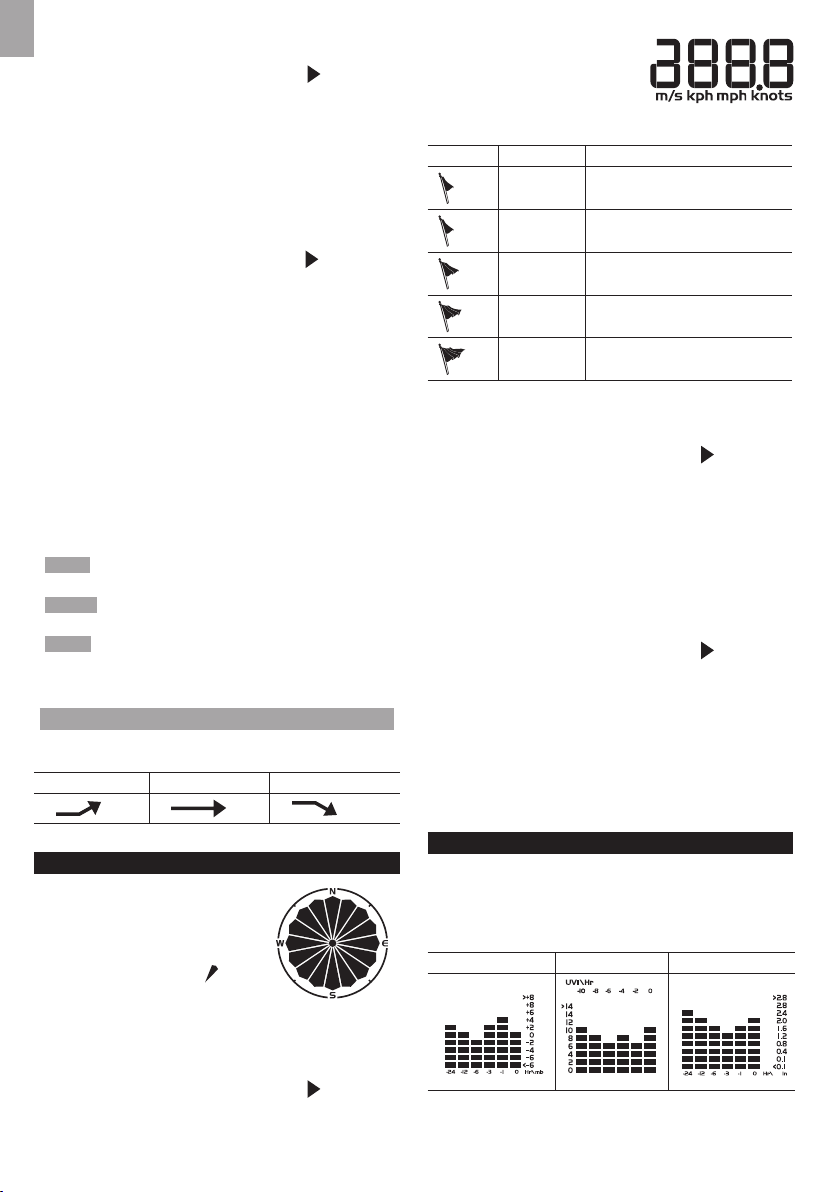
The number shown in the horizontal axis (Hr) indicates how
long ago each measurement was taken (e.g. 3 hours ago,
6 hours ago, etc.). The bar represents the measurement
taken for that specic 1 hour period. E.g., if it is 10:30 pm
now, the bar plotted directly above -1 shows the reading
recorded from 9 to 10 pm and -6 shows the reading
recorded earlier in the evening, between 4pm-5pm.
To view the barometer/UV/rainfall readings:
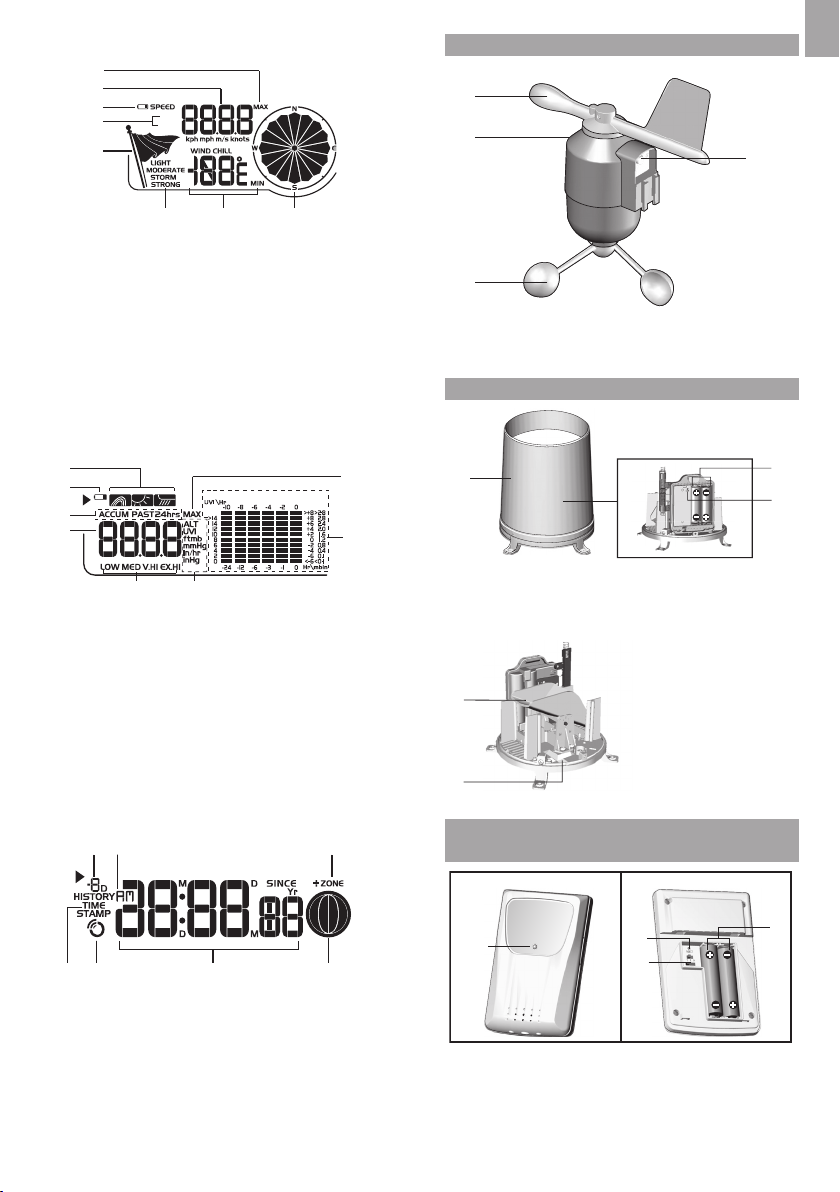
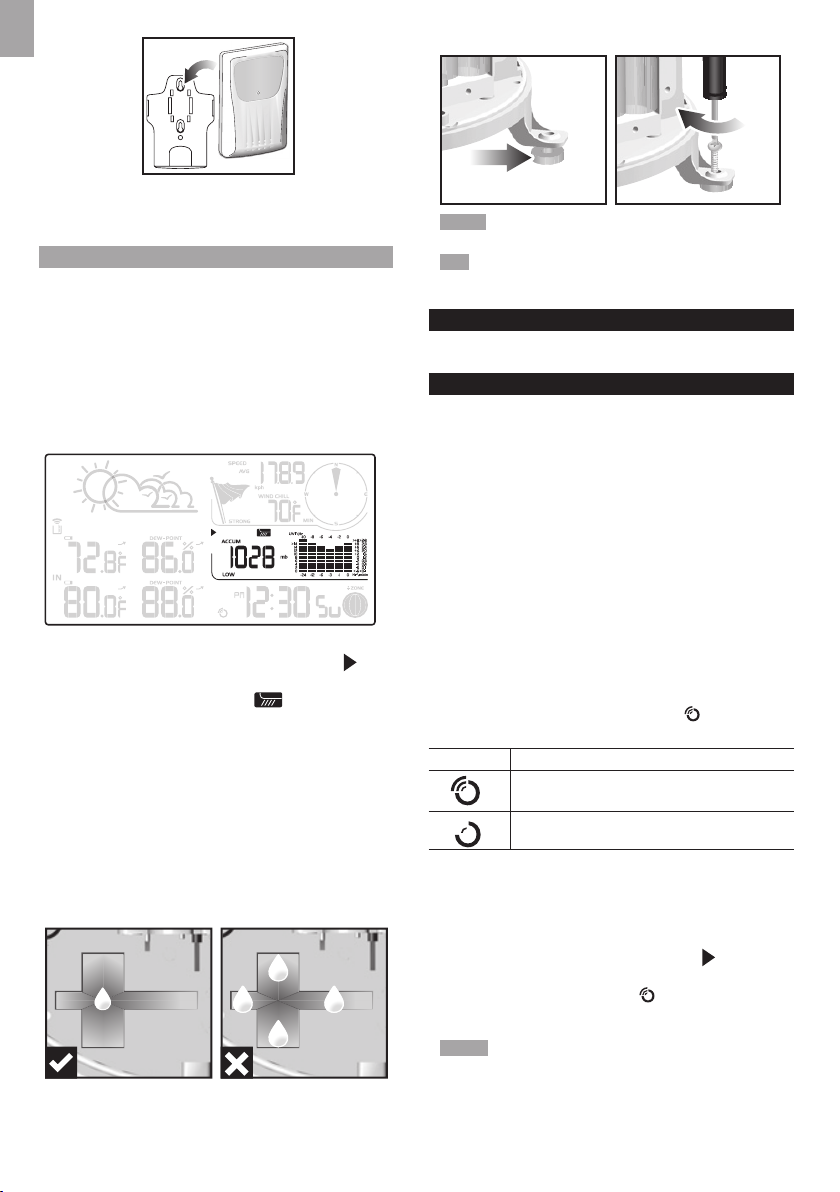
1. Press SELECT repeatedly to navigate icon to the
barometer/UV/rainfall area.
2. Press MODE to toggle between barometer/UV/rainfall
readings. The corresponding icon displays.
BAROMETER UV RAINFALL
To select the measurement unit for the barometer or
rainfall readings:
In the barometer/UV/rainfall area, press UNIT to switch
between:
• Barometer: Millimeters of mercury (mmHg), inches
of mercury (inHg), millibars per hectopascal (mb).
• Rainfall: Millimeters (mm), inches (in), recorded for
that hour.
NOTE The bar chart provides a quick comparison
between the records of the past 24 hours, the vertical
axis cannot convert from inches to mm. Changing the
measurement unit will have no effect on the bar graph
display.
BAROMETER
To set the altitude level compensation for the
Barometer readings:
1. Press SELECT repeatedly to navigate icon to the
barometer/UV/rainfall area.
2. Press MODE repeatedly to select .
3. Press and hold MODE to enter the altitude setting.
4. Press UP / DOWN to increase/decrease the setting
value.
5. Press MODE to conrm the setting.
UV INDEX
The UV index levels are as follows:
UV INDEX DANGER LEVEL ICON
0-2 Low
3-5 Moderate
6-7 High
8-10 Very high
11 and above Extremely high
To view the maximum UV reading:
1. Press SELECT repeatedly to navigate icon to the
barometer/UV/rainfall area.
2. Press MODE repeatedly to select .
3. Press MAX / MIN to toggle between current/MAX UV
index display.
The timestamp of when maximum UV was recorded is
displayed accordingly in the clock area.
To clear maximum UV reading:
1. Press SELECT repeatedly to navigate icon to the
barometer/UV/rainfall area.
2. Press MODE repeatedly to select UV display.
3. Press and hold MAX / MIN to clear the readings as
current data..
RAINFALL
To view the recorded rainfall of the current hour or
last 24 hours:
1. Press SELECT repeatedly to navigate icon to the
Barometer/UV/Rainfall area.
2. Press MODE repeatedly to select .
3. Press MAX / MIN repeatedly to toggle between
current hour, past 24 hours or accumulated rainfall
readings.
REVIEW STORED DATA
The main unit stores up to 7 days data. The data includes:
• Indoor/outdoor temperature (MAX, MIN)
• Indoor/outdoor humidity (MAX, MIN)
• AVG wind speed, GUST
• Wind chill
• Air pressure
• Rainfall/Total rainfall/Accumulate rainfall
• Max. UV index
• Moon phase
To review the data history:
1. Press SELECT repeatedly to navigate icon to the
clock area.
2. Press DOWN to review the history. The screen displays
.
While the base station is in history mode:
• Press UP / DOWN to review the history at different
time intervals.
-OR-
Press and hold UP / DOWN to review the history at
different time intervals quickly.
The record displays in 1 hour interval.
• Press SELECT to select desired section.
• Press MAX / MIN or MODE in desired section to
review different information.
To exit the history mode
• Press SELECT repeatedly to navigate icon to the
clock area. Then press MODE.
NOTE
• When reviewing the history, it displays the nearest hour
record. eg. When the current time is 11:05 am, the latest
history for review is 11:00 am. When the current time is
12:59 pm, the latest history for review is 12:00 pm.
• Each daily record starts at 12:00 am. If the current time
is 12:30 am, the screen displays when reviewing
the history before 12:00 am.