4
Safety Precautions
WARNING
Fire or electric shock may result.
nDo Not Touch This Product In a Thunderstorm If Con-
nected with the AC Cable or Any Other Cables
nDo Not Place Containers of Liquid or Metal Objects on
Top of This Product
ÖIf foreign matter has found its way inside, immediately turn
the power off and unplug the AC plug (and remove the bat-
tery pack). Then contact your technical support office.
nIf a Malfunction or Trouble Occurs, Immediately Stop Use
If the Following Malfunction Occurs, Immediately Unplug
the AC Plug and the Battery Pack
• This product is damaged
• Foreign object inside this product
• Smoke emitted
• Unusual smell emitted
• Unusually hot
ÖAfter the above procedure, contact your technical support
office for repair.
nClean Dust and Other Debris of the AC Plug Regularly
• If dust or other debris accumulates on the plug, humidity, etc.
may cause a defect in the insulation.
nInsert the AC Plug Completely
ÖDo not use a damaged plug or loose AC outlet.
nClose the Connector Cover Tightly When Using This Prod-
uct Where Is a Lot of Water, Moisture, Steam, Dust, Oily
Vapors, etc.
ÖIf foreign matter has found its way inside, immediately turn
the power off and unplug the AC cord, and then remove the
battery pack. Then contact your technical support office.
nTurn the Power off Beforehand when Entering Locations,
Such as a Gas Station Where Inflammable Gases Are
Generated
• Such gases may be ignited.
Burns or low-temperature burns may result.
nDo Not Use This Product in Close Contact With Your Body
For a Long Period of Time
ÖDo not use this product with its heat-emitting parts in close
contact with your body for a long period of time.
• Low-temperature burns may result.
nDo Not Touch the Surface of the AC Adaptor Continuously
While Using/Charging
• Burns may result.
nDo Not Place the Product in a Bag or Case While It is
Turned On
• Doing so may cause the product to overheat and result in
burns.
Detrimental health effects on your body may result.
nDo Not Turn the Volume Up Too Loud When Using Head-
phones
• Listening at high volumes that overstimulate the ear for long
periods of time may result in loss of hearing.
<Only for model with wireless WAN>
nDo Not Leave a nanoSIM Card Within Reach of Infants
• In case of swallowing, consult a doctor immediately.
Radio waves transmitted from this product may affect the surrounding
area.
nDo Not Use This Product near Automatic Control Devices,
Such As Automatic Doors And Fire Alarms
• Automatic control devices may malfunction, resulting in ac-
cidents.
nTurn the Power Off on an Airplane *1
ÖFor use on a plane, follow the airline’s instructions.
• The safety of navigation may be compromised.
nTurn the Power Off in Hospitals or at Locations Where
Medical Equipment is Present *1
ÖDo not bring this product into operating rooms, intensive care
units, CCU, etc. *2
• Medical electrical equipment may be affected, and malfunction
may occur, resulting in accidents.
nTurn the Power Off in Crowded Locations, Such As a
Crowded Train, Where There May Be a Person with a Car-
diac Pacemaker
• The operation of a pacemaker may be affected.
nKeep This Product at Least 15 cm Away from the Position
of an Implantable Pacemaker
• The operation of a pacemaker may be affected.
*1 If there is no choice but to use this product in such an environment, turn the wireless ca-
pability off. However, bear in mind that use of a computer may be prohibited during takeoff
and landing of an aircraft, etc. even if the wireless capability is turned off.
*2 CCU is an abbreviated term of Coronary Care Unit.
CAUTION
Fire or electric shock may result.
nDo Not Move This Product While the AC Plug Is Connect-
ed
ÖIf the AC cord is damaged, unplug the AC plug immediately.
nDo Not Connect a Telephone Line, or a Network Cable
Other Than the One Specified, Into the LAN Port
ÖDo not connect to a network such as the ones listed below.
• Networks other than 1000BASE-T, 100BASE-TX or 10BASE-T
• Phone lines (IP phone (Internet Protocol Telephone), Tele-
phone lines, internal phone lines (on-premise switches), digital
public phones, etc.)
nDo Not Subject the AC Adaptor To Any Strong Impact
ÖDo not continue to use the AC adaptor after a strong impact
such as being dropped.
ÖContact your technical support office for repair.
nDo Not Leave This Product in High Temperature Environ-
ment for a Long Period of Time
• Leaving this product where it will be exposed to extremely
high temperatures such as near fire or in direct sunlight may
deform the cabinet and/or cause trouble in the internal parts.
nHold the Plug When Unplugging the AC Plug
nUse Only the Specified AC Adaptor With This Product
ÖDo not use an AC adaptor other than the one supplied (sup-
plied with the unit or one sold separately as an accessory).
This product may fall over or drop, resulting in an injury.
nDo Not Place This Product on Unstable Surfaces
nAvoid Stacking
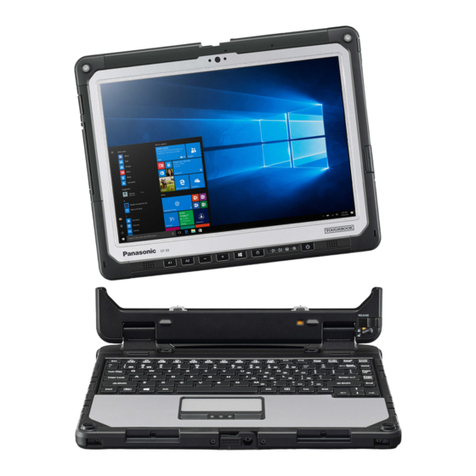
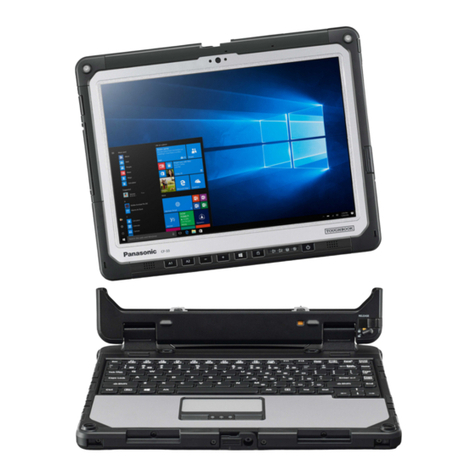
nWhen Carrying the Computer, Attach the Tablet To the
Keyboard Base Tightly Until Orange-colored Signs Under
the Detach Lock And Release Lever Are Concealed
Detrimental health effects on your body may result.
nTake a Break Of 10-15 Minutes Every Hour
• Using this product for long periods of time may have detrimen-
tal health effects on the eyes or hands.
Burns, low-temperature burns, or frostbite may result.
nDo Not Expose the Skin To This Product When Using the
Product In A Hot Or Cold Environment
ÖWhen it is necessary to expose the skin to this product such
as to scan a fingerprint, perform the operation in the shortest
time possible.