DURABILITY FEATURES • Designed using MIL-STD-810F test procedures
• Full magnesium alloy case with handle
• Moisture- and dust-resistant LCD, keyboard and touchpad
• Sealed port and connector covers
• Shock-mounted, removable hard drive in stainless steel case
• Rugged, dust-resistant hinges
• Vibration- and drop-shock-resistant
• Pre-installed replaceable screen film for touchscreen protection
SOFTWARE • Genuine Windows®XP Professional SP2*
• Setup, Diagnostics, DMI Viewer, Online Reference Manual,
Adobe®Acrobat®Reader
CPU • Intel®CoreTM Duo Processor L2400
– 2MB L2 cache
– Processor speed 1.66GHz
– 667MHz FSB
STORAGE & MEMORY • 80GB hard drive
• 512MB SDRAM (DDR2) standard, expandable to 4096MB
DISPLAY • With 80GB hard drive: 13.3" 1024 x 768 (XGA) transmissive, daylight-readable TFT
active matrix color LCD with touchscreen or without touchscreen
• External video support up to 1280 x 1024 at 16 million colors (24-bit color depth)
• Intel®Mobile 945GM graphic controller DVMT up to 128MB
• 1000 nit (touchscreen models), 500 nit LCD brightness (non-touchscreen models)
AUDIO • SigmatelTM STAC9751T AC-97 v.2.1 Compliant Audio Codec
• Integrated front-facing speaker
• Convenient keyboard volume and mute controls
EXPANSION SLOTS • PC card type II x 1
• Secure Digital (SD) card
• Express card/54 x 1
MULTIMEDIA POCKET • Will accept optional Combo or Multi Drive, or 2nd Battery
KEYBOARD & INPUT • 87-key with dedicated Windows®key
• Pressure-sensitive touchpad with vertical scrolling support
• Touchscreen LCD (only with touchscreen version)
INTERFACE • External video MiniD-sub 15-pin
• Headphones/speaker Mini-jack stereo
• Microphone/line in Mini-jack
• Port replicator 80-pin (reinforced)
• Serial D-sub 9-pin
• Ext. antenna conn. 50 Ohm Coaxial
• USB 2.0 (x 3) 4-pin
• IEEE 1394a (Firewire) 4-pin
• 10/100/1000 Ethernet RJ-45
• 56K Modem RJ-11
WIRELESS • Bluetooth®v.2.0 + EDR
• Intel®PRO/Wireless 3945ABG LAN connection 802.11a/b/g
• Security
– Authentication: LEAP, WPA, 802.1x, EAP-TLS, EAP-FAST, PEAP
– Encryption: CKIP, TKIP, 128-bit and 64-bit WEP, Hardware AES
• Slide on/off switch
POWER SUPPLY • Lithium ion battery pack (10.65V, 8.55Ah) with overcharge protection
• Battery operation: 7.9 hours****
• Battery charging time: 5 hours off, 8 hours on****
• AC Adapter: AC 100V-240V 50/60Hz, Auto sensing/switching
worldwide power supply
• Pop-up, on-screen battery status reporting
POWER MANAGEMENT • Hibernation, Standby, ACPI BIOS
SECURITY FEATURES • Password Security: Supervisor, User, Hard-disk Lock
• Cable lock slot
• Trusted platform module (TPM) security chip v.1.2
• Computrace®theft protection agent in BIOS*****
WARRANTY • 3-year limited warranty, parts and labor
DIMENSIONS & WEIGHT • 2.8"(H) x 11.9"(W) x 11.3"(D)
• 8.4 lbs.
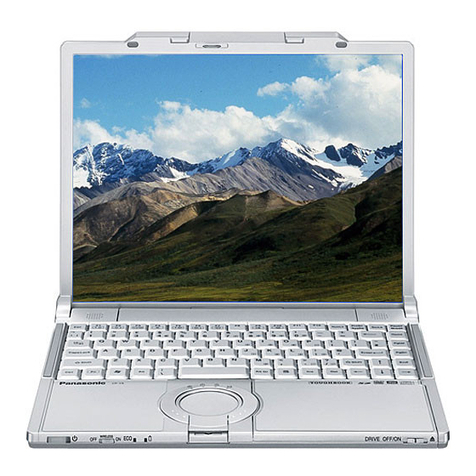
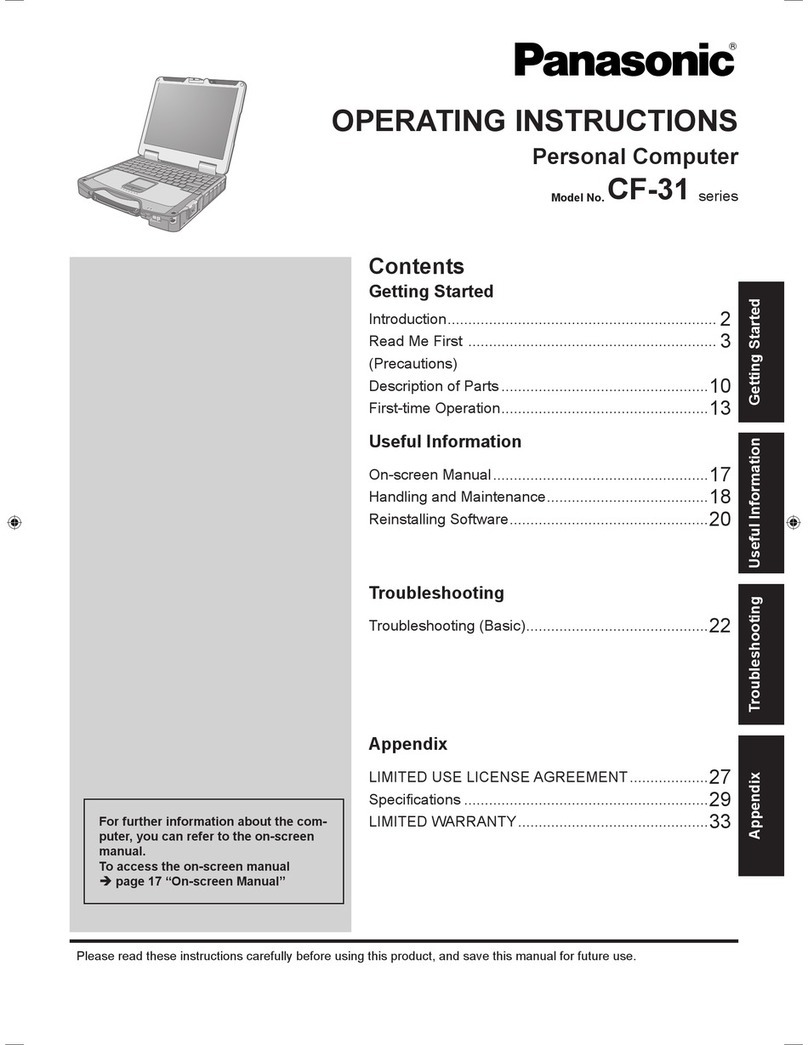
Powerful, Rugged and Wireless
toughbook 30
■Full Magnesium Alloy Case with Handle
■Moisture- and Dust-resistant Design
■Shock-mounted, Removable Hard Drive
■Wide Area Wireless and GPS Capable
■Intel®Centrino®
Duo Mobile Technology
30
toughbook
INTEGRATED OPTIONS******
• Wide Area Wireless Solutions
– EVDO
– HSDPA
• Global positioning system (GPS) receiver
• Backlit keyboard – sealed rubber or plastic emissive
• SmartCard reader
• Fingerprint scanner
ACCESSORIES******
• AC Adapter (3-pin) CF-AA1653AM
• MIL-461 Compliant AC Adapter CF-AA1653ASM
• Battery Charger CF-VCBTB1U
• Combo Drive (DVD-ROM**/CD-RW***) CF-VDR301U
• DVD Multi Drive
(DVD-RAM/DVD-RW/CD-RW***) CF-VDM301U
• ComFolio Universal Carrying Case
(large capacity) COMUNIV-P
• ComFolio Universal Jr. Carrying Case COMUNIVJR-P
• Desktop Port Replicator CF-VEB272A2W
• External USB Floppy Drive CF-VFDU03W
• Lithium Ion Battery Pack CF-VZSU46U
• Lithium Ion Battery Pack CF-VZSU1430U
for Multimedia Pocket
• Memory Cards
– 512MB CF-WMBA5512
– 1GB CF-WMBA501G
– 2GB CF-WMBA502G
• Touchscreen Large Stylus
with Tether Hole CF-VNP004U
• Vehicle-mount Port Replicator CF-WEB301M
(USB 2.0)
• Vehicle-mount Port Replicator CF-WEB301MB
with Integrated Dual High-gain
Antenna Pass-through (USB 2.0)
• Vehicle-mount Port Replicator CF-WEB301MA
with Integrated High-gain
Antenna Pass-through (USB 2.0)
• 13.3" LCD Protector Film CF-VPF03U
Panasonic recommends Windows VistaTM Business.
*Windows VistaTM upgrade available for additional cost.
**Decoder software is required for DVD movie play (included).
***CD authoring software is required to write CD-RW (included).
****Battery performance features such as charge time and life span can
vary according to the conditions under which the computer and battery
are used. Battery operation and recharge times will vary based on
many factors, including screen brightness, applications, features, power
management, battery conditioning and other customer preferences.
Battery testing results from MobileMark 2005.
*****Requires software and activation to enable theft protection.
******Accessories and Integrated Options may vary depending on your
notebook configuration.
Please consult your reseller or Panasonic representative before purchasing.
For more information, call 1.800.662.3537 or
visit us on the Web at panasonic.com/toughbook.
Panasonic is constantly enhancing product specifications and accessories. Specifications subject
to change without notice. Trademarks are property of their respective owners. ©2007 Panasonic
Corporation of North America. All rights reserved.
ss30 07/07
Panasonic
ideas for life