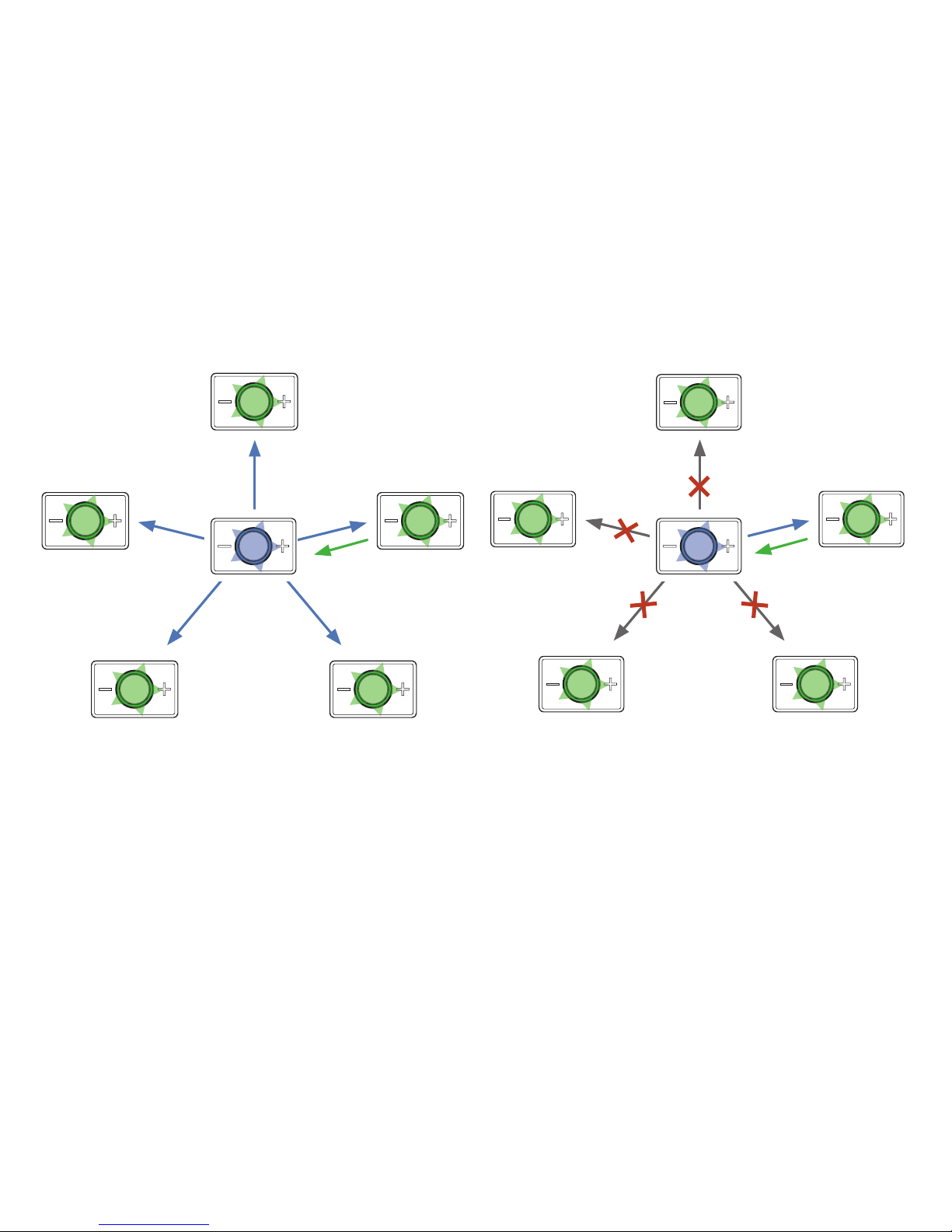
The devices have not been assigned roles upon delivery (all devices are identical). This is done when the devices are
switched on for the rst time. If you wish to switch on the devices without changing the prede ned role assignments,
press the Talk button (o) for one second. Role assignment only needs to be performed once when switched on for
the rst time. If you would like to change the role of a device, you can repeat the process at any time (following
a reset). If you would like to increase the number of participants, the connected devices have to be reset rst.
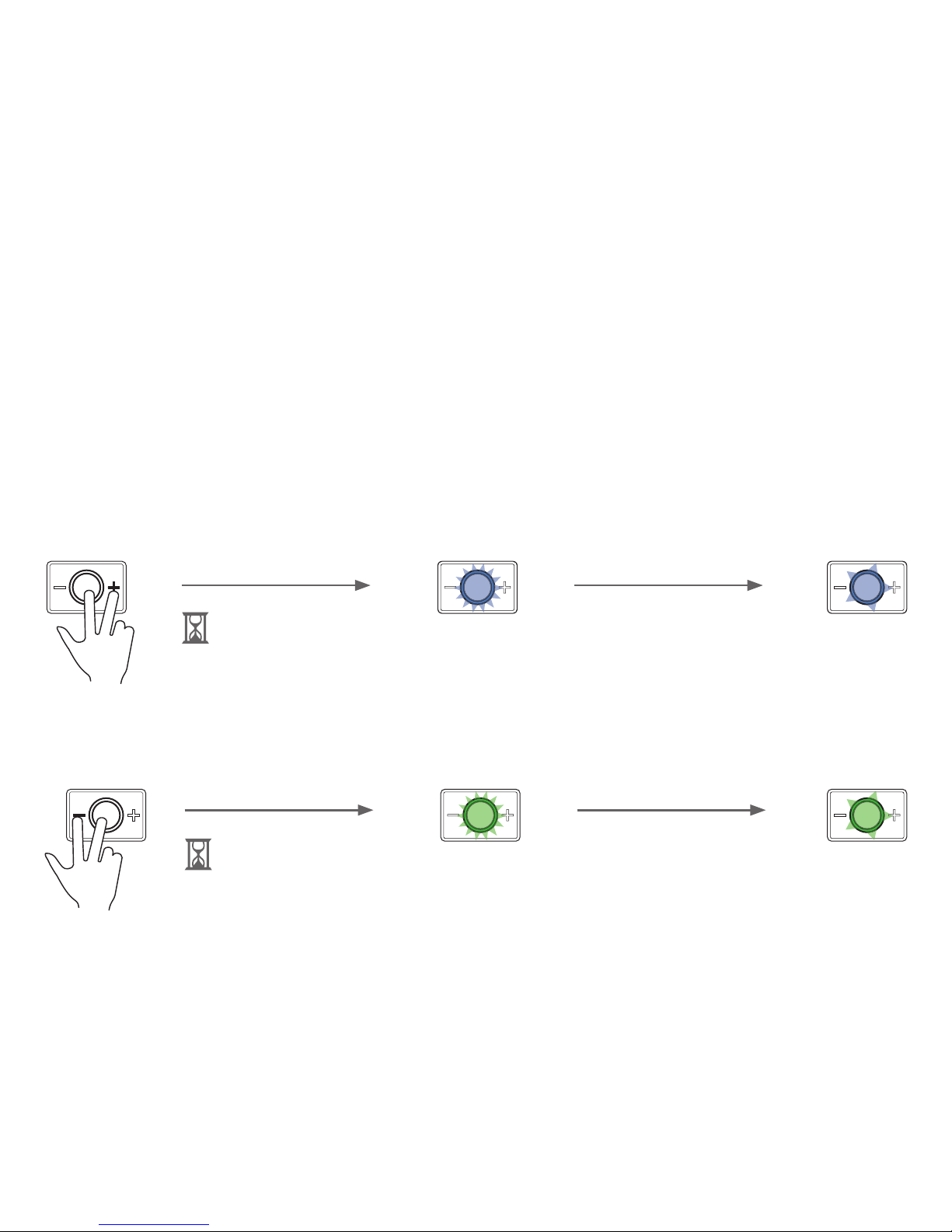
2 sec. (o) & (-) Ready for use
after approx. 30 sec., indicated by
slow ashing .
2 sec. (o) & (+) Ready for use and/or maximum
number of participants found, after
approx. 30 sec., when ashing slowly.
.
Role assignment (pairing)
Assigning the moderator
Assigning participants
To assign the role of the participant to the device, switch on and press the Minus button (-) and the Talk button (o)
simultaneously for 2 seconds.
To do so, after switching on the prospective moderator, please press the Plus button (+) and the Talk button (o)
simultaneously for 2 seconds.
6