Two things must be considered when calibrating a spreader. The rst is the distribution pattern of the spreader.
That is, the pattern the product makes as it strikes the ground after being thrown out by the spreader’s inpeller.
There are many factors which affect the distribution pattern of a rotary spreader and some of them relate directly
to the product. For this reason, we recommend that the spreader be calibrated separately for every product to be
applied. Spreader calibration should be checked at least once a month, or more often when the spreader is used
frequently. Furthermore, a daily quick check should be done using the calibration gauge provided (See Fig.5-1).
The second item is the product application rate, that is the amount of product applied per thousand square feet.
This is important because over-application can be costly and may cause plant injury, while under-application will
reduce the effectiveness of the product.
Fig. 5-1
1. Check the spreader discharge holes with the operating lever in the closed position. If the discharge holes are
not fully closed, go down to the lower linkage assembly, loosen both 1/4”-20 nuts on side of coupler. Then remove
1/4” shoulder bolt from back of linkage assembly. Adjust closed position by adjusting hangar bolts. When corrected,
reconnect shoulder bolt and tighten nuts.
2. The accurate method for checking pattern uniformity is to lay out shallow boxes or pans in a row on a line per-
pendicular to the direction of spreader travel. Eleven pans (included in the optional calibration kit), two inches high,
placed on two-foot centers will provide accurate calibration to conduct the test. Insert the #13 step of the provided
calibration guage (See Fig. 5-1) into the Center Hole as shown (See Fig.5-3). Pull the fertilizer lever on the handle
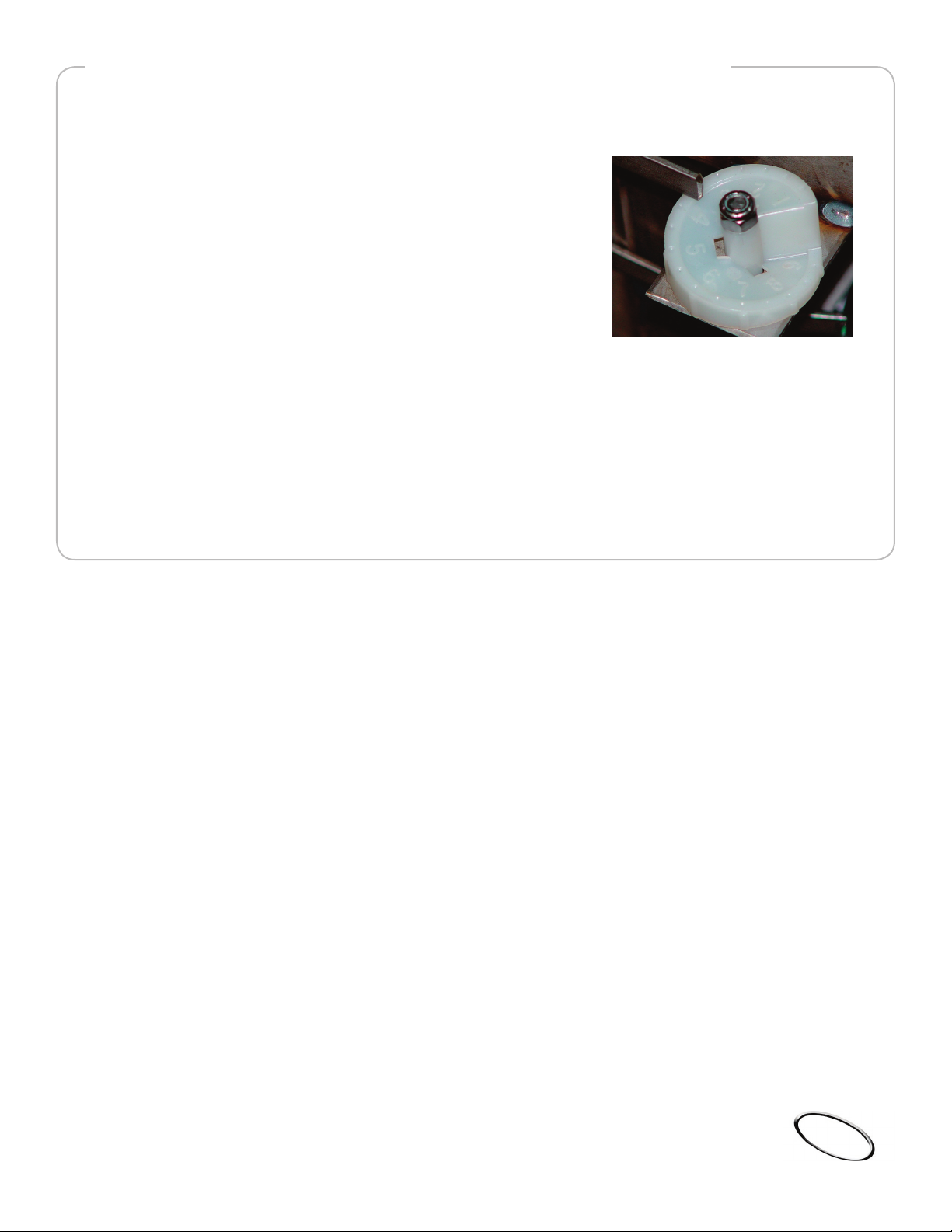
back until the slide plate touches the guauge. Lock in the setting by adjusting the rate dial (See Fig. 6-1).
Make several tests, opening, closing, measuring, and adjusting to verify the setting. Next, move the Right side pat-
tern adjusting lever (See Fig. 5-3) to set the opening of the right side pattern adjuster hole to #11. IMPORTANT!
With a Phillips screwdriver, tighten the Right side patter adjusting lever’s pivot screw to lock in the setting (See
Fig.5-3). Finally, loosen the black knob on the Left side pattern adjusting plate (See Fig. 5-4) and set the opening
of the Left side pattern adjuster hole to #9.
3. Make 3 passes over the boxes, driving the spreader in the same direction each time. The product caught in
eachbox is then evaluated to determine the distribution pattern. The simplest method is to use a graduated cylinder
(included in optional calibration kit) to measure the material collected in each pan and record the results in a photo
copy of the Calibration Log in the Maintenance Manual.
4. To reduce the amount of discharge to the right side (operator’s right), partially close the Right side pattern ad-
juster plate, and test until the distribution pattern is uniform.
5. To reduce the amount of discharge to the left side (operator’s left), partially close the Left side pattern adjuster
plate, and test until the distribution patter is uniform.
CALIBRATE SPREADER DISTRIBUTION PATTERN
HOPPER CALIBRATION
page5
© 2004 Perma Green Supreme, Inc. All rights reserved.
DOCUMENT ID: U001T